Carrd Templates: 20 Free One-Page Picks (2026)
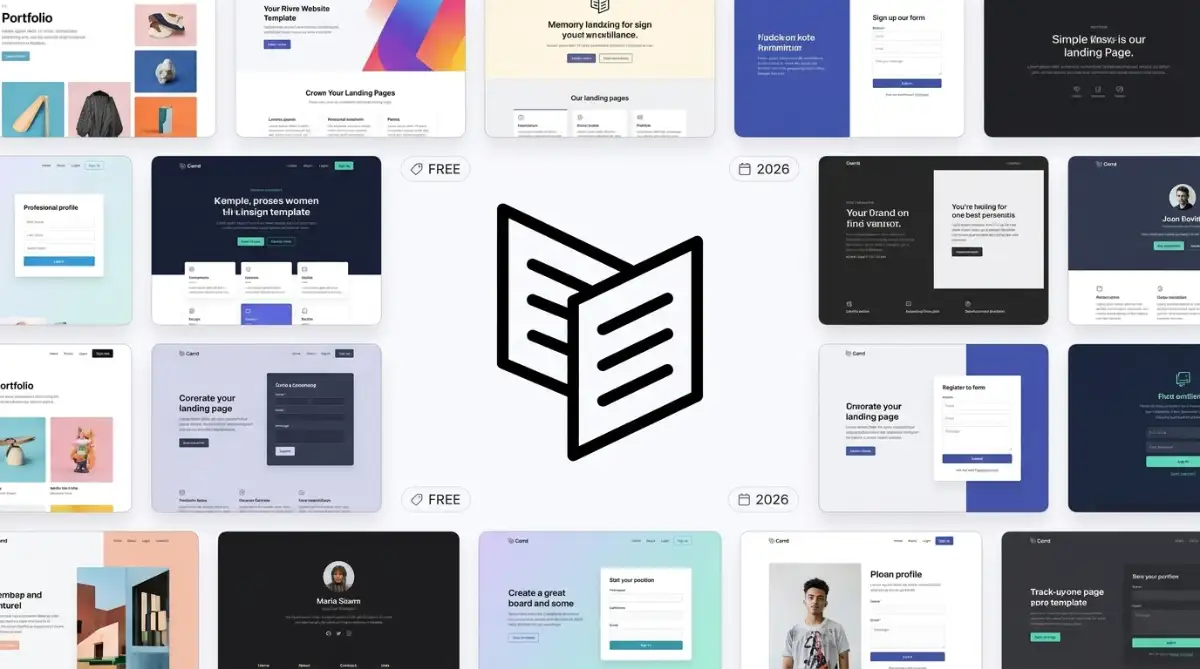
Twenty free Carrd templates cover link-in-bio hubs, portfolios, launch countdowns, and one-page service sites. The layouts themselves are free. Custom domains, forms, and embeds start on Carrd Pro Standard at $19 per year on carrd.co/pro.
Table of Contents:
- Key Takeaways
- Introduction
- How Do You Choose Carrd Templates That Stay One Page?
- Which Layouts Replace a Link-in-Bio Tool?
- Which Carrd Templates Fit a Photographer or Studio Portfolio?
- Which Presets Launch a Brand, Waitlist, or Service Page?
- What Does Carrd Charge After the Free Template?
- Decision Framework
- FAQ
Key Takeaways
- Carrd's $9 Pro Lite tier still cannot attach a custom domain or a Mailchimp form, so the cheaper plan often costs more in branding than it saves.
- The highest-viewed layouts in this roundup are bio hubs, which is the opposite of the studio portfolios most photographers bookmark first.
- Site download sits on Pro Plus at $49 per year, so the cheap tiers still rent the files even after the page is live.
Introduction
I still get texts from wedding photographers and Instagram coaches who need a live page before the next Reel, not a CMS training course. Carrd templates are how they borrow a one-page layout, swap the portrait, and publish without hiring a developer.
Carrd now hosts over 4.5 million active sites by doing less on purpose. That is a compliment until you need a second URL. The same instinct sits in Carrd.co and the return of the one-page site: one URL, one job, then ship. Browse the Carrd templates if you want every live demo in one grid.
I will walk all 20 free layouts and the yearly Pro plan on Carrd pricing that actually puts a form on your own domain.
How Do You Choose Carrd Templates That Stay One Page?
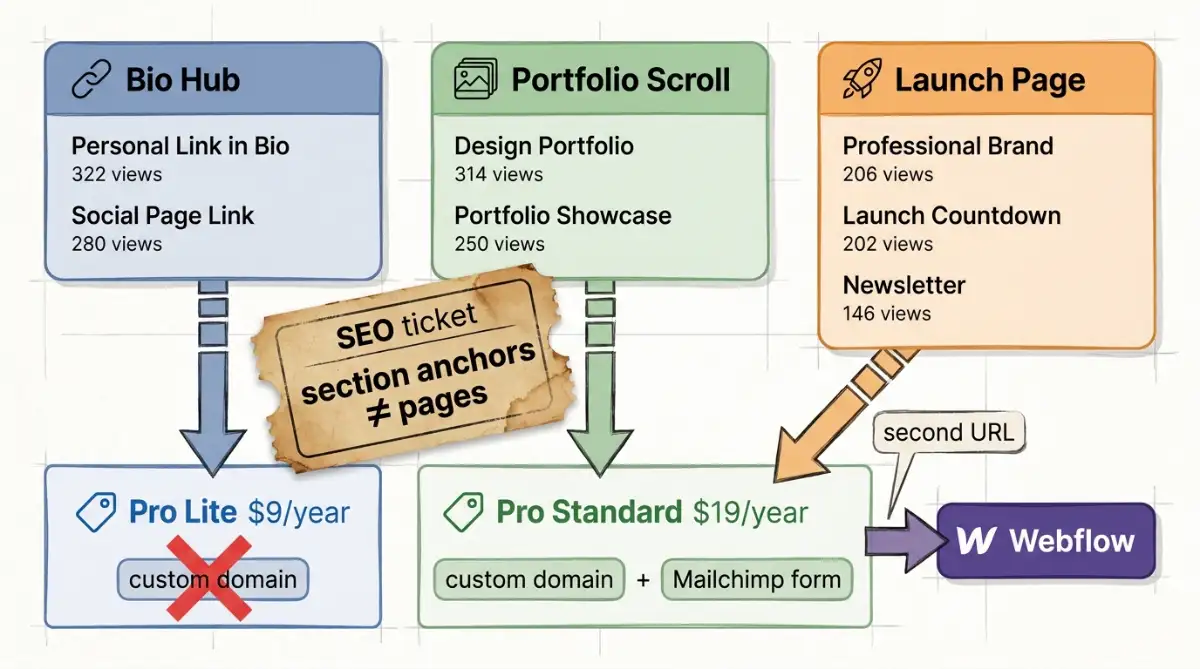
Pick the layout by the one job the page must finish on a phone. Wedding photographers and Instagram coaches usually need a bio hub, a portfolio scroll, or a waitlist, not a multi-page CMS. If you need a blog, a shop, or unique URLs per project, stop here. Carrd stays cheap (Pro Lite $9 per year, Pro Standard $19 on Carrd pricing) and extra indexed URLs are still not in the product.
I open the Carrd editor when the brief is one portrait, three links, and a booking button. I do not open it when the brief is ten case studies that each need their own metadata. Section anchors are not extra pages, which is why a free website template can still hurt SEO when Google wants distinct URLs.
A Carrd page is a job, not a website, and the template you pick is just the costume that job wears.
Treat the layout as a job title:
- Bio hub: stacked links, social icons, one CTA. Replaces Linktree.
- Portfolio scroll: full-width images, project blocks, then contact. Proof, not a CMS.
- Launch page: countdown, newsletter form, or service grid. One offer, one action.
Pretty is not the test. UI vs UX is the test: does the thumb hit the right destination? A scenic background that hides the Instagram button fails, even if the desktop demo looks expensive. Load the Carrd preview on a real handset and check responsive design the way a commuter would.
The personal templates and portfolio templates collections are where these jobs sit beside other builders. Wider one-pagers also live in the one-page website templates roundup. Use them to compare, then come back to Carrd only if the page can stay one URL.
Which Layouts Replace a Link-in-Bio Tool?
Use a bio hub when the page has one job: catch a tap from Instagram, TikTok, or a business card QR and send it onward. Stacked cards beat a long portfolio scroll for that. Wedding photographers and Instagram coaches should treat extra sections as clutter.
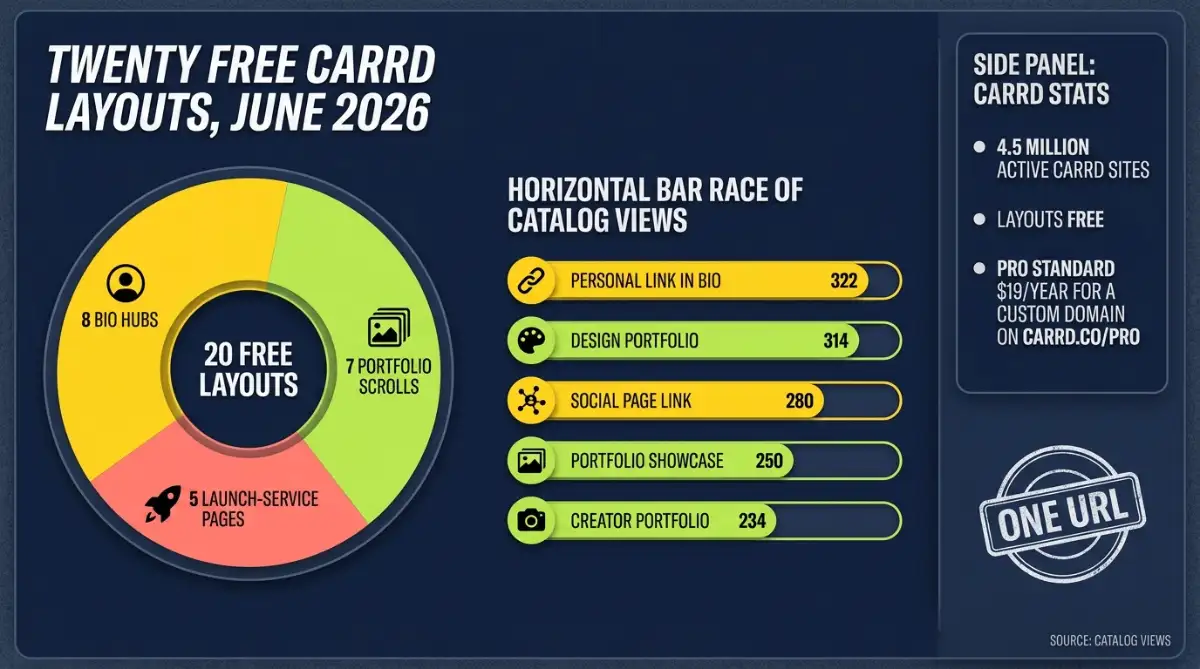
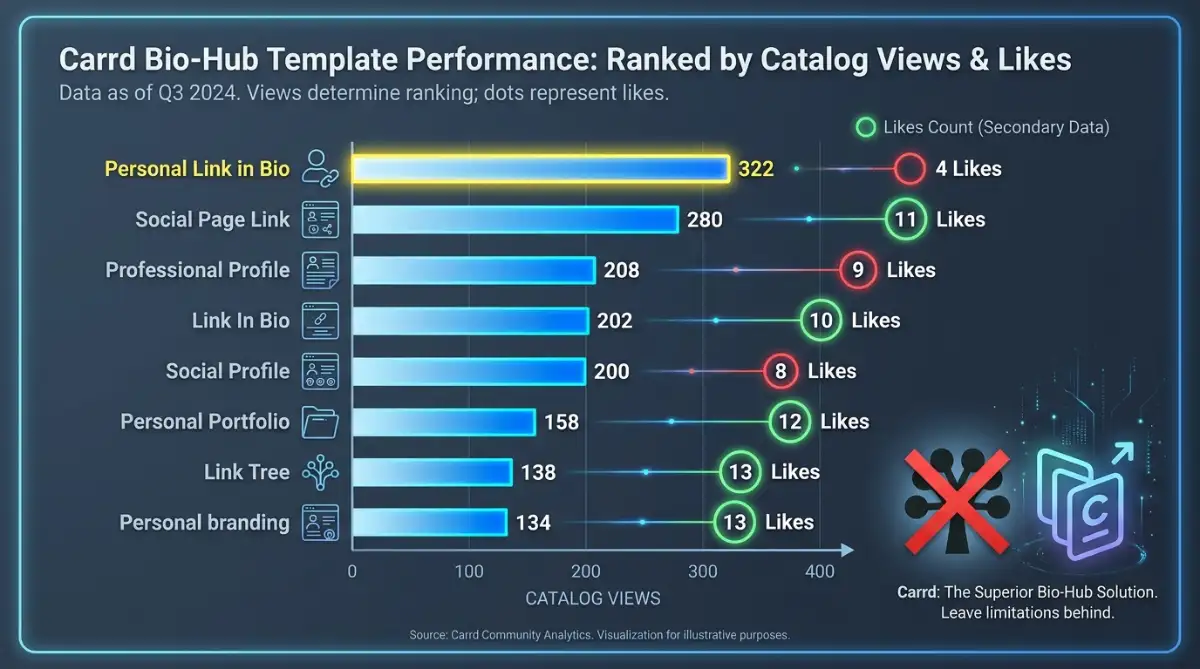
Personal Link in Bio leads this set at 322 views. Social Page Link sits at 280. Those two numbers are the catalog voting with its feet.
Carrd earns its following by refusing to be more than it needs to be.
Carrd pricing lists Stripe, PayPal, Gumroad, and Typeform as embeds, which is how a coach sells a single offer without a store. Forms themselves start on Pro Standard, not on Lite. A digital download can sit on Gumroad instead of a Carrd shop that does not exist.
Start with the hub that matches the tap:
- Stacked cards: Link In Bio
- Portrait plus one CTA: Personal Link in Bio, Professional Profile
- Named social buttons: Social Page Link, Social Profile
- Image first: Link Tree, Personal branding
1. Personal Link in Bio
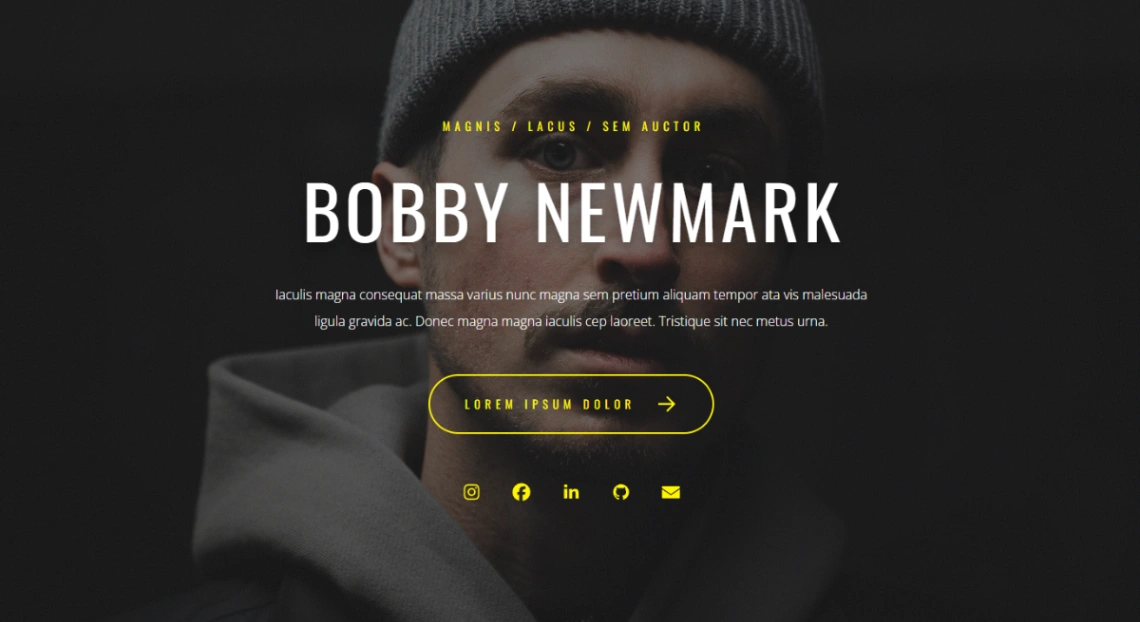
Dark portrait, yellow tagline, oversized name, biography, then one yellow arrow CTA. Instagram, Facebook, LinkedIn, GitHub, and email sit as icons, not as a stack of cards. I send this to Instagram coaches who need a face and a booking button, not four destinations.
- Yellow accent tagline
- Large bold name
- Biography block
- Arrow CTA
- Instagram, Facebook, LinkedIn, GitHub, email
Personal Link in Bio template · Carrd preview
2. Social Page Link
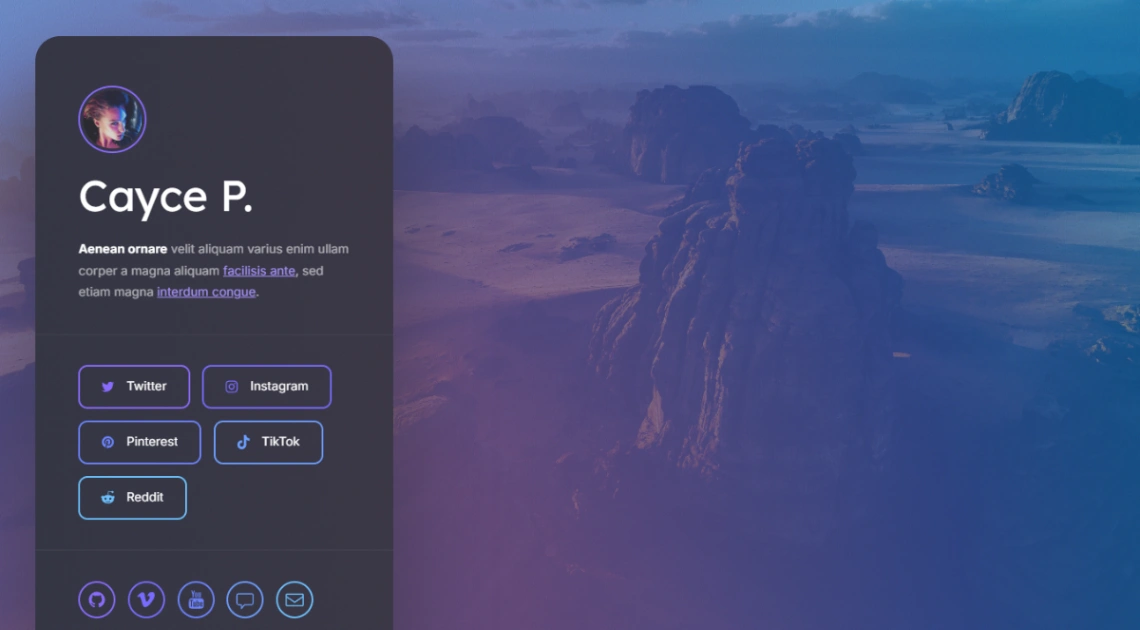
Circular photo, name, and a bio that can hold in-copy hyperlinks, then named buttons for Twitter, Instagram, Pinterest, TikTok, and Reddit on a scenic background. Duplicate this when the tap destinations are platforms, not a Calendly URL.
- Circular profile photo
- Bio with hyperlinks
- Twitter, Instagram, Pinterest, TikTok, Reddit buttons
- Footer icon row
- Scenic background
Social Page Link template · Carrd preview
3. Professional Profile
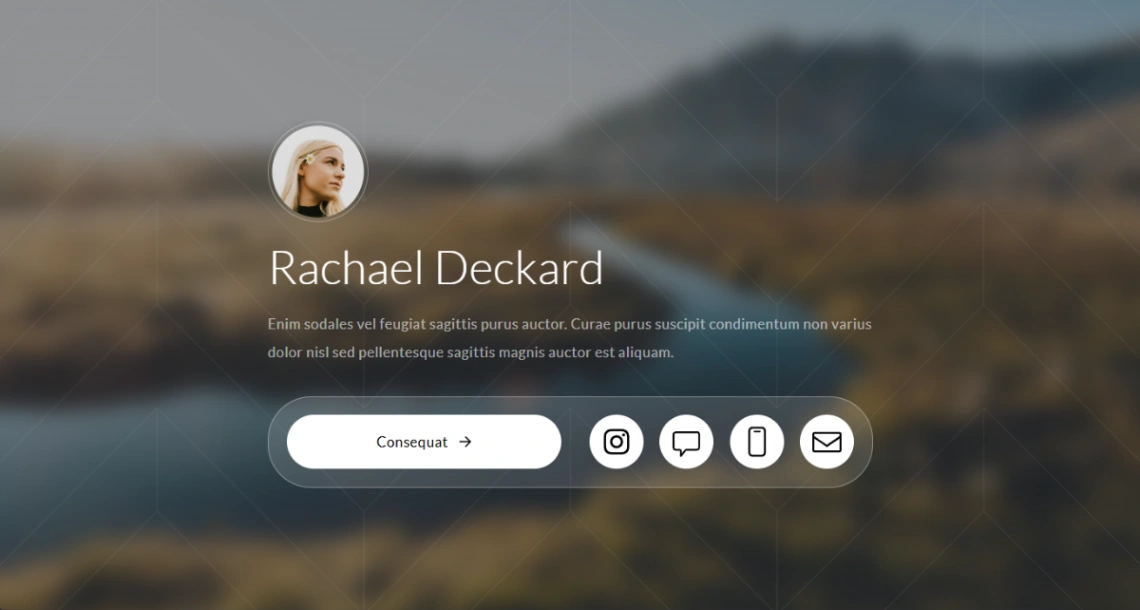
Circular headshot, short bio, and a dummy “Consequat” button you rename, plus Instagram, chat, portfolio, and email on a blur. Tight enough for a wedding photographer who only needs a booking link and a gallery URL.
- Circular photo
- Name and bio
- Single CTA
- Chat and portfolio icons
- Blurred background
Professional Profile template · Carrd preview
4. Link In Bio
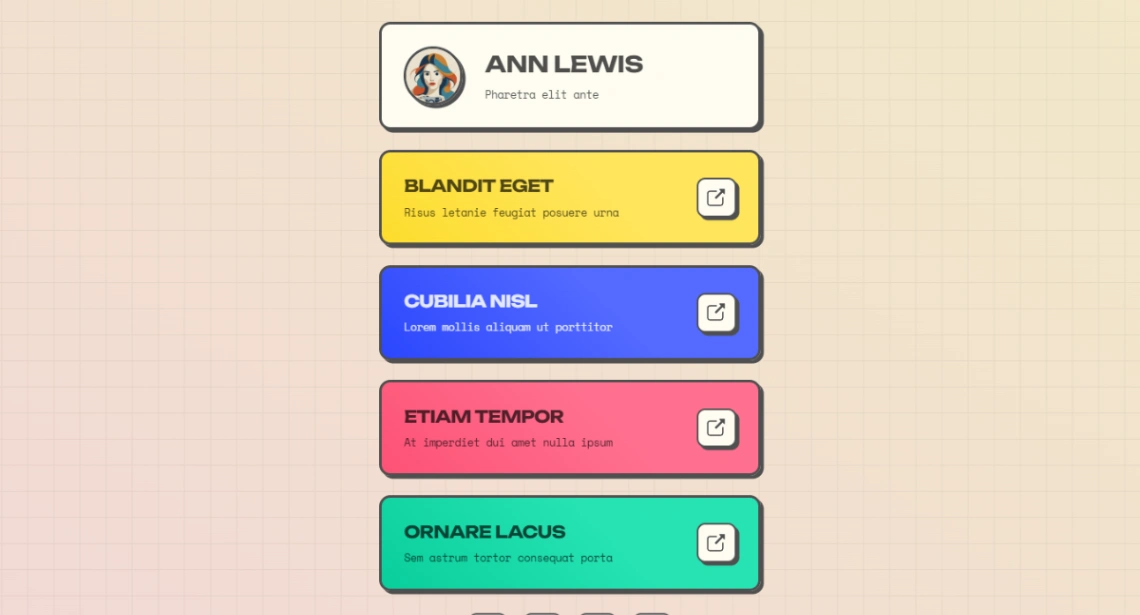
Name, tagline, and colorful stacked cards with per-link descriptions and external-link icons. This is the closest Carrd gets to a Linktree clone, which is the point if the Instagram bio has four destinations and none of them is “look at my photos.”
- Stacked colorful cards
- Per-link descriptions
- External-link icons
- Minimal chrome
- Multi-destination list
Link In Bio template · Carrd preview
5. Social Profile
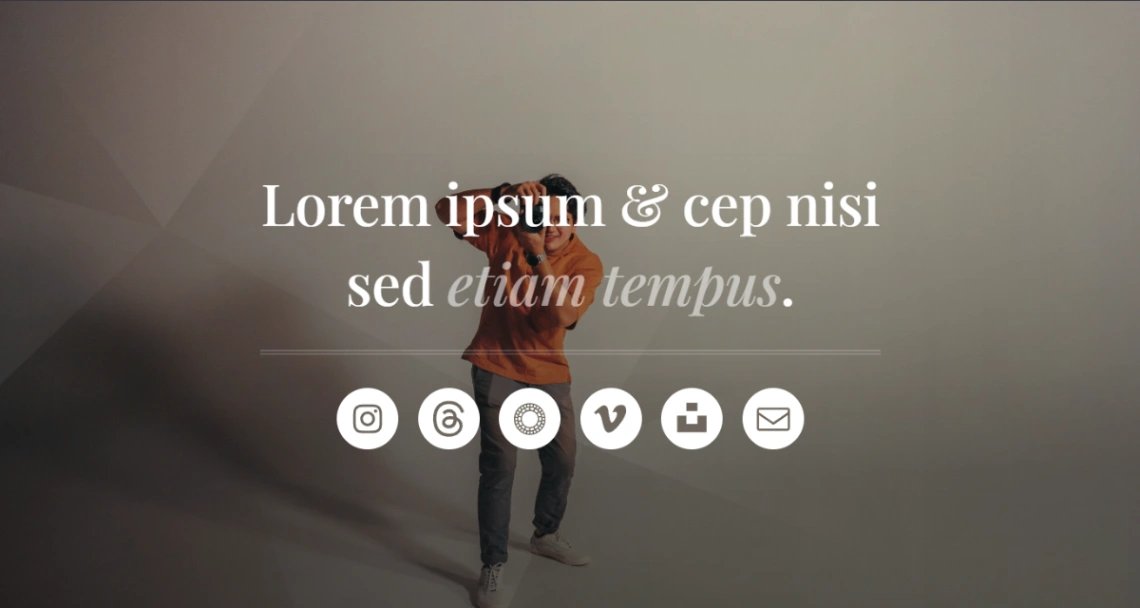
Centered headline and tagline on a full-screen image, then Instagram, Threads, Pinterest, Vimeo, portfolio, and email. Pretty on a desktop, easy to hide the first tap on a phone, so load it on a handset before you ship.
- Centered headline
- Full-screen background
- Threads and Vimeo icons
- Portfolio link
- Elegant type
Social Profile template · Carrd preview
6. Personal Portfolio
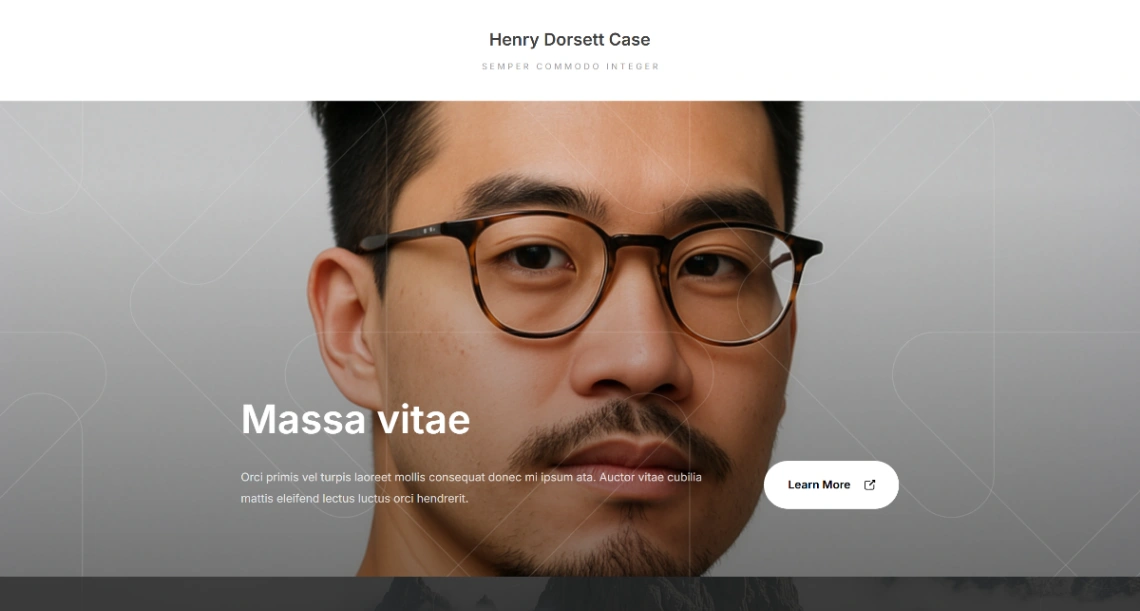
Centered profile with action links and icons, built as a mobile-first digital business card more than a studio gallery. I use this when the brief is a polished summary, not a wedding album.
- Centered profile
- Action links
- Icon support
- Button groups
- Mobile-first type
Personal Portfolio template · Carrd preview
7. Link Tree
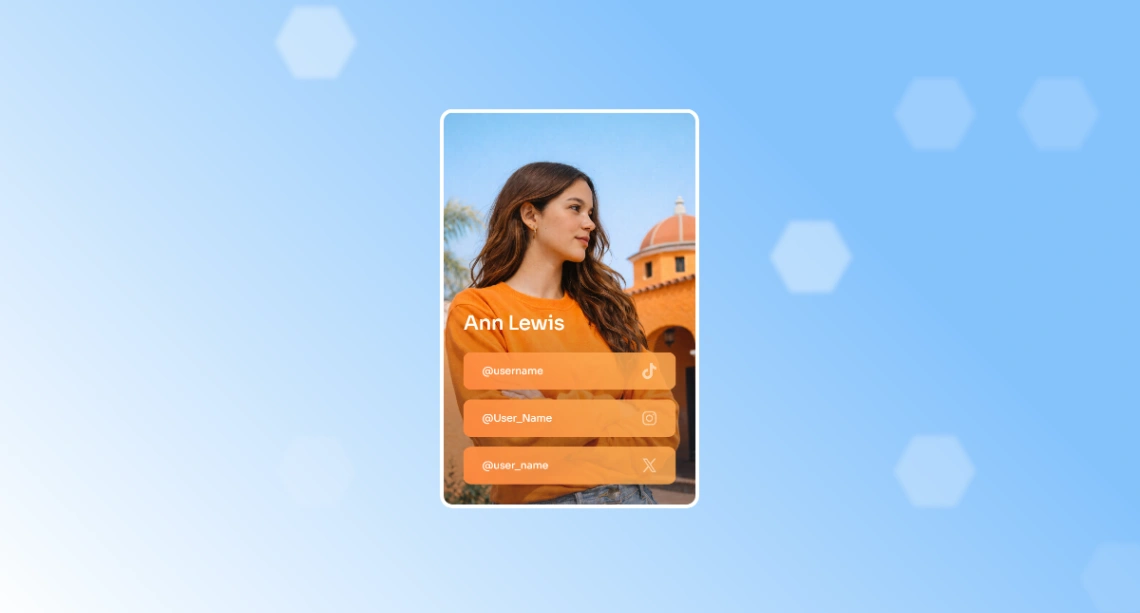
Despite the name, this is an image-forward one-pager with large media placeholders and bold type, not a skinny list of buttons. Skip it if you wanted Linktree. Keep it if the first screen should be a photograph.
- Large media placeholders
- Bold typography
- Button groups
- Icon integration
- Smooth scrolling
Link Tree template · Carrd preview
8. Personal branding
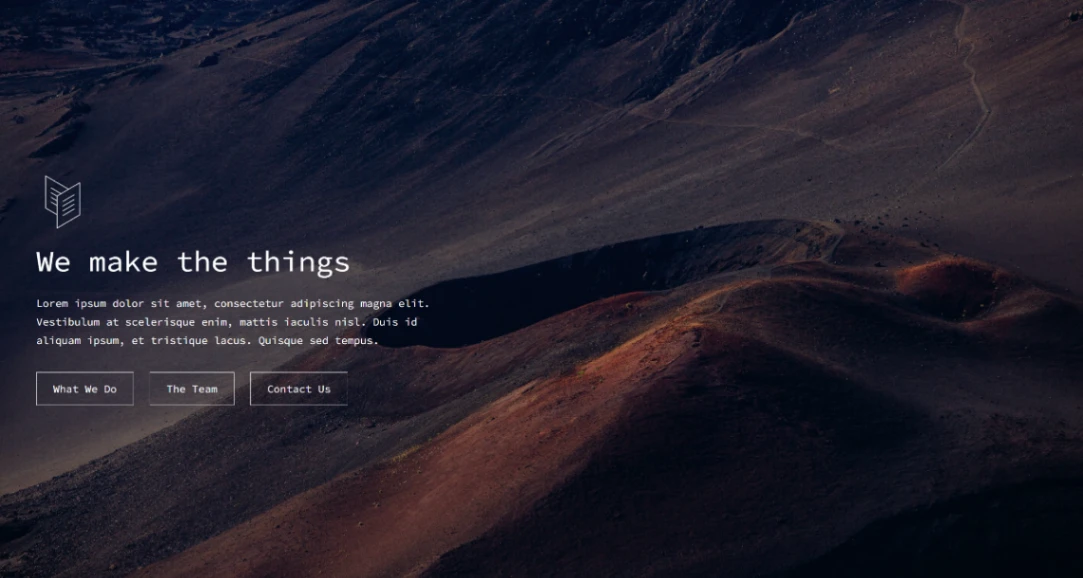
Side-by-side portrait and copy, with social icons and action buttons in a split layout. Reads as a business card you can park on a domain, not as a feed.
- Split layout
- Profile image
- Social icons
- Action buttons
- Section navigation
Personal branding template · Carrd preview
Which Carrd Templates Fit a Photographer or Studio Portfolio?
Pick a portfolio layout when the page must prove the work in one scroll, then stop. Full-width images and alternating text blocks are the whole product on Carrd. You still get one URL, so each wedding or client set is a section, not a case-study permalink with its own metadata.
A portfolio on Carrd is a scroll of proof, not a CMS of case studies with unique URLs.
Design Portfolio is the second-most viewed layout in this roundup at 314 views. Portfolio Showcase follows at 250, Creator Portfolio at 234, Portfolio Grid at 220.
Match the preset to the work:
- Type and color: Design Portfolio
- Photo sets with a booking button: Portfolio Showcase, Creator Portfolio, Portfolio Grid
- Small studio scroll: Creative Studio
- Centered signup, not a gallery: Personal protfolio (the catalog title keeps the typo)
A studio that needs unique URLs per wedding should leave. Multi-page wedding website templates and the free portfolio website templates roundup are the next shelves. Webflow is the usual rent check when the archive outgrows a scroll, which is the same fork in Framer vs Webflow.
(Image: Comparison infographic. Five Carrd portfolio presets as labeled phone frames with catalog stats: Design Portfolio 314 views / 10 likes (lime coral gray blocks), Portfolio Showcase 250 / 8 (yellow split hero), Creator Portfolio 234 / 4 (dark gallery grid), Portfolio Grid 220 / 5 (Aliquam Veroeros Pharetra placeholders), Creative Studio 204 / 7 (purple cyan). Right column: “1 shared URL” vs “Webflow/WordPress permalinks.” Distinctive element: wedding album icon taped over a single carrd.co slug. Alt: Carrd portfolio presets compared by views likes and URL limits)
9. Design Portfolio
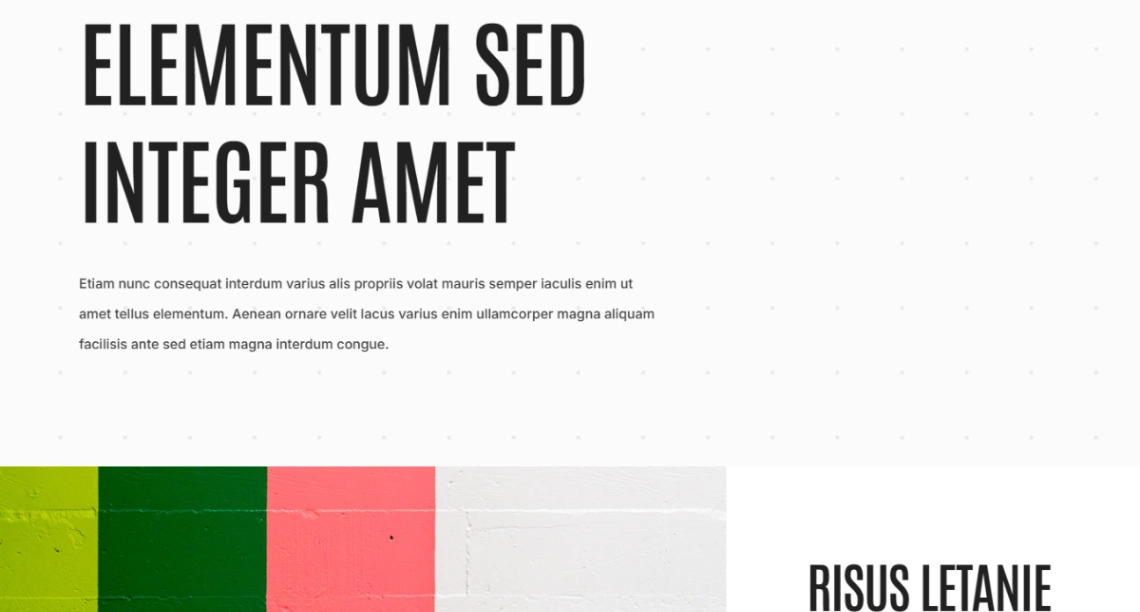
Huge headline, short body, then lime, forest green, coral, and gray blocks. Type and color do the proving. Designers who sell with palette should start here. Photographers should not.
- Bold headline
- Lime, forest green, coral, gray blocks
- Clean type
- Spacious layout
- Multi-color palette
Design Portfolio template · Carrd preview
10. Portfolio Showcase
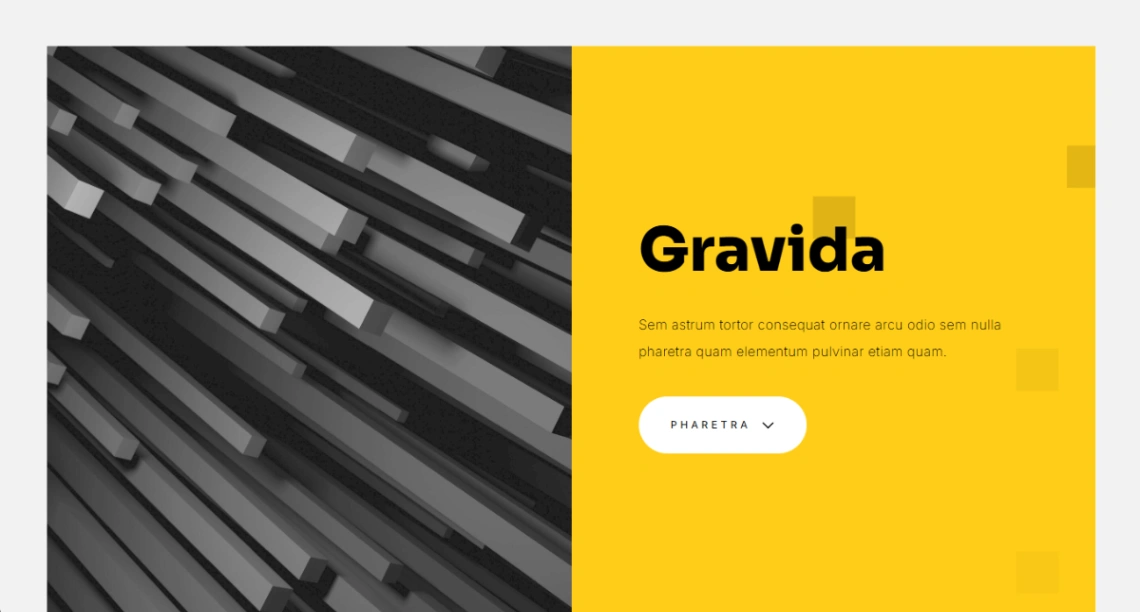
Split-screen yellow hero, then alternating text and image blocks with project titles and socials. This is the photographer default in the set: five wedding sets as sections, then a booking button.
- Split-screen hero
- Yellow accent blocks
- Alternating sections
- Project titles
- Social icons
Portfolio Showcase template · Carrd preview
11. Creator Portfolio
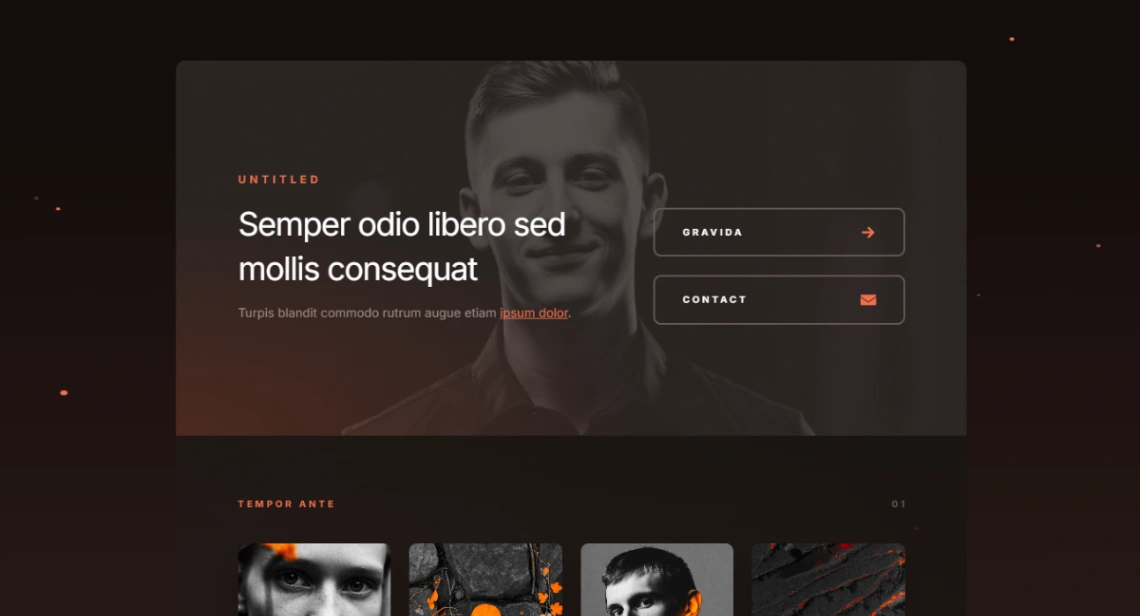
Dark hero with biography and dual CTAs, then a gallery grid. Use it when the Instagram thumbnail is already moody and the page has to match.
- Hero with bio
- Dual CTAs
- Gallery grid
- Dark aesthetic
- Contact block
Creator Portfolio template · Carrd preview
12. Portfolio Grid
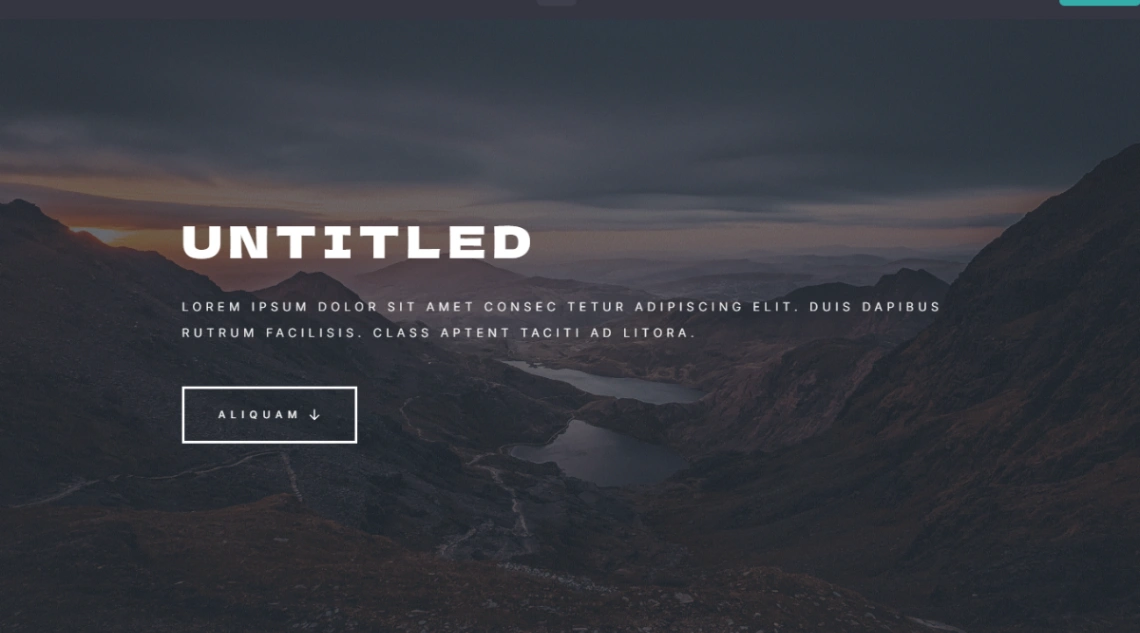
Hero headline, then placeholder projects labeled Aliquam, Veroeros, and Pharetra in a multi-section grid. Swap the Latin for real sets. The structure is already a photographer scroll.
- Hero headline
- Multi-section grid
- Named project blocks
- High-quality images
- Minimalist blocks
Portfolio Grid template · Carrd preview
13. Creative Studio
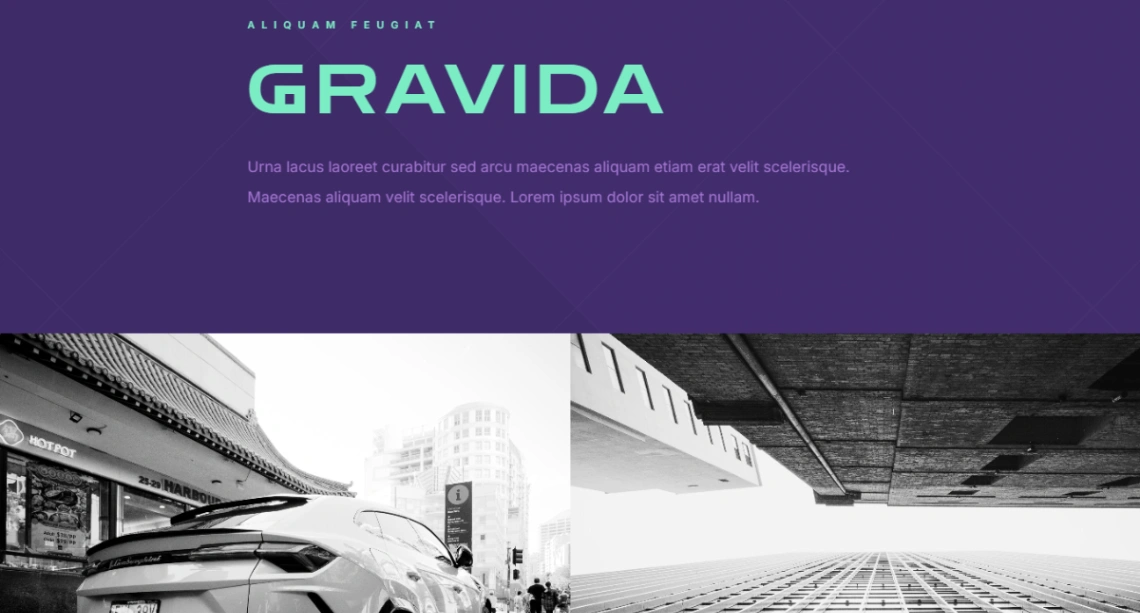
Purple header, cyan accents, alternating full-width images, project copy, purple CTAs. Small-studio proof. Too much scroll for a coach who only needed three links.
- Purple header
- Cyan accent type
- Full-width images
- Project showcases
- Alternating layout
Creative Studio template · Carrd preview
14. Personal protfolio
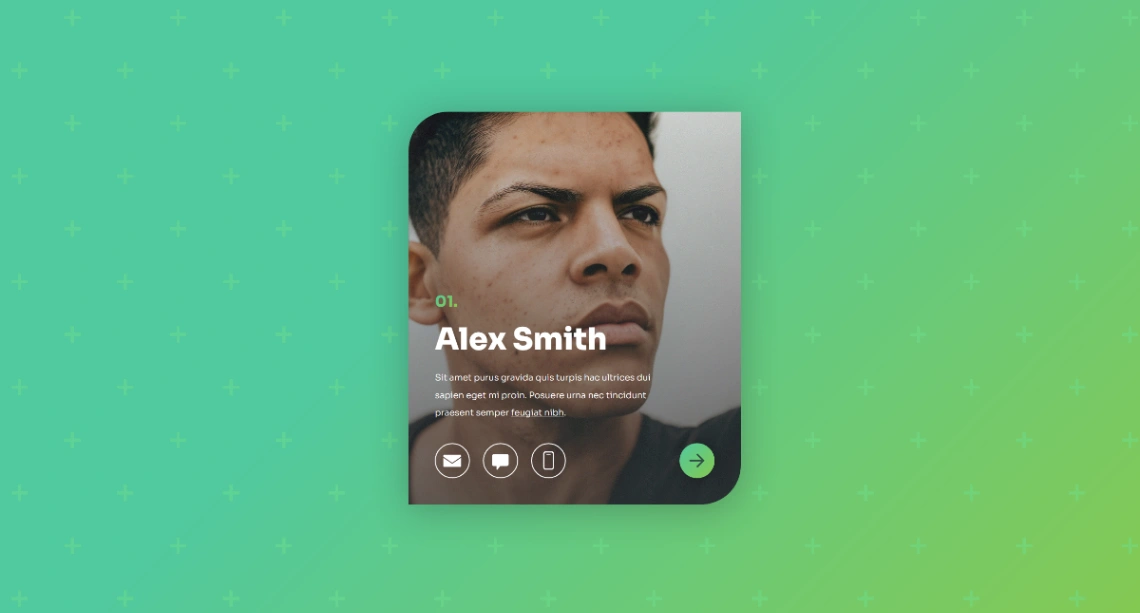
The catalog keeps the typo in the title. The layout is a centered conversion page: bold message, signup form, socials. Do not pick it because it says portfolio. Pick it for a launch or a list.
- Centered layout
- Signup form
- Bold headline
- Social icons
- Action buttons
Personal protfolio template · Carrd preview
15. Single-page Layout
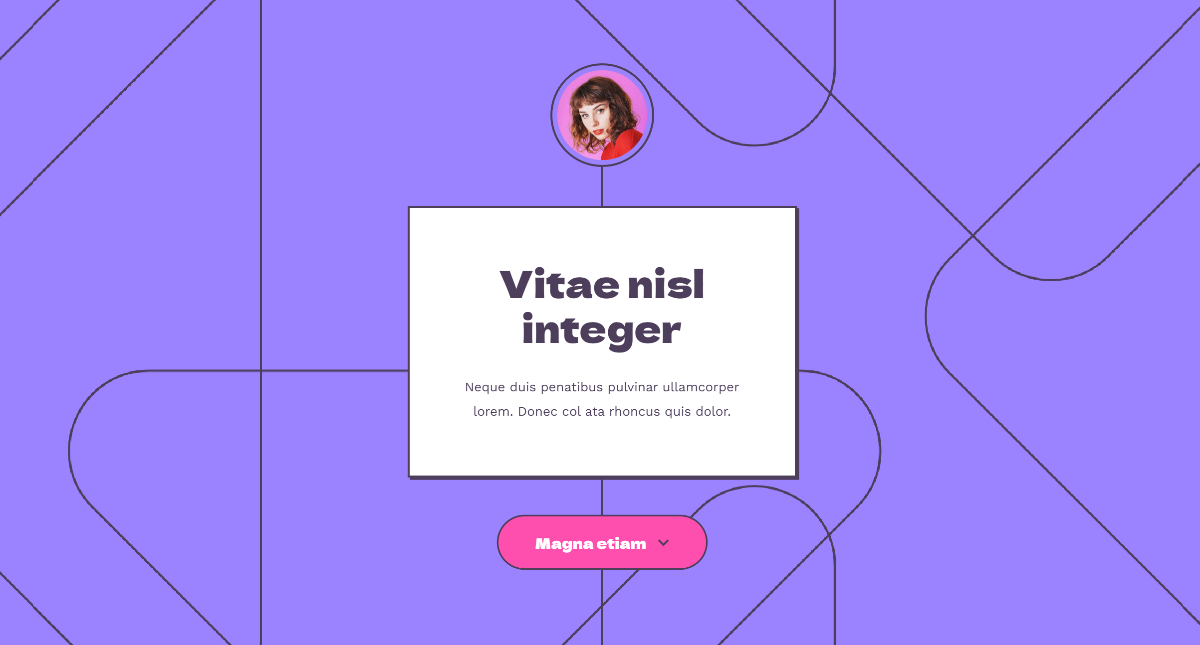
Minimal type, clean section breaks, image placeholders, vertical flow. A skeleton more than a brand. Useful if you want to write the page, not inherit someone else’s color story.
- Focused typography
- Section breaks
- Image placeholders
- Custom buttons
- Vertical flow
Single-page Layout template · Carrd preview
Which Presets Launch a Brand, Waitlist, or Service Page?
Use a launch or service preset when the visitor has one decision: join, book, or leave. Countdown clocks, newsletter fields, and icon grids belong here. They fail as soon as you need a second indexed page for the actual product.
A countdown is a door, not a store, and the product still needs a URL after launch day. That is a landing page, not a site, and it only works if lead generation is the whole brief.
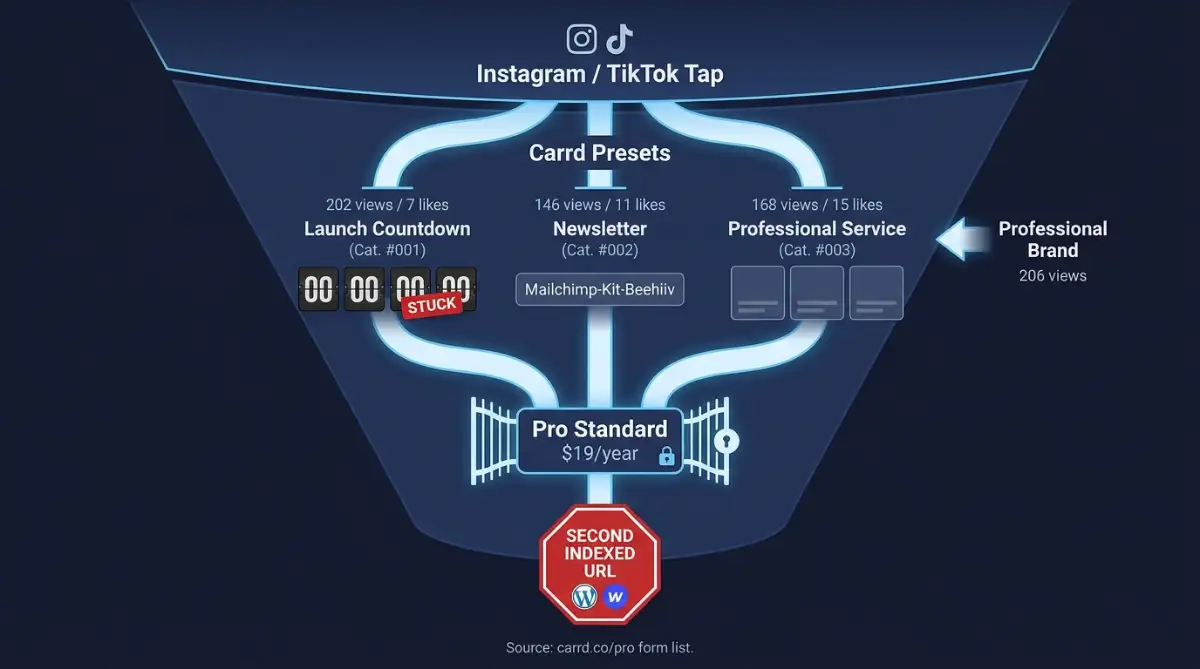
Landing page templates mix Carrd with heavier builders. Stay on Carrd only if Mailchimp, Kit, or Beehiiv can live in an embed, which Carrd pricing documents. A waitlist is an MVP door. It is not the product.
Pick by the action:
- Drop date: Launch Countdown
- Email list: Newsletter
- Brand story scroll: Professional Brand
- Three packages: Professional Service
- Copy-first one-pager: Landing Page
Professional Service leads this group on likes (15) even though views sit at 168. People bookmark structure.
16. Professional Brand

Full-screen sections, huge headings, per-section backgrounds, arrow CTAs, next-section arrows. Brand story, not a waitlist. Too long if the visitor only needed an email field.
- Full-screen sections
- Large headings
- Background imagery
- Arrow CTAs
- Smooth scrolling
Professional Brand template · Carrd preview
17. Launch Countdown

Split screen, headline, days/hours/minutes/seconds, Twitter, Facebook, Instagram, email, cityscape. The clock is the product. After launch day the page is a tombstone unless you swap the timer for the real offer.
- Split-screen layout
- Countdown timer
- Days through seconds
- Social icons
- Cityscape background
Launch Countdown template · Carrd preview
18. Professional Service
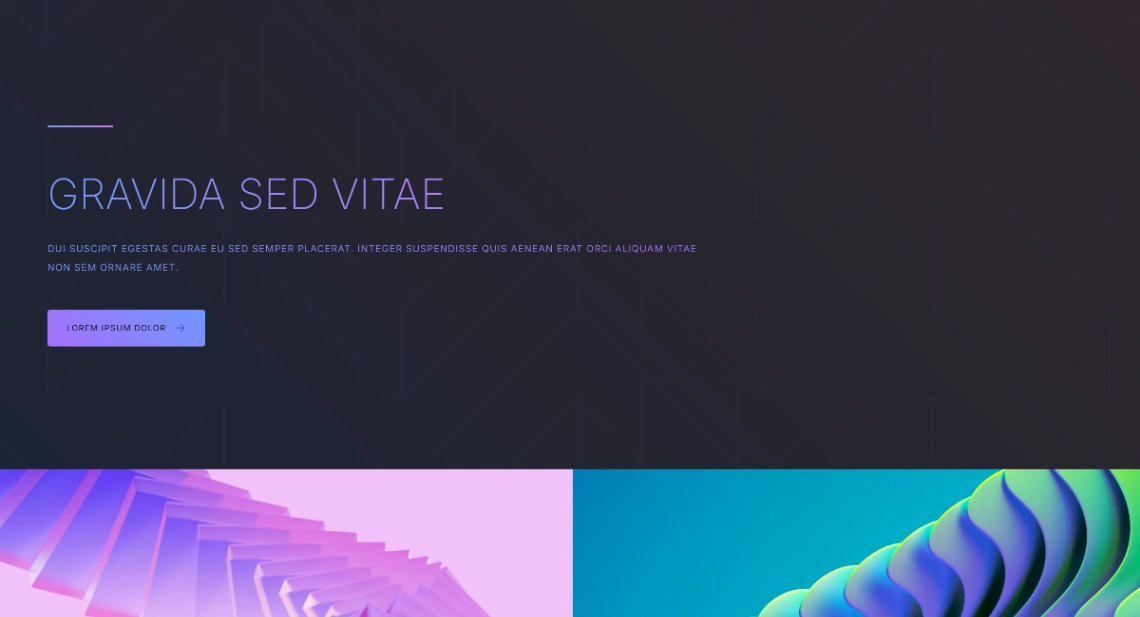
Grid of offerings with icons and multi-column copy, built so consultants can split packages into digestible blocks. This is the consultant pick. People bookmark the structure even when the view count sits behind the bio hubs.
- Grid layout
- Service blocks
- Integrated icons
- Clean header
- Social links
Professional Service template · Carrd preview
19. Newsletter
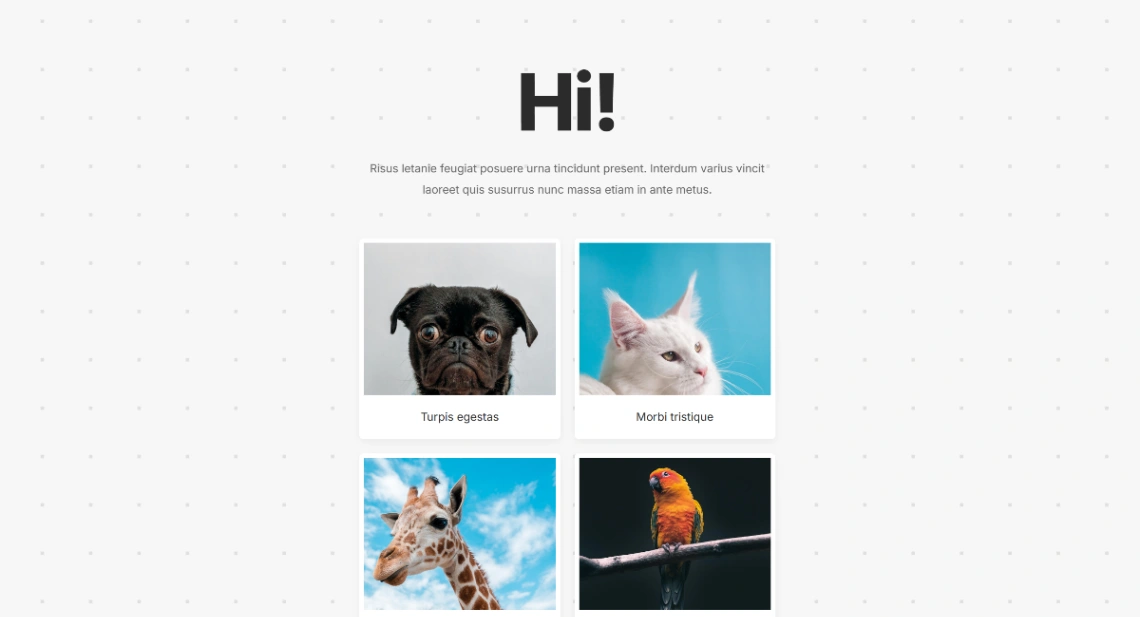
One column, one form, one CTA, built for a list, not a homepage. Mailchimp, Kit, or Beehiiv still have to live in an embed. Don’t use this as a studio site.
- Signup form
- Centered column
- Single CTA
- Social icons
- Fast, sparse layout
Newsletter template · Carrd preview
20. Landing Page
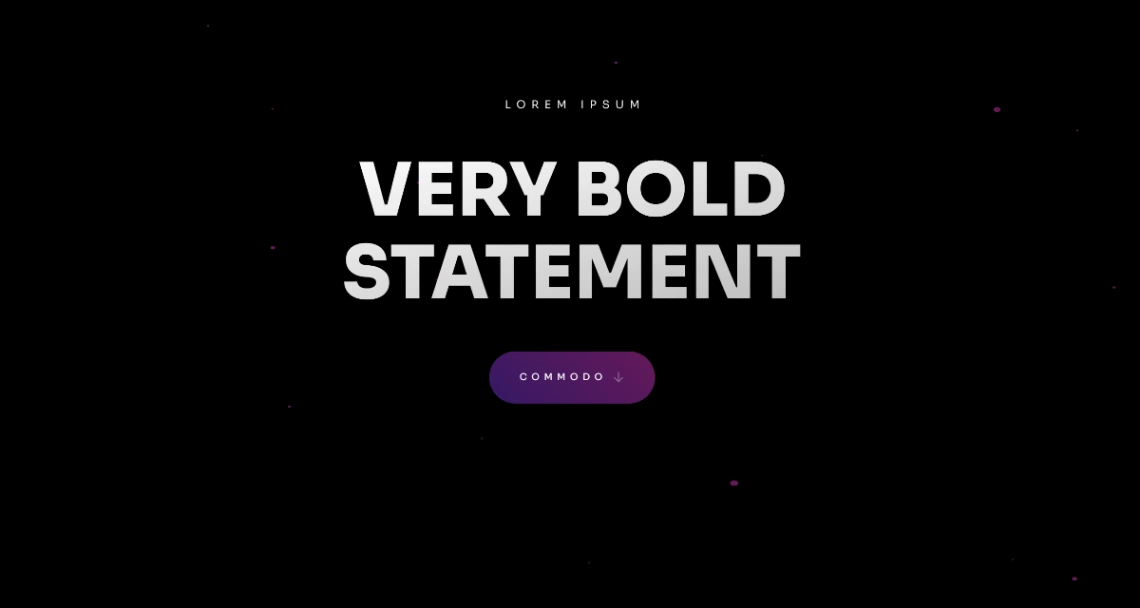
Centered single column with section dividers, lists, and action buttons. Copy-first. Use it when you have words and no hero photograph.
- Section dividers
- List elements
- Action buttons
- Social icons
- Clean type
Landing Page template · Carrd preview
What Does Carrd Charge After the Free Template?
The layouts in this roundup are free. The bill is Carrd Pro, charged per year on Carrd pricing, not per month. Carrd is the editor.
Stack that yearly rent against the wider website builder cost table if you are comparing Carrd to a monthly canvas.
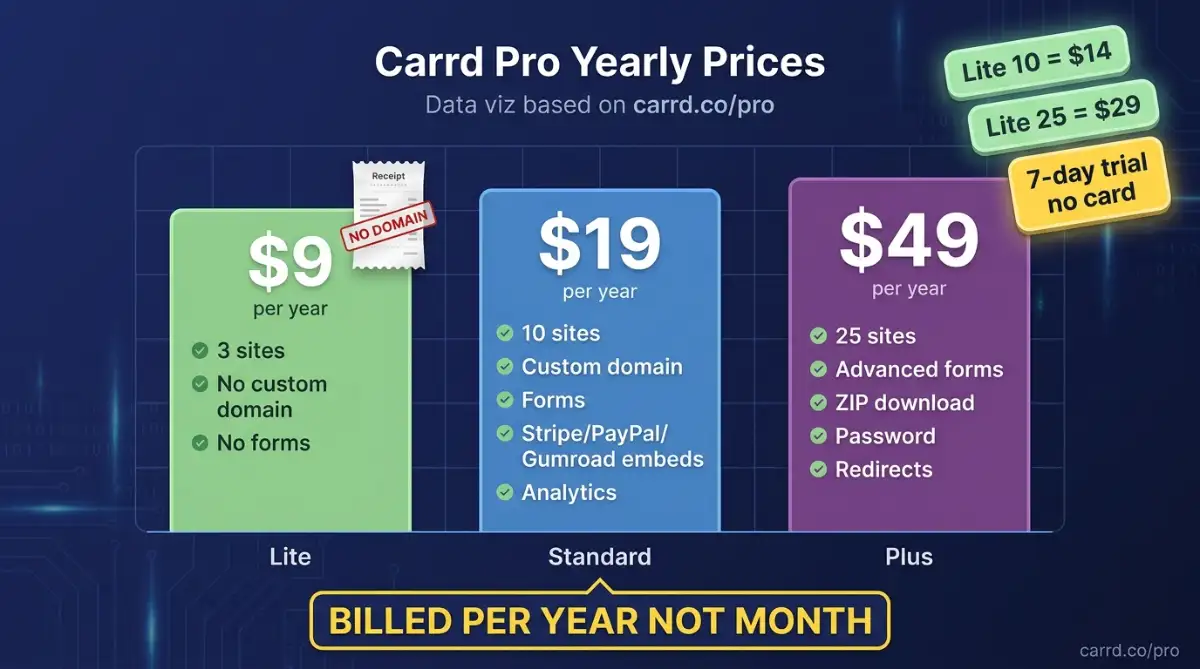
According to Carrd, Pro Standard starts at $19 per year and is the floor for custom domains, forms, widgets, embeds, analytics, and meta tags. Pro Lite is $9 per year. Pro Plus is $49 per year.
| Plan | Price | Sites | Custom domain | Forms and embeds | Site download |
|---|---|---|---|---|---|
| Pro Lite | $9 / year | 3 | No | No | No |
| Pro Standard | $19 / year | 10 | Yes | Yes | No |
| Pro Plus | $49 / year | 25 | Yes | Advanced forms | Yes |
Lite also sells 10-site and 25-site bumps at $14 and $29 per year. Standard and Plus scale the site cap the same way, up to 1000 sites. A 7-day Pro trial needs no card.
Pro Lite is a branding tax: you pay $9 a year and still cannot park the page on your own domain.
Carrd has no auto-save, spam filters can suspend a live page, and anything dynamic needs an embed such as Airtable. Download-to-Netlify is real, and it is a Plus feature, not a Lite perk.
Decision Framework
Use this sequence. Do not start by starring the prettiest portrait.
- Name the job in one sentence. Catch Instagram taps, prove a portfolio, or collect a waitlist. If you cannot say it, you are buying a mood board.
- Count the URLs you need next year. One page stays on Carrd. A blog, a shop, or a case-study permalink leaves for Webflow or WordPress.
- Map the Pro gate before you customize type. Custom domain, Mailchimp, Stripe, and Gumroad need Standard at $19/year on Carrd pricing. Password protection, redirects, variables, and a ZIP download need Plus at $49/year.
- Load the Carrd demo on a phone. Bio hubs win when the first tap is obvious. Portfolio scrolls win when the first screen is a real picture, not lorem.
- Decide lock-in. Staying hosted is fine for a bio. Plus download is the exit if you already know Netlify or GitHub Pages is the next home.
Wedding photographers should default to a portfolio scroll plus a booking link. Instagram coaches should default to stacked cards plus one offer. Consultants should default to Professional Service. Everyone else should open the Carrd templates, then test two live previews on the same handset.
Quick map:
| Your situation | Start here | Skip |
|---|---|---|
| Instagram coach, three links, one offer | Link In Bio, Personal Link in Bio, Social Page Link | Creative Studio scroll |
| Wedding photographer, five sets, booking button | Portfolio Showcase, Creator Portfolio, Portfolio Grid | Newsletter-only page |
| Designer who sells with type and color | Design Portfolio | Scenic Social Profile |
| Product drop or waitlist | Launch Countdown, Newsletter | Multi-section Professional Brand |
| Consultant with three packages | Professional Service, Landing Page | Linktree-style cards |
| Need a blog or unique project URLs | Leave for Webflow or study how Webflow made no-code respectable | Every Carrd preset |
If two rows both fit, pick the one whose first screen matches the thumbnail you already use on Instagram.
I have paid Standard for a photographer who only needed three buttons. I have also watched a studio outgrow the same page in a month. Depends on whether the job stays one URL.
Start exploring more launch-ready no-code templates here!
FAQ
What is a Carrd template?
It is a prebuilt one-page layout you duplicate in Carrd, then edit as blocks. Hosting, the visual editor, and publishing stay on Carrd unless you pay for Pro Plus and download the static files to host yourself.
Are these Carrd layouts free to use?
Yes. The 20 layouts in this roundup are free to start. You still pay Carrd if you want a custom domain, forms, embeds, or no “Made with Carrd” footer, which start on the Pro plans at Carrd pricing.
How is Carrd different from Linktree?
Linktree is a hosted list of buttons with little layout control. Carrd is a one-page site builder with type, images, forms, and embeds. Several layouts in this roundup imitate a link list. The rest behave like tiny landing pages.
Do I need a Pro plan to publish?
Carrd sells Pro from $19 per year for custom domains and forms. Pro Lite at $9 per year removes branding and raises image limits, but it does not add a custom domain. Match the plan to the gate on Carrd pricing.
Can I run a blog or an online store on Carrd?
No. There is no native blog, collection, or database on the platform. A single product can sit behind Stripe, PayPal, or Gumroad. A catalog, member area, or multi-page SEO play belongs on a fuller builder.
Start building without code
Browse thousands of no-code templates for Webflow, Framer, Bubble, Lovable, Replit and more.
Explore Templates