34 Best Free Website Templates (No-Code, 2026)
Strong free no-code templates in 2026 include Website Blocks (Framer) for SaaS, Online Takeout (Readdy) for restaurants, Landscape Photography (Zenfolio) for photographers, and Fitness Professional (Showit) for coaches. Each is free to start, though custom domains usually need a paid plan.
Table of Contents:
- Key Takeaways
- Introduction
- What Does "Free" Really Cost With Free Website Templates?
- Which Templates Suit AI, SaaS, and Startup Launches?
- What Are the Best Free Website Templates for Creatives and Photographers?
- Which Templates Fit Shops, Restaurants, and Local Brands?
- Which Templates Work for Coaches, Courses, and Wellness Pros?
- How Do You Choose the Right Template for Your Business?
- FAQ
Key Takeaways
- The template is almost never the expensive part of a launch; the builder it locks you into decides what you'll pay every month afterward.
- The most jaw-dropping 3D layouts in this list are also the riskiest picks for a small business, and the reason has nothing to do with looks.
- The simplest layouts in this roundup often outperform the ambitious ones for local businesses, and the builder behind them explains most of the gap.
Introduction
Free website templates have quietly changed what a launch costs: the design is free, so the real decision is which builder you'll live in. If you're a small business owner or an indie maker who needs something live this week, that choice matters more than any hero section.
This roundup covers 34 templates across 18 no-code builders, from Framer and Squarespace to Zenfolio and Canva.
I sorted every pick by the job it does, noted its standout features, and linked the live demo so you can click around before committing. By the end, you'll know which template fits your business and which builder bill comes with it.
What Does "Free" Really Cost With Free Website Templates?
Every template here costs nothing to copy, but publishing rules differ by builder. Canva lets free users publish to a .canva.site address, Framer's free plan publishes to a framer.website subdomain, and Squarespace has no free publishing tier at all. A custom domain almost always means a paid plan.
The numbers vary widely. According to Framer's pricing page, custom domains start on its Basic plan at $10 per month billed yearly. Costbench reports Squarespace's four plans range from $16 to $99 per month after its February 2026 restructure.
| Builder | Templates in this list | Free publishing? | Custom domain |
|---|---|---|---|
| PeachWeb | 10 | Check builder | Check builder |
| Aura | 6 | Check builder | Check builder |
| Framer | 1 | Yes, framer.website | From $10/mo (yearly) |
| Canva | 1 | Yes, .canva.site | Paid add-on |
| Squarespace | 1 | No | Included in plans ($16 to $99/mo) |
| 13 other builders | 15 | Varies | Varies |
Here's a "depends" moment worth flagging. A free template on a $16 builder can cost more over two years than a paid template on a cheaper one, so compare the monthly plan, not the template price.
The template is a one-time gift; the builder is a monthly bill. Pick the platform you can afford in year two, then pick the design.
Which Templates Suit AI, SaaS, and Startup Launches?
Twelve templates target software, AI, and crypto launches. Aura and Shuffle cover classic SaaS landing pages, Framer's Website Blocks gives you a 100-section kit, and PeachWeb's 3D layouts suit products that need a visual wow moment. Unicorn Platform's waitlist page covers the stage before launch.
1. Website Blocks (Framer)
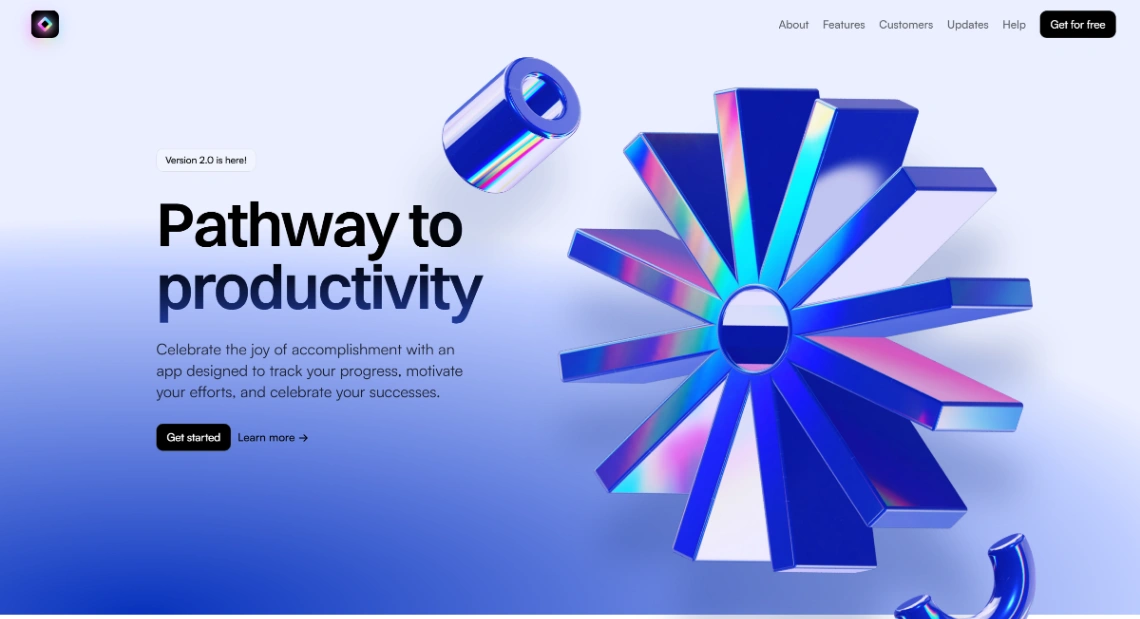
A modular SaaS kit with more than 100 sections, original 3D assets, and light and dark page versions. If I could keep one file for future launches, it would be this one.
- Highlights: pricing tables, changelog pages, custom icons, Figma import
- Best for: MVP launches, founders raising money
- Links: Website Blocks template | Website Blocks live demo
2. AI Solutions Company (Aura)

A consultancy-style AI landing page with mission statement, solutions navigation, and case studies. The consultation booking CTA makes it a fit for service-led AI firms.
- Highlights: case studies, booking CTA, showcase gallery, partner benefits
- Best for: AI agencies, software firms
- Links: AI Solutions Company template | AI Solutions Company live demo
3. AI Landing Page (Aura)

A dark-mode infrastructure page with dense feature grids, built for technical platforms that need to look serious.
- Highlights: feature grids, component blocks, Figma and HTML export
- Best for: developer tools, AI infrastructure startups
- Links: AI Landing Page template | AI Landing Page live demo
4. AI Dashboard (Aura)
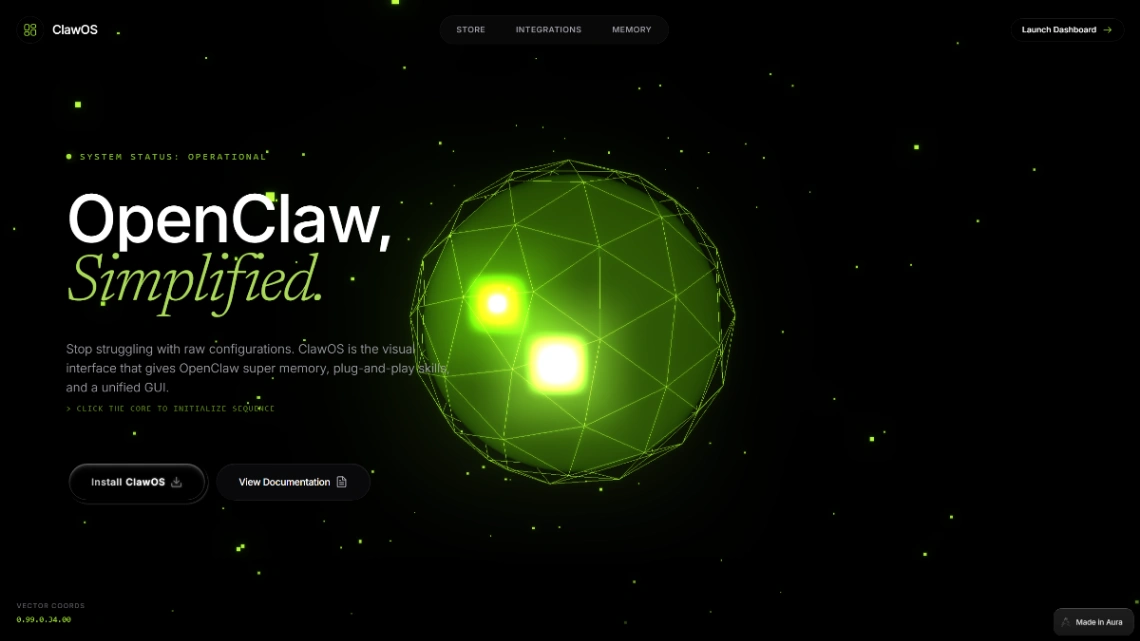
A terminal-style hero and modular data blocks give this page a command-line personality.
- Highlights: terminal hero, code snippets, documentation grid
- Best for: AI-native tools, developer products
- Links: AI Dashboard template | AI Dashboard live demo
5. Subscription SaaS (Aura)
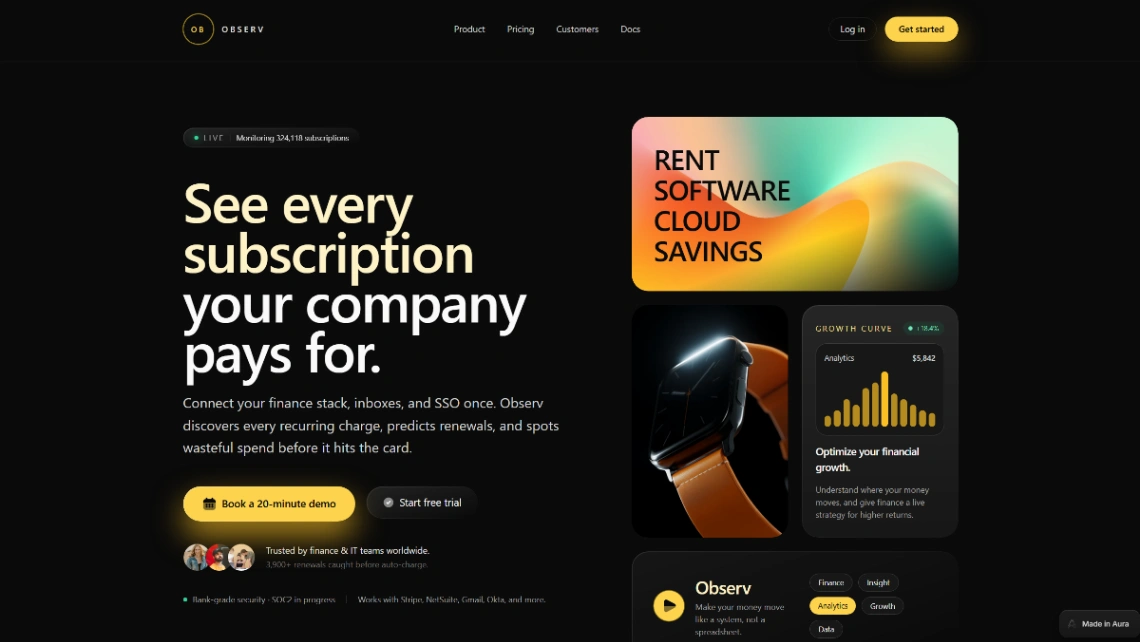
Built for subscription management and finance insight products, with a live monitoring display up front.
- Highlights: analytics dashboard, integration partners, security badges
- Best for: fintech SaaS, early-stage startups
- Links: Subscription SaaS template | Subscription SaaS live demo
6. Startup App (Shuffle)
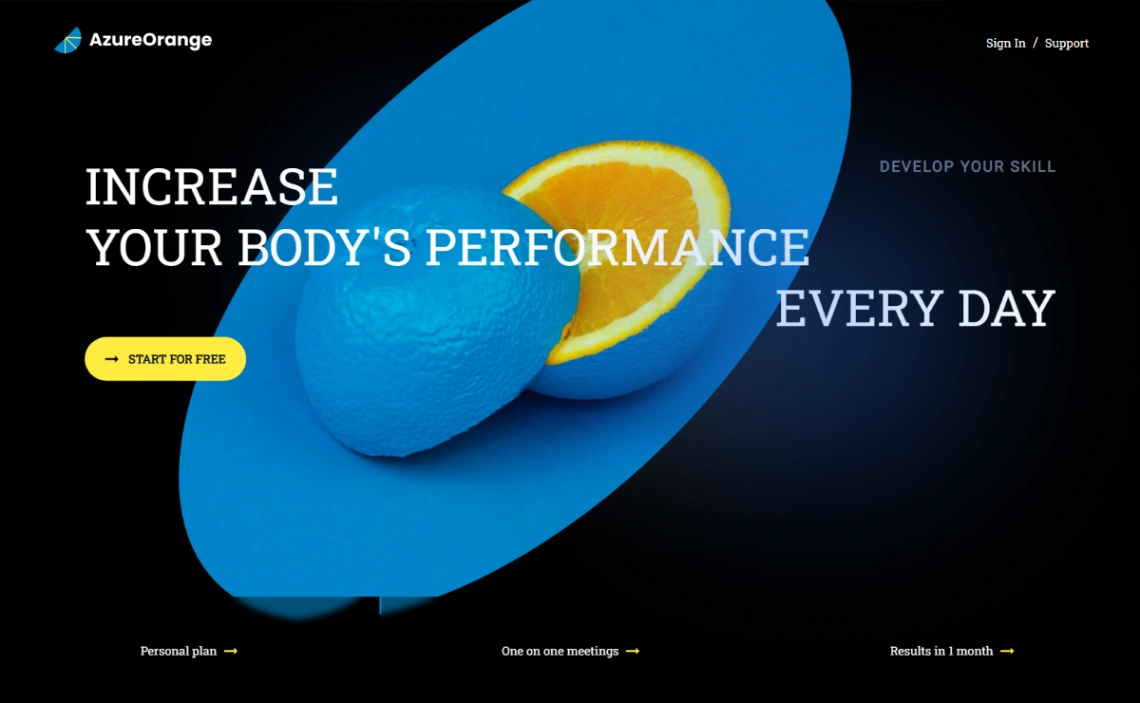
A bold app-launch page built on Tailwind CSS and Shuffle's BoldUI library.
- Highlights: app showcase, newsletter signup, code export
- Best for: mobile app founders, product launches
- Links: Startup App template | Startup App live demo
7. Waitlist Landing Page (Unicorn Platform)
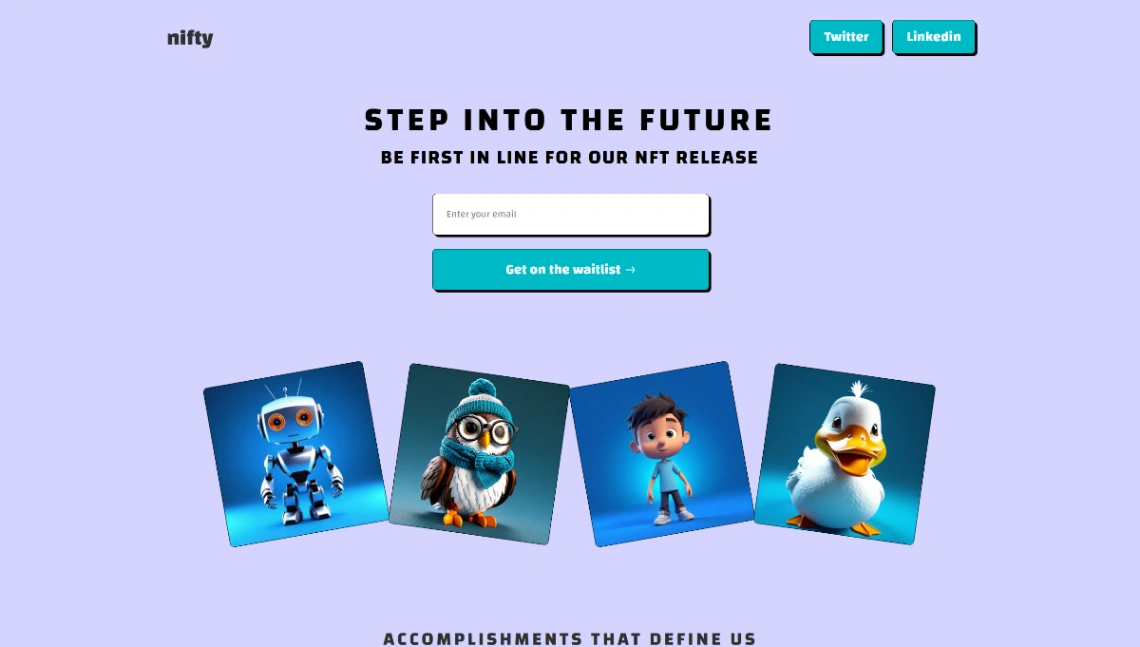
A playful pre-launch page that turns signups into a game, with a queue tracker encouraging people to share. Our landing page guide for solopreneurs explains why this format converts.
- Highlights: signup form, queue tracker, social links
- Best for: pre-launch products, exclusive drops
- Links: Waitlist Landing Page template | Waitlist Landing Page live demo
8. AI & Blockchain (PeachWeb)
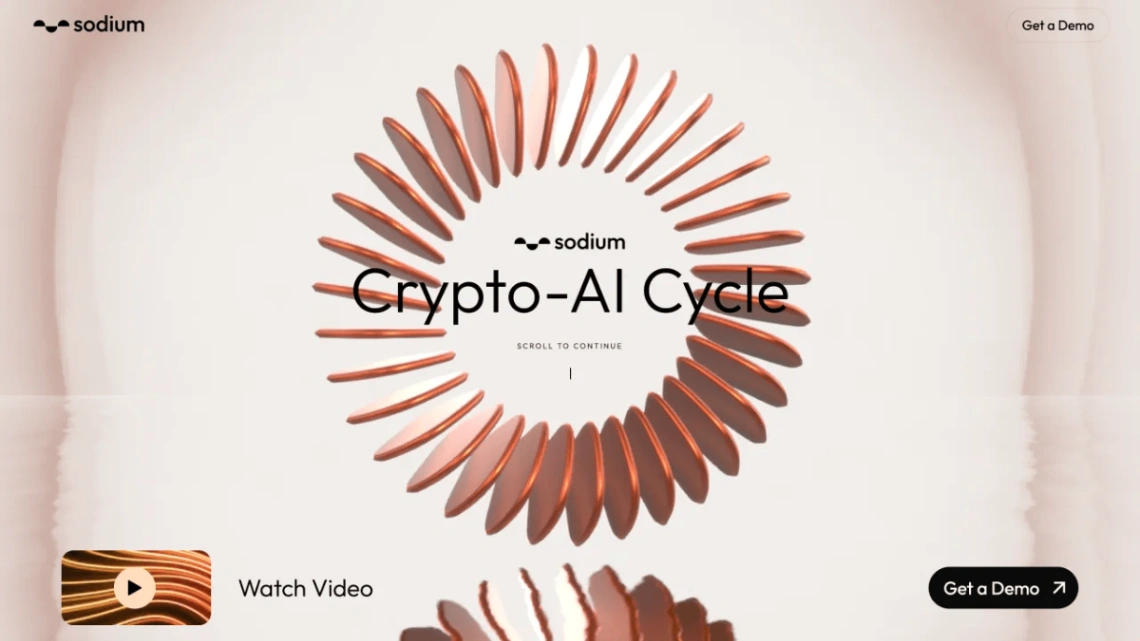
A 3D hero, live metrics, and partner logos give this crypto-meets-AI page instant credibility.
- Highlights: scroll animations, statistics display, demo CTAs
- Best for: crypto exchanges, AI products
- Links: AI & Blockchain template | AI & Blockchain live demo
9. AI Brand Showcase (PeachWeb)
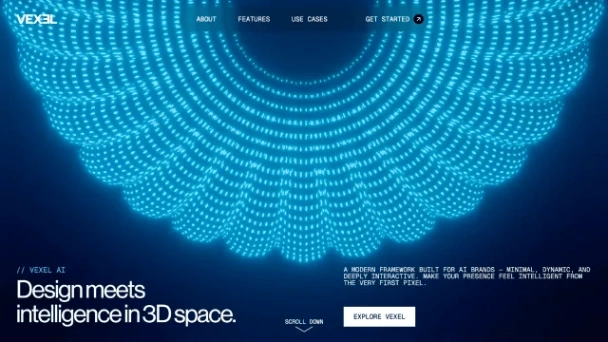
A minimal 3D take on an AI company site, with a vision-led About section and interactive 3D examples.
- Highlights: animated tagline, component showcase, 3D elements
- Best for: AI brands, software firms
- Links: AI Brand Showcase template | AI Brand Showcase live demo
10. Chatbot Landing Page (PeachWeb)

Organic 3D shapes and simulated chats show off conversational software. It also suits wellness apps.
- Highlights: chat simulators, avatar integration, ambient backgrounds
- Best for: chatbots, support tools, wellness apps
- Links: Chatbot Landing Page template | Chatbot Landing Page live demo
11. Crypto Wallet (PeachWeb)

An interactive 3D environment for showcasing a wallet or DeFi product. The scene editor lets you match the 3D visuals to existing app branding.
- Highlights: 3D scene editor, brand alignment, custom components
- Best for: wallets, DeFi projects
- Links: Crypto Wallet template | Crypto Wallet live demo
12. Investment Fund (PeachWeb)

Scroll-driven 3D scenes tell a fund's story in sequence, with UI overlays explaining each project.
- Highlights: scroll-animated scenes, narrative progression, contact integration
- Best for: fintech, venture studios
- Links: Investment Fund template | Investment Fund live demo
What Are the Best Free Website Templates for Creatives and Photographers?
Ten templates serve designers, artists, studios, and photographers, and they split into two camps. PeachWeb's agency layouts lean on immersive 3D, while Zenfolio, Pixpa, Bowwe, and Squarespace keep the work front and center with gallery-first layouts and generous white space.
13. Designer Portfolio (Aura)
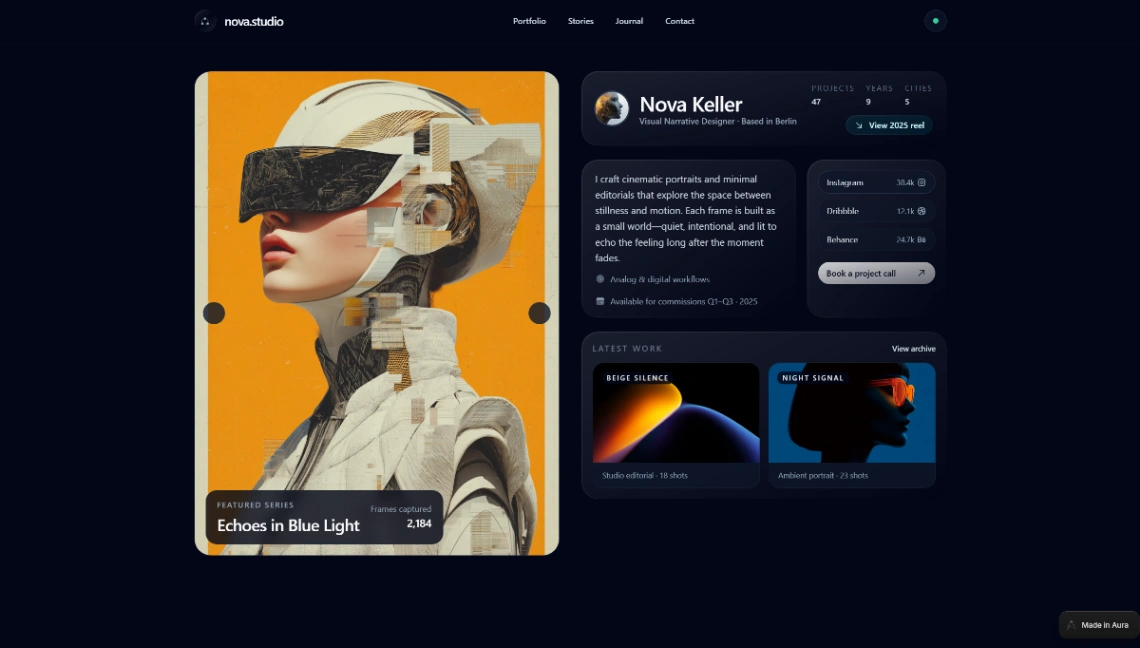
A narrative portfolio for designers, with case studies and workflow sections that explain process, not just results.
- Highlights: case studies, workflow sections, testimonial blocks
- Best for: freelance designers, small studios
- Links: Designer Portfolio template | Designer Portfolio live demo
14. Neubrutalist Portfolio (Blink)
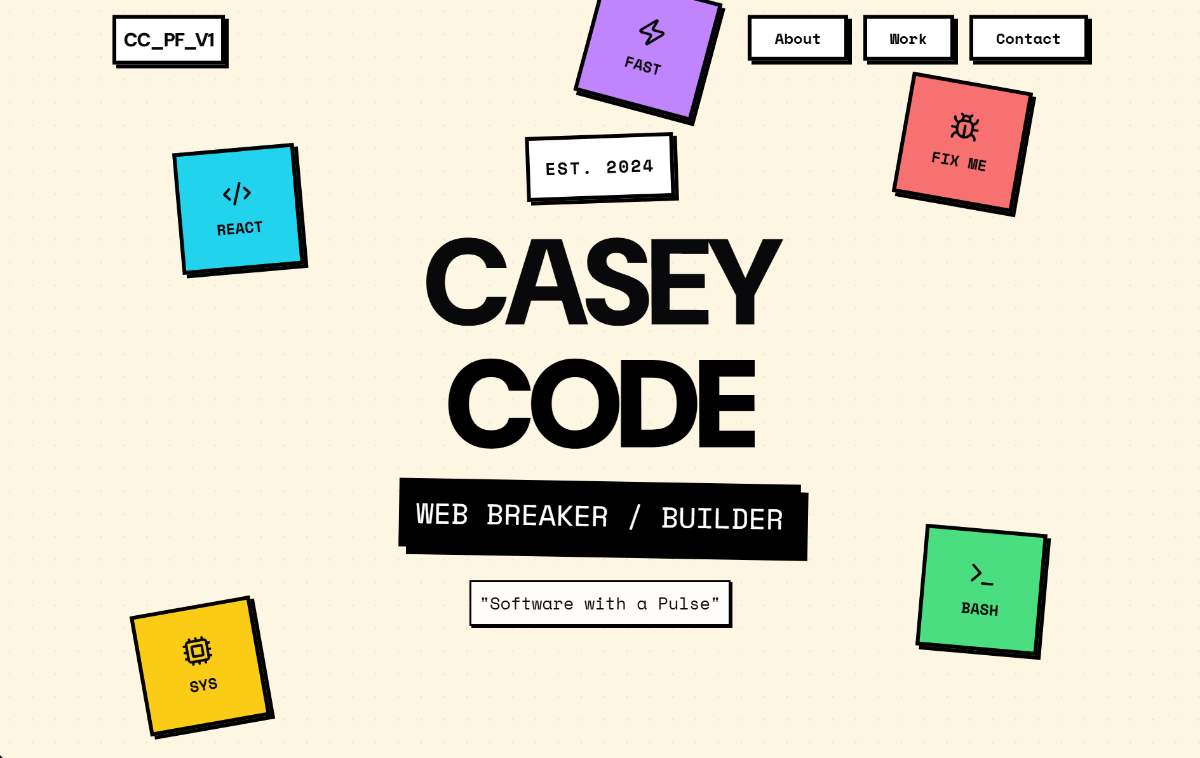
Thick borders, loud colors, and oversized type make this portfolio impossible to confuse with minimalist lookalikes.
- Highlights: high-contrast design, services grid, contact form
- Best for: personal brands, freelancers
- Links: Neubrutalist Portfolio template | Neubrutalist Portfolio live demo
15. Marketing Agency (PeachWeb)

Cinematic WebGL renders move horizontally and vertically as you scroll, with case studies built in. Our 3D website templates roundup covers more in this style.
- Highlights: cinematic renders, depth effects, horizontal navigation
- Best for: agencies, brand campaigns
- Links: Marketing Agency template | Marketing Agency live demo
16. Web Design Studio (PeachWeb)
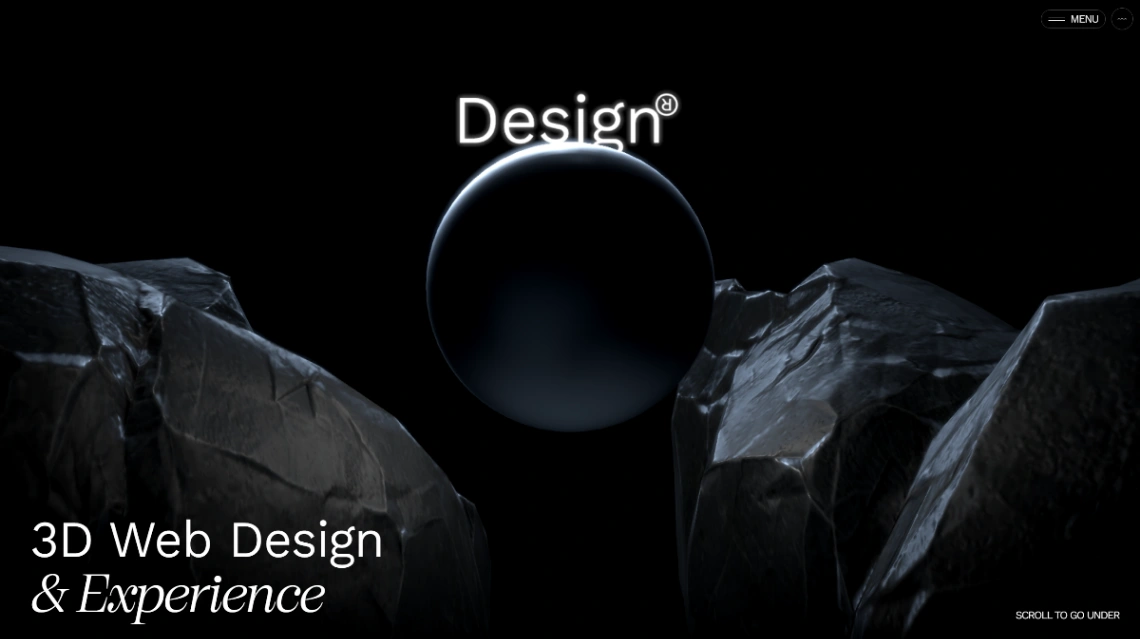
An "underwater" vertical scroll through liquid 3D models replaces the usual grid.
- Highlights: infinite canvas, liquid simulation, spatial UX
- Best for: 3D studios, product storytelling
- Links: Web Design Studio template | Web Design Studio live demo
17. Creative Agency (PeachWeb)
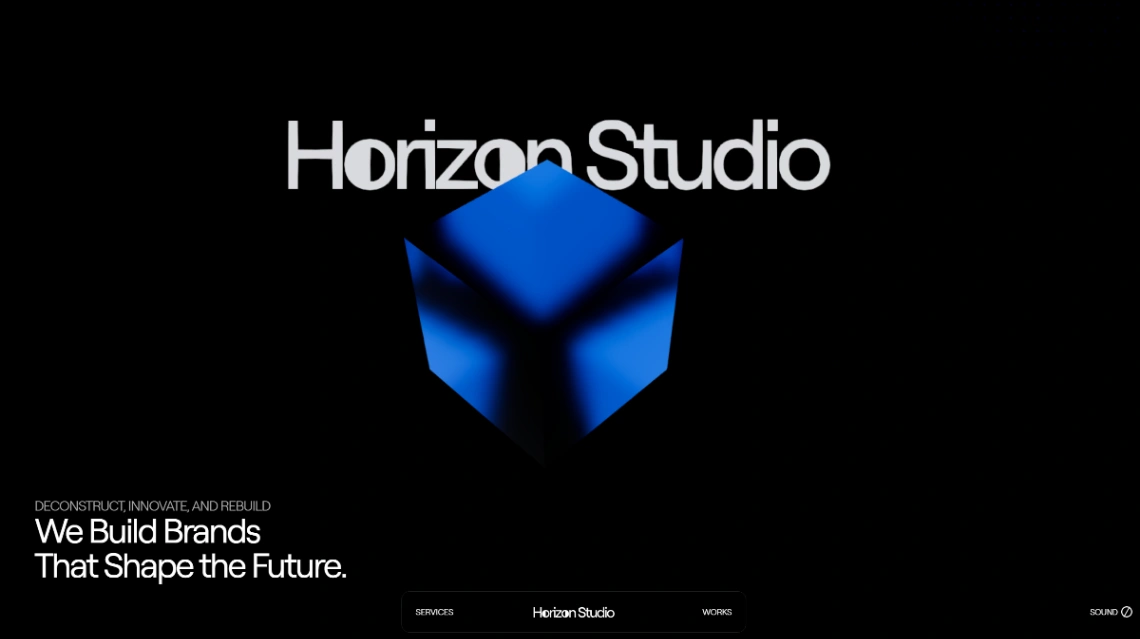
Interactive automotive and hardware models frame a service grid, with floating panels for metrics and client work.
- Highlights: interactive 3D models, service grid, client showcases
- Best for: design and creative agencies
- Links: Creative Agency template | Creative Agency live demo
18. Creative Studio (Squarespace)
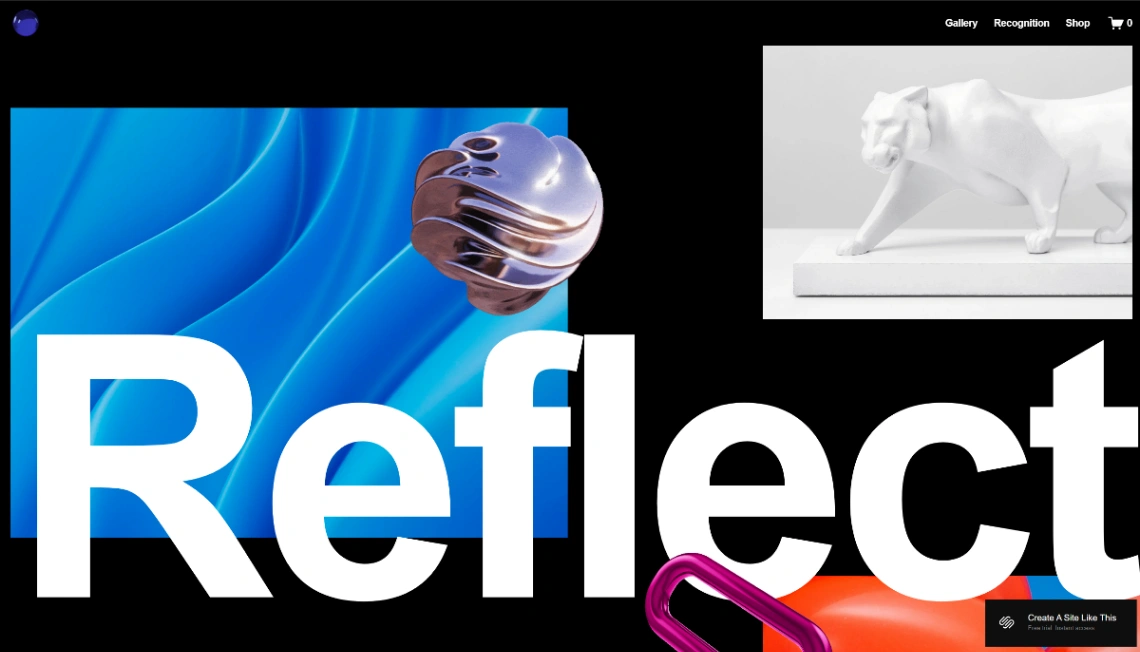
An avant-garde gallery layout with bold type and lots of negative space, plus an online shop for selling work.
- Highlights: artist biography, exhibition section, online shop
- Best for: multimedia artists, studios
- Links: Creative Studio template | Creative Studio live demo
19. Artist Atelier (Bowwe)
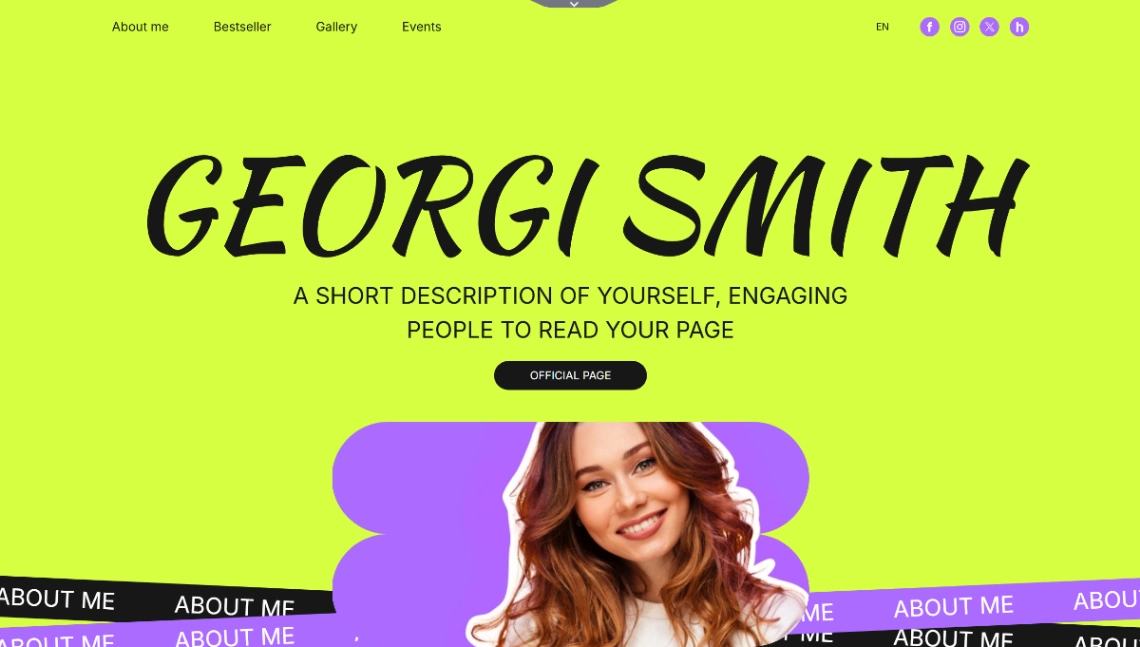
A quiet, image-first site for painters and sculptors, with expansive galleries and a workshop section.
- Highlights: exhibition list, workshop sections, contact form
- Best for: fine artists, ateliers
- Links: Artist Atelier template | Artist Atelier live demo
20. Landscape Photography (Zenfolio)
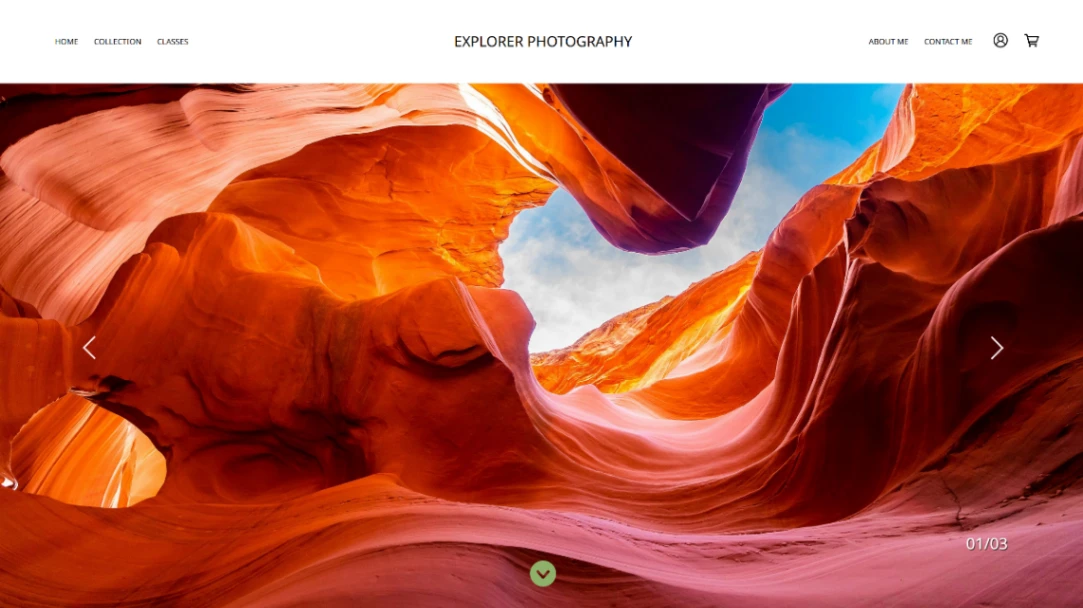
Galleries organized by location, plus a classes section for photographers who teach as well as sell prints.
- Highlights: categorized galleries, photographer bio, classes section
- Best for: landscape and travel photographers
- Links: Landscape Photography template | Landscape Photography live demo
21. Fashion and Lifestyle (Pixpa)

Revel is a dark, magazine-style portfolio for fashion photographers who want editorial impact.
- Highlights: editorial layout, photoshoot galleries, client galleries
- Best for: fashion photographers, lifestyle brands
- Links: Fashion and Lifestyle template | Fashion and Lifestyle live demo
22. Travel Gallery (Page XL)

A one-page travel diary built around destinations, photos, and personal stories. Browse more one-page website templates if you like the format.
- Highlights: destination showcase, diary entries, one-page layout
- Best for: travel bloggers, tour operators
- Links: Travel Gallery template | Travel Gallery live demo
Which Templates Fit Shops, Restaurants, and Local Brands?
Seven templates handle selling, either products or meals. Pixpa and Breakdance (with WooCommerce) offer full store features, Readdy and Canva cover restaurants, and PeachWeb turns cars and sneakers into 3D product stories. Pick based on whether you need a cart or just a menu.
23. Online Takeout (Readdy)
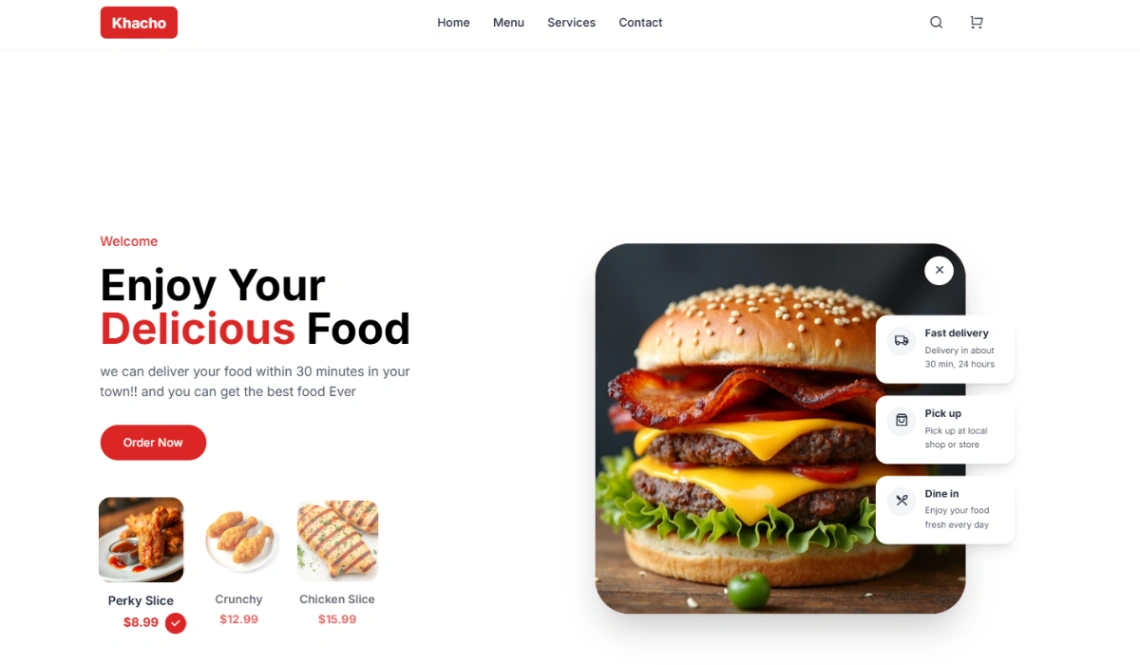
A bold, high-energy restaurant site with digital menus and order buttons, plus Shopify integration for online sales.
- Highlights: digital menus, order CTAs, Shopify integration
- Best for: takeout restaurants, food brands
- Links: Online Takeout template | Online Takeout live demo
24. Asian Restaurant (Canva)
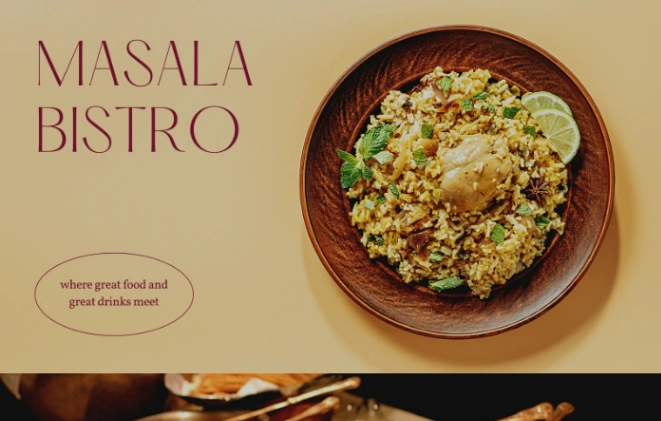
A warm yellow and maroon restaurant page built around dish photography. It's the simplest pick here, and publishing to a .canva.site address is free.
- Highlights: food photography, brand messaging, simple layout
- Best for: restaurants, cafes, bars
- Links: Asian Restaurant template | Asian Restaurant live demo
25. Recipe Blog (Figma Sites)
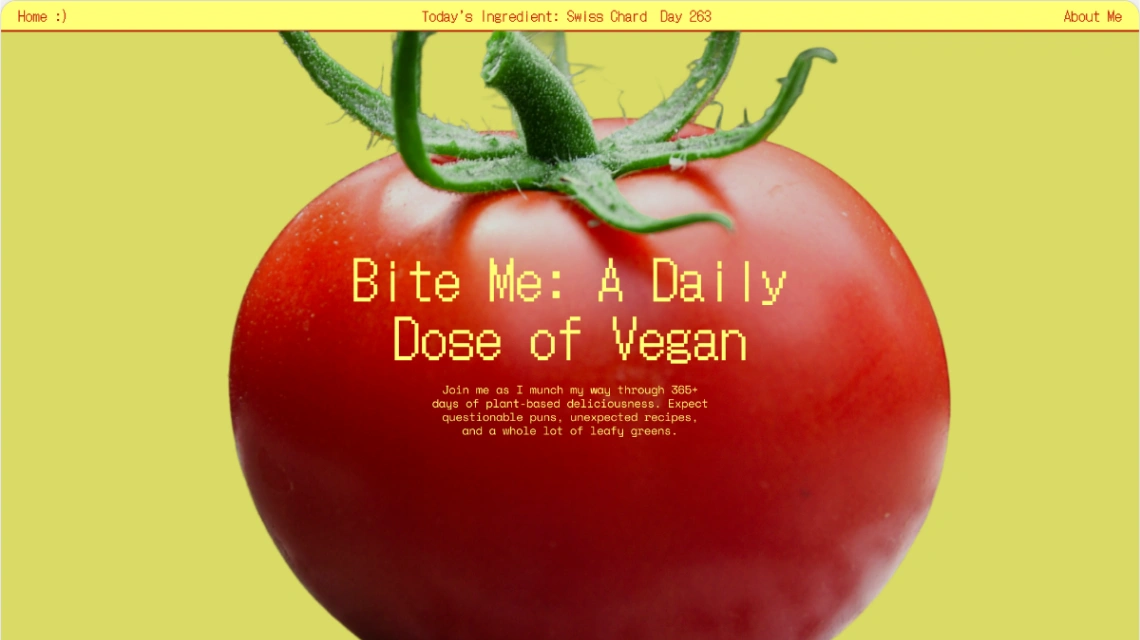
Recipe cards, ingredient lists, and a newsletter form make this a practical food blog built in Figma Sites.
- Highlights: recipe cards, step instructions, newsletter form
- Best for: food bloggers, solo writers
- Links: Recipe Blog template | Recipe Blog live demo
26. Footwear Brand (Pixpa)
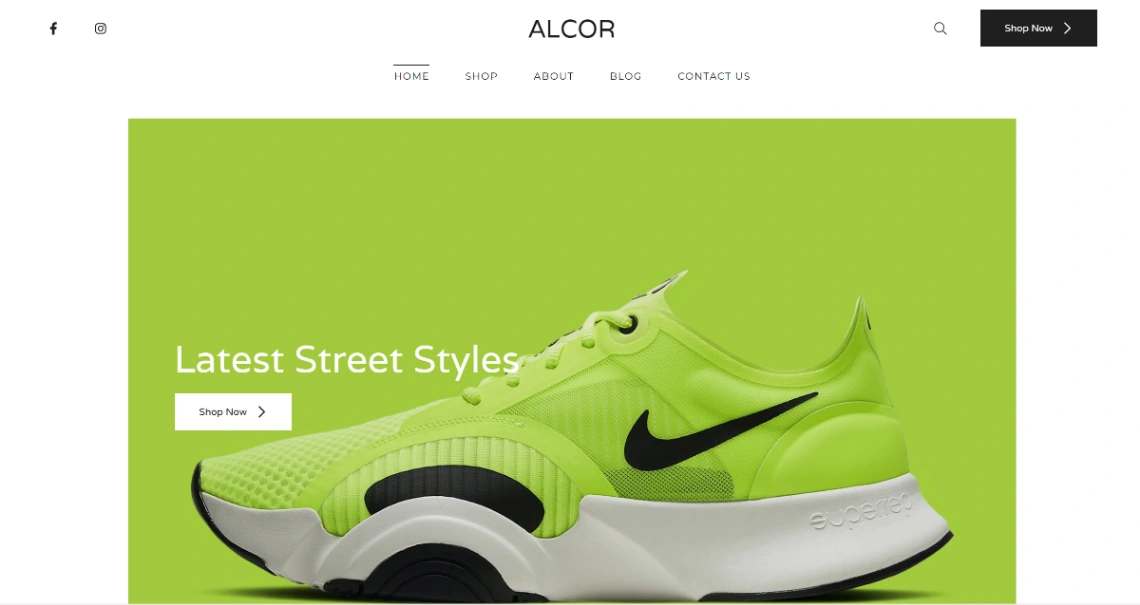
Alcor is a sleek footwear store with promo banners, price tags, a cart, and an integrated blog.
- Highlights: product grid, sale banners, inventory management
- Best for: first-time store owners, apparel brands
- Links: Footwear Brand template | Footwear Brand live demo
27. Luxury Jewelry Store (Breakdance)
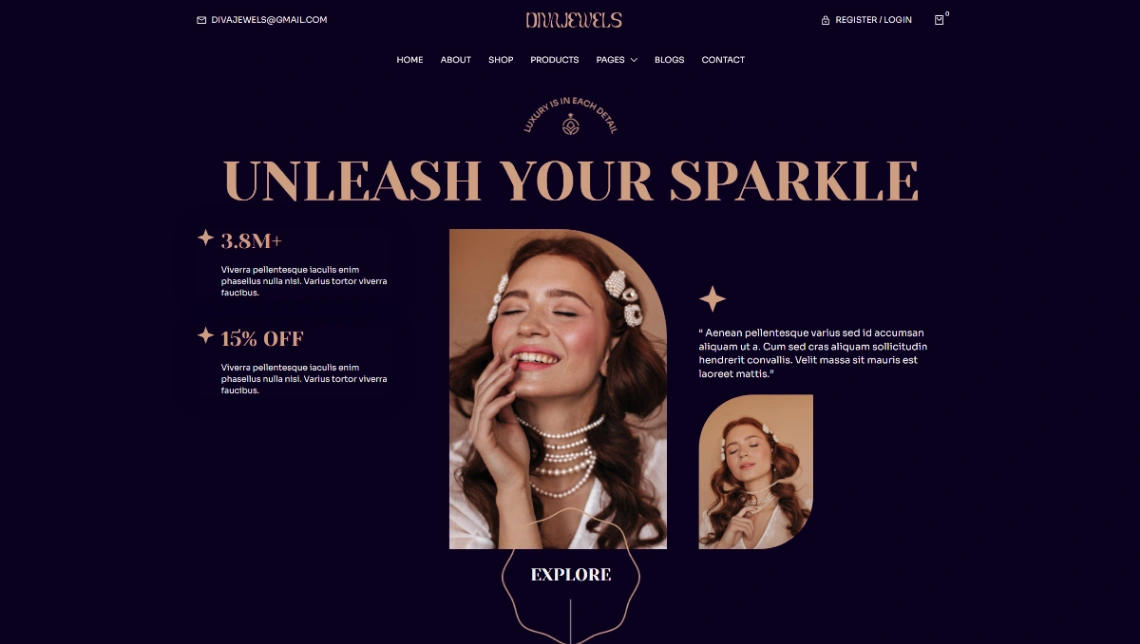
A dark luxury store with category pages for rings, earrings, and bracelets, plus customer accounts and WooCommerce.
- Highlights: category showcase, customer login, FAQ and blog
- Best for: jewelry and beauty brands
- Links: Luxury Jewelry Store template | Luxury Jewelry Store live demo
28. Sneaker Boutique (PeachWeb)

Translucent 3D sneaker models react to scroll, zooming into cushioning and sole details for limited drops.
- Highlights: 3D product close-ups, fixed CTAs, interactive lighting
- Best for: sneaker drops, footwear launches
- Links: Sneaker Boutique template | Sneaker Boutique live demo
29. Classic Car Dealership (PeachWeb)
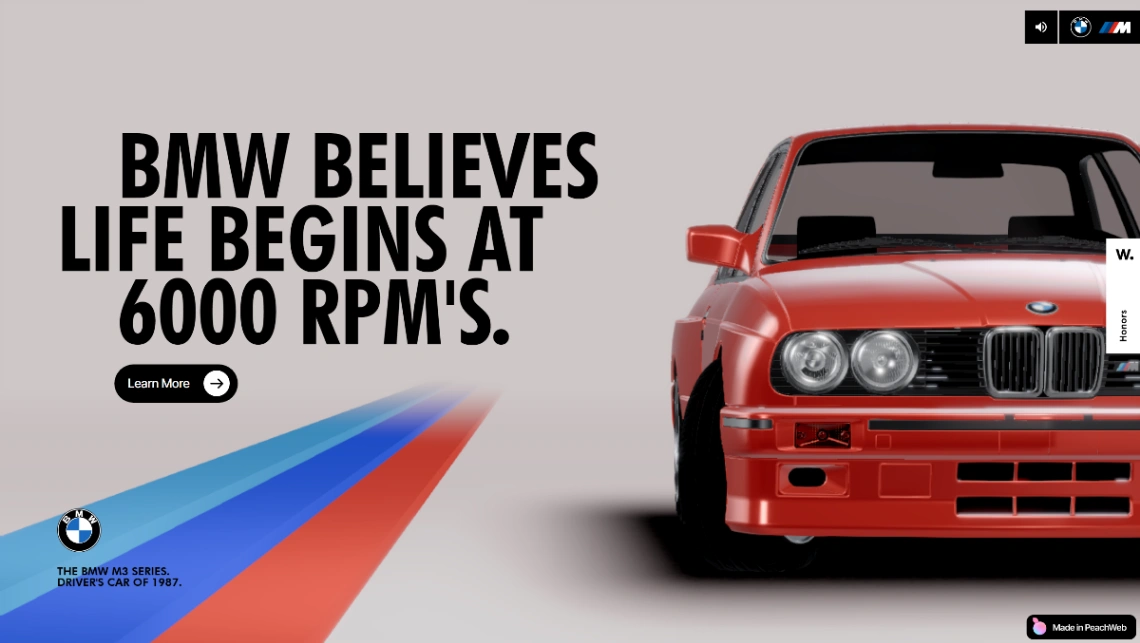
A rotating 3D car scales through scroll milestones, with specs and testimonials floating alongside.
- Highlights: 3D vehicle model, performance metrics, historical timeline
- Best for: dealerships, automotive showcases
- Links: Classic Car Dealership template | Classic Car Dealership live demo My contrarian take on PeachWeb: these 3D builds are stunning, but a local dealership or shop usually wins more by loading fast and showing prices clearly.
Spectacle sells a launch; speed and clarity sell on a Tuesday afternoon. Match the template's ambition to how your customers actually buy.
Which Templates Work for Coaches, Courses, and Wellness Pros?
Five templates serve people who sell expertise. Showit covers fitness and nutrition with bold branding, Aura and Membership.io handle courses and learning hubs, and MotoCMS fits class-based sports schools. Pick by whether you sell sessions, programs, or a library of content.
30. Fitness Professional (Showit)
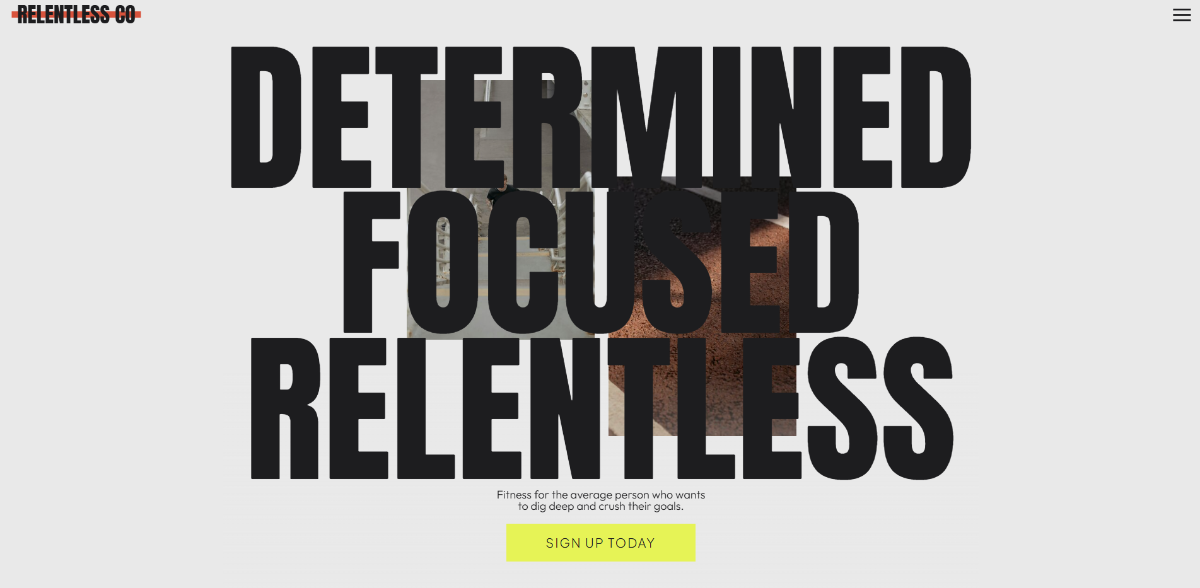
A dark, energetic site for trainers and studios, with areas for coaching, classes, and testimonials.
- Highlights: bold branding, class listings, client testimonials
- Best for: personal trainers, gyms
- Links: Fitness Professional template | Fitness Professional live demo
31. Nutrition Consulting (Showit)
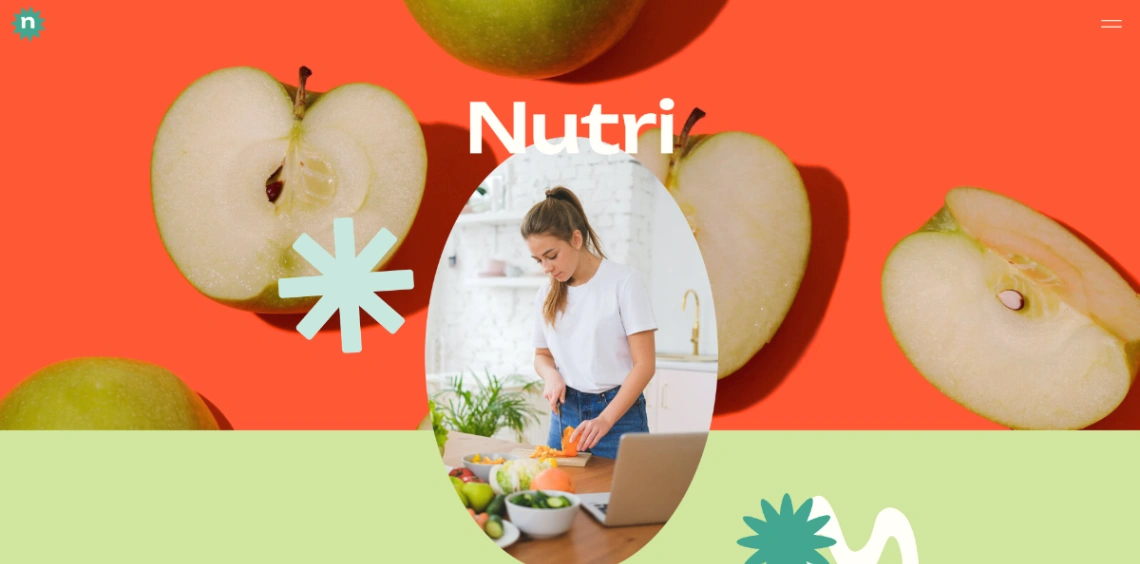
Bright colors and animated menus suit nutritionists promoting wellness programs and transformation stories.
- Highlights: program promotion, animated navigation, expert positioning
- Best for: nutritionists, wellness consultants
- Links: Nutrition Consulting template | Nutrition Consulting live demo
32. Automation Course (Aura)
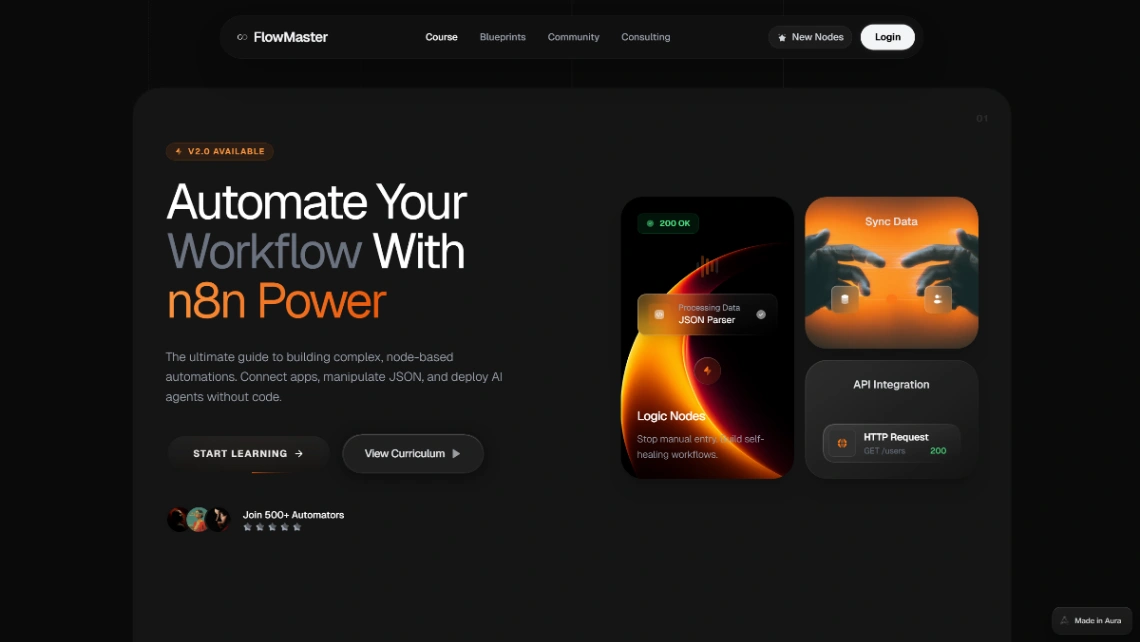
A course page with a curriculum grid, instructor bio, pricing tiers, and registration form for workshops.
- Highlights: curriculum grid, pricing tiers, registration form
- Best for: course creators, EdTech
- Links: Automation Course template | Automation Course live demo
33. Copywriting School Hub (Membership.io)
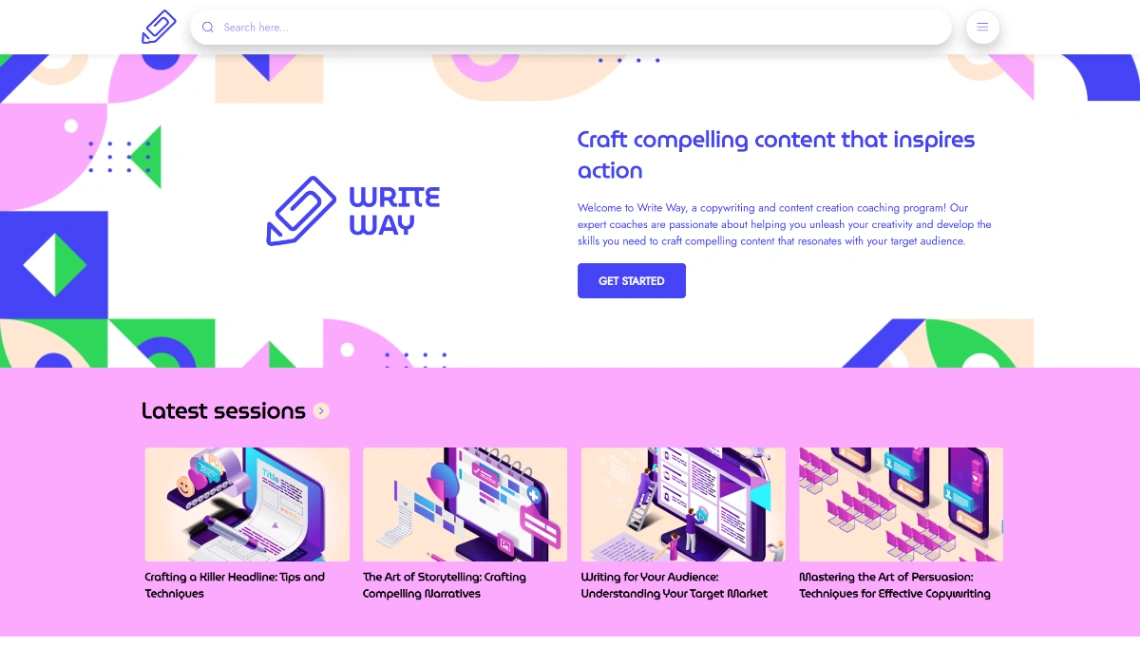
A playful, colorful member hub with a course library, writing guides, and a student showcase.
- Highlights: course library, resource guides, student showcase
- Best for: writing coaches, membership communities
- Links: Copywriting School Hub template | Copywriting School Hub live demo
34. Capoeira Courses (MotoCMS)
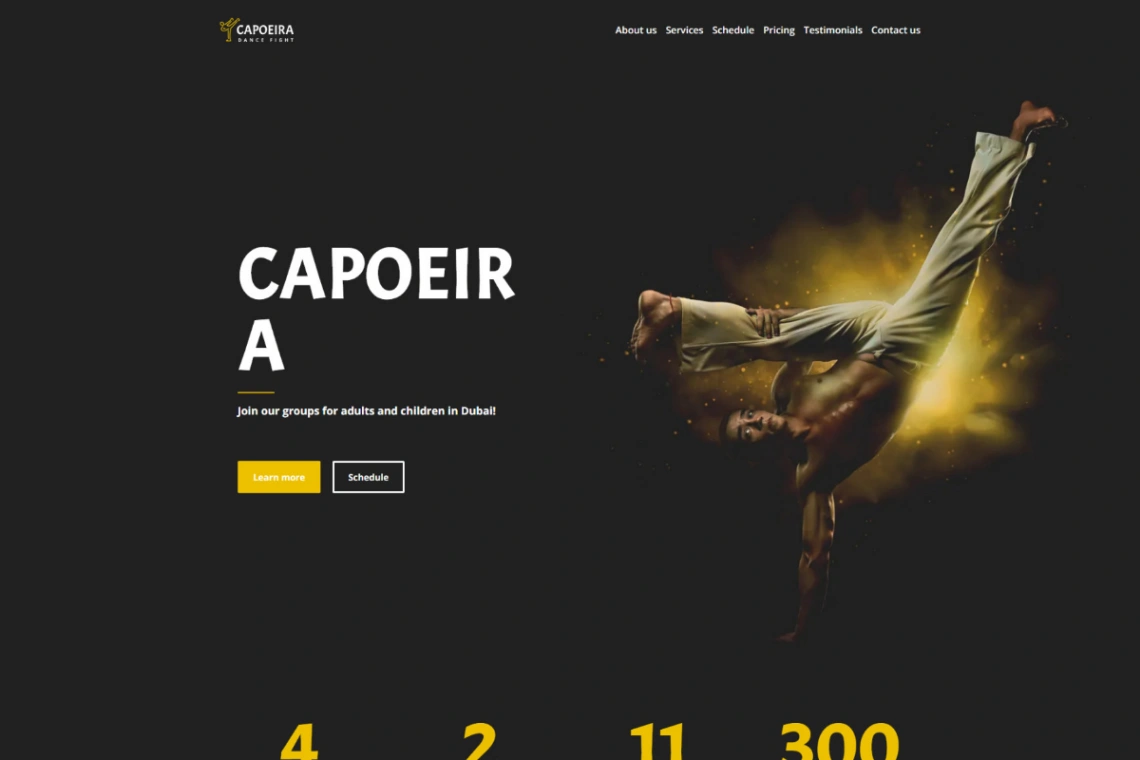
A martial arts school site with class schedules, instructor profiles, enrollment forms, and an event calendar.
- Highlights: class schedules, enrollment forms, event calendar
- Best for: sports clubs, martial arts schools
- Links: Capoeira Courses template | Capoeira Courses live demo
How Do You Choose the Right Template for Your Business?
Start with what a visitor must do on your site, then pick the builder, then the design. A template that matches your main action (book, buy, sign up, browse work) beats a prettier one, because changing colors takes minutes while switching builders means starting over.
Run through these checks before you commit:
- Name the main action. Reading, buying, booking, signing up, or browsing work. Each points to a different group above.
- Price year two. Compare each builder's paid plan, not the template. Framer starts at $10 per month billed yearly; Squarespace runs $16 to $99.
- Accept the lock-in. Templates don't transfer between builders, so pick a platform you'd happily stay on.
- Match your editing skill. Canva and Squarespace forgive beginners. PeachWeb's 3D editor rewards people who enjoy tinkering.
- Test the demo on your phone. Heavy 3D can stutter on older devices, which hurts small businesses most. | If you are... | Start with | Why | |---|---|---| | A restaurant owner | Online Takeout or Asian Restaurant | Menus and ordering up front | | A first-time store owner | Footwear Brand | Cart, inventory, blog included | | A coach or trainer | Fitness Professional or Nutrition Consulting | Bold, program-led layouts | | A pre-launch founder | Waitlist Landing Page | Builds a list before launch | | A photographer | Landscape Photography | Location galleries and classes |
Start exploring launch-ready no-code templates here!
FAQ
Are these templates really free to publish?
The templates are free, but publishing depends on the builder. Canva and Framer both let you publish free on their own branded subdomains, while Squarespace requires a paid plan from day one and most builders charge extra for a custom domain.
Can I use a free template for my business?
Yes, these templates are built for real commercial use like online stores, restaurants, and SaaS products. Licensing rules differ between builders and can change, so check each platform's terms before reselling a template or using it across many client sites.
Which website builder is easiest for beginners?
Canva and Squarespace are the most forgiving, because their editors limit how far a layout can break. Showit and Pixpa sit in the middle, while PeachWeb's 3D editor and Framer suit people who enjoy design tools and are comfortable with responsive layouts.
Can I move a template to another website builder later?
No, templates are tied to the builder they were made in, so a Framer layout can't be imported into Squarespace. Some builders export code, which helps developers, but plan on rebuilding if you switch. Our Framer templates guide shows what one platform's library looks like.
Do free templates hurt SEO?
No, a free template does not hurt rankings by itself; leftover demo text and default page titles do. Replace every placeholder, compress demo images, and write unique meta titles, as covered in our guide on whether free templates hurt SEO.
Start building without code
Browse thousands of no-code templates for Webflow, Framer, Bubble, Lovable, Replit and more.
Explore Templates