15 Best Free Templates for Portfolio Website in 2026
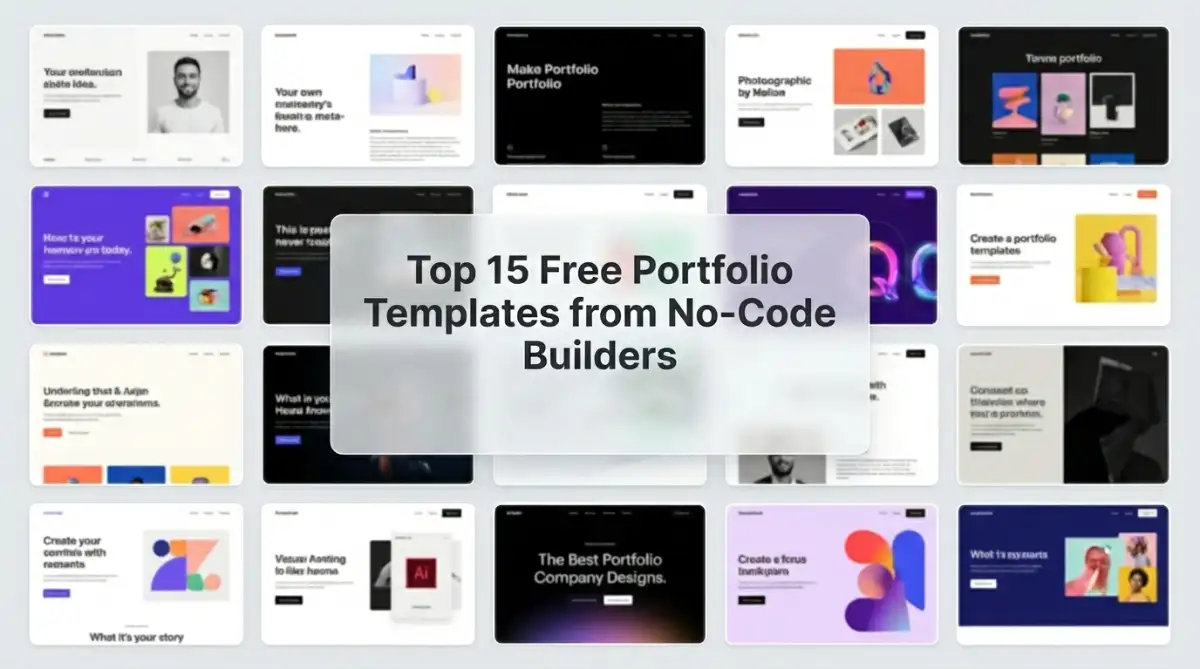
The strongest free templates for portfolio website projects in 2026 come from builders like Vzy, Showit, Pagecloud, and Aura, each catering to a different creative discipline. Photographers favor image-heavy canvas builders, while illustrators and influencers gravitate toward bolder, content-driven layouts. The builder behind the template matters as much as the design itself.
Table of Contents
- Key Takeaways
- Introduction
- Why the Builder Matters More Than the Design
- Best Templates for Designers
- Best Templates for Photographers
- Best Templates for Illustrators and Influencers
- Best Templates for Strategists and Curators
- Comparison Table
- Decision Framework
- FAQ
Key Takeaways
- Free portfolio templates split into three camps: AI-generated drafts, canvas-based design freedom, and structured drag-and-drop. The right pick depends less on aesthetics than on how much editing patience you actually have.
- The builder is the template's ceiling. A gorgeous template on a clunky platform ages worse than a plain template on a flexible one, and most freelance creatives underestimate how often they'll redesign.
- Photographers, illustrators, and strategists need fundamentally different layouts. Treating "portfolio template" as one category is the fastest way to end up with a site that fights your work instead of framing it.
Introduction
Roughly 70% of freelance creatives say their portfolio site is the first thing a prospective client looks at, yet most freelancers I've spoken with built theirs in a weekend and never touched it again. That's the tension this list addresses. For freelance designers, photographers, illustrators, and content creators picking a free template for portfolio website projects in 2026, the choice isn't just about which one looks good in a screenshot. It's about which builder you can live with six months from now when you want to swap out a project or add a new service. Below: 15 free templates worth your time, sorted by who they're actually for.
Why the Builder Behind the Template Matters More Than the Design
A free template for portfolio website use is only as flexible as the platform under it, and most creatives don't think about that until they hit a wall. Some builders give you canvas-level control, others lock you into block structures, and a few rely on AI to generate everything at once. Pick wrong, and your portfolio becomes a chore to update.
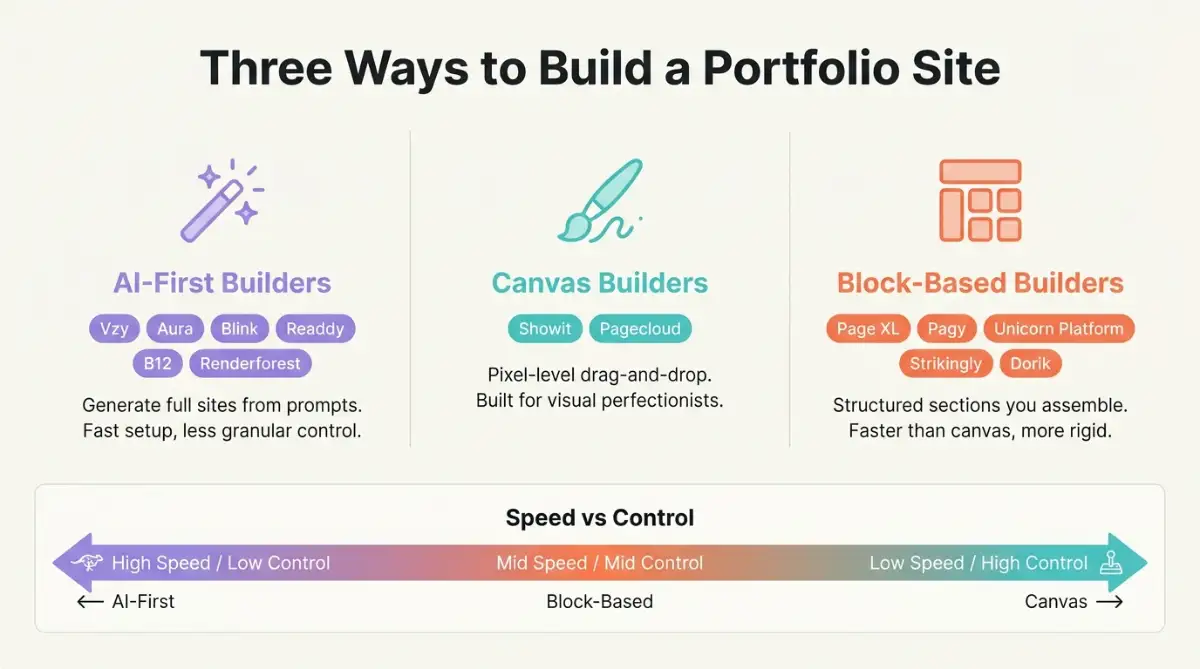
Here's what separates the categories:
- AI-first builders (Vzy, Aura, Blink, Readdy, B12, Renderforest): Generate full sites from prompts. Fast, but trade granular control for speed.
- Canvas builders (Showit, Pagecloud): True drag-and-drop with pixel-level positioning. Best for visual perfectionists.
- Block-based builders (Page XL, Pagy, Unicorn Platform, Strikingly, Dorik): Structured sections you assemble. Faster than canvas, more rigid.
- Niche / hybrid (Blink for coders, B12 for service providers): Mix AI generation with developer-level escape hatches.
Think of it this way: a template is the front cover of your site, but the builder is the spine, and the spine is what bends or breaks when you try to grow.
Which Free Portfolio Templates Work Best for Designers?
Designers need templates that put the work first while still leaving room for personality and process. The five templates below cover everything from minimalist case-study layouts to bold neubrutalist statements, and each one comes from a different builder with its own quirks. Solo freelancers tend to do better with one-page templates, while studios benefit from multi-section layouts.
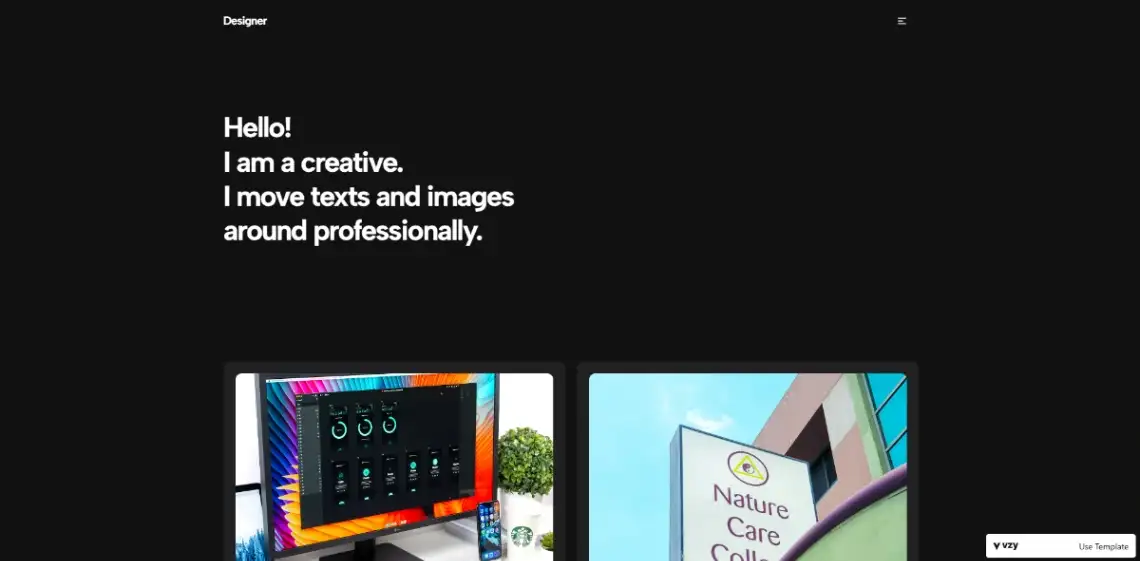
1. Designer Portfolio (Vzy) features a hero introduction, a four-project gallery grid, and an embedded contact form. Clean, modern, suited for designers who lead with branding work. Built on Vzy, an AI-powered builder that generates mobile-optimized sites from prompts. Paid plans on Vzy pricing start at $15/month.
2. Professional Portfolio (Page XL) is a one-page layout aimed at solo freelancers, with a skills section using proficiency bars, a bio block, and contact details. Built on Page XL, a free one-page builder with Stripe integration and Unsplash photo access. Paid upgrade on Page XL pricing is $4.70/month, the cheapest of the bunch.
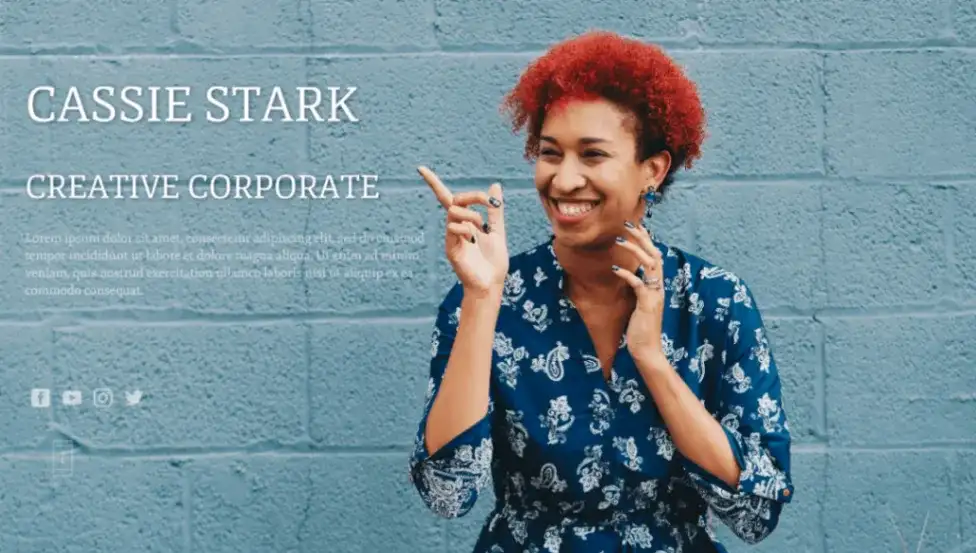
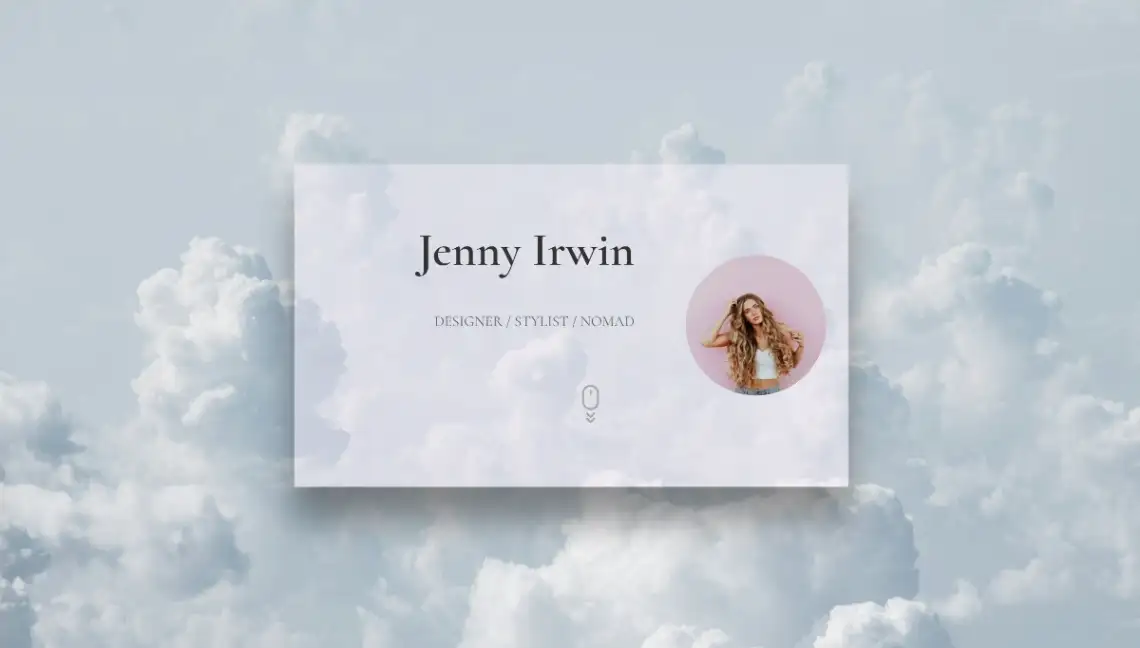
3. Nomad Portfolio (Page XL) suits remote designers with multiple service offerings. It includes profile photo, work philosophy sections, and a detailed experience timeline. Same builder, different template structure.
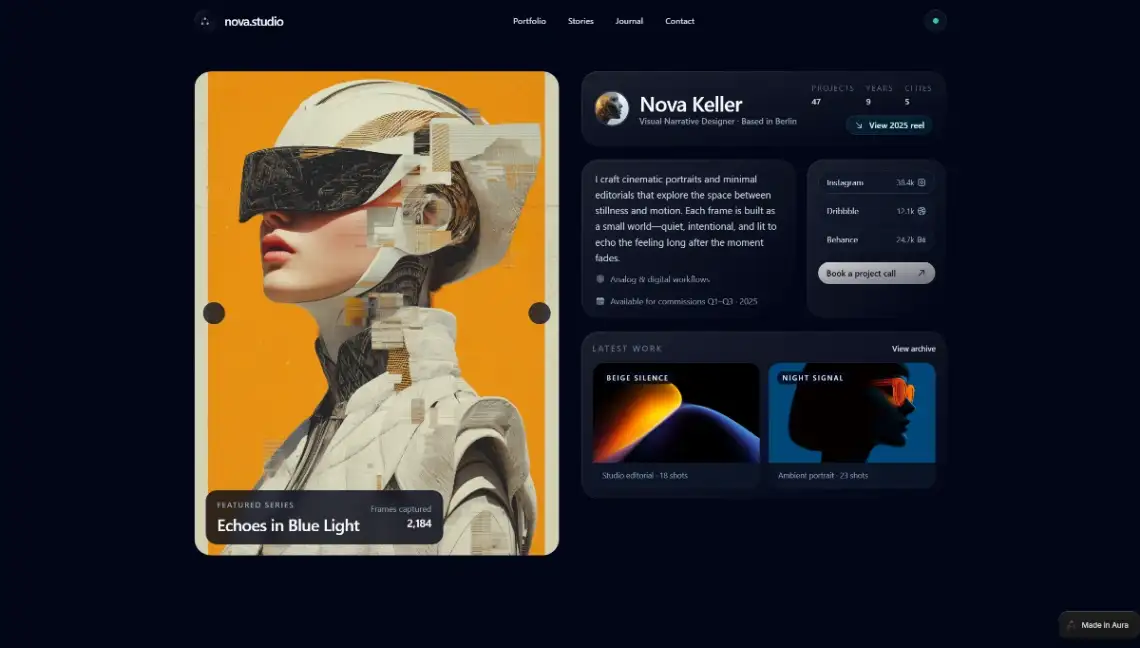
4. Designer Portfolio (Aura) leans editorial, with case study blocks, campaign workflows, and testimonial sections. Built on Aura, a Gemini-powered design platform with Figma integration. Aura pricing begins at $20/month for Pro.
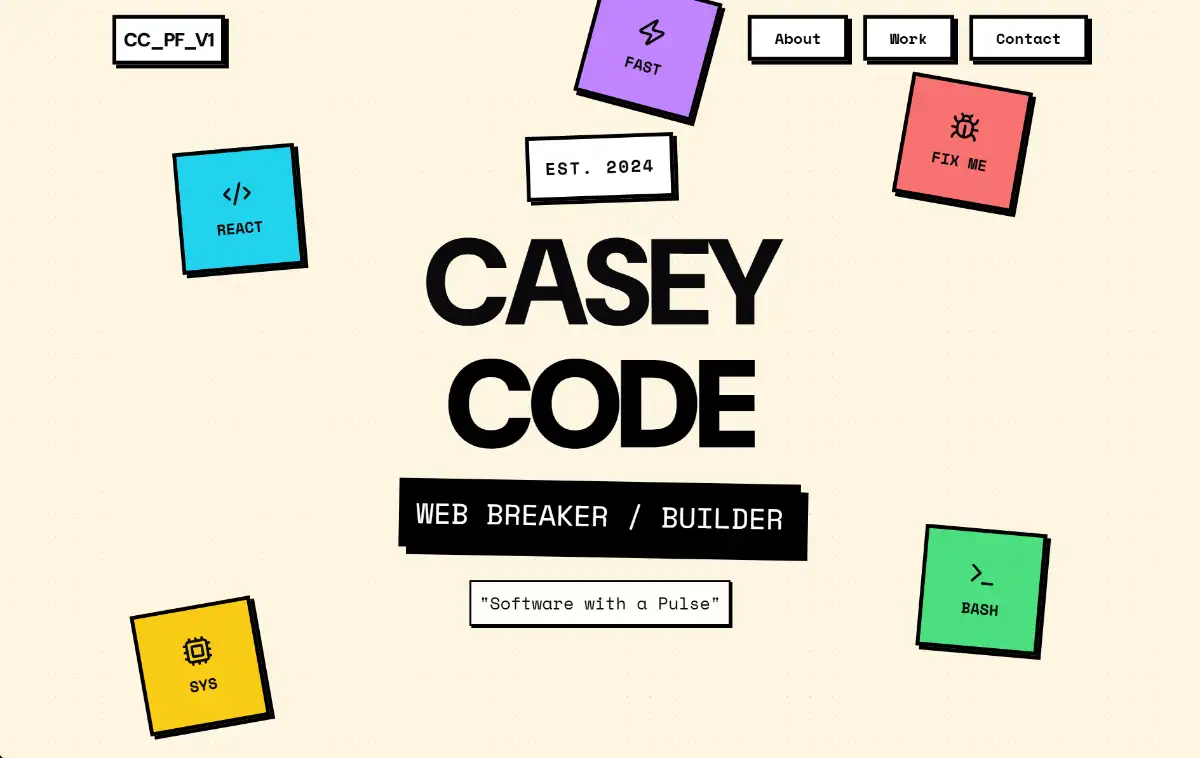
5. Neubrutalist Portfolio (Blink) is the loud option. Heavy borders, high-contrast colors, oversized type. Built on Blink, an AI agentic coding platform that builds full sites and apps through chat. Blink pricing starts at $25/month.
What Are the Best Free Portfolio Templates for Photographers?
Photographers need templates where the image does the talking and the chrome stays out of the way. The three below all prioritize gallery-first layouts with minimal navigation, which is what high-end photography sites have done for a decade. Where they differ is in how much manual layout control you get.
6. Visual Storyteller Portfolio (Showit) uses magazine-style modular canvases and immersive gallery transitions, then funnels viewers toward investment details. Built on Showit, a canvas-based builder with WordPress blogging integration. Showit pricing starts at $27/month.

7. Editorial Portfolio (Showit) runs leaner. Expansive galleries, refined typography, sophisticated whitespace. Better for photographers who want the work to read as fine art rather than commercial.
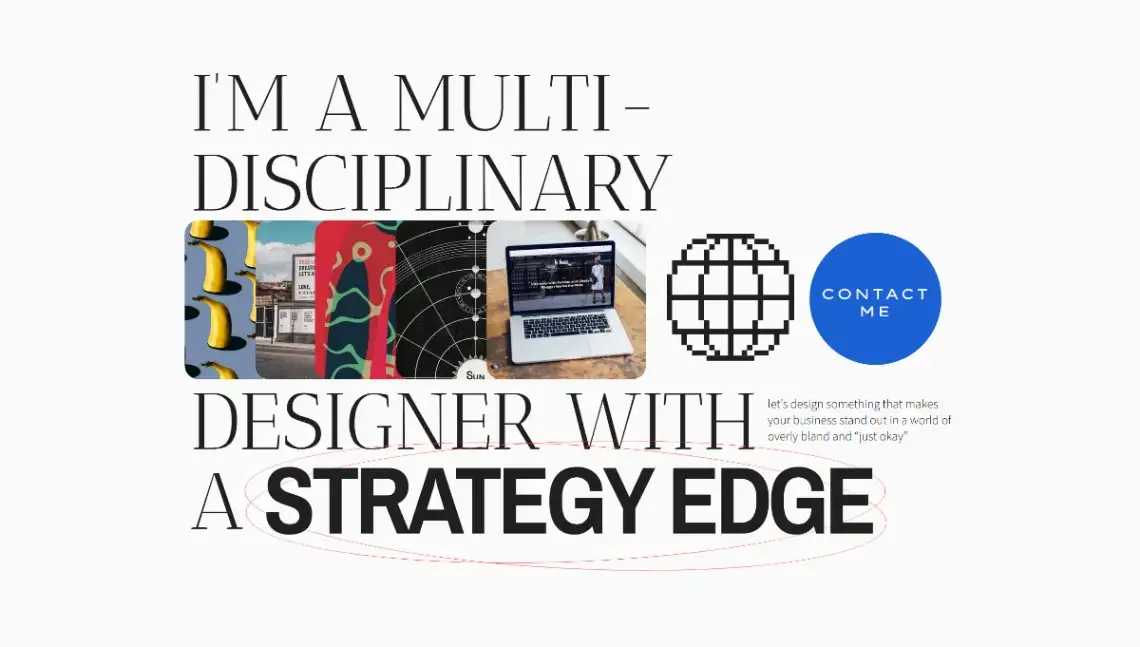
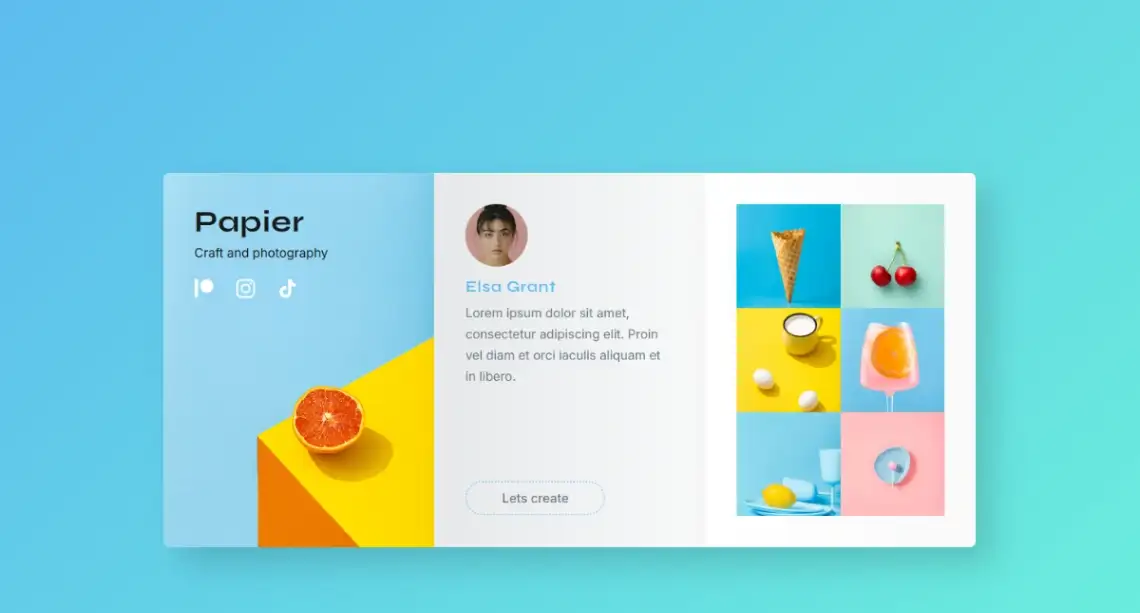
8. Creative Portfolio (Pagecloud) mixes things up with vibrant color-blocked grid sections and a more energetic tone, fitting craft photographers and mixed-media artists. Built on Pagecloud, a drag-and-drop builder with full visual freedom. Pagecloud pricing starts at $26/month.
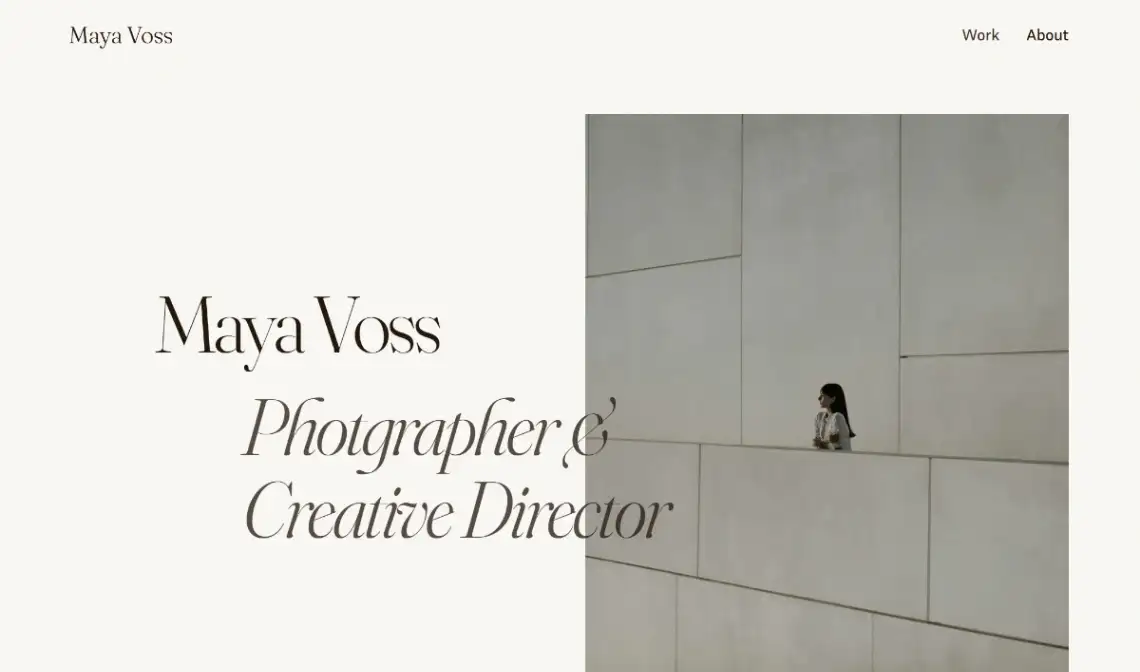
9. Photography Portfolio (Pagy) strips everything back to image-first layouts with clean typography and barely any navigation. Built on Pagy, a Notion-like block builder for fast launches. Pagy pricing starts at $10/month, with free custom domains thrown in.
How Do Illustrators and Influencers Choose a Portfolio Template?
Illustrators and influencers face a different problem than fine artists or photographers: their work is often vibrant, social-media-native, and tied to a personal brand more than a body of formal work. The templates below lean into color, content density, and social proof, which is what these audiences actually need. A muted minimalist layout would bury the personality these creators rely on.
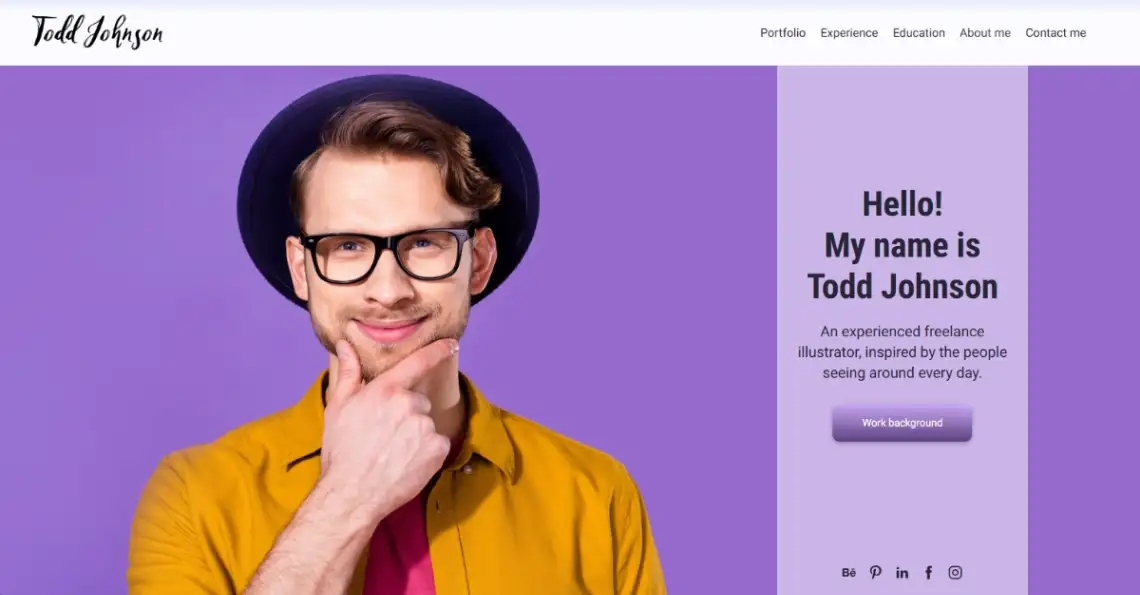
10. Illustrator Portfolio (Renderforest) uses purple branding, a colorful artwork grid, and sections for tools, education, and testimonials. Built on Renderforest, an AI-powered creative platform with over 1,200 templates and Veo and Sora integrations. Renderforest pricing starts at $10/month.
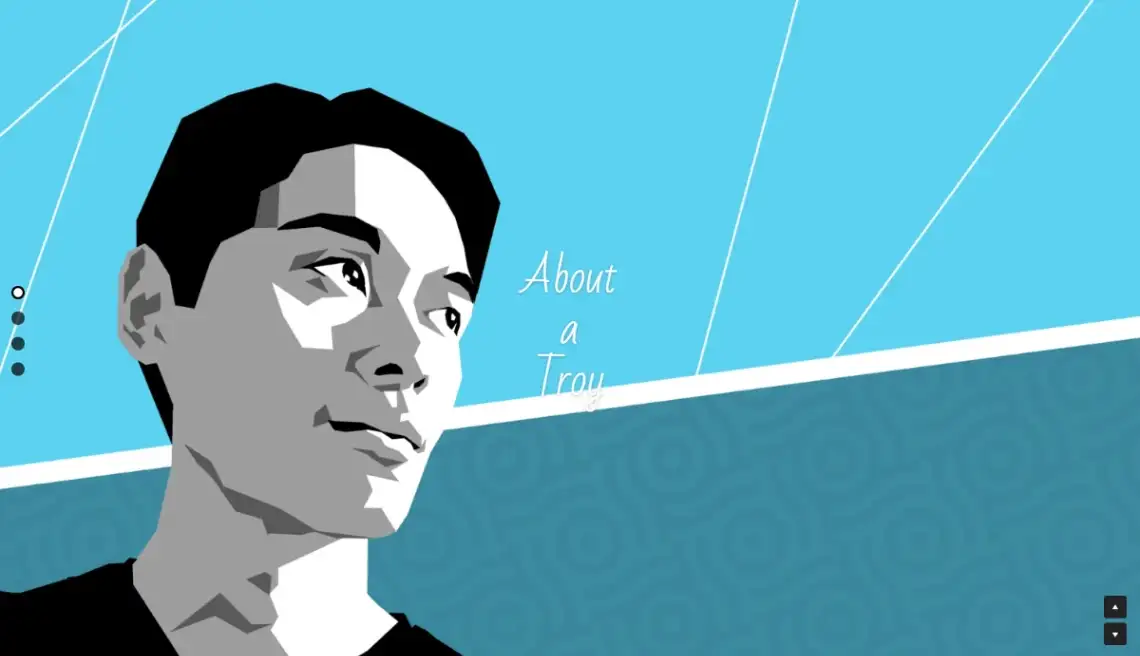
11. Creator Portfolio (Strikingly) features illustrated portraits, Instagram integration, and a sketchbook section. Geometric, playful, single-page. Built on Strikingly, a section-based builder for mobile-optimized single-page sites. Strikingly pricing starts at $20/month.
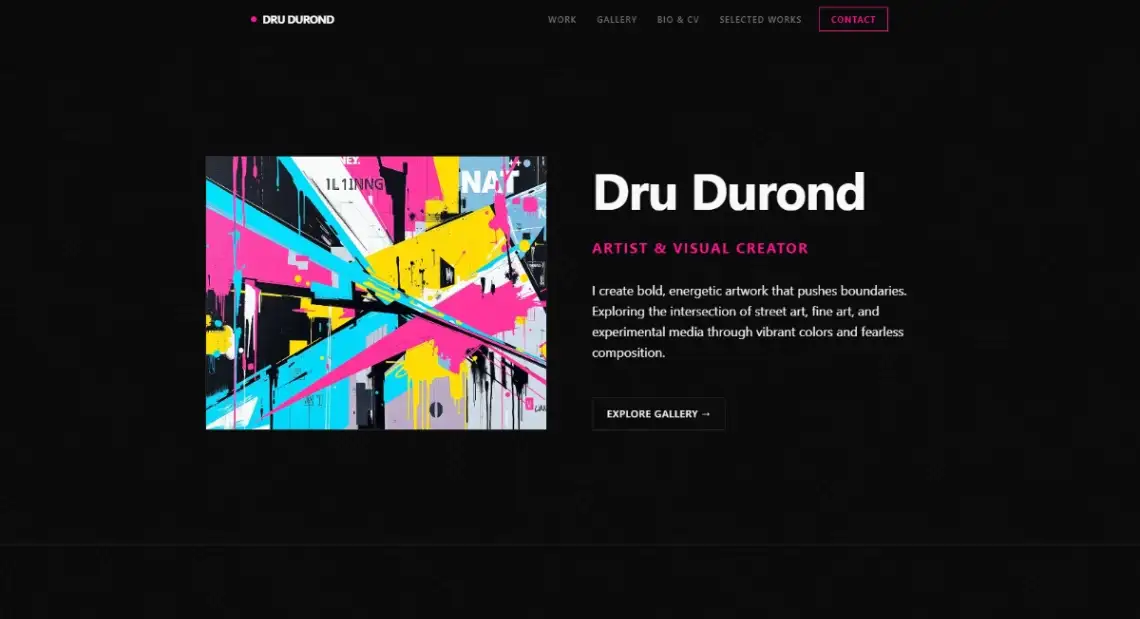
12. Artist Portfolio (B12) flips the energy, dark editorial theme, large hero statements, scroll animations. Built on B12, an AI-driven builder for service providers with scheduling and billing built in. B12 pricing starts at $49/month, the steepest in the group.
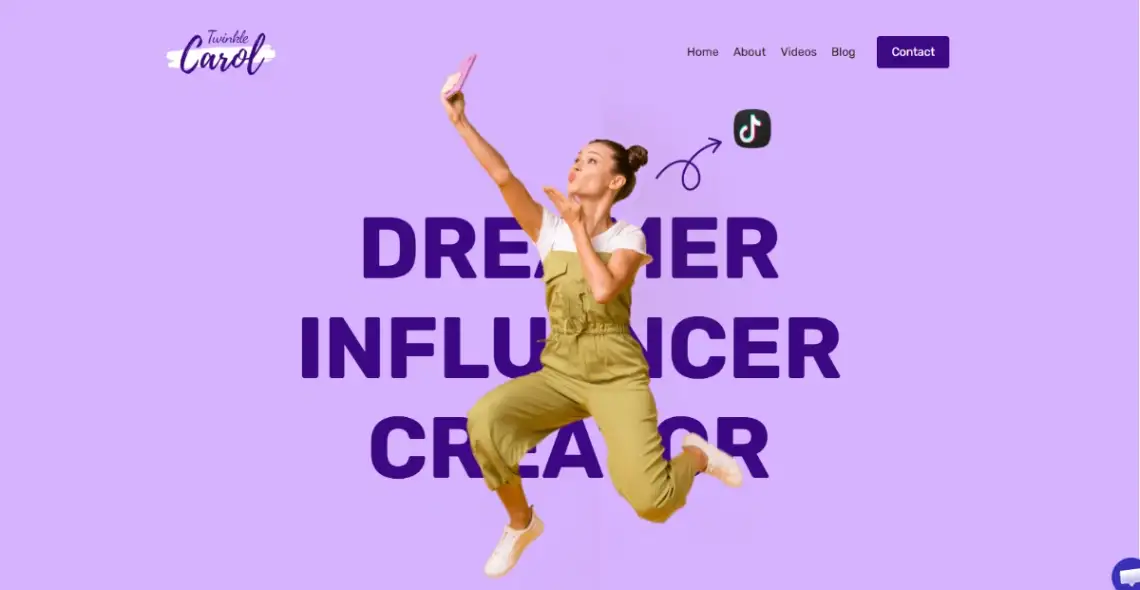
13. Influencer Portfolio (Dorik) is built for the creator economy. Pink branding, role categories, follower stats (256K followers, 12M views in the demo), video showcases, trending sections. Built on Dorik, an AI no-code builder with CMS and Airtable integrations. Dorik pricing starts at $29/month.
Which Templates Suit Niche Creative Roles Like Strategists and Curators?
Not every creative fits the designer-photographer-illustrator triangle. Social media strategists, curators, and consultants need portfolios that highlight results and process more than visual output, and the two templates below address that directly. Both come from AI-first builders, which makes sense given the speed these roles tend to operate at when validating new positioning. If your portfolio doubles as a lead-gen tool, this is the category to look at.
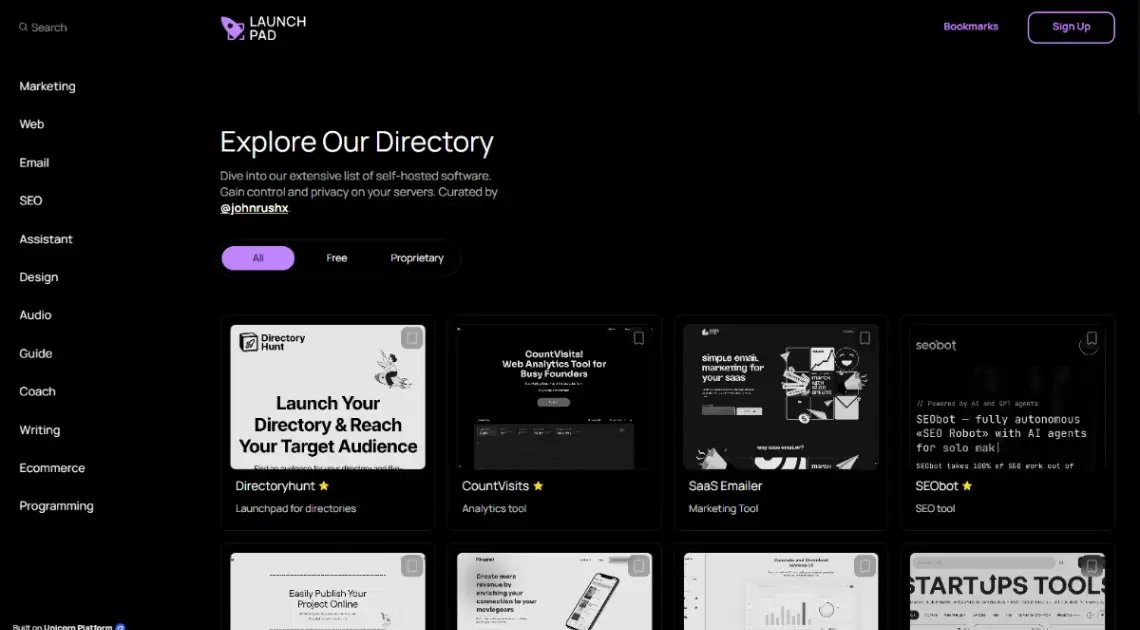
14. Dark Directory (Unicorn Platform) is a directory layout for curators and founders building resource lists. Sleek dark dashboard, sidebar navigation, lead capture forms, integrated FAQs. Built on Unicorn Platform, an AI builder geared toward startups and SaaS landing pages. Unicorn Platform pricing starts at $14/month.
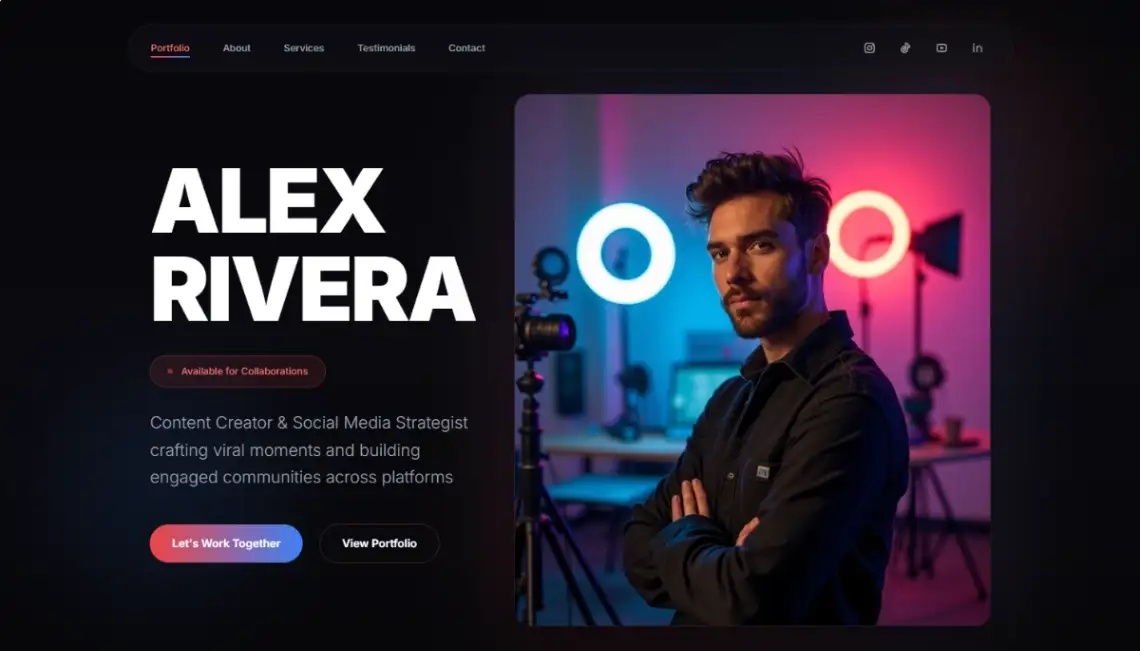
15. Social Media Strategist (Readdy) highlights viral content, engagement analytics, and brand case stories. The layout assumes the strategist needs to show numerical proof, not just visuals. Built on Readdy, an AI builder that generates sites from prompts, screenshots, or URLs. Readdy pricing starts at $25/month.
If neither role matches your discipline, the broader tool catalog is worth a scroll. The fit between role and platform tends to matter more than people expect.
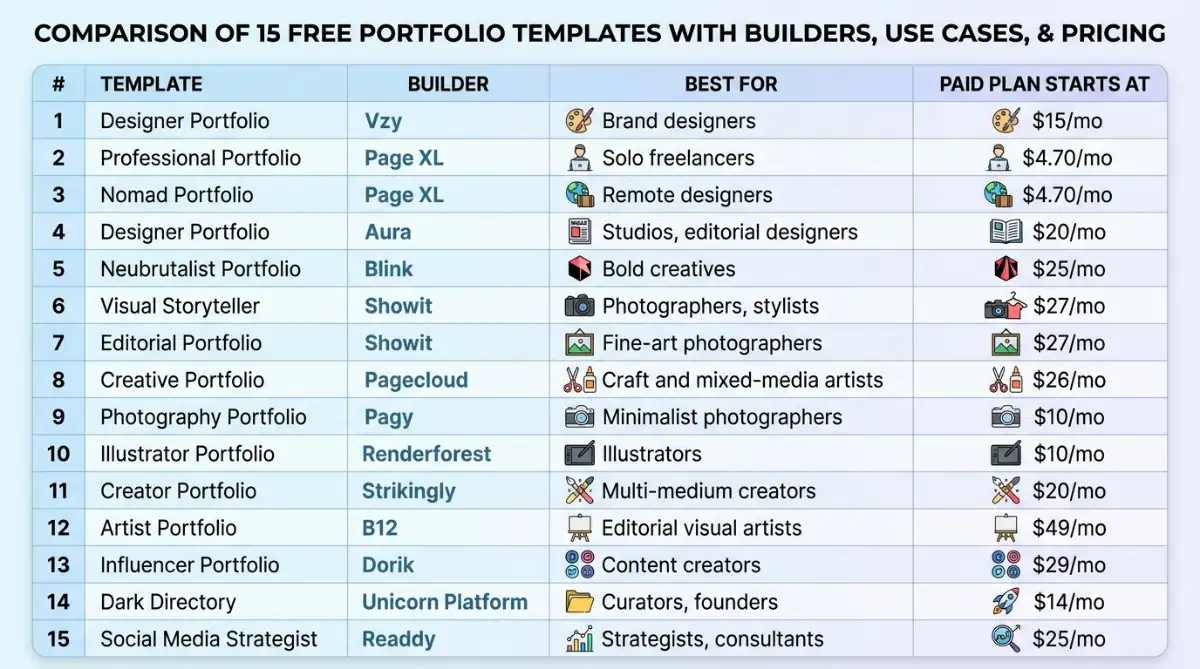
Comparison Table: All 15 Templates at a Glance
| # | Template | Builder | Best For | Paid Plan Starts At |
|---|---|---|---|---|
| 1 | Designer Portfolio | Vzy | Brand designers | $15/mo |
| 2 | Professional Portfolio | Page XL | Solo freelancers | $4.70/mo |
| 3 | Nomad Portfolio | Page XL | Remote designers | $4.70/mo |
| 4 | Designer Portfolio | Aura | Studios, editorial designers | $20/mo |
| 5 | Neubrutalist Portfolio | Blink | Bold creatives | $25/mo |
| 6 | Visual Storyteller | Showit | Photographers, stylists | $27/mo |
| 7 | Editorial Portfolio | Showit | Fine-art photographers | $27/mo |
| 8 | Creative Portfolio | Pagecloud | Craft and mixed-media artists | $26/mo |
| 9 | Photography Portfolio | Pagy | Minimalist photographers | $10/mo |
| 10 | Illustrator Portfolio | Renderforest | Illustrators | $10/mo |
| 11 | Creator Portfolio | Strikingly | Multi-medium creators | $20/mo |
| 12 | Artist Portfolio | B12 | Editorial visual artists | $49/mo |
| 13 | Influencer Portfolio | Dorik | Content creators | $29/mo |
| 14 | Dark Directory | Unicorn Platform | Curators, founders | $14/mo |
| 15 | Social Media Strategist | Readdy | Strategists, consultants | $25/mo |
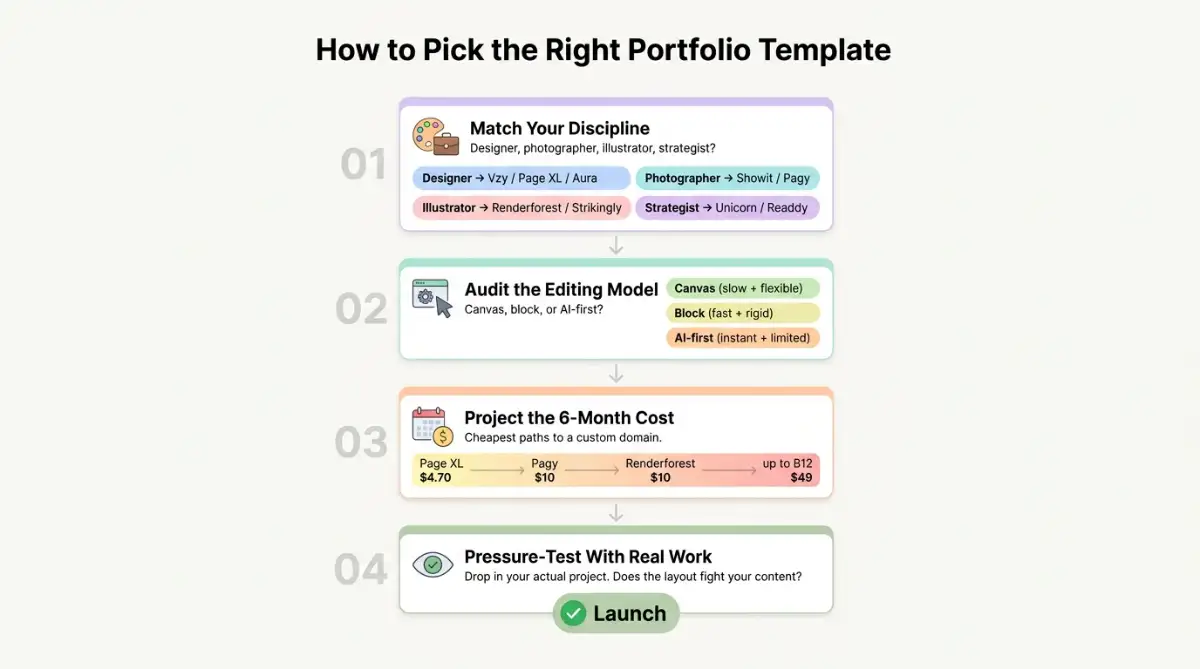
Decision Framework: How to Pick the Right Free Portfolio Template
Reverse-engineer the choice. Most people start by browsing template galleries and falling for a design, then realize the builder doesn't fit how they actually work.
Try this order instead:
- Match the template to your discipline first. Photographers go to Showit or Pagy. Designers go to Vzy, Page XL, or Aura. Illustrators and influencers go to Renderforest, Strikingly, or Dorik. Strategists and curators go to Unicorn Platform or Readdy. The wrong category guarantees a fight with the layout.
- Audit the builder's editing model before committing. Canvas builders (Showit, Pagecloud) give freedom but require patience. Block builders (Page XL, Pagy, Strikingly) move faster but constrain layout. AI-first (Vzy, Aura, Readdy, B12, Renderforest) start fast and slow down when you want precision.
- Project the cost six months out. The template is free, but you'll likely upgrade for a custom domain or removing branding. Page XL ($4.70/mo) and Pagy ($10/mo) are the cheapest paths to a fully branded site. B12 ($49/mo) is the steepest, justified only if you need its scheduling and billing features.
- Pressure-test the template by adding a real project. Drop in your actual work before you commit. If the layout fights your content (tall verticals on a horizontal-first template, or vice versa), move on. This step catches 80% of bad fits.
Browsing more options? The broader no-code tool catalog covers builders beyond this list.
Start exploring launch-ready no-code templates here!
FAQ
1. Are these portfolio templates actually free to use? Yes, all 15 templates listed are free to start with on their respective builders. Upgrades are needed for custom domains, removing builder branding, or unlocking features like analytics. Pricing tiers start as low as $4.70/month on Page XL and go up from there.
2. Can I use a custom domain on a free portfolio builder? Usually only on paid plans. Pagy is a notable exception that includes free custom domain connection on its lower tiers. Most other builders, including Vzy, Showit, and Pagecloud, require an upgrade to connect a custom domain to your portfolio.
3. Are AI website builders good enough for a portfolio? Often yes, especially for first drafts or solo freelancers. AI-first builders like Vzy, Aura, and Readdy can generate full sites quickly, but they trade granular layout control for speed. Visual perfectionists may still prefer canvas-based builders like Showit or Pagecloud.
4. Which builder is best for photographers specifically? Showit dominates the photographer space because its canvas editor gives pixel-level control over gallery layouts, and it integrates with WordPress for blogging. Pagy is the budget alternative at $10/month, and Pagecloud suits photographers who want more color and energy than minimalist layouts allow.
5. What's the difference between Showit and Pagecloud? Both are canvas-based drag-and-drop builders, but Showit leans toward photographers and creatives who blog (with native WordPress integration), while Pagecloud targets small businesses and creative pros building broader sites. Showit costs $27/month minimum, Pagecloud $26/month.
Start building without code
Browse thousands of no-code templates for Webflow, Framer, Bubble, Lovable, Replit and more.
Explore Templates