CRM Templates: 33 Free No-Code Picks (2026)
The most useful free no-code CRM starting points in 2026 include Sales CRM (Airtable) for spreadsheet-style teams, Sales CRM Manager (Noloco) for role-based pipelines, Agency OS (Noloco) for agencies, and Unified Lead Capture (Zapier) for routing leads automatically. Each is free to copy, with paid plans for more users or records.
Table of Contents:
- Key Takeaways
- Introduction
- What Does a Free CRM Template Really Cost?
- Which CRM Template Fits a Classic Sales Pipeline?
- Which Templates Handle Lead Capture and Prospecting?
- What Should Agencies and Service Teams Use for Clients?
- Which Templates Track Products, Vendors, and Orders?
- How Do You Choose the Right No-Code CRM?
- FAQ
Key Takeaways
- A $0 template can end up costing more than an entry-level enterprise CRM once seats, record limits, and the builder's paid plan enter the picture.
- Nearly half of these templates aren't sales pipelines at all, and that's precisely why one of them might fit a small business better than a "real" CRM.
- The AI-generated CRMs demo beautifully, but the plain spreadsheet-style ones tend to survive first contact with a busy sales team.
Introduction
According to Technavio, the CRM market is set to grow by roughly $78 billion between 2026 and 2030, yet most of what a small team needs fits inside a free CRM template. If you lead sales on a five-person team or juggle clients at a small agency, you probably need a pipeline, a contact list, and reminders, not a six-figure rollout.
I went through 33 no-code CRMs across 19 builders, from Airtable and Notion to Noloco, Softr, Bubble, and Replit. Each one below includes what it tracks, who it suits, a live demo, and the builder's site.
By the end, you'll know which template matches your workflow and which builder's pricing you'll be signing up for.
What Does a Free CRM Template Really Cost?
The template is free, but users, records, and automations are not. Salesforce's own pricing page lists its Starter Suite at $25 per user per month, so a no-code CRM only wins if its builder's paid tier stays below that for your team size. Free plans usually cap records and editors.
Airtable is a good example. Jetadmin reports that Airtable's free plan allows 1,000 records per base and up to five editors, as of July 2026. That's plenty for a solo consultant and tight for a team logging every call.
Each builder in this list takes a different approach:
| Builder type | Builders in this list | Templates | Best when |
|---|---|---|---|
| Database-first | Airtable, Notion, Tadabase, Caspio, Whalesync | 7 | Your team lives in tables |
| Portal and app builders | Noloco, Softr, Glide, WeWeb, Bubble, Utilize, Blocks | 14 | Clients or reps need logins |
| AI app builders | Replit, Lovable, Blink, Macaly, Base44 | 9 | You want custom code fast |
| Automation | Zapier | 2 | Leads arrive from many tools |
| Website | MaxiBlocks | 1 | You're selling a CRM product |
Here's my "it depends" moment. If you need forecasting, email sync, and call logging out of the box, a paid CRM is often cheaper than building those features yourself.
A free template saves money on software, not on setup time. Budget the hours you'll spend customizing it before calling it free.
Which CRM Template Fits a Classic Sales Pipeline?
Fourteen templates cover the core sales loop: contacts, deals, stages, and activity. Airtable and Caspio suit table-loving teams, Noloco and Softr add role-based logins, Glide works well on phones, and Lovable, Blink, and Macaly generate custom code. Pick based on where your reps actually work all day.
1. Sales CRM (Airtable)
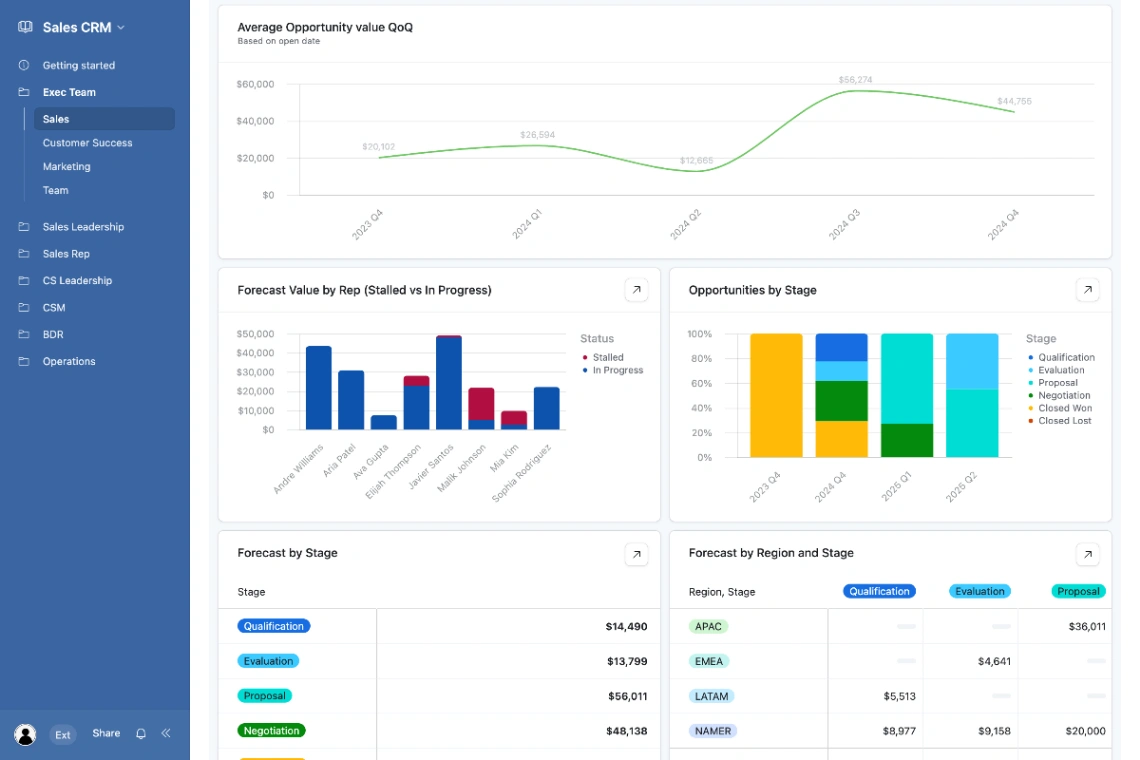
A relational base tracking leads, opportunities, and accounts through every stage. Kanban views, automated reminders, and deal scoring come built in, so it's the easiest place to start. Our Airtable explainer covers how the platform works.
- Highlights: opportunity tracking, interaction history, interface designer
- Best for: small sales teams, internal data tools
- Links: Sales CRM details | Sales CRM demo | Airtable
2. Sales CRM Manager (Noloco)

A unified hub for opportunities, accounts, and activities, with role-based visibility for reps and managers. Won/Lost buttons and automated deal notifications keep the pipeline honest.
- Highlights: pipeline view, interaction logging, phone and email links
- Best for: sales teams, remote teams
- Links: Sales CRM Manager details | Sales CRM Manager demo | Noloco
3. Sales CRM Manager (Macaly)
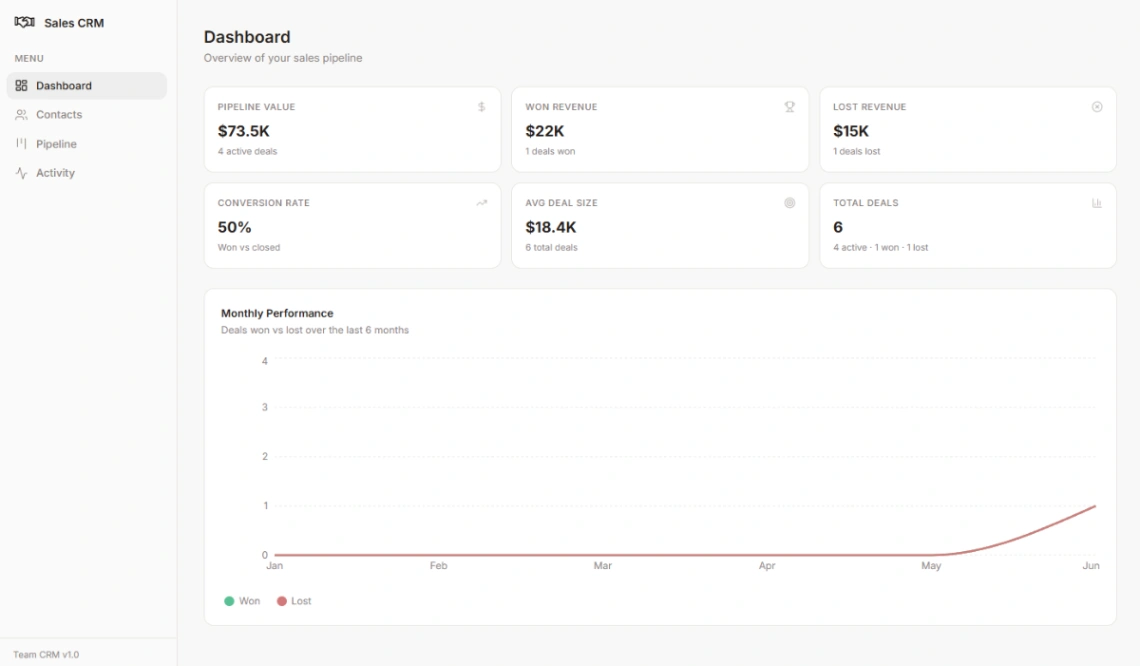
A complete CRM app with a drag-and-drop kanban, live analytics, and a Notion-inspired design. Inline contact creation and a searchable contact picker make data entry quick.
- Highlights: pipeline value stats, conversion rate display, activity log
- Best for: startups, outbound sales teams
- Links: Sales CRM Manager details | Sales CRM Manager demo | Macaly
4. Sales Pipeline CRM (Bubble)
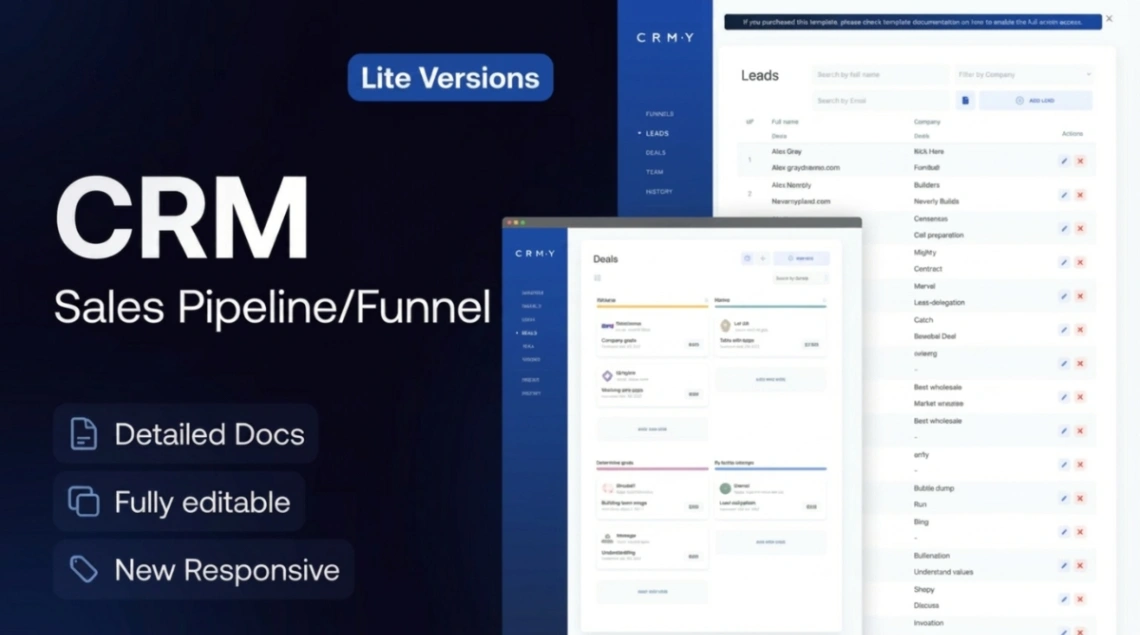
A lite pipeline app with drag-and-drop stages, lead and contact records, and role-based team access. Bubble gives you room to grow it into a full product later. Browse more Bubble templates for add-ons.
- Highlights: lead management, sales funnel, activity logging
- Best for: teams planning heavy customization
- Links: Sales Pipeline CRM details | Sales Pipeline CRM demo | Bubble
5. Sales Pipeline Tracker (Glide)
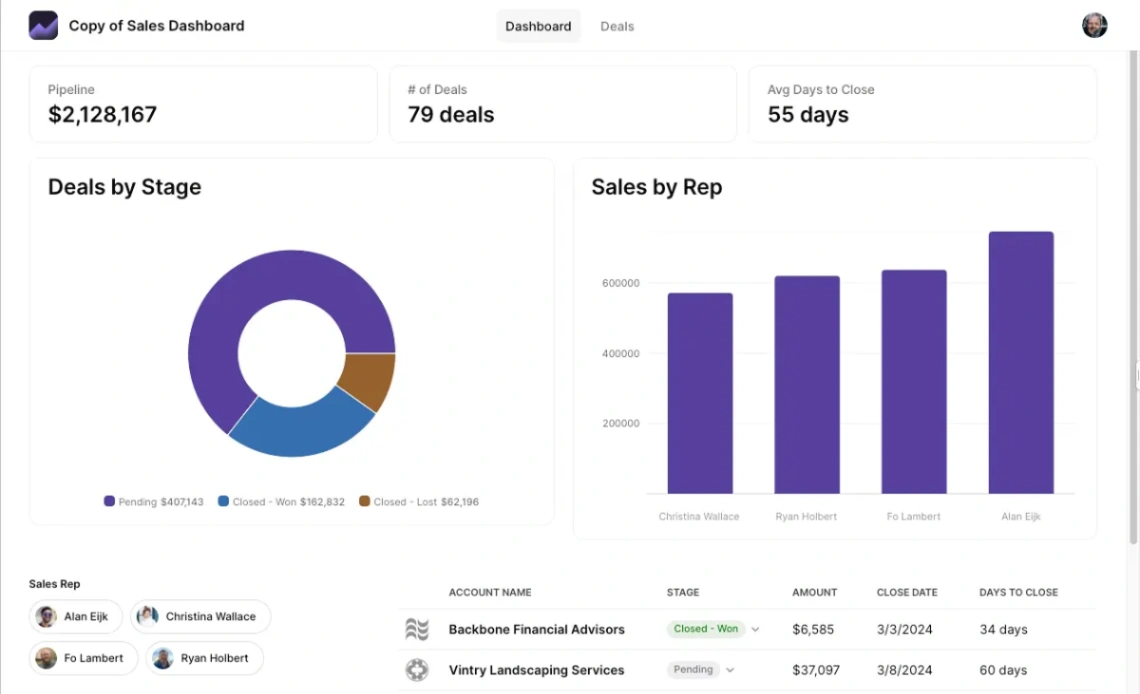
Turns a spreadsheet into a mobile-friendly sales app with stage charts, rep performance, and quota monitoring. Custom date ranges help managers run weekly reviews.
- Highlights: interactive charts, quota tracking, deal tables
- Best for: field reps, KPI-driven managers
- Links: Sales Pipeline Tracker details | Sales Pipeline Tracker demo | Glide
6. Company CRM (Glide)
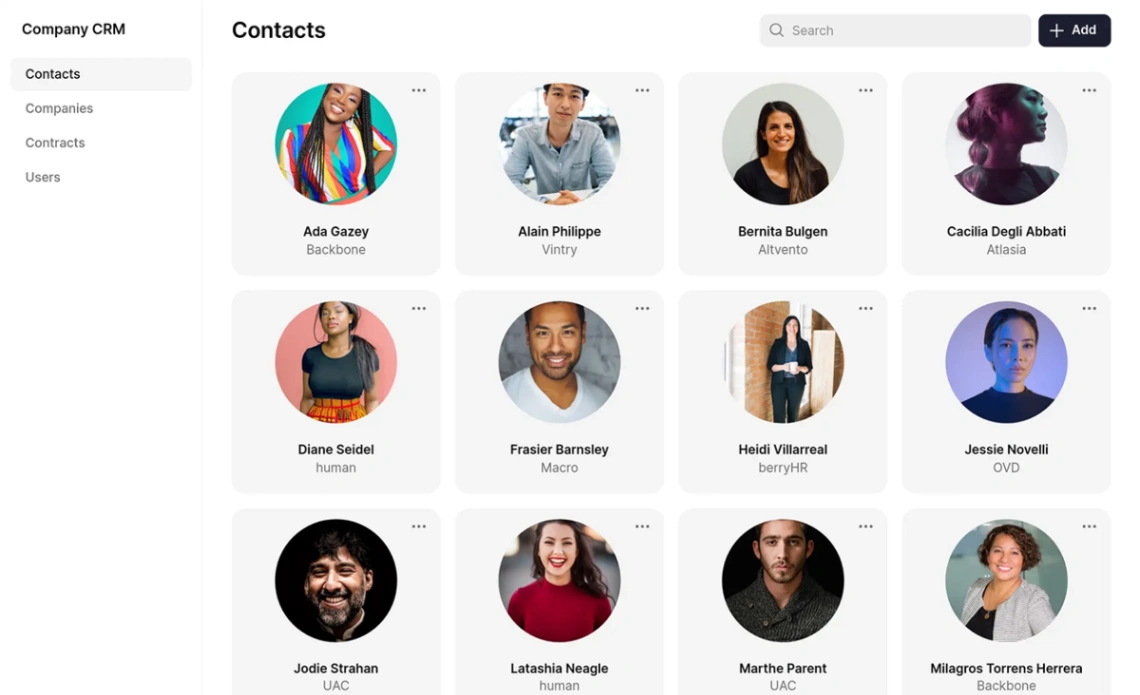
A secure portal for contacts, interaction logs, and contract tracking. It suits teams where sales and customer success share the same accounts.
- Highlights: contract management, activity logging, team collaboration
- Best for: account managers, small B2B teams
- Links: Company CRM details | Company CRM demo | Glide
7. AI CRM App (Softr)
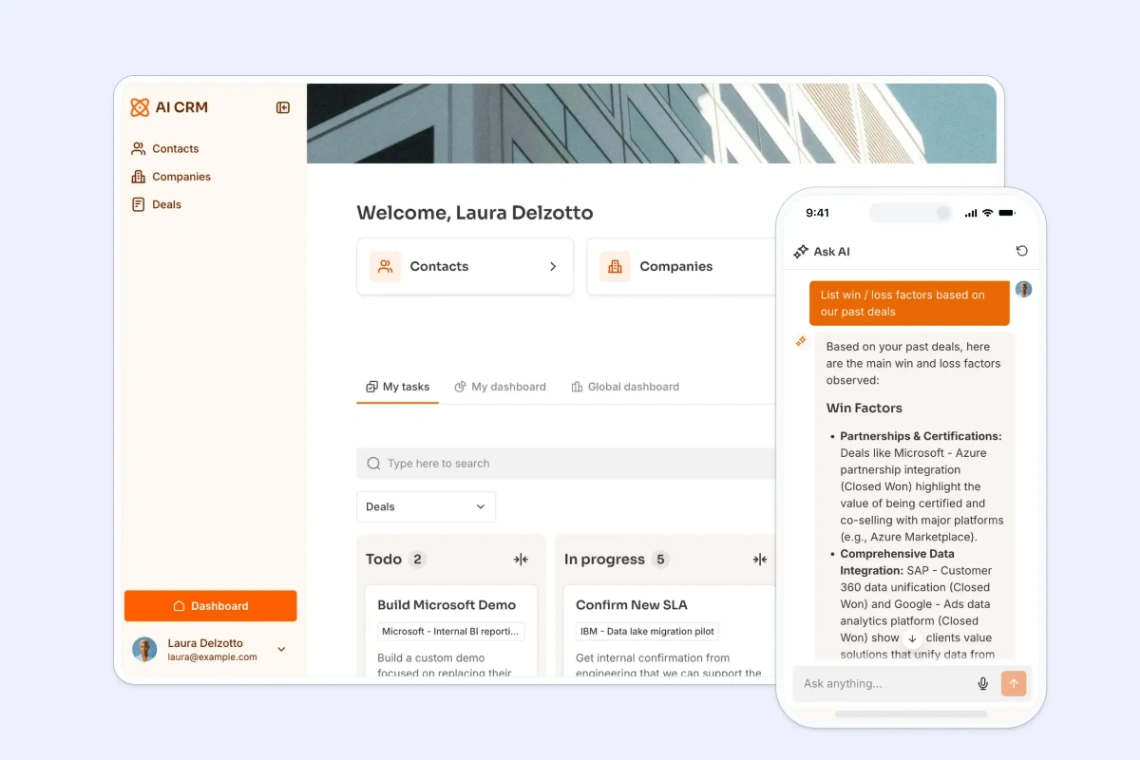
Pairs a standard pipeline with AI that researches leads and enriches records automatically. Dashboards and a kanban view sit on top.
- Highlights: data enrichment, AI assistant, performance dashboards
- Best for: outbound teams that hate manual research
- Links: AI CRM App details | AI CRM App demo | Softr
8. Custom CRM (Tadabase)
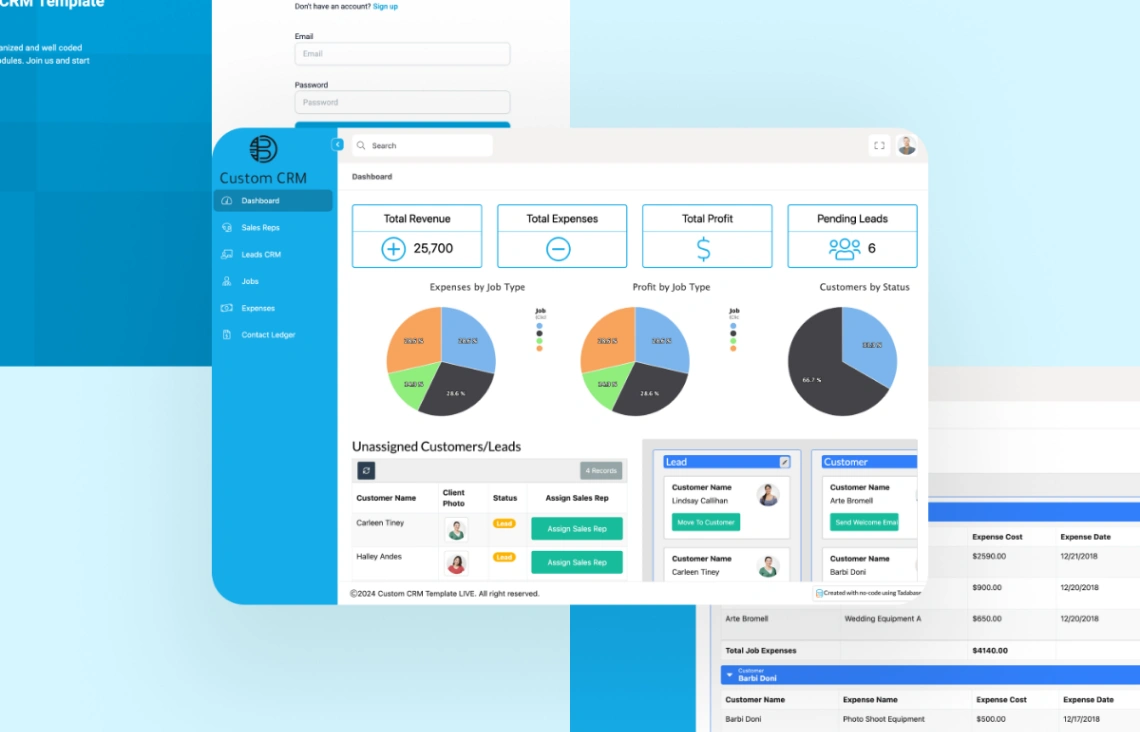
A fully adaptable CRM with real-time sales dashboards, workflow automation, and role-based access. Third-party integrations keep communication in one place.
- Highlights: automated notifications, opportunity management, custom dashboards
- Best for: teams with unusual workflows
- Links: Custom CRM details | Custom CRM demo | Tadabase
9. Custom CRM (Caspio)
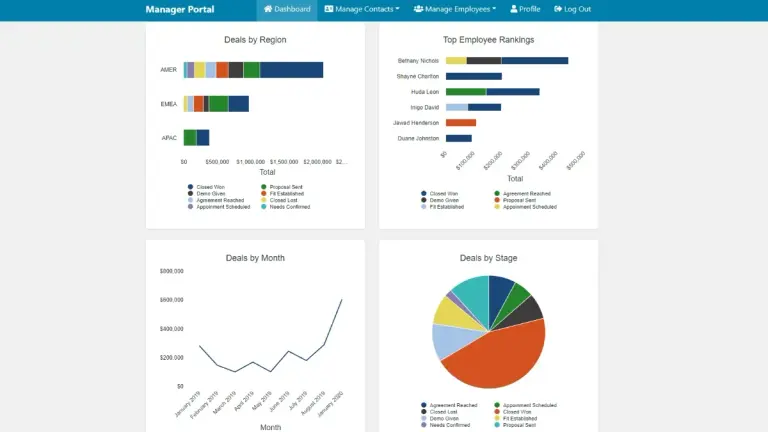
A centralized online database for sales transactions and communications, supporting unlimited reps and customers. Pivot tables and commission tracking stand out.
- Highlights: communication logs, searchable reports, reminders
- Best for: commission-based sales teams
- Links: Custom CRM details | Custom CRM demo | Caspio
10. Customizable CRM (Caspio)
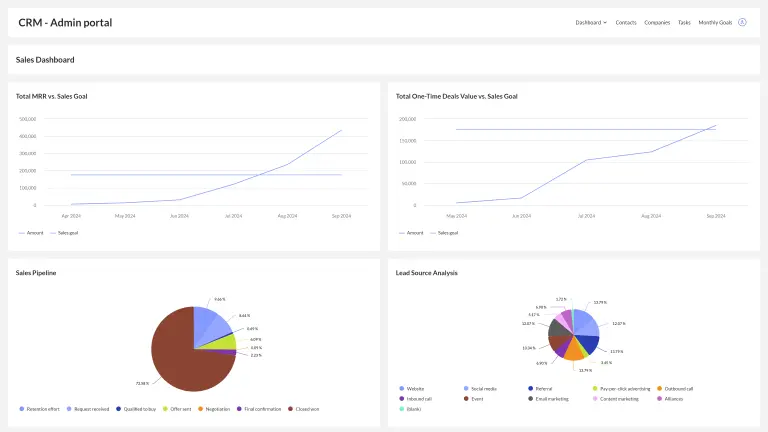
Built on Caspio's Flex framework for sales and customer success teams, with pipeline management and metrics tracking that scale to unlimited users.
- Highlights: pipeline management, lead tracking, task assignment
- Best for: growing teams, customer success
- Links: Customizable CRM details | Customizable CRM demo | Caspio
11. CRM (WeWeb)
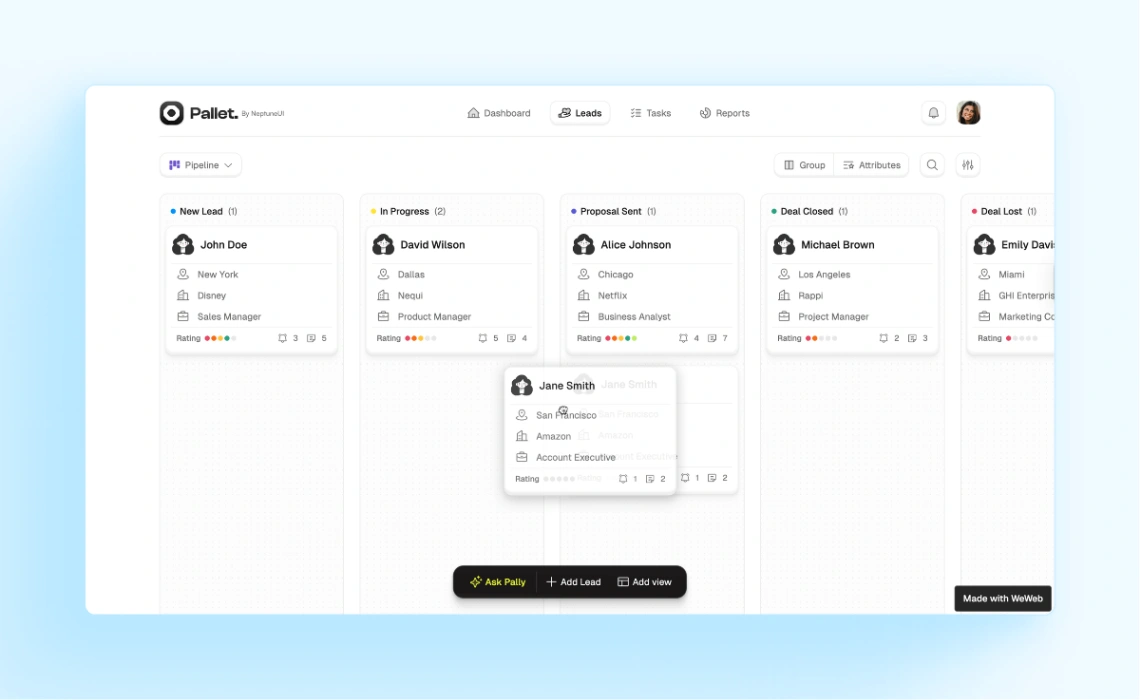
A responsive CRM hub with customizable fields, conditional logic, and automated follow-ups. It's built to replace static spreadsheets as a team grows.
- Highlights: deal tracking, account overview, workflow automation
- Best for: professional services, growing teams
- Links: CRM details | CRM demo | WeWeb
12. CRM and Pipeline Tracker (Lovable)
A visual kanban pipeline aimed at growth teams and investment managers, with custom stages and activity logs. More options live in our Lovable templates roundup.
- Highlights: stage customization, lead management, GitHub export
- Best for: dealflow teams, investors
- Links: CRM and Pipeline Tracker details | CRM and Pipeline Tracker demo | Lovable
13. CRM Dashboard (Blink)
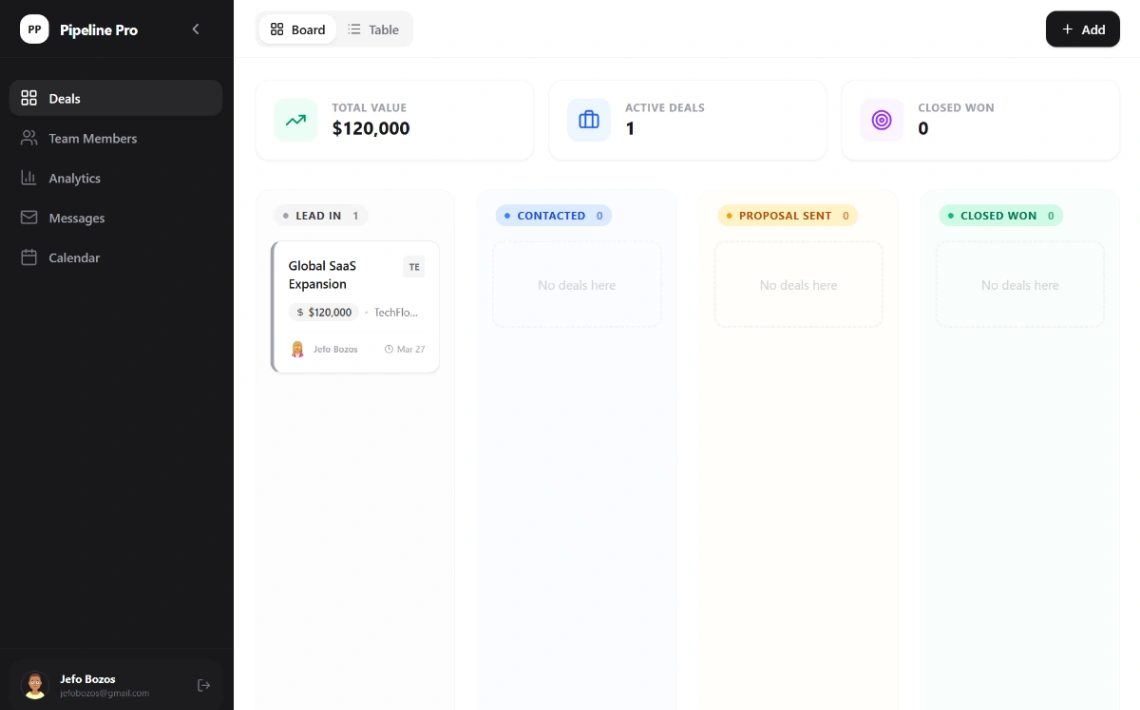
A pipeline hub with kanban lead tracking, automated revenue forecasting, and central contact management.
- Highlights: revenue forecasting, filterable leads, team collaboration
- Best for: startups, sales managers
- Links: CRM Dashboard details | CRM Dashboard demo | Blink
14. Airtable/Notion CRM (Whalesync)
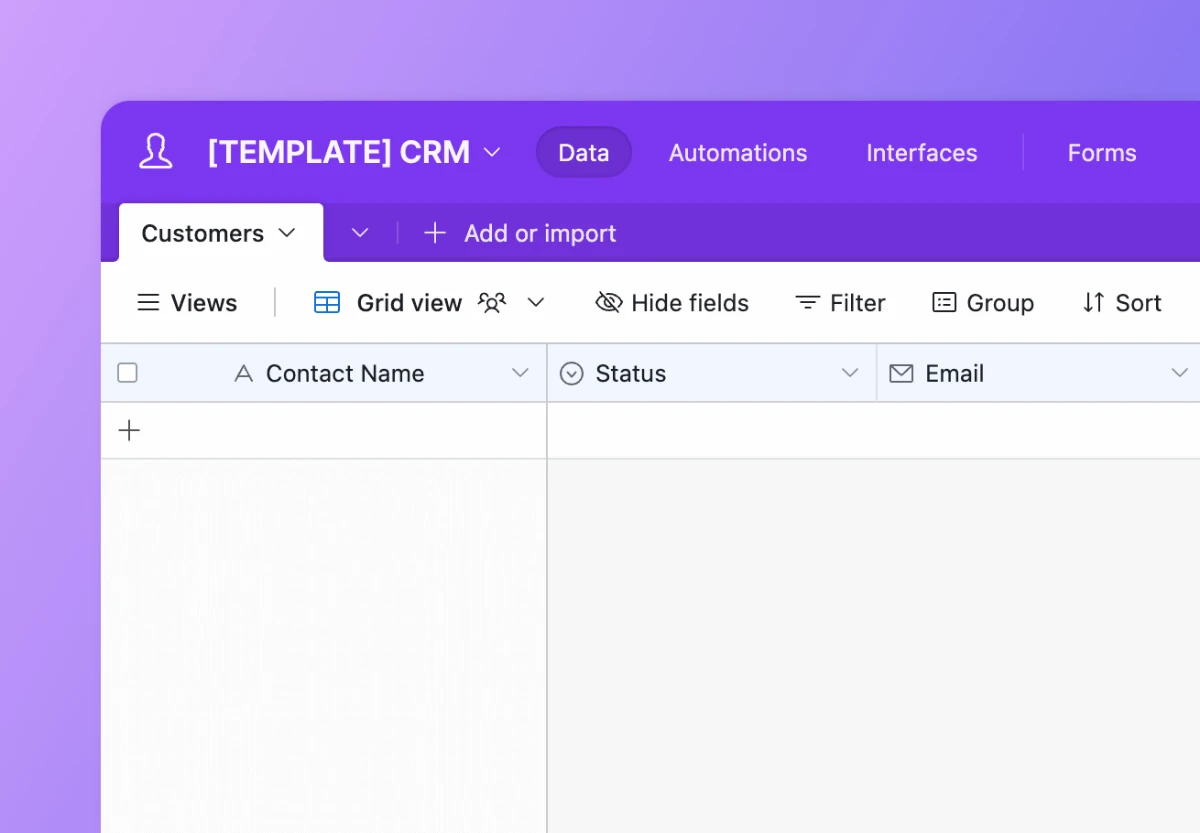
A lightweight, Salesforce-style CRM with two-way sync between Airtable and Notion, so ops and sales can each work in their preferred tool.
- Highlights: 2-way sync, lead tracking, interaction logs
- Best for: teams split across Airtable and Notion
- Links: Airtable/Notion CRM details | Airtable/Notion CRM demo | Whalesync
The best pipeline template is the one your reps will update on a Friday afternoon. Simplicity beats features every time.
Which Templates Handle Lead Capture and Prospecting?
Six templates focus on the top of the funnel. Zapier's two automate lead intake and scoring, Replit's workbench researches prospects, Notion and Tadabase organize outreach, and MaxiBlocks gives CRM startups a marketing site. These pair well with any pipeline above.
15. Unified Lead Capture (Zapier)
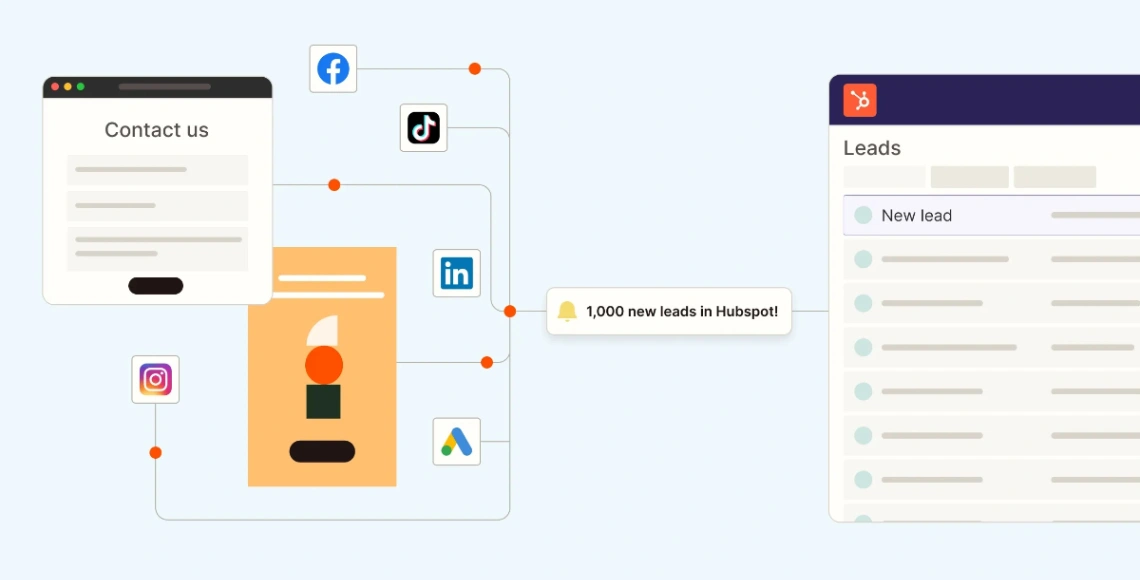
Collects leads from ads, forms, and other channels, standardizes the data, and routes it to your CRM with UTM tracking intact.
- Highlights: multi-channel capture, data standardization, lead routing
- Best for: marketing agencies, outbound teams
- Links: Unified Lead Capture details | Unified Lead Capture demo | Zapier
16. Lead Scoring (Zapier)
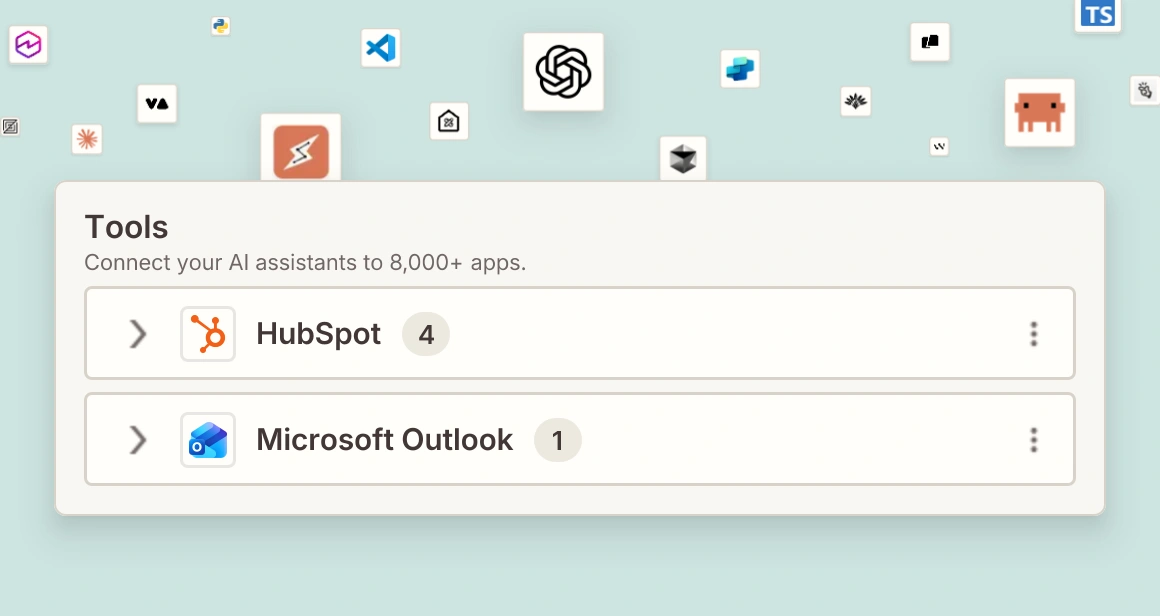
Pulls inbound leads from HubSpot, has AI propose scores and rep assignments, then waits for human approval before updating records and notifying reps in Outlook.
- Highlights: AI scoring, validation step, bulk CRM updates
- Best for: HubSpot users with high lead volume
- Links: Lead Scoring details | Lead Scoring demo | Zapier
17. Prospecting Workbench (Replit)
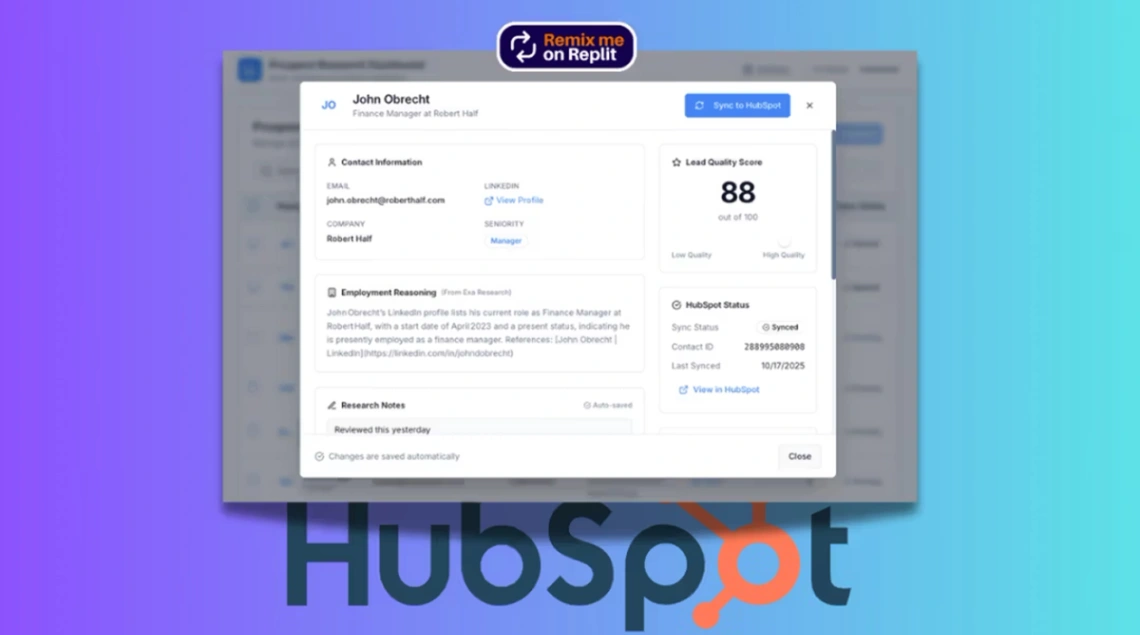
An AI-assisted research app that discovers prospects through search, lets you qualify them inline, and exports to your CRM.
- Highlights: prospect discovery, qualification toggles, email outreach
- Best for: B2B researchers, SDR teams
- Links: Prospecting Workbench details | Prospecting Workbench demo | Replit
18. Acquisition Lead Tracker (Notion)

A clean Notion CRM for acquisition pros tracking business owners and brokers, with board views and follow-up tracking.
- Highlights: communication history, pipeline stages, outreach notes
- Best for: deal sourcers, acquisition entrepreneurs
- Links: Acquisition Lead Tracker details | Acquisition Lead Tracker demo | Notion
19. Marketing Contact Directory (Tadabase)
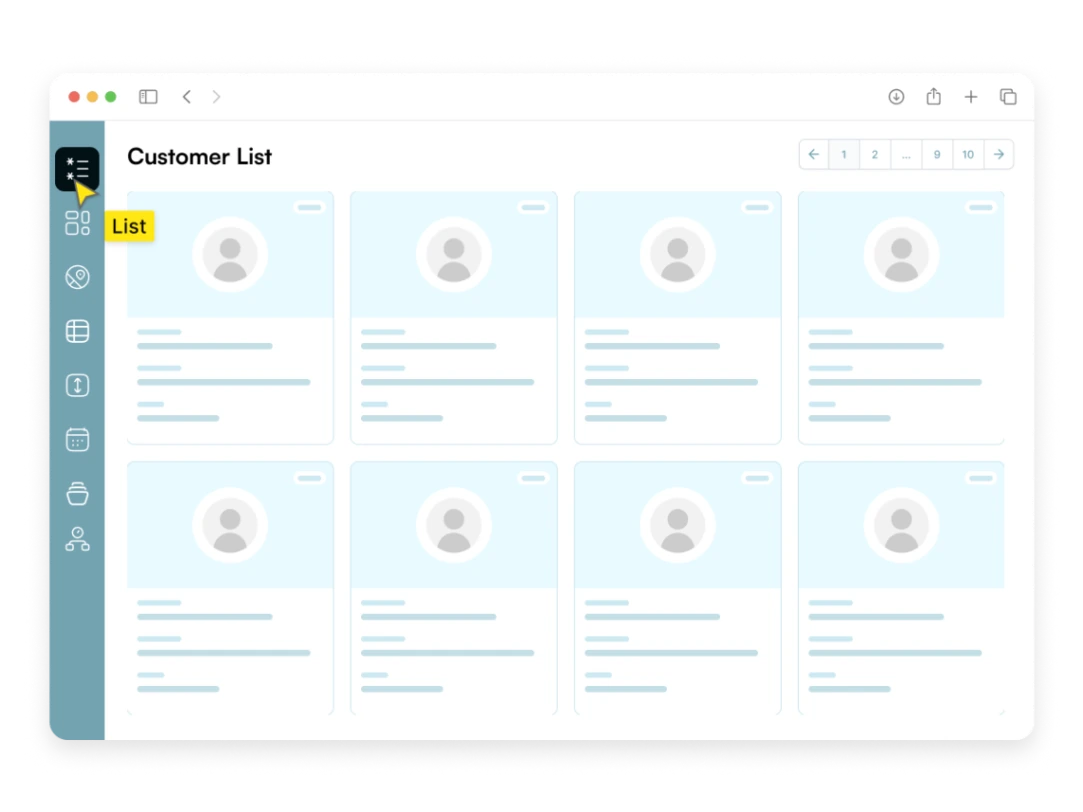
A searchable contact database with communication history and relationship tracking, plus team access controls.
- Highlights: contact search, communication logs, reporting views
- Best for: marketing agencies, niche directories
- Links: Marketing Contact Directory details | Marketing Contact Directory demo | Tadabase
20. SaaS Startup (MaxiBlocks)
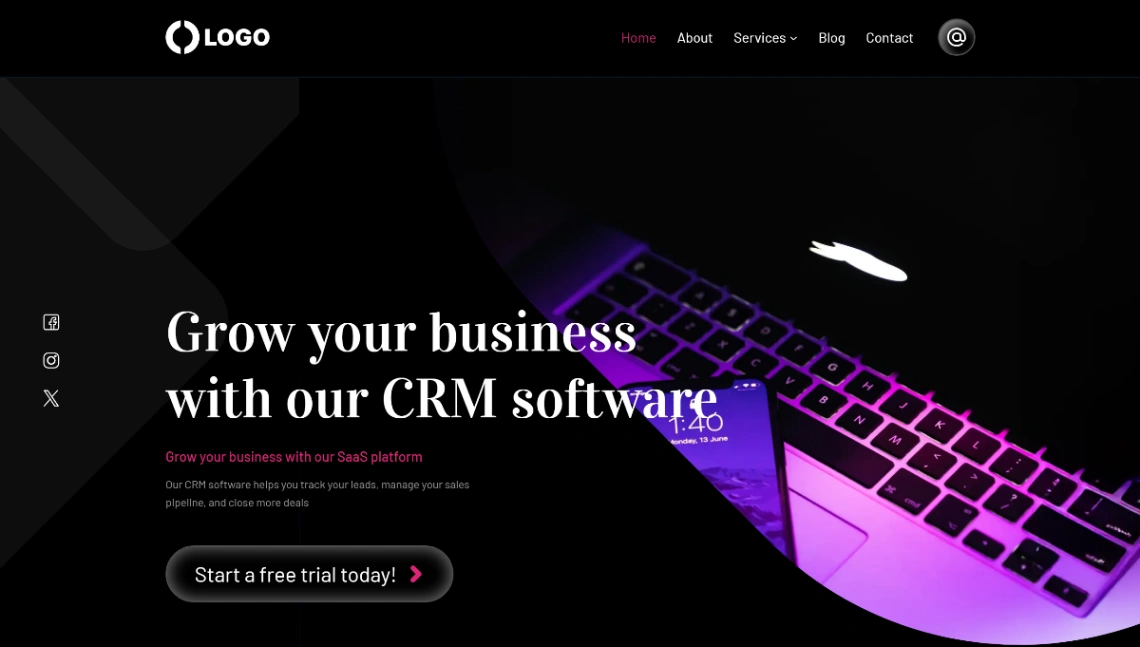
Not a CRM itself: this WordPress starter site markets a CRM or SaaS product, with trial sign-up triggers, feature grids, and a blog.
- Highlights: free trial trigger, project statistics, lead capture
- Best for: CRM startups launching a product
- Links: SaaS Startup details | SaaS Startup demo | MaxiBlocks
What Should Agencies and Service Teams Use for Clients?
Seven templates manage relationships after the sale. Noloco's three portals and Softr's onboarding app give clients their own logins, Replit covers support tickets, and Blocks and Base44 serve coaches and individuals. Choose these when clients, not just reps, need to see progress.
21. Agency OS (Noloco)
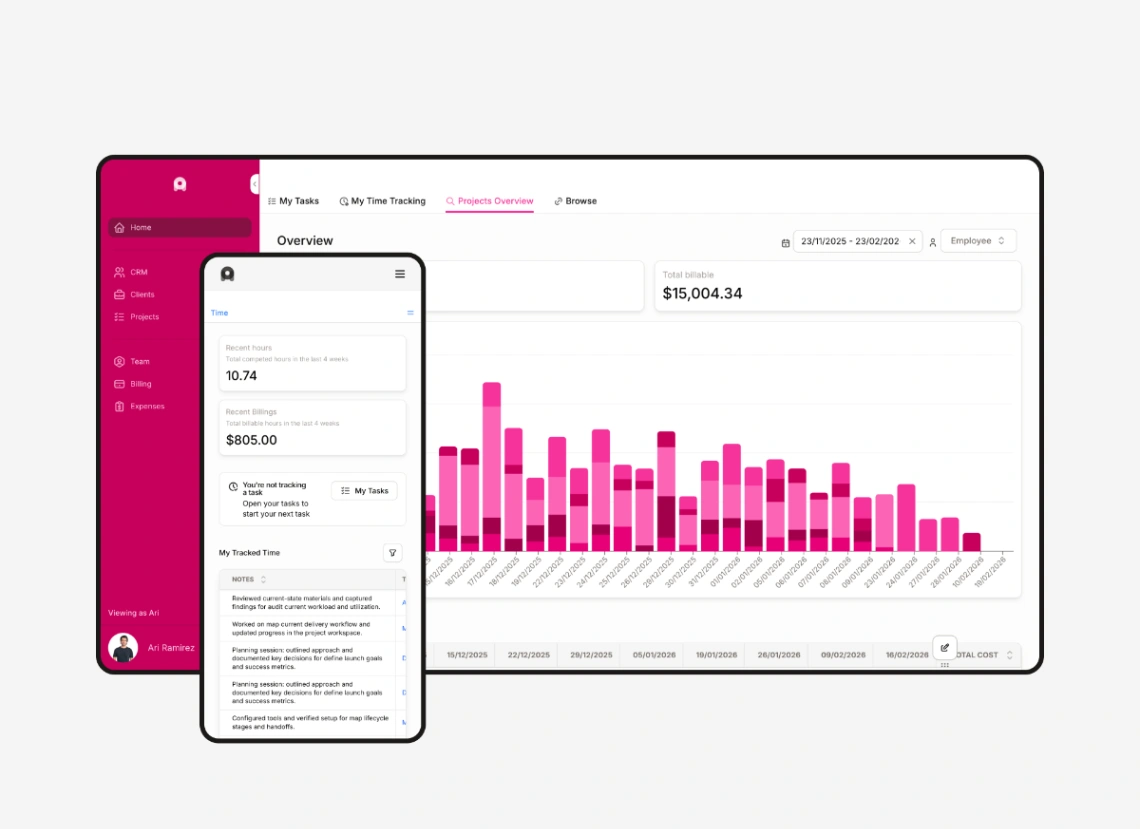
An all-in-one agency platform with a CRM pipeline, project timelines, time tracking, invoicing, and a branded client portal. It's the most complete template in this list.
- Highlights: invoicing, team capacity, role-based permissions
- Best for: creative and marketing agencies
- Links: Agency OS details | Agency OS demo | Noloco
22. Client Project Management (Noloco)
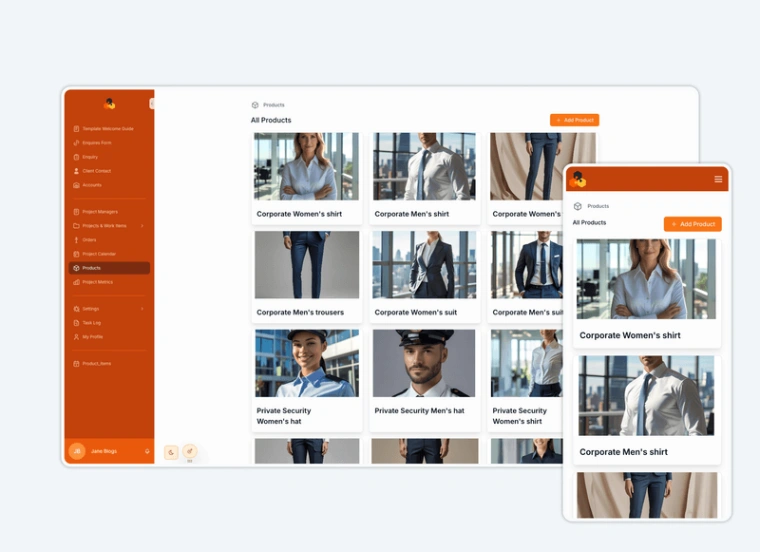
Moves B2B project work out of email threads into one portal for inquiries, projects, and tasks, with roles for project managers and designers.
- Highlights: inquiries database, team roles, task collections
- Best for: agencies, software teams
- Links: Client Project Management details | Client Project Management demo | Noloco
23. Customer Success Management (Noloco)
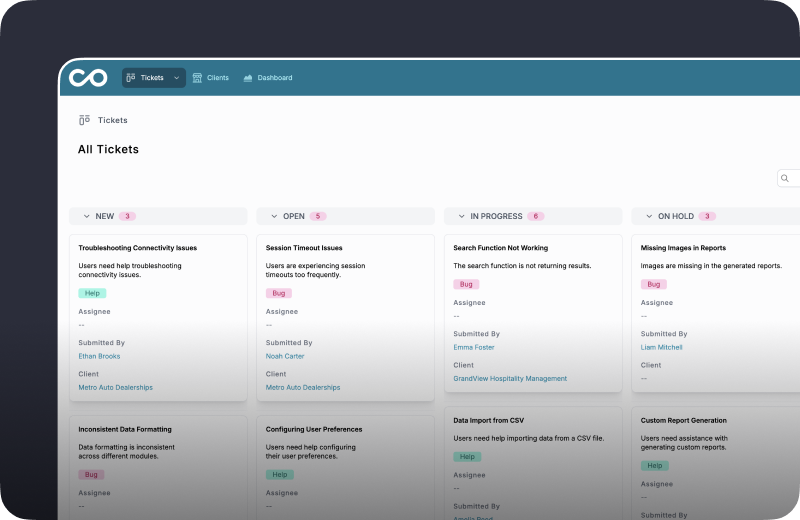
Tracks customer plans, requests, and helpdesk tickets, with a self-service portal that cuts support load.
- Highlights: ticket priority, self-service portal, automated updates
- Best for: SaaS and service companies
- Links: Customer Success Management details | Customer Success Management demo | Noloco
24. Client Onboarding App (Softr)
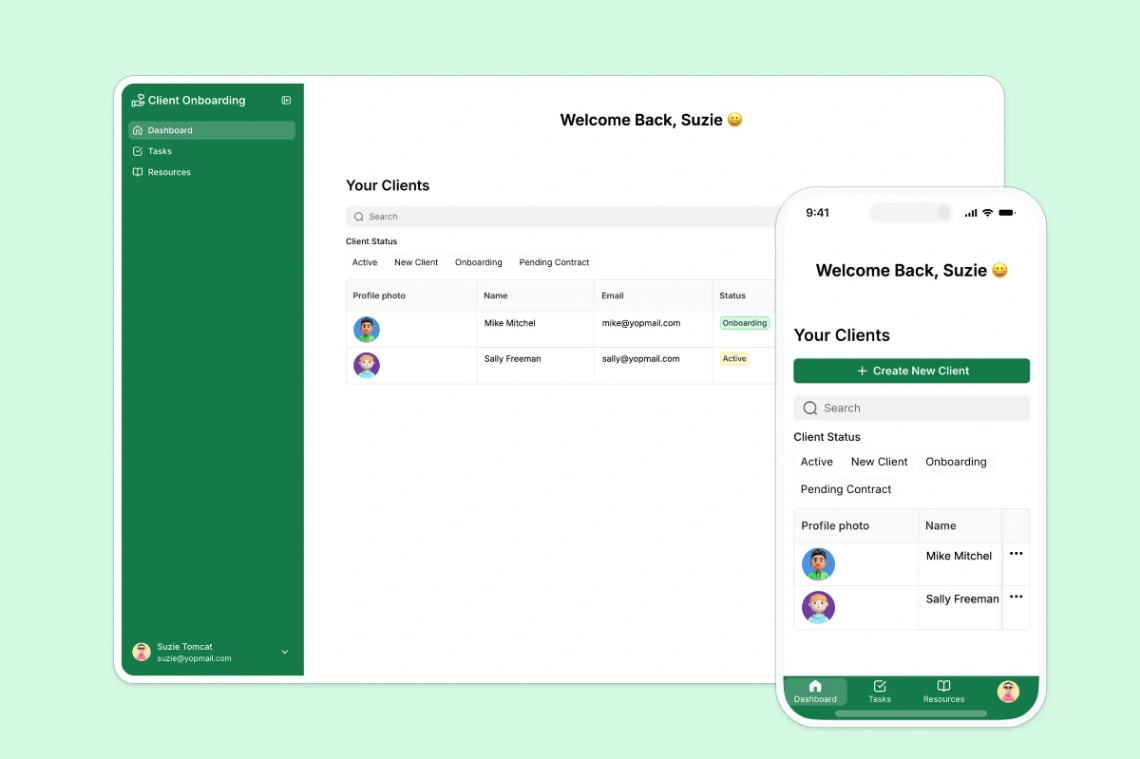
A self-service kickoff portal where clients track tasks, upload documents, and access resources, powered by Airtable. Our Softr client portal case study shows the approach in practice.
- Highlights: personalized dashboards, document uploads, feedback collection
- Best for: consultants, local service businesses
- Links: Client Onboarding App details | Client Onboarding App demo | Softr
25. Customer Support Portal (Replit)
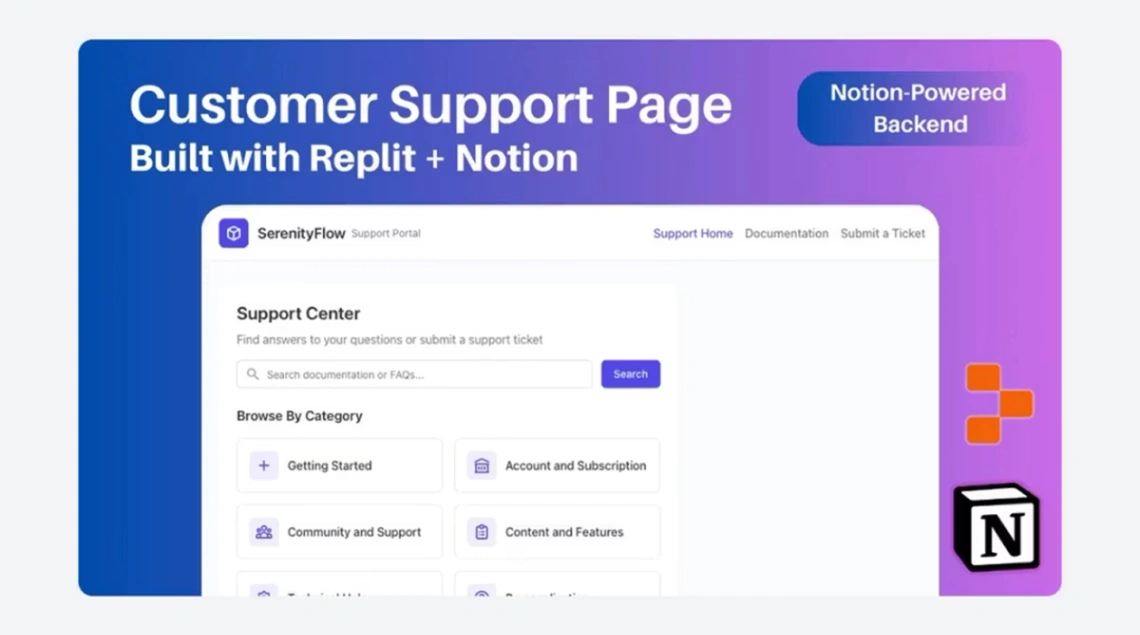
A ticketing app with conversation routing, internal notes, and agent availability indicators.
- Highlights: ticket assignment, conversation logs, message search
- Best for: support teams, operations
- Links: Customer Support Portal details | Customer Support Portal demo | Replit
26. Fitness Pro Dashboard (Blocks)
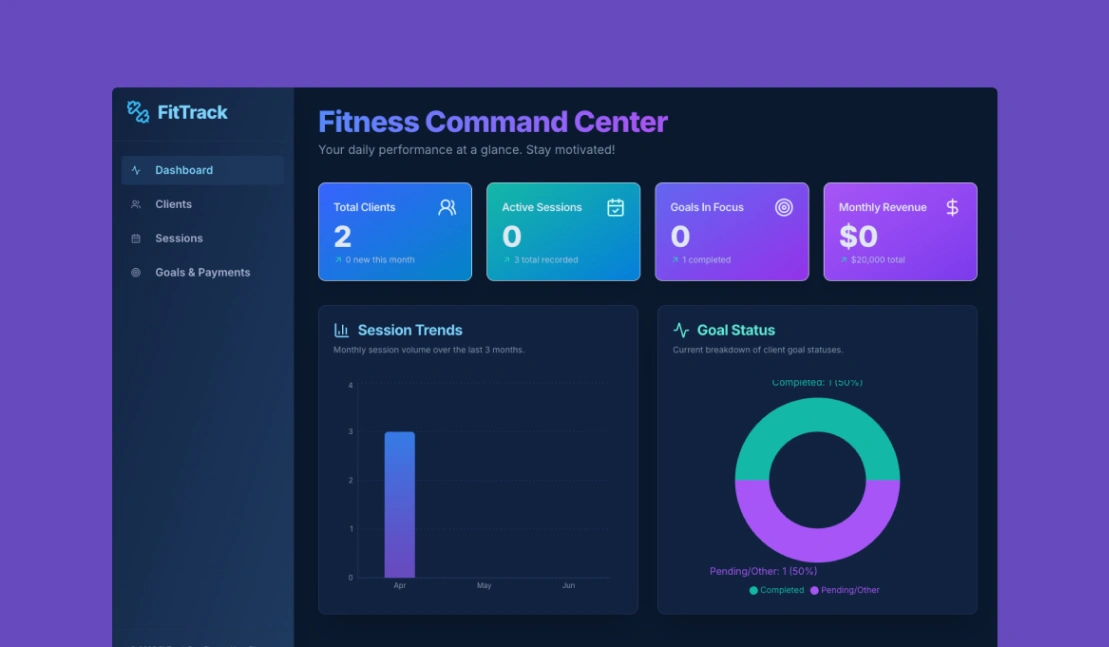
A client CRM for trainers, tracking progress, sessions, goals, and payments in one dashboard.
- Highlights: session logging, goal setting, payment processing
- Best for: personal trainers, fitness coaches
- Links: Fitness Pro Dashboard details | Fitness Pro Dashboard demo | Blocks
27. Personal Management (Base44)
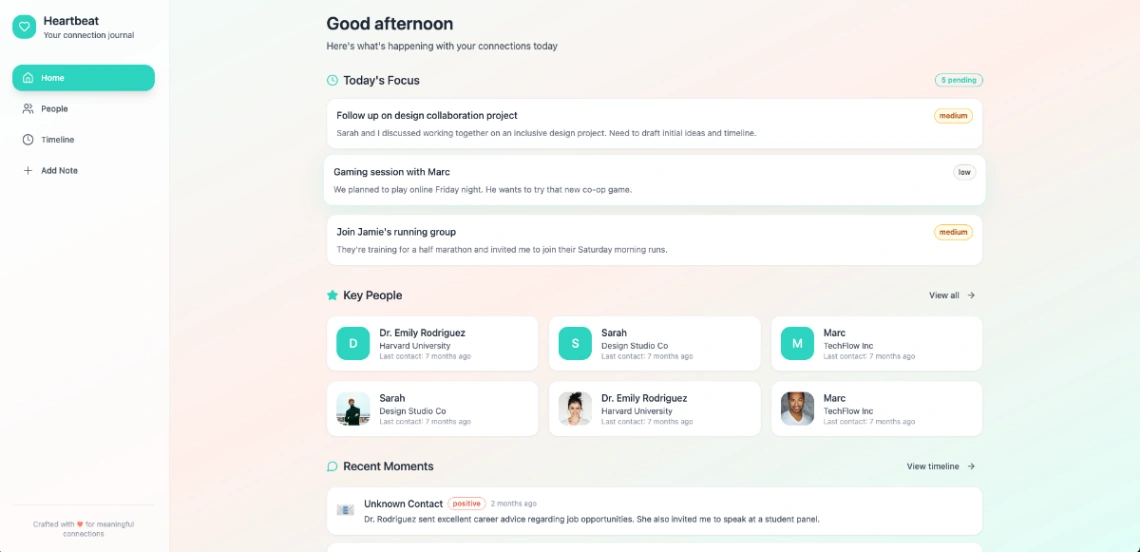
A warm, personal CRM called Heartbeat for remembering people and moments, rather than tracking deals.
- Highlights: built-in database, authentication, Stripe integration
- Best for: networkers, personal brands
- Links: Personal Management details | Personal Management demo | Base44
Which Templates Track Products, Vendors, and Orders?
Six templates point the CRM idea at suppliers, orders, and product feedback. Bubble and WeWeb handle orders, Utilize gives vendors their own mobile view, and Replit's three apps cover vendors, feature requests, and user research. These suit ecommerce sellers and product teams more than salespeople.
28. Ecommerce CRM (Bubble)
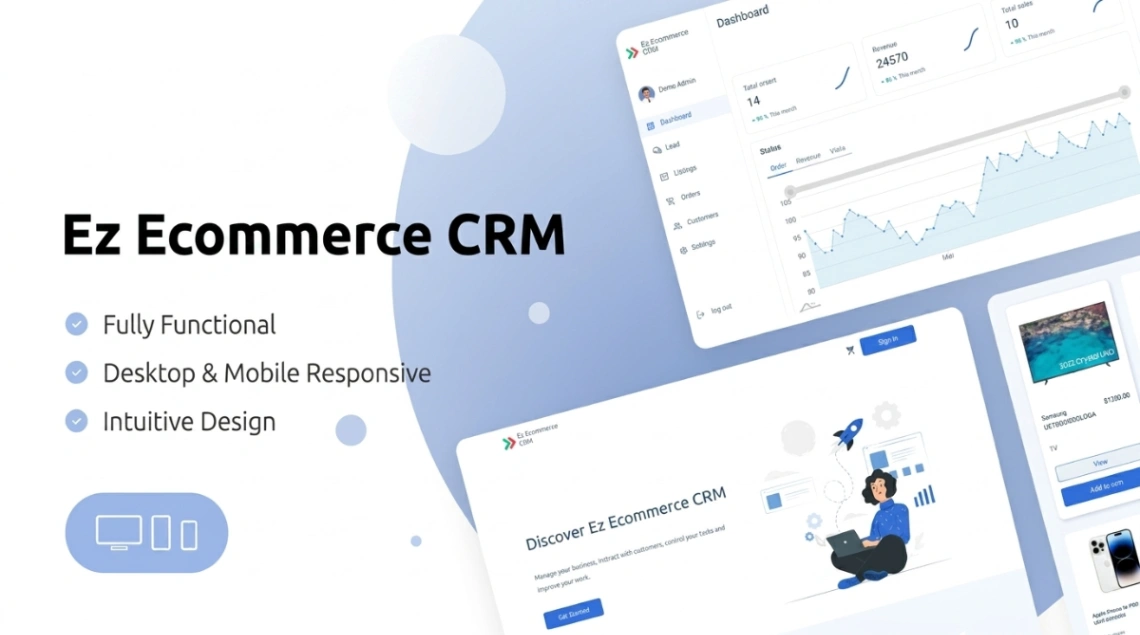
An admin panel combining product catalog, orders, customer records, inventory, and sales analytics.
- Highlights: order history, inventory management, sales analytics
- Best for: online stores
- Links: Ecommerce CRM details | Ecommerce CRM demo | Bubble
29. Order Management (WeWeb)
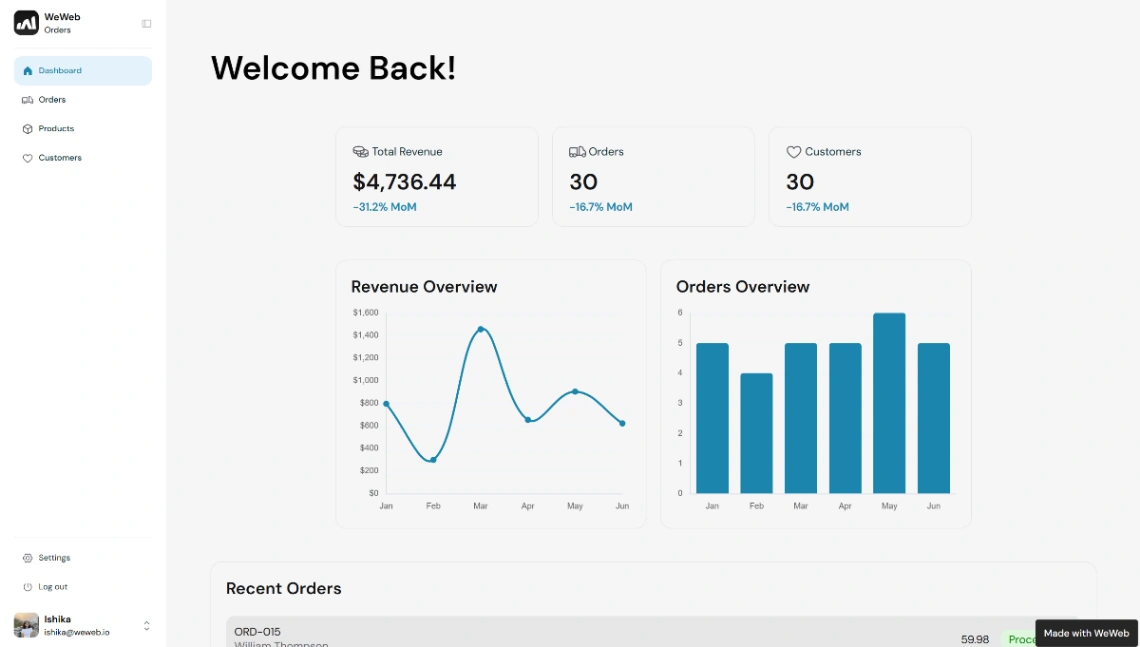
A real-time dashboard for order status, inventory, and customer details, with automated notifications.
- Highlights: fulfillment sync, role-based access, real-time filtering
- Best for: fulfillment and logistics teams
- Links: Order Management details | Order Management demo | WeWeb
30. Vendor Order Management (Utilize)
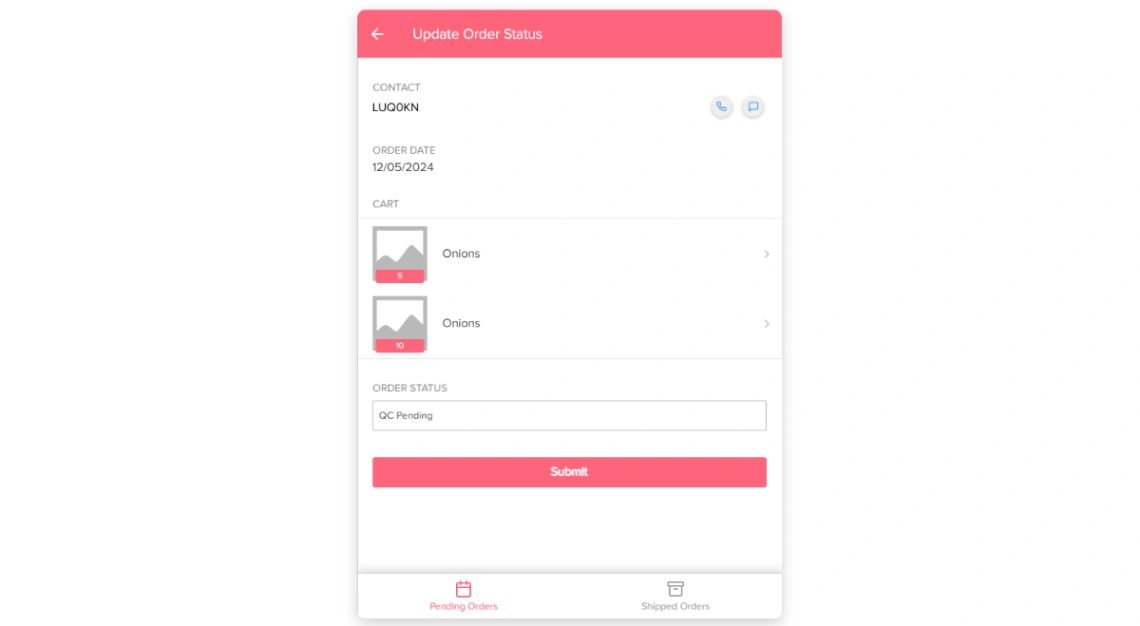
A mobile app where each vendor sees only their own orders, with product images and call or message buttons.
- Highlights: vendor assignment, order status, role-based access
- Best for: marketplaces, multi-vendor operations
- Links: Vendor Order Management details | Vendor Order Management demo | Utilize
31. Vendor Management (Replit)
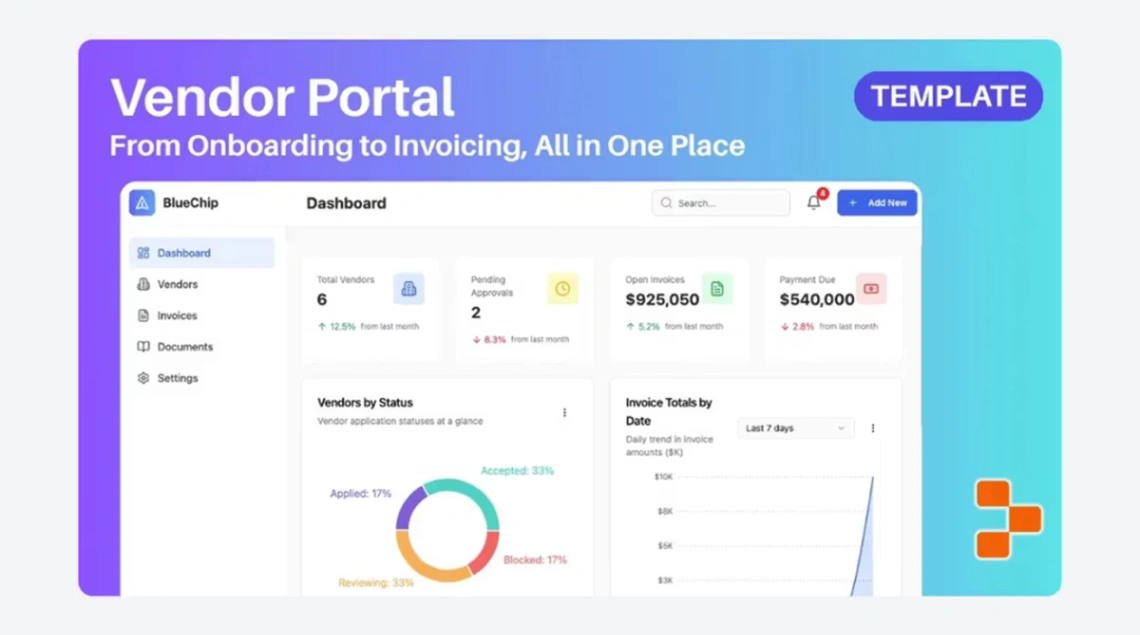
A supplier portal with contact directories, compliance checkboxes, contract milestones, and procurement statuses.
- Highlights: vendor onboarding, performance scoring, milestone monitoring
- Best for: procurement and operations teams
- Links: Vendor Management details | Vendor Management demo | Replit
32. Product Manager CRM (Replit)
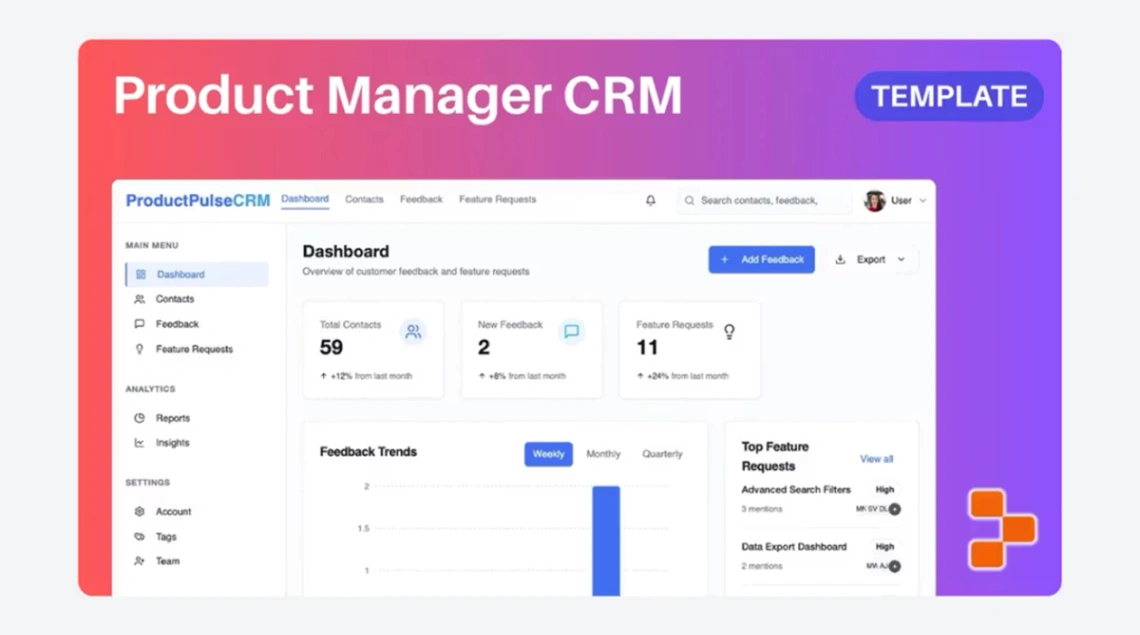
Centralizes customer feedback, feature requests, and stakeholder input in one analytical dashboard.
- Highlights: feedback tracking, stakeholder mapping, status workflows
- Best for: product managers
- Links: Product Manager CRM details | Product Manager CRM demo | Replit
33. User Insights Hub (Replit)
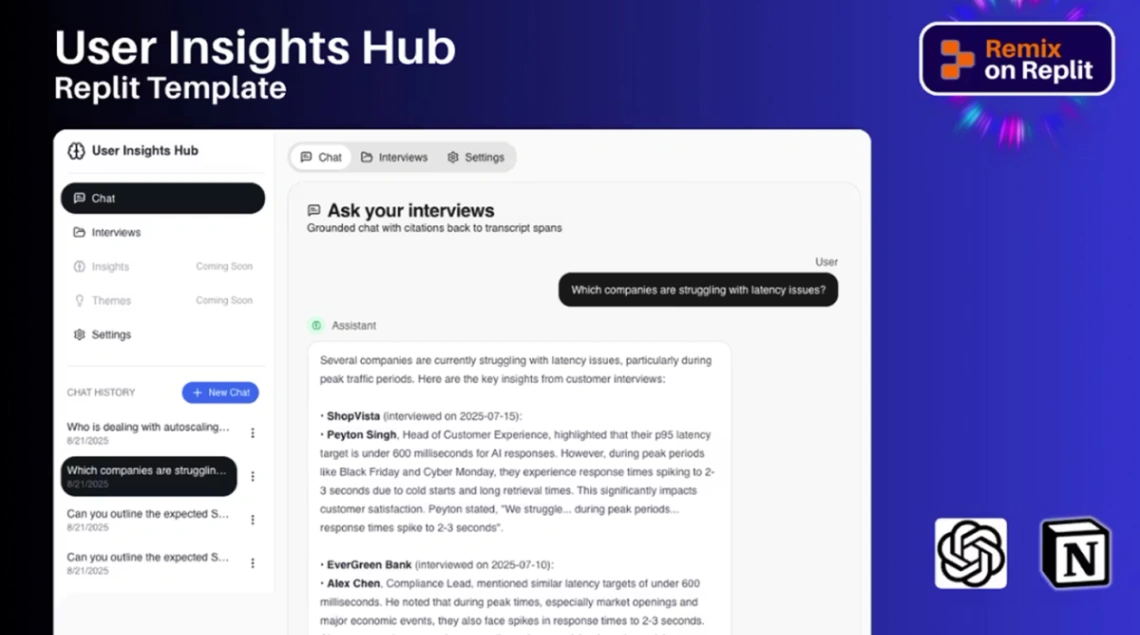
A research repository that syncs user conversations from Notion and lets you query interviews through a chat interface.
- Highlights: Notion sync, interview querying, trend tracking
- Best for: UX researchers, product teams
- Links: User Insights Hub details | User Insights Hub demo | Replit
How Do You Choose the Right No-Code CRM?
Decide where your data should live, who needs to log in, and how many seats you'll pay for. Those three answers narrow 33 templates to two or three. The interface matters less than you'd think, because every builder here lets you rename fields and stages.
Use these five steps:
- Count your seats. Multiply the builder's paid per-user price by your team, then compare it with Salesforce Starter at $25 per user.
- Pick your data home. If the team already lives in Airtable or Notion, start there. Our no-code database guide compares the options.
- Decide who logs in. Internal only? Airtable or Glide is enough. Clients too? Choose Noloco or Softr.
- Map your lead sources. If leads arrive from three or more tools, add a Zapier template before customizing any pipeline.
- Own what you generate. Replit, Lovable, Blink, Macaly, and Base44 produce code someone must maintain, so pick them only if you're comfortable editing it. | Your situation | Start with | Why | |---|---|---| | Solo consultant | Sales CRM (Airtable) | Free plan covers early volume | | 5-person sales team | Sales CRM Manager (Noloco) | Roles and deal alerts | | Agency with clients | Agency OS (Noloco) | CRM, projects, invoices together | | Leads from many channels | Unified Lead Capture (Zapier) | Routes everything to one CRM | | Product team | Product Manager CRM (Replit) | Feedback, not deals |
Start exploring launch-ready no-code templates here!
FAQ
What is a CRM template?
A CRM template is a prebuilt database or app for managing contacts, deals, and customer interactions. You copy it into a no-code builder like Airtable or Noloco, then rename fields and stages to match your sales process instead of designing a system from scratch.
Can a free template replace paid CRM software?
Yes for small teams with simple pipelines, but not always. Paid CRMs bundle email sync, forecasting, and call logging, which take time to rebuild. If your team needs those features on day one, a tool like Salesforce's $25 Starter Suite may cost less overall.
Can a no-code CRM connect to my email or HubSpot?
Usually, yes. Most builders support Zapier or native integrations, and the Lead Scoring template in this list already pulls leads from HubSpot and notifies reps through Outlook. Check each builder's integration list before committing, since email sync depth varies widely.
Is Airtable or Notion better for a CRM?
Airtable is better for structured pipelines with automations, filters, and reporting, while Notion suits lighter CRMs mixed with notes and documents. If your team uses both, the Whalesync template keeps them in two-way sync so nobody has to switch tools.
How many records can a free no-code CRM handle?
It depends on the builder's free plan. Jetadmin reports Airtable's free plan caps each base at 1,000 records with up to five editors, which suits a solo seller. Busy teams logging every call and email should expect to upgrade within a few months.
Start building without code
Browse thousands of no-code templates for Webflow, Framer, Bubble, Lovable, Replit and more.
Explore Templates