What Is a Headless CMS? Plain-English 2026 Guide
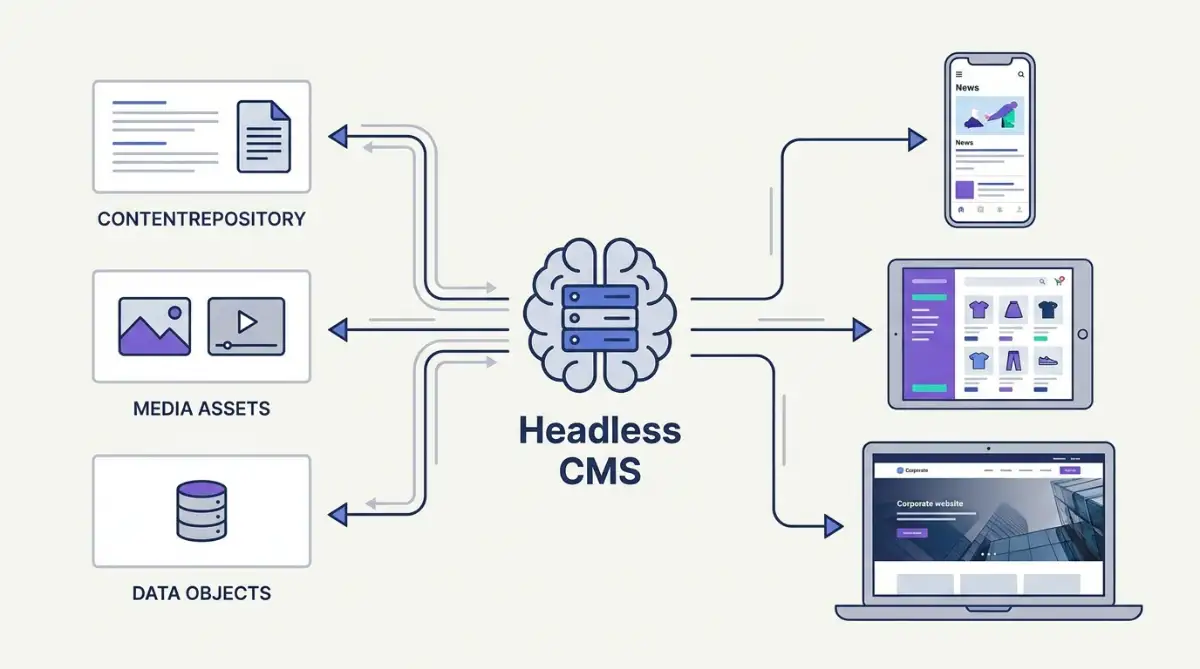
A headless CMS is a content management system that stores content as structured data and delivers it through APIs, with no built-in front end or templates. Developers fetch that content to build any interface they want, from websites to mobile apps to kiosks. It separates the content backend (the body) from the presentation layer (the head).
Table of Contents:
- Key Takeaways
- Introduction
- What Does "Headless" Actually Mean?
- Headless vs Decoupled vs Hybrid: What's the Difference?
- Why Are Brands Walking Away From Monolithic CMS Platforms?
- How Does Content Get From the Editor to the Screen?
- Which Headless CMS Platforms Should You Actually Know?
- Is a Headless CMS Worth It for a Smaller Team?
- FAQ
Key Takeaways
- Going headless trades drag-and-drop convenience for total publishing freedom, and that swap quietly reshapes who on your team actually holds the keys.
- The market data behind the shift is louder than the hype: legacy platforms are bleeding share while API-first spending climbs at double-digit rates.
- Sanity, Payload, Strapi, Contentful, and Storyblok all wear the same label, but they solve very different problems for very different teams.
Introduction
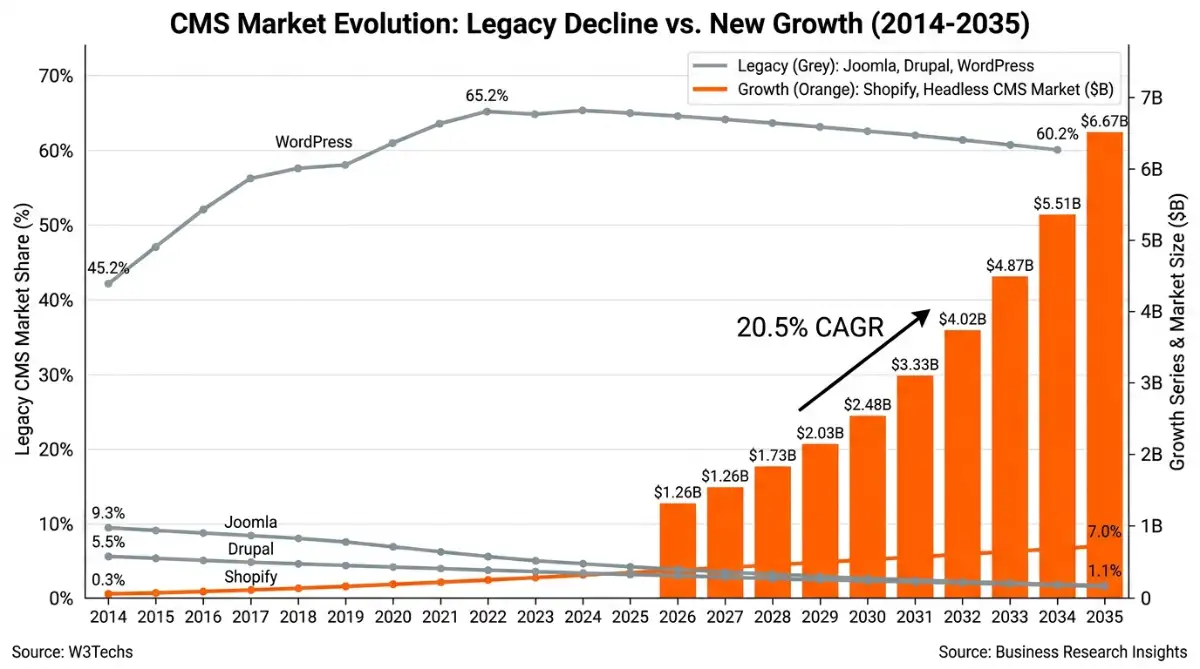
If you run content for a growing e-commerce or multi-channel brand, you've probably heard "headless CMS" tossed around in vendor demos and Slack threads, usually right before someone's budget doubles. According to Business Research Insights, the global Headless CMS market is on track to grow from $1.26 billion in 2026 to $6.67 billion by 2035 at a 20.5% CAGR, so the buzz clearly isn't going anywhere.
The problem is that most explanations either drown you in API jargon or wave the whole thing away with a metaphor and call it a day. I've watched marketing teams approve a migration without grasping what they were trading away. This guide breaks down what "headless" really means, how content reaches a screen, and which platforms fit which teams, minus the sales pitch.
What Does "Headless" Actually Mean?
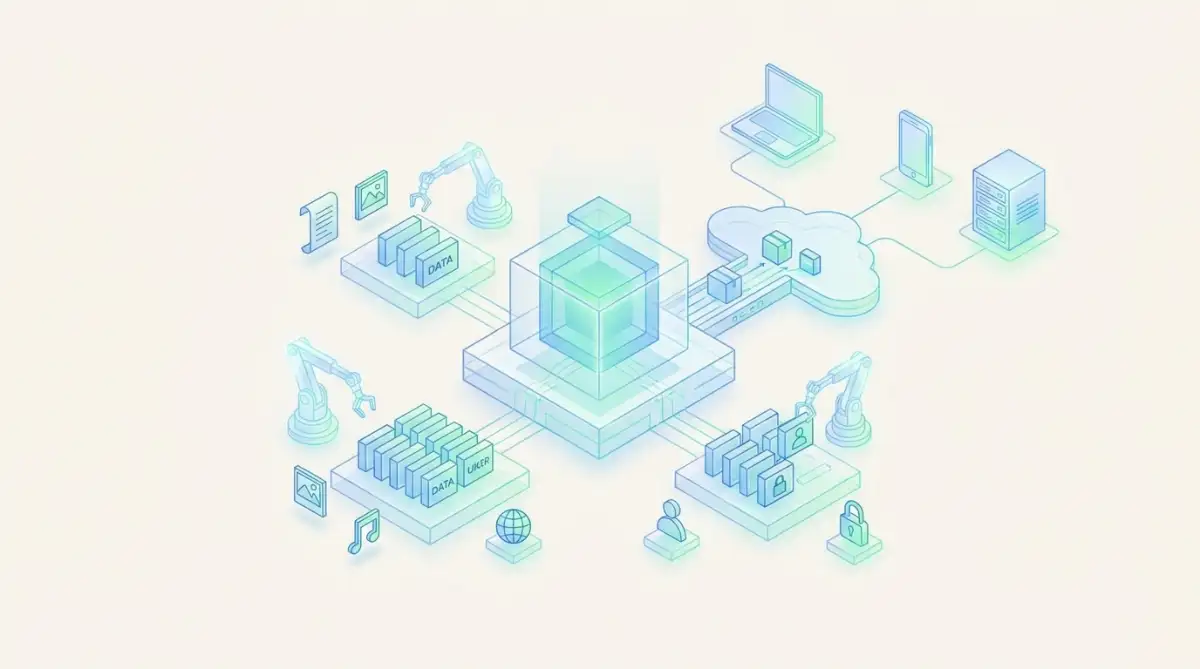
Headless describes a setup where your content lives in one place and your design lives in another, connected only by an API. The content backend stays put, while the "head," meaning the visible part people scroll through, gets lopped off. You keep clean, structured data and decide separately how to display it.
The metaphor is literal. The "body" is the database and editor where you write and organize. The "head" is the rendered web page, app screen, or kiosk display.
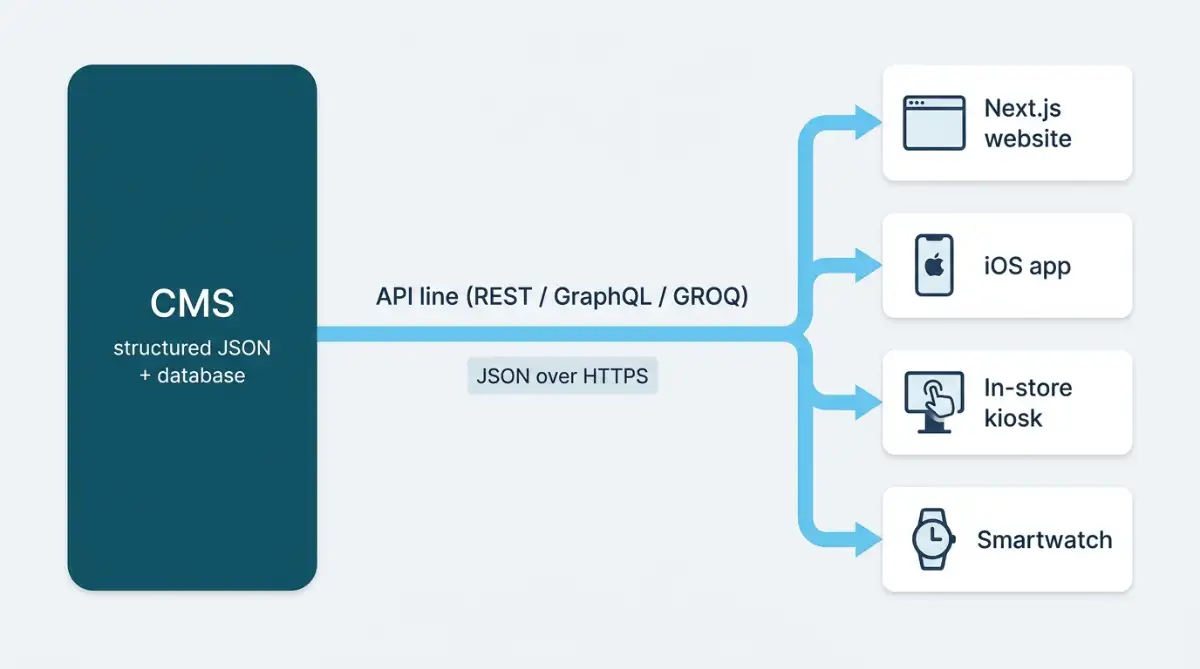
In a traditional tool like WordPress, the two are fused, so editing a headline edits the live page. Pull them apart and the same source content can feed a marketing site, a mobile app, and a kiosk without duplication, a point Vercel's guide to headless architecture makes well.
Strip the head off a CMS and your content stops being a page. It becomes raw material you can pour into any screen you like.
That raw material is usually JSON, fetched through one of three query methods:
- REST: Predictable endpoints that return raw JSON. Simple and cacheable, but it often over-fetches fields you don't need.
- GraphQL: Lets the front end request exactly the fields it wants in one call, at the cost of more setup complexity.
- GROQ: Sanity's open-source query language that filters and reshapes data inside the backend before it ever ships.
Headless vs Decoupled vs Hybrid: What's the Difference?
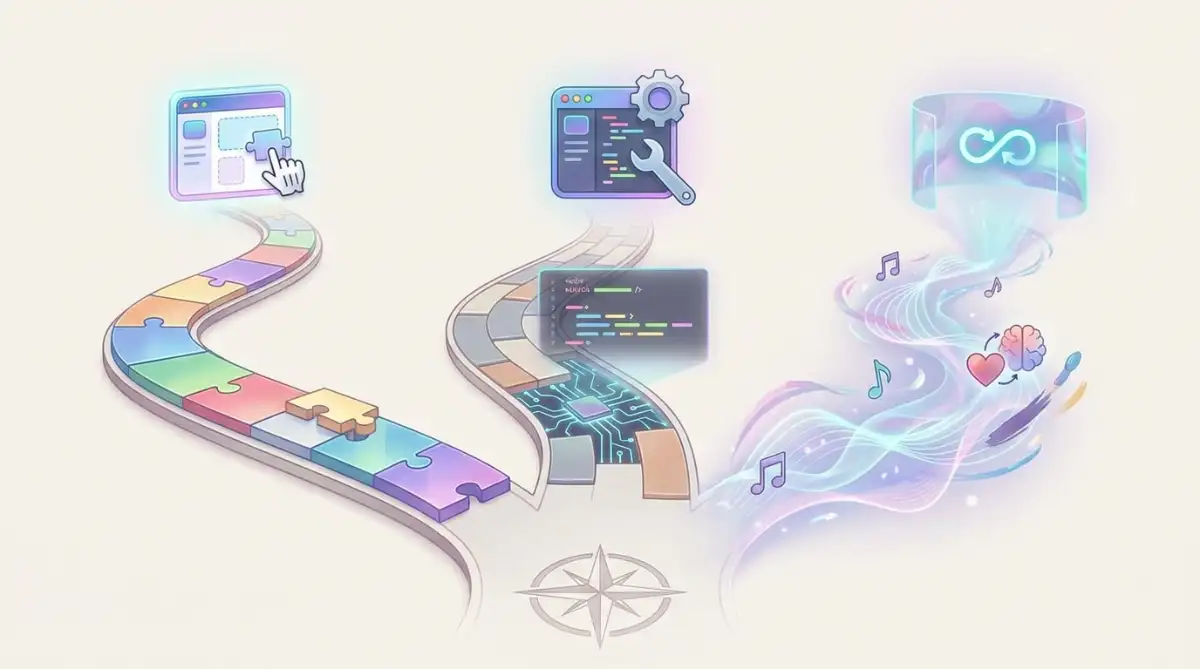
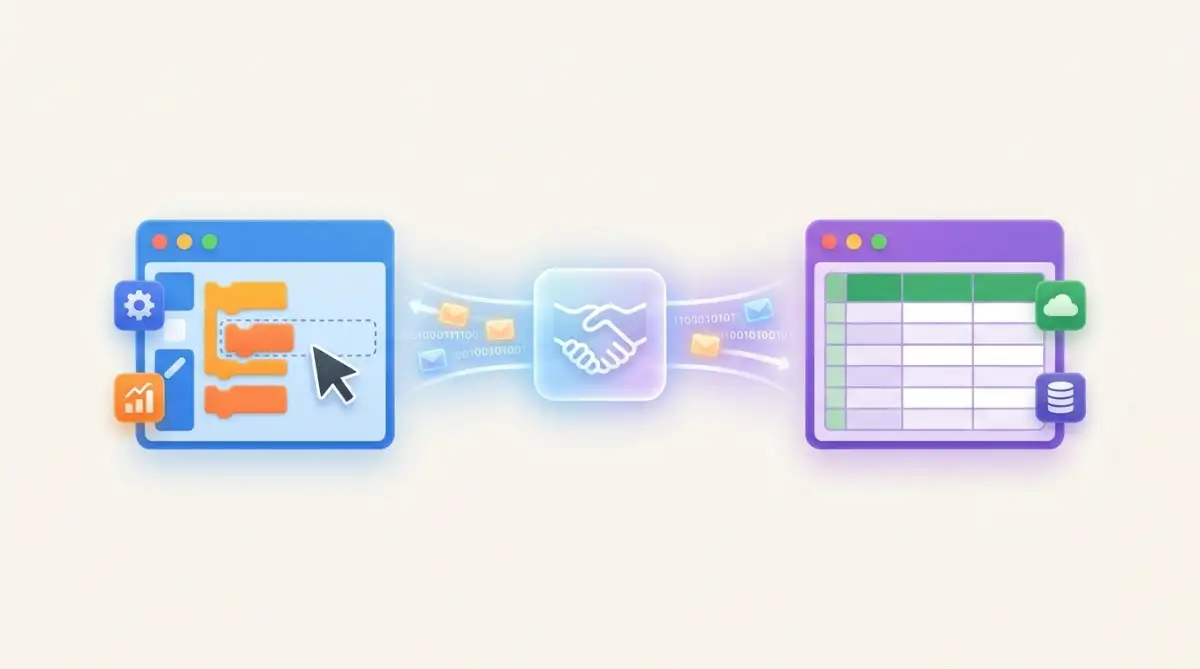
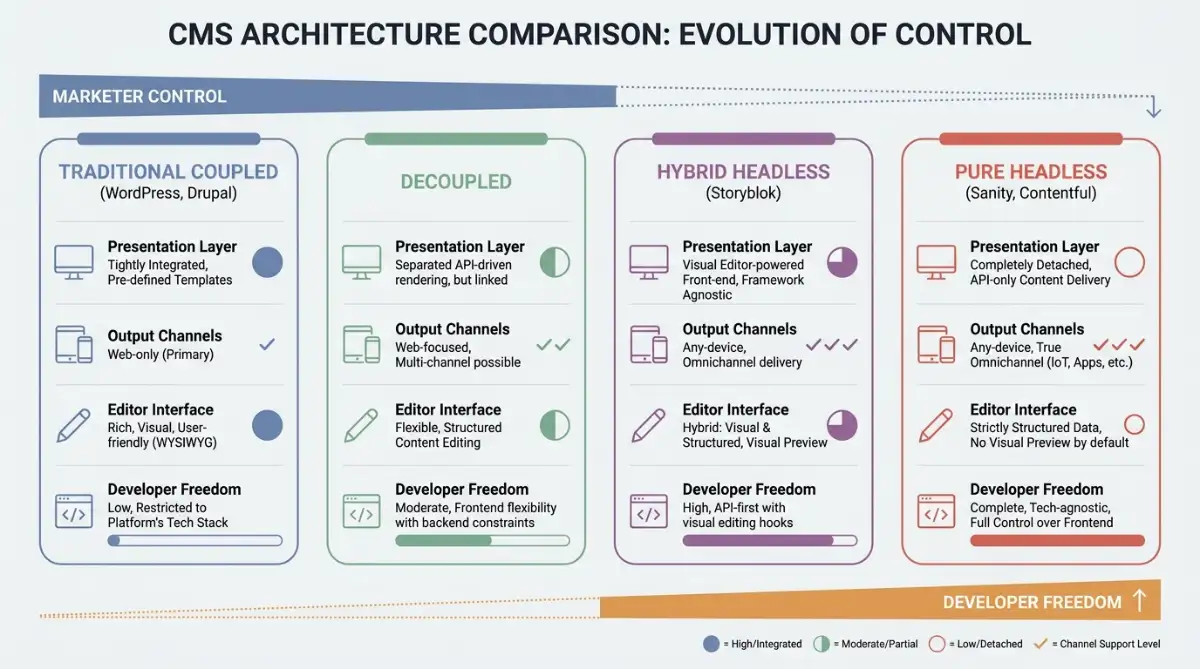
These three terms get swapped around like they mean the same thing, and they don't. A pure headless CMS ships zero templates. A decoupled CMS keeps an optional fallback front end you can ignore or use. A hybrid headless CMS bolts visual editing onto an API backend so marketers keep their drag-and-drop while developers pull structured JSON.
The practical difference comes down to who needs to touch the layout. Pure headless hands all presentation control to developers. Hybrid platforms like Storyblok keep marketers independent with click-to-edit previews. Here's how the four models stack up:
| Dimension | Traditional Coupled | Decoupled | Hybrid Headless | Pure Headless |
|---|---|---|---|---|
| Presentation layer | Pre-built themes | Optional default front end | Visual editor + previews | None at all |
| Output channels | Web only | Web plus API channels | Web-first, multi-channel | Any device via JSON |
| Editor interface | Built-in WYSIWYG | Side-by-side previews | Click-to-edit blocks | Structured data fields |
| Developer freedom | Low | High | High with guardrails | Complete |
The label matters because vendors blur it on purpose. If a sales rep promises "headless flexibility" and "marketer-friendly visual editing" in the same breath, what they're describing is a hybrid, not a pure headless setup.
Why Are Brands Walking Away From Monolithic CMS Platforms?
The short version: single-channel tools can't keep up with multi-channel demands, and the usage numbers show it. According to W3Techs figures compiled in CMS Market Share 2026, Joomla has shed roughly 80% of its share, falling from 9.3% in 2014 to 1.9% in 2025, while Drupal slid from 5.5% to 1.1% over the same stretch. The long decline of Joomla and Drupal tells you where the wind is blowing.
WordPress still powers 43% of all websites per the same data, so how WordPress made no-code mainstream is no small footnote. But its coupled architecture creates publishing friction: Storyblok's CMS statistics report that 49% of users say a single update takes over an hour to publish, and 14% wait a full day or more. The reasons brands migrate cluster into three buckets:
- Omnichannel reach: One backend feeds websites, native apps, IoT devices, and in-store screens without rebuilding content each time.
- Composable commerce: According to the MACH Alliance, 92% of US retail brands have moved to composable, best-of-breed stacks, a shift tracked in Crystallize's headless commerce data, often pairing a headless CMS with a separate checkout and search engine.
- Security posture: Decoupling isolates the admin panel from the public internet, shrinking the attack surface that plagues plugin-heavy monoliths.
Brands aren't abandoning WordPress because they hate it. They're leaving because their content now needs to live on more screens than a single theme can serve.
That composable shift is the same logic that powered Shopify's rise in e-commerce: assemble specialized tools instead of buying one suite that does everything adequately.
How Does Content Get From the Editor to the Screen?
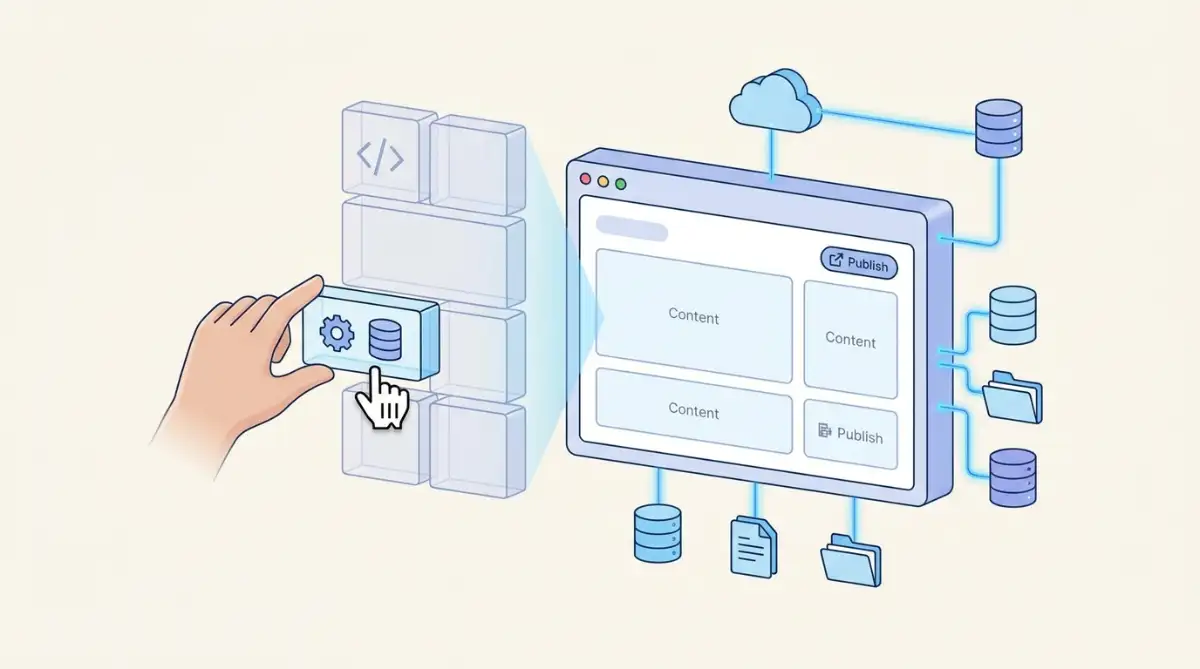
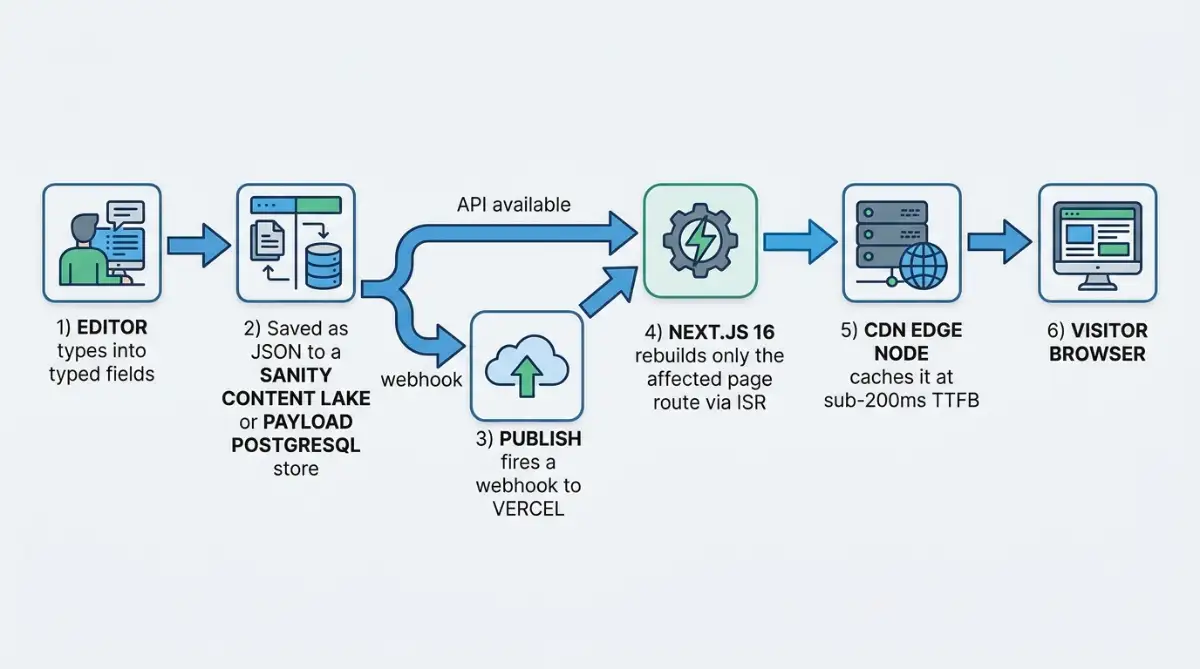
Content travels through a short chain of handoffs. An editor writes into typed fields, the CMS saves it as structured JSON, and a publish action both exposes that data via API and fires a webhook to the front-end host. The host rebuilds only the affected page, then a CDN serves it. No live database call happens when a visitor lands.
Here's the typical flow with real tooling attached:
- Authoring: An editor fills in schema-defined fields inside the CMS web app.
- Storage: The data saves as JSON, into Sanity's hosted Content Lake or a database like PostgreSQL for self-hosted Payload CMS.
- Trigger: Publishing sends a webhook to a host such as Vercel or Netlify.
- Rebuild: A framework like Next.js regenerates just that one page route, not the whole site.
- Delivery: A CDN edge node serves the pre-rendered page with near-zero latency.
The visitor never queries your database. They hit a cached file at the edge, which is exactly why headless sites feel faster.
This is the piece that makes the architecture click for me. Because the front end is essentially a browser-facing app, understanding why browsers are becoming the new operating system helps explain why so much rendering moved to the edge.
Which Headless CMS Platforms Should You Actually Know?
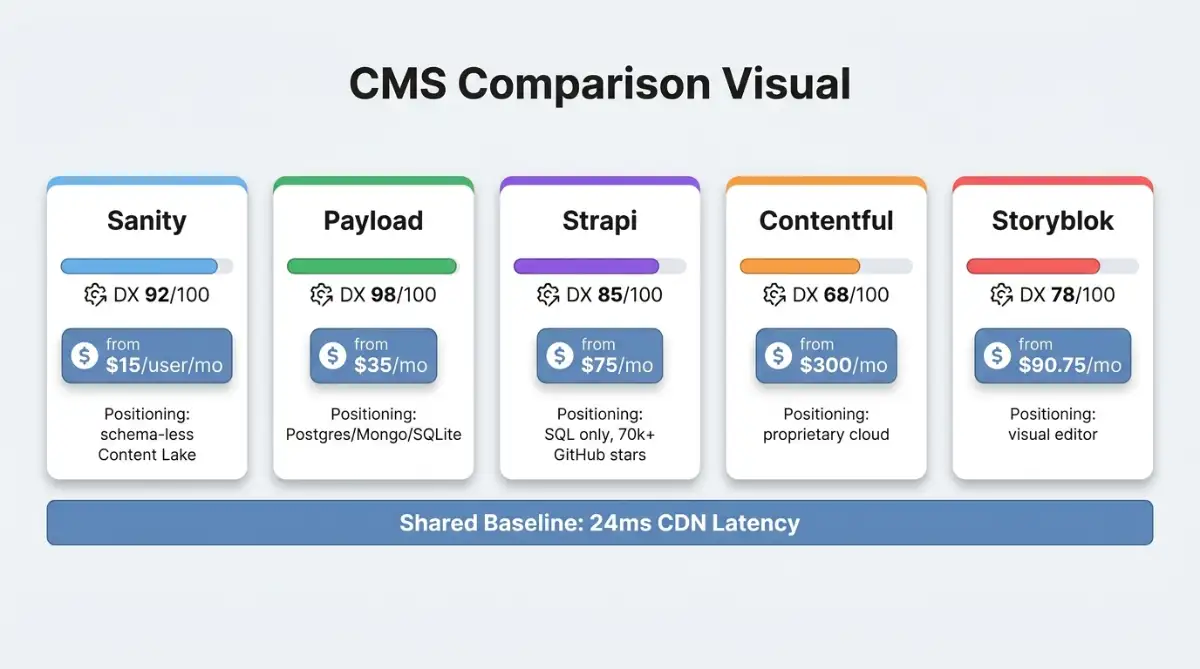
Five names dominate the conversation, and they're not interchangeable. Sanity sells itself as a programmable content operating system. Payload CMS is a TypeScript-native, open-source challenger built for Next.js. Strapi is the veteran self-hosted option. Contentful targets large regulated enterprises. Storyblok wins on visual editing for marketers.
Pricing and database support vary just as widely, which usually decides the shortlist faster than features do:
| Platform | Best for | Database | Starting price | Positioning |
|---|---|---|---|---|
| Sanity | Structured, reusable content | Hosted Content Lake | $15 / user / mo (free tier) | "Content operating system" |
| Payload CMS | Full-stack Next.js teams | Postgres, MongoDB, SQLite | $35 / mo (free open-source core) | Code-first, no vendor lock-in |
| Strapi | Self-hosted sovereignty | SQL only | $75 / mo (free MIT core) | Mature open-source standard |
| Contentful | Large regulated enterprises | Proprietary cloud | $300 / mo (enterprise $25k+) | Governance-heavy orchestrator |
| Storyblok | Marketing and agency teams | Proprietary visual model | $90.75 / mo (5 seats) | Visual editing leader |
Strapi has over 70,000 GitHub stars, which tells you the open-source crowd treats it as the default before they treat anything else as the default.
If your team leans developer-heavy and you want to avoid lock-in, the open-source options resemble the philosophy behind modern no-code builders: own your stack, skip the gatekeeper.
Is a Headless CMS Worth It for a Smaller Team?
Honestly, it depends, and anyone who answers without asking about your team is guessing. A headless CMS rewards organizations with real frontend engineering and punishes those without it. If you're a three-person shop running one marketing site, the convenience you lose can outweigh the flexibility you gain.
Three tradeoffs decide it for smaller teams:
- Talent: Demand for skilled headless developers has climbed 30%, and that scarcity shows up as higher build costs for teams without in-house engineers.
- Marketing independence: Without visual previews configured early, your marketers may end up filing tickets with IT for simple layout tweaks.
- SEO risk: Rendering moves to custom frontend code, so skipping server-side rendering can quietly tank visibility. 6th Man's headless SEO analysis documents a migration that lost 30% of organic traffic in two weeks after shipping client-side rendering with no SSR fallback.
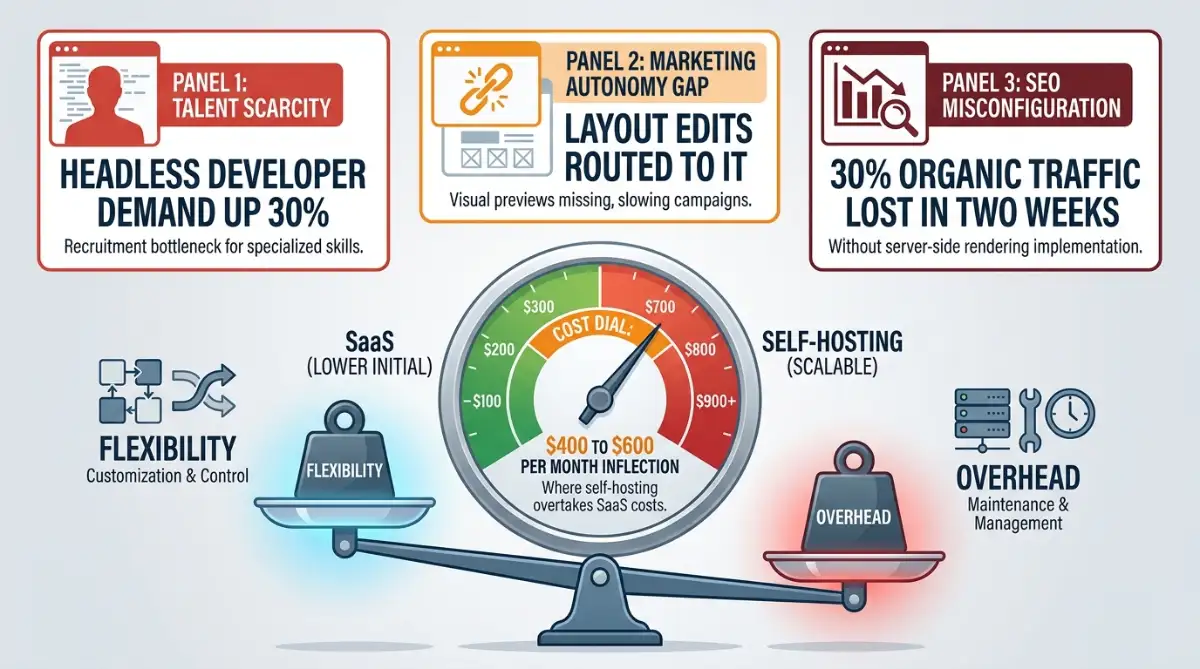
Cost has a clean inflection point too. Below roughly $400 to $600 per month, hosted SaaS plans usually win on simplicity; above it, self-hosting starts paying off for teams with the technical chops. Security is its own conversation, and the question of whether no-code and headless setups are actually secure deserves a real look before you commit.
A headless CMS is a power tool. Hand it to a team without engineers and you've bought a very expensive way to make simple edits harder.
Start exploring launch-ready no-code templates here!
FAQ
Is a headless CMS the same as a website builder? No. A website builder like Wix bundles content, design, and hosting into one visual tool. A headless CMS only stores and serves content, leaving the design and front end entirely up to you or your developers.
Do I need to know how to code to use a headless CMS? Editors don't, but someone on the team does. Writing content happens in friendly forms, but building the front end that displays it requires developers comfortable with frameworks like Next.js, plus APIs and edge hosting.
Is WordPress a headless CMS? Standard WordPress is a coupled, monolithic CMS. It can run "headless" by serving content through its REST or GraphQL APIs to a separate front end, and WordPress VIP offers a hybrid version aimed at enterprises migrating legacy sites.
Is a headless CMS good for SEO? It can be excellent, but only with proper setup. Server-side rendering, dynamic metadata, and canonical URLs must be coded into the front end. Skip them and search crawlers may fail to index your pages correctly.
How much does a headless CMS cost? It ranges widely. Open-source cores like Strapi and Payload start free to self-host, hosted plans run from about $15 to $300 per month, and large enterprise contracts with Contentful can reach $25,000 or more annually.
Start building without code
Browse thousands of no-code templates for Webflow, Framer, Bubble, Lovable, Replit and more.
Explore Templates