How WordPress Made "No-Code" Real in 2003 (And Changed the Web Forever)
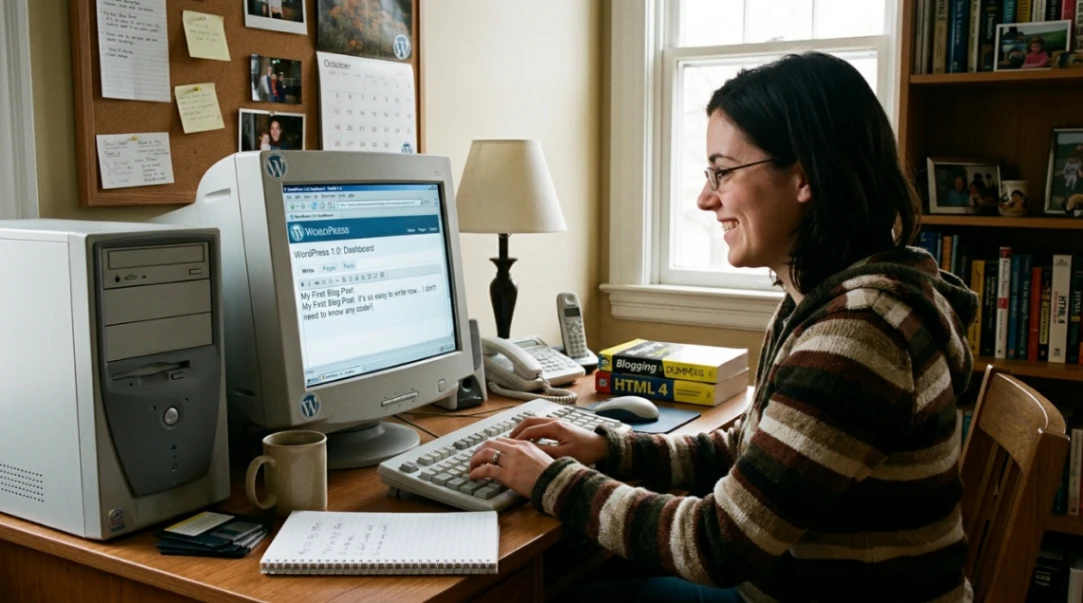
WordPress launched on May 27, 2003, and fundamentally shifted web creation from a technical skill to an accessible art form. By introducing plugins (2004), themes (2005), and a WYSIWYG editor (2005), WordPress became the first mainstream no-code platform that let anyone publish without writing code. Today, it powers 42.5% of all websites worldwide.
Table of Contents
- The Blogging Software Dilemma: How It Started
- When No-Code Actually Became No-Code (2004-2005)
- The Plugin API Revolution: The Real Game-Changer
- From Posts to Pages: Making WordPress Flexible
- Why WordPress Won (And Still Does)
- The Modern No-Code Era: Gutenberg & Beyond
- Key Takeaways
- FAQ
The Blogging Software Dilemma: How It Started
Here's the thing about the early internet: no code didn't exist. If you wanted a website, you coded it. Period.
In January 2003, a university student named Matt Mullenweg faced a genuine crisis. The blogging software he used, called b2/cafelog, had been abandoned by its creator. About 2,000 users were left hanging, waiting for updates that would never come.
Instead of complaining in forums (which, honestly, probably didn't exist yet), Mullenweg did something radical: he published a blog post called "The Blogging Software Dilemma" on January 24, 2003. In it, he proposed forking the b2 codebase to create something better, simpler, and actually no code for regular people.
Mike Little, a UK developer, saw the post and said, "Yeah, let's do this." Christine Selleck Tremoulet, a friend of Mullenweg, suggested the name "WordPress" inspired by the printing press. And boom: on May 27, 2003, WordPress 0.7 went live.
For context on how no-code web building evolved before WordPress, check out the history of no-code platforms like GeoCities and Angelfire to understand how WordPress fit into the broader movement.
But here's the catch.
The initial release? Still kind of technical. You had to manually edit config files on a server. It wasn't exactly user-friendly for non-developers. But it was a start.
When No-Code Actually Became No-Code (2004-2005)
The magic moment happened in 2004.
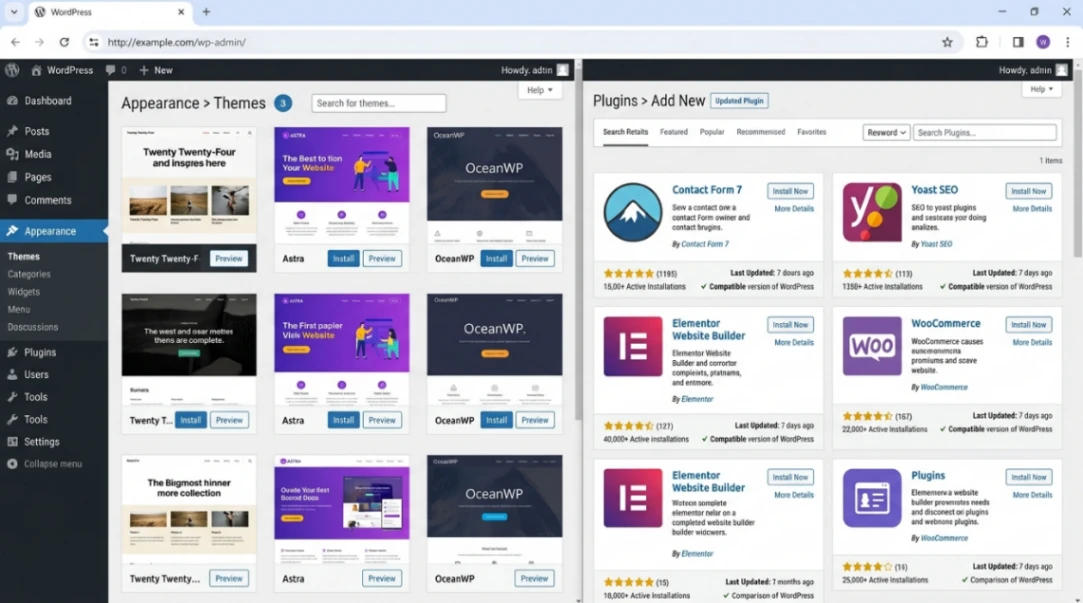
Version 1.2 (codenamed "Mingus") introduced something called the Plugin API. This was the moment everything changed. Suddenly, developers could build features without touching WordPress's core code. Users could activate these features with a single click in the dashboard.
Want a contact form? Install a plugin.
Need SEO optimization? Plugin.
Social media integration? You guessed it: plugin.
For the first time, no code wasn't a marketing buzzword. It was actually real. See the detailed visual history of WordPress releases for screenshots of how each version evolved.
That same year, Movable Type (the market leader at the time) decided to change its pricing and licensing. Basically, they annoyed their entire user base. Guess where those users went? WordPress. This influx of frustrated users accelerated WordPress development and made the plugin ecosystem explode with new features.
Key milestone: By February 2005, WordPress 1.5 introduced two game-changing features:
- Pages - So you could have static content (like "About Us") alongside blog posts
- A robust theme system - Change your entire website design without losing any content
The default theme, "Kubrick," became iconic. It showed that open-source software could look professional.
Then came the knockout punch: WordPress 2.0 (December 2005) added a WYSIWYG editor.
WYSIWYG stands for "What You See Is What You Get." Basically, you could format text without knowing a single HTML tag. The no code dream was officially real.
The Plugin API Revolution: The Real Game-Changer
Look, we could talk about every WordPress version, but let's be honest about what actually mattered for the no code movement.
The Plugin API was everything.
Here's why: it created a separation between the core software and add-ons. This meant:
- Non-developers could add powerful features
- Developers could specialize without affecting the base platform
- Users had freedom to customize without breaking things
- The ecosystem could grow exponentially
By 2010, WordPress 3.0 introduced Custom Post Types and Custom Taxonomies. Translation? You could structure content however you wanted.
A real estate site could have a "Property" post type. An e-commerce store could have "Products." A film blog could have "Reviews." All without touching a single line of code.
This flexibility was unprecedented. Enterprise CMS platforms like Drupal required serious developer knowledge. No code WordPress matched their power while staying accessible.
From Posts to Pages: Making WordPress Flexible
Before 2005, WordPress was a chronological blog. New post? Goes on top. That's it.
Pages changed everything.
Pages let you create static content that wasn't date-dependent. Your "About" page could live permanently at the top. Your "Contact" page could stay put. For the first time, WordPress wasn't just a blog engine. It was becoming a real website builder, one that worked on no code principles.
| Feature | 2003 | 2005 | 2010 | 2026 |
|---|---|---|---|---|
| Posts Only | Yes | No | No | No |
| Pages | No | Yes | Yes | Yes |
| Custom Post Types | No | No | Yes | Yes |
| Visual Editor | No | No | Yes (AJAX) | Yes (Gutenberg) |
| Plugin Install from Dashboard | No | No | Yes | Yes |
| Theme Customization | No | Yes | Yes | Yes (Advanced) |
The beauty? You didn't need to learn PHP, CSS, or HTML. The no code interface handled it all.
Why WordPress Won (And Still Does)
By 2026, WordPress powers 42.5% of all websites. That's nearly half the internet. Here's why competitors couldn't catch up:
Open-source DNA - Anyone could fork it, modify it, contribute to it. No corporate gatekeeper.
The ecosystem effect - More users = more developers = more plugins/themes = more users. Virtuous cycle.
Data ownership - You own your content. It's not trapped on someone else's server like Wix or Squarespace.
Flexibility at scale - Small blogs, huge e-commerce sites, corporate intranets. WordPress handles it all without custom code.
Compare that to competitors:
| Platform | Market Share 2014 | Market Share 2026 | Trajectory |
|---|---|---|---|
| WordPress | 21% | 42.5% | Dominant |
| Wix | 0.1% | 4.3% | Growing niche |
| Squarespace | 0.2% | 2.5% | Stable niche |
| Shopify | 0.1% | 5.1% | E-commerce focus |
| Joomla | 3.3% | 1.3% | Declining |
WordPress didn't just win. It defined what no code actually means.
The Modern No-Code Era: Gutenberg & Beyond
Around 2014-2015, visual page builders started appearing on top of WordPress. Elementor, Divi, Beaver Builder. These tools let you drag and drop page layouts without touching code.
But here's the plot twist: they introduced their own problems.
Divi (which was very popular) left users "locked in." If you deactivated it, your content turned into a mess of shortcodes like [et_pb_section] and [et_pb_row]. Your content became hostage to the plugin.
Beaver Builder learned from this. They designed their builder to output clean HTML. If you disabled Beaver Builder, your content stayed readable. No lock-in. Pure no code philosophy. Compare major page builders to see which approach works best for your use case.
Then WordPress said, "We're going to build this into the core."
In December 2018, WordPress 5.0 launched Gutenberg, a block-based editor built into WordPress itself. Instead of treating a post as one big blob of text, it treated everything as independent blocks: paragraphs, images, videos, buttons, custom elements. Understand the pros and cons of Gutenberg to see if it's right for your workflow.
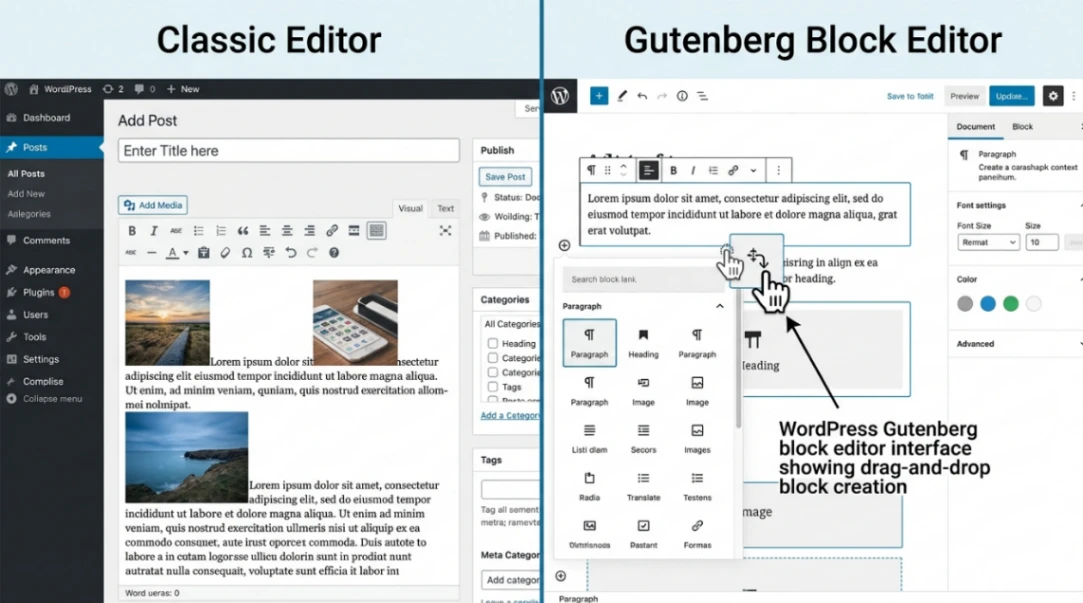
By 2021, version 5.8 enabled Full Site Editing (FSE). You could edit headers, footers, and sidebars the same way you edited posts. No third-party builder needed. No coding required. Read about how Gutenberg is impacting WordPress design to see where the platform is headed.
One thing often overlooked: theme.json. This config file let theme developers define global styles, which users could then modify through the Global Styles interface. Consistent design. Better performance. All no code.
The Security Catch
Let's be real. With great no code power comes great responsibility.
WordPress has over 60,000 plugins in its directory. That's amazing for flexibility. But it's also a nightmare for security if you're not careful.
In 2026, 56% of WordPress security breaches came from outdated plugins. Patches existed. Users just didn't install them. Learn more about WordPress security architecture from the experts.
The core issue? No code makes it easy to install anything. But maintenance is still a human problem.
Common vulnerabilities include:
- Cross-Site Scripting (XSS) from unsanitized form inputs
- SQL Injection from bad database queries
- Remote Code Execution from ancient plugins
- CSRF attacks on admin actions
The solution isn't rocket science:
- Keep WordPress updated
- Keep plugins and themes updated
- Use strong passwords
- Only install plugins you actually need
- Remove plugins you're not using
WordPress didn't invent these problems. It just inherited them from being so popular.
Looking Ahead: No-Code's Future
Here's what's wild. In 2003, the idea of no code web publishing was radical. In 2026, it's the standard.
If you're building a website and you're writing HTML by hand, people think you're insane. The no code era won World War III without throwing a punch.
But WordPress faces competition now. Wix and Squarespace offer "closed" alternatives where you don't maintain anythin, the platform handles updates, security, everything. Trade-off? Less control, less flexibility, potential vendor lock-in. Compare WordPress with SaaS builders to see which platform fits your needs.
For micro-businesses that want a quick online presence? SaaS builders make sense.
For organizations that need complex workflows, regional server hosting for legal reasons, or serious SEO control? WordPress remains superior. You own your data. You control everything. No code or fully coded, your choice.
Start exploring launch-ready no-code templates here!
Key Takeaways
WordPress democratized web publishing. What started as a forked blogging script became the backbone of nearly half the internet. That's not hyperbole.
No-code wasn't an accident. It took deliberate architectural choices: plugins (2004), themes (2005), the WYSIWYG editor (2005), Custom Post Types (2010), and Gutenberg blocks (2018). Each innovation reduced the technical barrier to entry.
The ecosystem is everything. WordPress won because it enabled developers to build better solutions on top of it. More developers meant more plugins. More plugins attracted more users. More users attracted more developers. That feedback loop is undefeated.
The moment blogging became no code wasn't May 27, 2003, specifically. It was a series of moments, decisions, and community-driven innovations that added up to something profound: the idea that you don't need to be a programmer to have a voice on the open web.
That idea, more than any plugin or feature, is WordPress's real legacy.
FAQ
Q: Did WordPress invent no-code web building?
A: Not entirely. Tools like Netscape Composer, HotDog Professional, and GeoCities existed before WordPress. But WordPress made no-code sustainable at scale, with a thriving plugin ecosystem that made it genuinely powerful.
Q: Is WordPress still relevant in 2026?
A: Absolutely. WordPress usage statistics confirm it powers 42.5% of websites, and that share is stable (not declining). The market simply matured. WordPress captured the bulk of the addressable market.
Q: What's the difference between WordPress.org and WordPress.com?
A: WordPress.org is self-hosted (you own everything). WordPress.com is Automattic's hosted service (easier, less control). Both use the same WordPress software, but ownership and maintenance models differ significantly.
Q: Should I use WordPress or Wix for my small business?
A: If you want simplicity and zero maintenance, Wix works. If you want data ownership, SEO control, and long-term flexibility, WordPress wins. Explore the best no-code page builders for WordPress to maximize your chosen platform.
Q: What happened to Divi's shortcode lock-in problem?
A: It's still there. Divi remains popular but risky for long-term ownership. Beaver Builder solved this problem by outputting clean HTML. Always check a builder's output before committing.
Start building without code
Browse thousands of no-code templates for Webflow, Framer, Bubble, Lovable, Replit and more.
Explore Templates