Framer Templates: 20 Free Website Picks (2026)
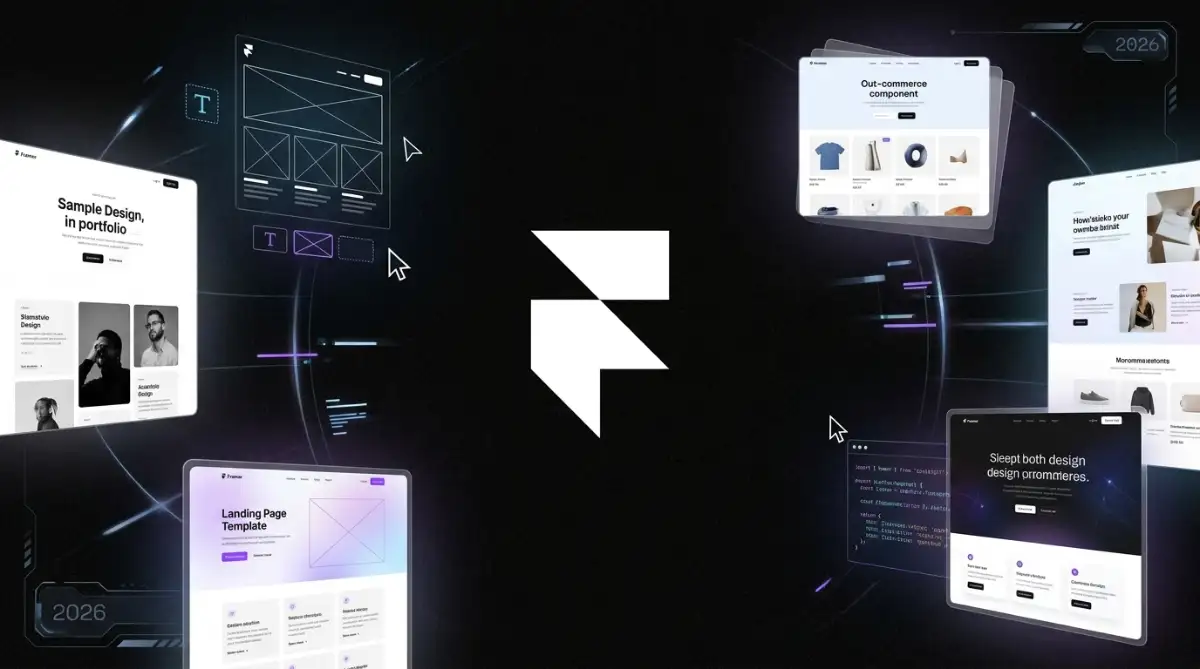
Twenty free Framer layouts remix inside Framer's canvas and publish on Framer hosting. The set covers AI products, local services, agencies, and landing pages. A Framer account is required to edit, and paid plans start when you attach a custom domain.
Table of Contents:
- Key Takeaways
- Introduction
- How Do You Choose Framer Templates That Still Work on a Phone?
- Which Kits Fit AI, SaaS, and Startup Launches?
- Which Layouts Fit Coaches, Trades, and Hospitality?
- Which Layouts Fit Agencies, Property, and Live Events?
- What Do Framer Templates Cost After the Free Download?
- Decision Framework
- FAQ
Key Takeaways
- Framer's Figma-like canvas is a speed gift and a breakpoint trap, which is why a free agency kit can still fail on a commuter phone.
- The $0 template file is not the invoice, because Basic, Pro, extra editors, and AI credits decide whether a client domain actually goes live.
- HVAC, sushi, and AI SaaS should not share one hero, since Motion polish does not replace a booking form or a CMS event calendar.
Introduction
Freelance UI designers and boutique studio art directors keep remixing Framer templates because the canvas already looks like Figma, then they find out the live site is a hosting plan, not a PNG export. I still test those remixes on a mid-range Android before I send a client the duplicate link.
The official canvas lives on Framer. Motion is generous. The meter is not. Browse the listings in this roundup, then check the Framer pricing page before you attach a client domain.
Pick the wrong kit and you either dress an HVAC homepage like a SaaS waitlist, or you hand a copywriter a canvas that can snap flexbox. Next I will walk the 20 free layouts, the Figma-to-publish trap, and the Basic-to-Pro bill that actually ships.
How Do You Choose Framer Templates That Still Work on a Phone?
Choose by the job the live page has to do, not by how cinematic the desktop Motion looks. Freelance UI designers and boutique studio art directors should demand a form, a CMS list, or a static gallery they can edit without snapping flexbox. Framer compiles frames to React and HTML, and it will compile a broken breakpoint too.
Framer is a design-to-publish canvas, not a locked theme grid. The editor mirrors Figma layers and frames, which flattens the curve for design teams and trips anyone who has never set relative sizing. Responsive design still decides whether a remix survives a commuter phone. Pretty Motion will not save a maze.
Publishing rates sit on the Framer pricing page. Remix links in this roundup go to the template pages, then to the live Framer preview.
Treat the file as a budget line:
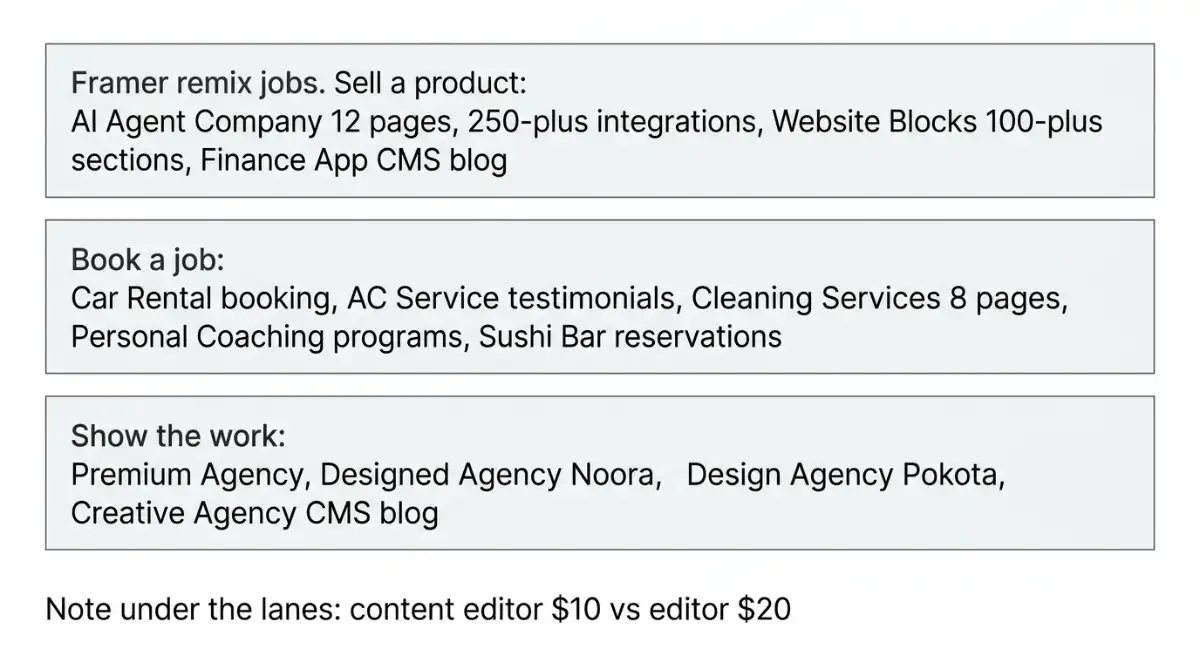
- Sell a product: pricing tiers, integrations, a changelog, a CMS blog.
- Book a job: services, proof, a form, a phone-first layout.
- Show the work: case studies you will actually update after launch week.
A Figma-shaped canvas will publish whatever you left misaligned, including the breakpoint you never opened.
Ask a blunt question the template card rarely answers: who clicks Publish after you leave? According to Framer pricing, content editors are $10 per month for CMS and on-page edits, while full editors are $20. That is a seat choice, not a theme setting.
Which Kits Fit AI, SaaS, and Startup Launches?
These five kits sell product narrative: integrations, pricing tables, blogs, and waitlists. AI Agent Company ships 12 pages and a 250-plus integrations grid. Website Blocks is the 100-plus section SaaS kit, while Finance App is a CMS blog wearing a fintech coat. Publish still sits on Framer hosting, not on a ZIP of React.
I would still open Website Blocks when a seed-stage marketing site needs spare parts. I would not drop an HVAC client into that drawer because the 3D assets look expensive. The 3D website templates roundup already flagged Website Blocks as decoration unless the product itself needs depth.
A 100-section SaaS kit is a spare-parts drawer, not a strategy, if you only needed a pricing table.
1. AI Agent Company
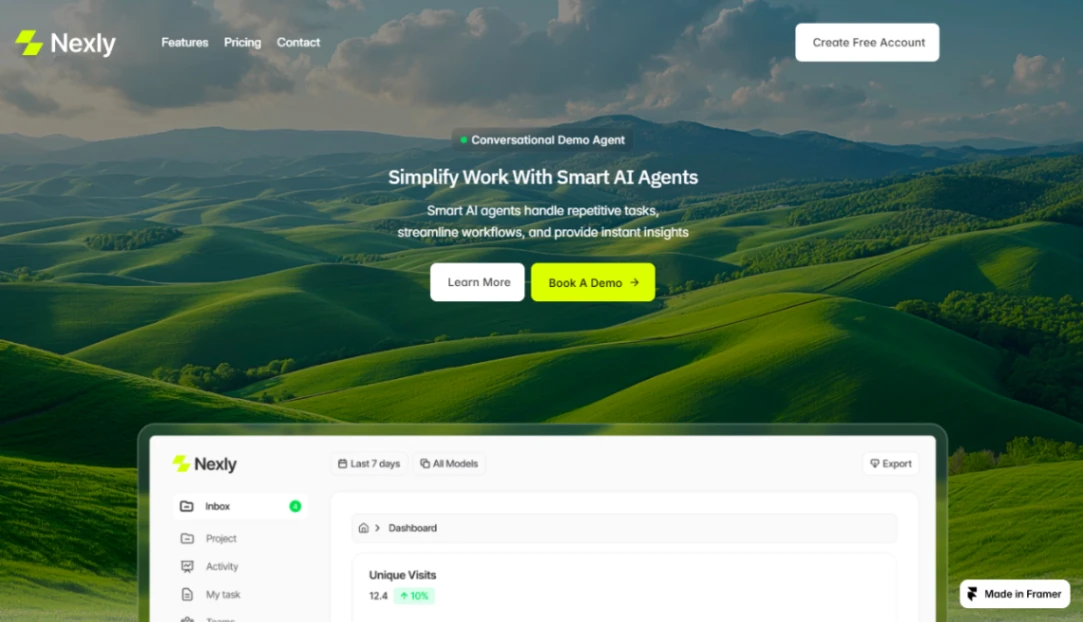
Light-themed AI agent and task-automation SaaS kit for workflow teams. Twelve pages, scenic hero, tabbed tools, a 250-plus integrations grid, animated case study, four-tier pricing with a toggle, testimonials, FAQ, and a CMS blog.
- Appear effects, overlays, and text effects
- Feature cards and tabbed sections
- Integrations grid and animated counters
- Pricing tiers, testimonials, FAQ
- P3 colors and variable fonts
AI Agent Company template · Framer preview
2. AI Telehealth

Modern digital-health marketing site with video-consult blocks, appointment booking, provider profiles, and patient-dashboard chrome. The listing counts 11 pages plus 2 CMS blog pages. Treat HIPAA and GDPR language on the card as copy, not a certification you can quote to a clinic [unverified].
- Video consultations and appointment booking
- Patient dashboards and provider profiles
- Sticky scrolling, CMS, and forms
- Code components, P3 colors, variable fonts
AI Telehealth template · Framer preview
3. AI Consulting

Agency-consultant layout for AI automation shops: service sections, social proof, conversion CTAs, workflow visualization, and no-code editing. Built for consultants who sell process, not a consumer app store listing.
- Service sections and social-proof blocks
- Slideshows, sticky scroll, and scroll effects
- CMS, forms, and layout templates
- Conversion-focused CTAs
AI Consulting template · Framer preview
4. Finance App
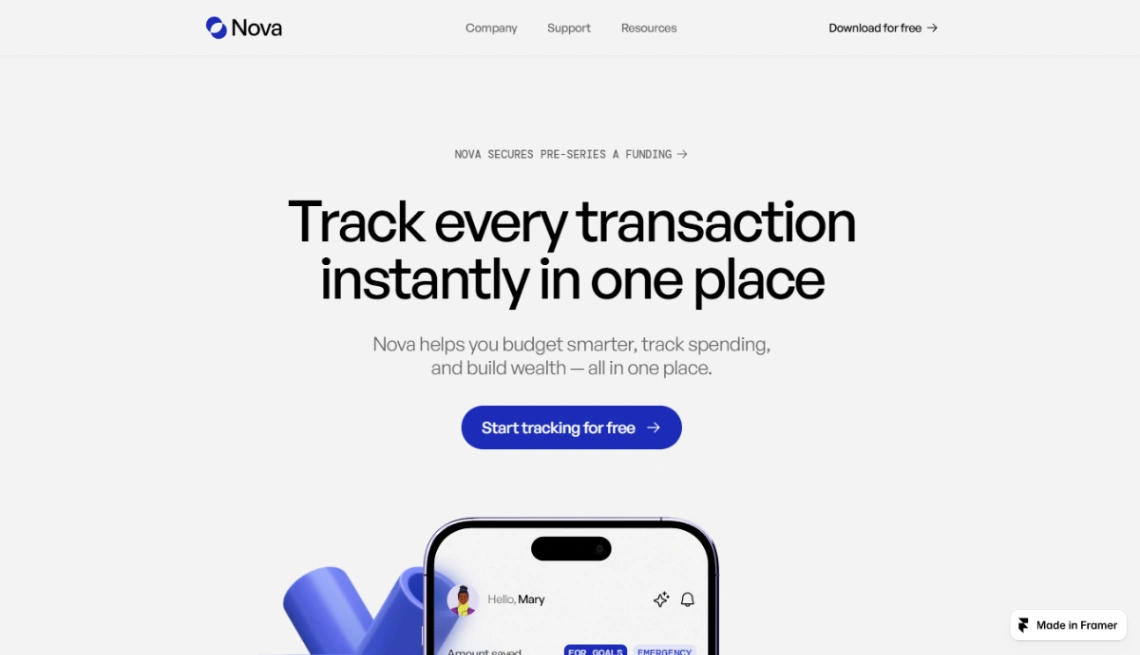
Clean fintech marketing site plus a Framer CMS blog: titles, authors, categories, images, featured posts, and category filtering. Use it when credibility is a stream of posts, not a 12-page product tour.
- Category filtering and featured posts
- Dynamic content and SEO metadata
- Sticky scrolling, scroll effects, rich media
- Vector sets and responsive sections
Finance App template · Framer preview
5. Website Blocks
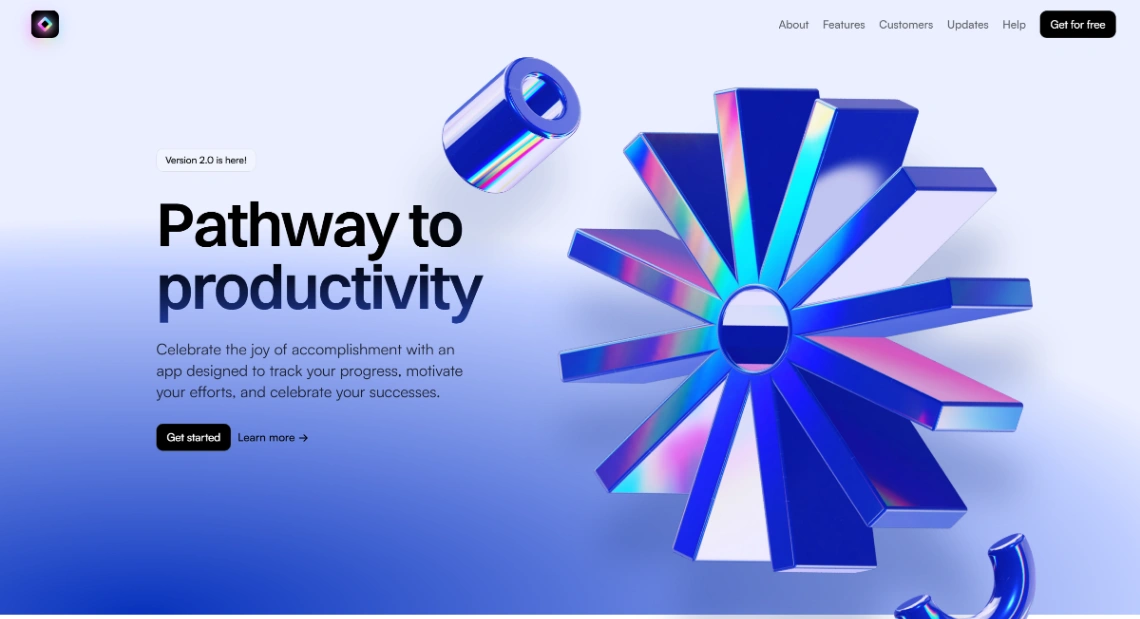
Blocks is a modular SaaS website kit: 100-plus sections, unique 3D assets, light and dark modes, pricing tables, changelog pages, and Figma import. It is the spare-parts drawer for high-growth software pages, not a one-screen landing page unless you delete aggressively.
- 100-plus sections and reusable components
- Light and dark modes, 3D assets
- Pricing tables and changelog pages
- Motion effects, visual breakpoints, Figma import
- Built-in analytics, automated SEO, a11y-minded structure
Website Blocks template · Framer preview
Which Layouts Fit Coaches, Trades, and Hospitality?
Local operators need proof, a booking path, and a phone layout that does not fight the thumb. Car Rental, AC Service, Cleaning Services, Personal Coaching, and Sushi Bar all ship as $0 files with CMS and forms. I would not dress an HVAC homepage in SaaS glass just because Motion looks expensive.
These are service businesses, not Series A product pages. The catalog copy on AC Service and Cleaning Services is aimed at trades: team, projects, testimonials. Sushi Bar adds light and dark theme plus reservation CTAs. Personal Coaching is modular for 1:1, group, and online programs.
Local service sites convert on proof and a form, not on a hero that looks like a Series A launch.
6. Car Rental

Modern fleet site: vehicle showcase, pricing plans, booking system, contact forms, CMS-powered content, SEO-minded structure. Categories on the listing include cars, automotive, transport, and services.
- Fleet showcase and pricing sections
- Booking system and contact forms
- Appear effects, sticky scrolling, scroll effects
- CMS, layout templates, text effects
Car Rental template · Framer preview
7. AC Service

HVAC maintenance layout for service descriptions, team, completed projects, and testimonials. Mobile-friendly sections for trades that need credibility before a call, not a crypto-style dark hero.
- Service descriptions and team showcase
- Project portfolio and testimonials
- CMS, forms, layout templates
- Variable fonts and vector sets
AC Service template · Framer preview
8. Personal Coaching
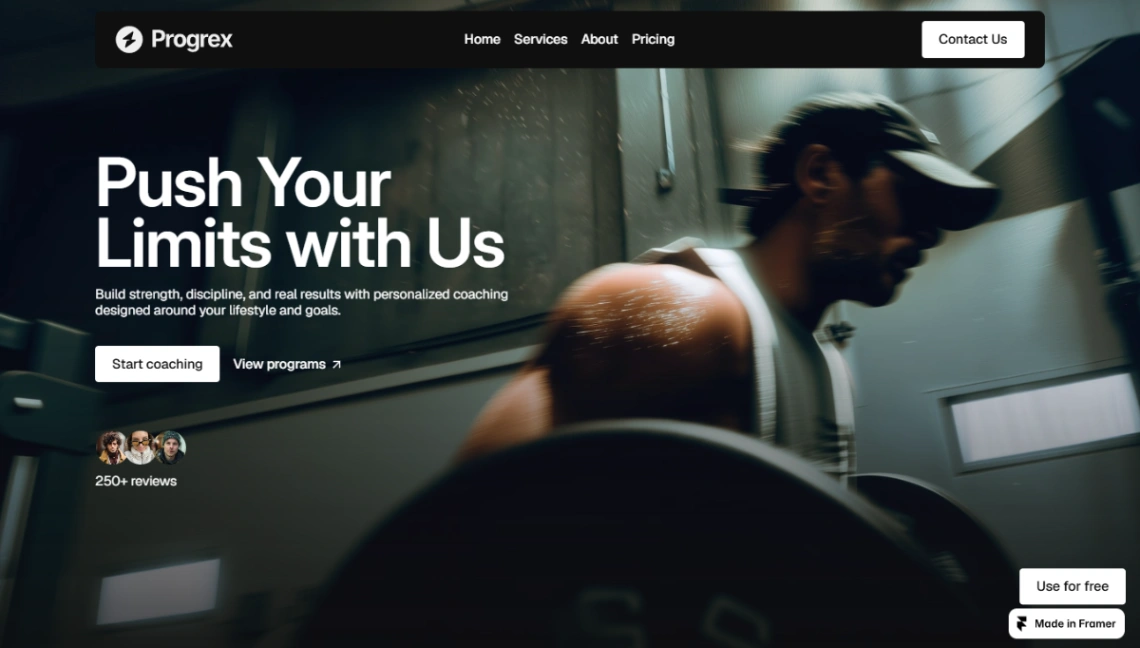
Premium kit for trainers, fitness coaches, and wellness operators. Programs, client results, and services sit in a modular structure for 1:1 coaching, group training, and online programs.
- Program showcase and transformation results
- Client testimonials
- Slideshows, scroll effects, custom cursors
- CMS, forms, code components
Personal Coaching template · Framer preview
9. Sushi Bar
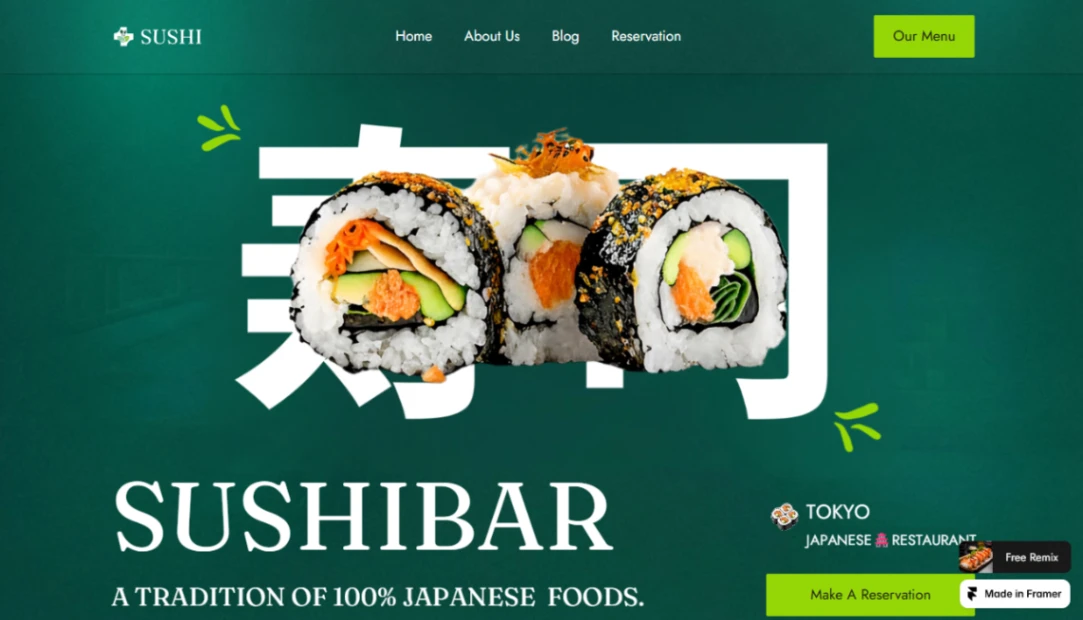
Restaurant template for sushi bars and fine dining: menu highlights, chef stories, brand philosophy, testimonials, reservation CTAs, light and dark theme. Built for guest-facing hospitality, not a SaaS waitlist.
- Light and dark theme
- Slideshows, CMS, forms
- Layout templates, selection styles, variable fonts
- Appear effects
Sushi Bar template · Framer preview
10. Cleaning Services
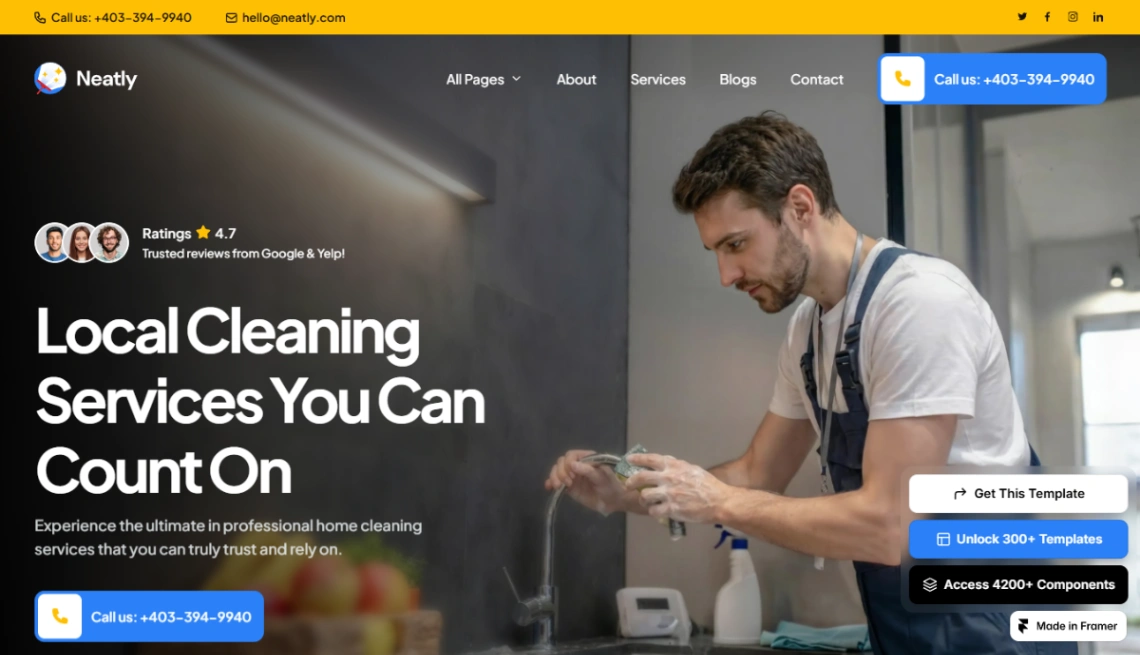
Eight-page kit for cleaning, pest control, and adjacent home services, with dual CMS options and advanced forms. The listing also points it at plumbing, electrical, HVAC, and landscaping shops that need a modern service brochure.
- Overlays, slideshows, sticky scrolling
- CMS, forms, code components
- Text effects, selection styles, variable fonts
- Vector sets and layout templates
Cleaning Services template · Framer preview
Which Layouts Fit Agencies, Property, and Live Events?
This is the Figma-native pile: case studies, project CMS, property filters, and event lists. Creative Agency through Productized Agency, plus Modern Architecture, Heavy Industry, Real Estate Agency, and Live Events. Boutique studio art directors should pick the CMS they will actually update, not the hero with the most 3D transforms.
Two listings share the name Design Agency: Noora is the storytelling portfolio, Pokota is the branding-studio CMS. Premium Agency and Productized Agency split the same way: gallery versus packaged offer with a price table. If the brief is work-first, start with a portfolio website template before you remix both files.
The agency template you cannot update without a designer is a brochure, not a studio operating system.
11. Creative Agency
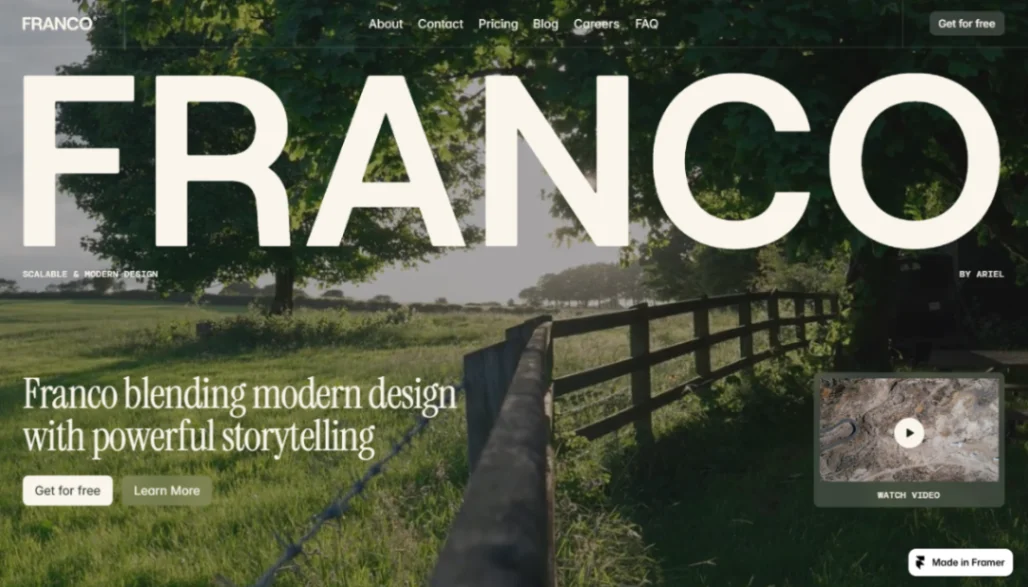
Sleek studio site: clean type, CMS blog, case studies, services, modular pages. Aimed at brands that lead with design and independent professionals who still need a blog.
- CMS blog, case studies, service pages
- Slideshows, scroll effects, text effects
- Forms, layout templates, appear effects
Creative Agency template · Framer preview
12. Design Agency (Noora)
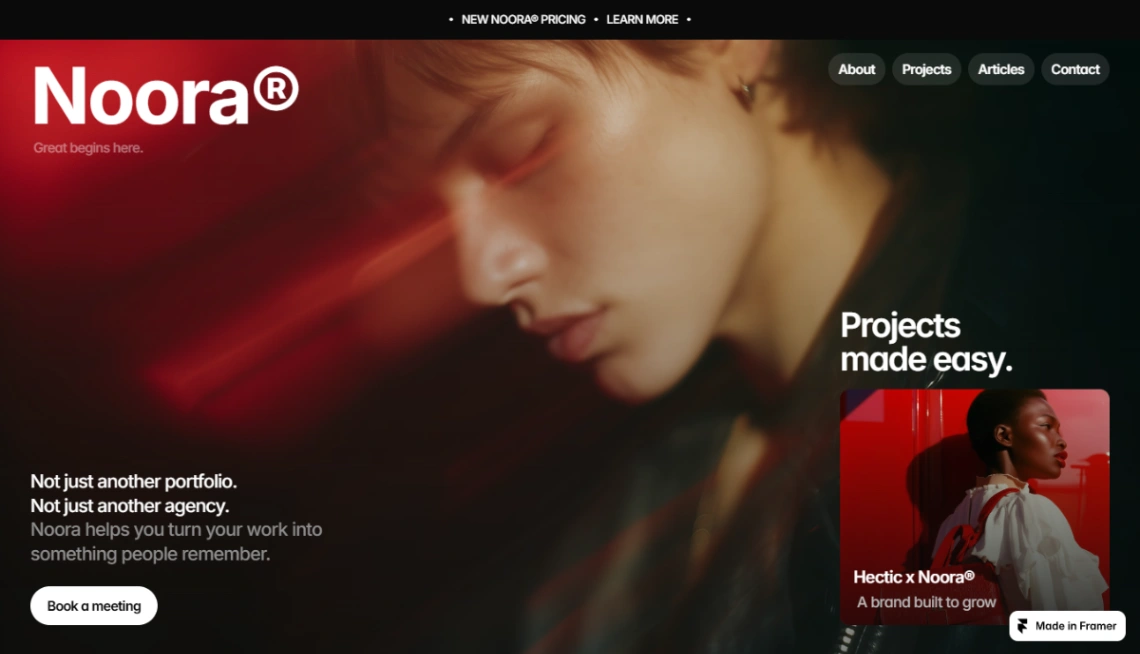
Portfolio-first agency kit: CMS project pages, client-conversion layouts, fast performance, no-code editing. Use this when the work is the product and the about page is secondary.
- Slideshows, sticky scrolling, scroll effects
- Rich media, forms, code components
- P3 colors and selection styles
Design Agency template · Framer preview
13. Digital Agency
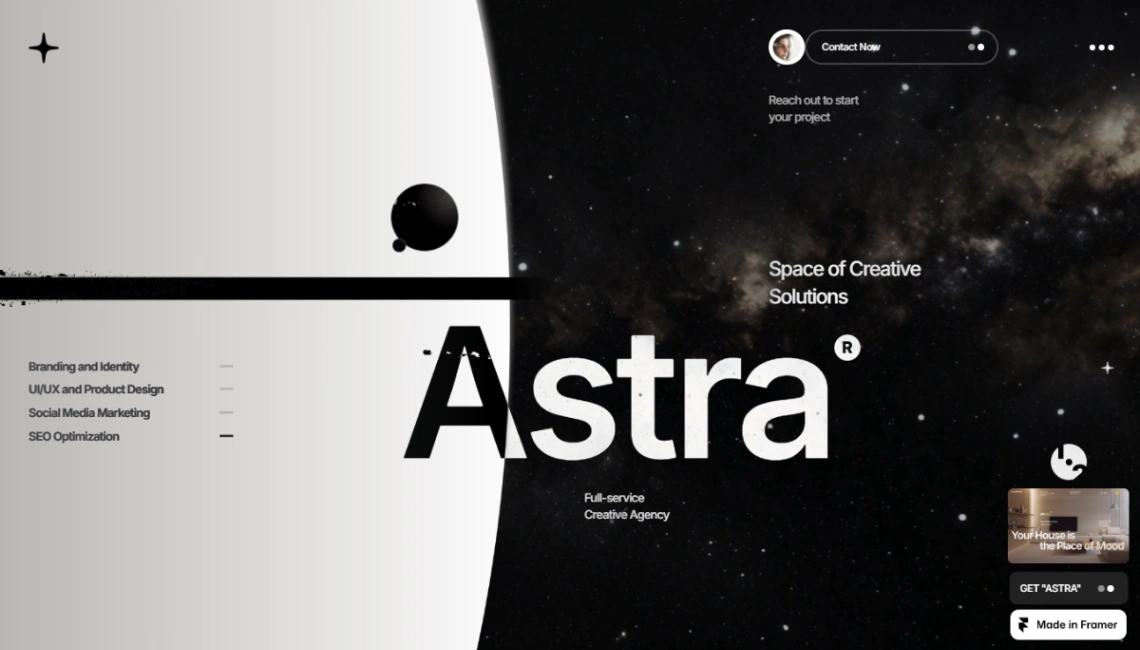
Modern agency template with space-inspired accents, built-in CMS for project showcases, plus home, about, portfolio, blog, and policy pages. Fully responsive and meant to be customized in the canvas.
- Home, about, portfolio, blog, policy
- Rich media, forms, text effects
- Sticky scrolling, slideshows, code components
Digital Agency template · Framer preview
14. Design Agency (Pokota)
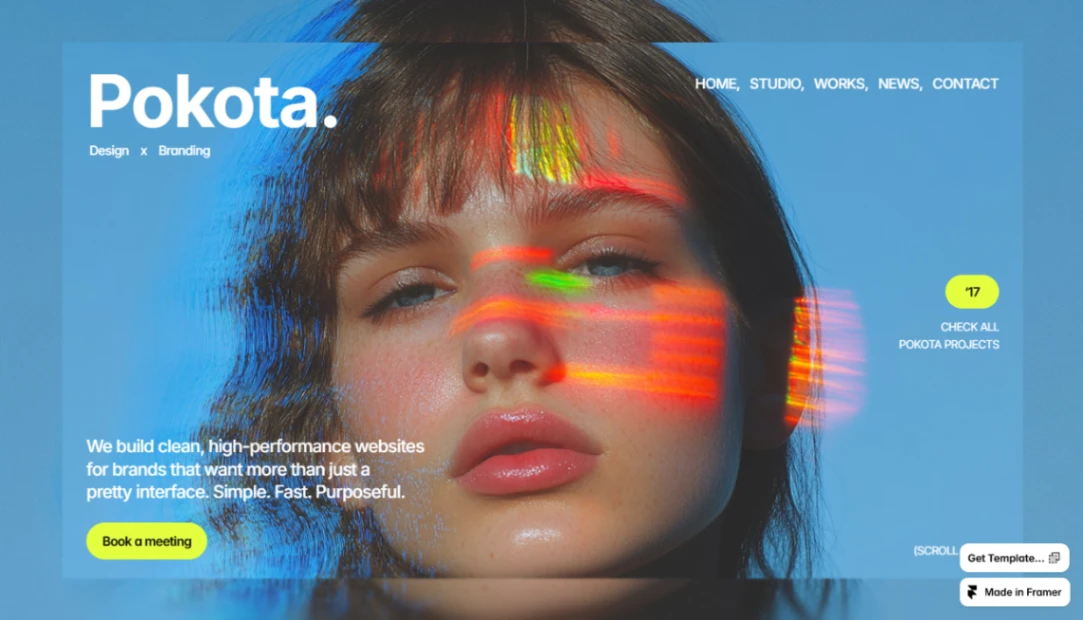
Branding-agency variant: clean project pages, CMS-powered portfolio, strong messaging, performance-minded structure. Same catalog title as Noora, different preview and a heavier CMS-management pitch.
- Slideshows, sticky scrolling, scroll effects
- Rich media, forms, vector sets
- Text effects and selection styles
Design Agency template · Framer preview
15. Premium Agency
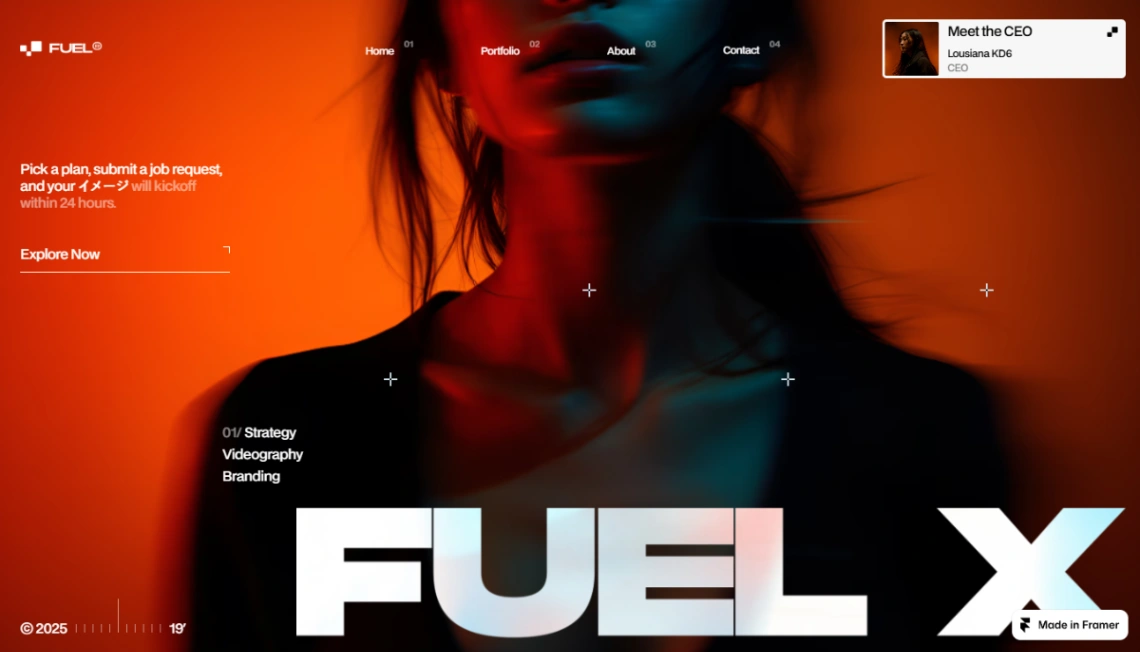
Minimal portfolio for designers, freelancers, and creative agencies. Overlays, 3D transforms, and Motion-heavy chrome. Let the work sit in clean layouts if your studio's pitch is restraint.
- Overlays, slideshows, 3D transforms
- Sticky scrolling, scroll effects, code components
- Forms, text effects, layout templates
Premium Agency template · Framer preview
16. Productized Agency
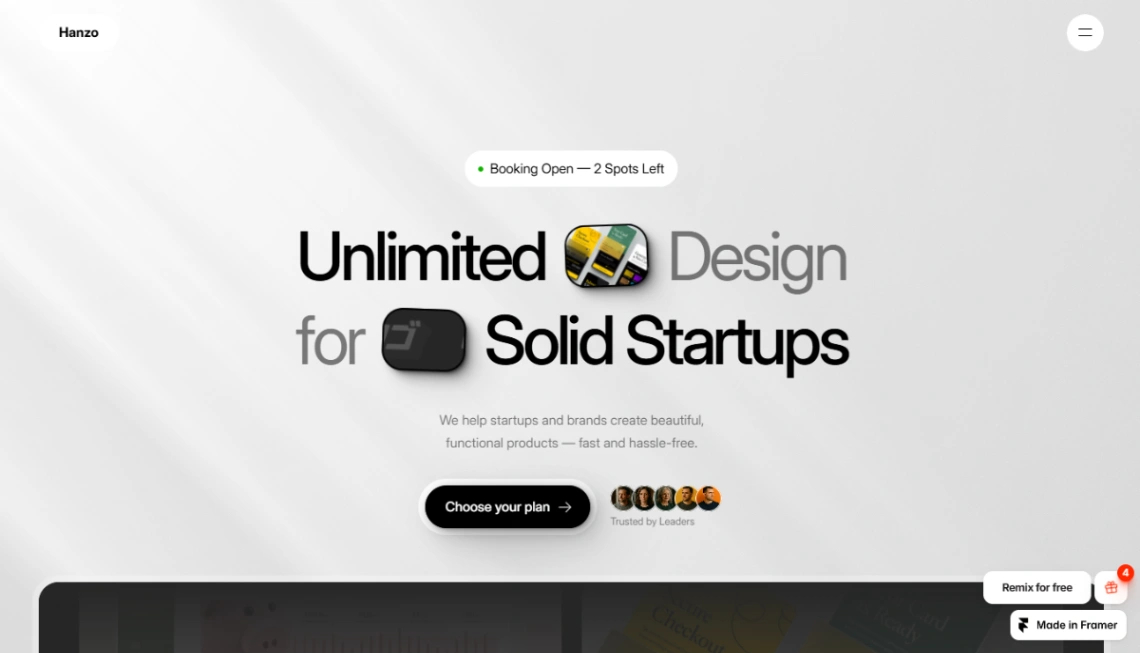
Bold kit for solopreneurs selling packaged services: hero with trust elements, service tags, recent work, process, testimonials, about, pricing, FAQ. This is the one I would ship before Website Blocks if the offer is a fixed-scope package.
- Hero, service tags, recent work
- Process, testimonials, about
- Pricing table and FAQ
- Trust elements and Motion
Productized Agency template · Framer preview
17. Modern Architecture
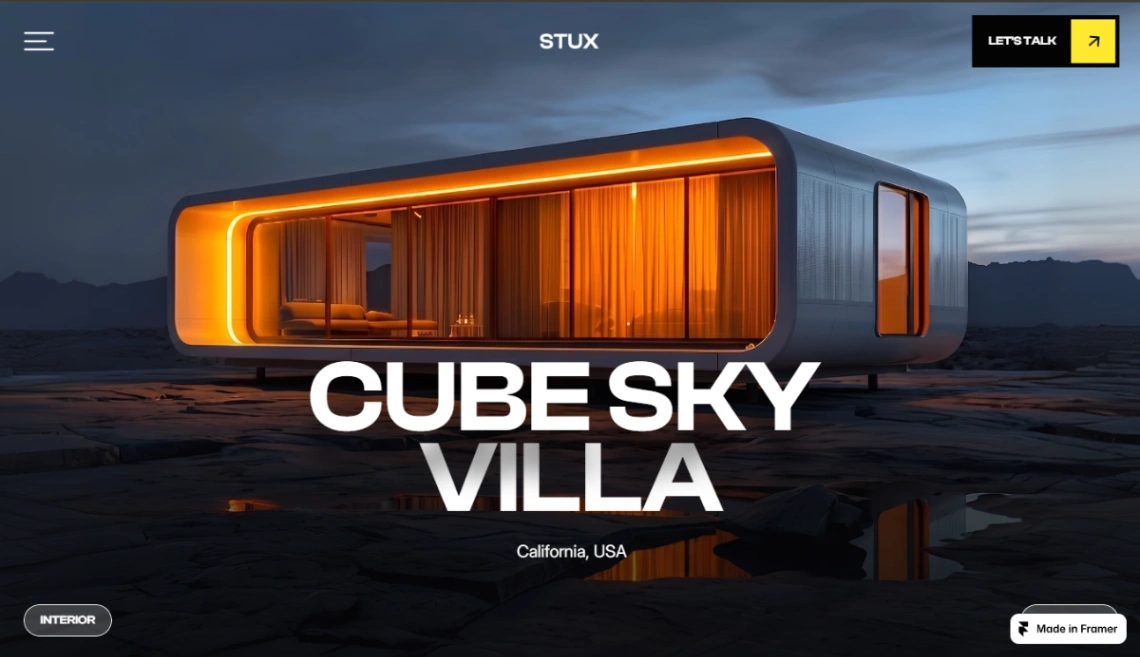
Refined studio site for architects, interior designers, and design consultancies. Project galleries, architectural showcase, custom cursors, CMS. Visual clarity over SaaS cards.
- Project galleries and architectural showcase
- Sticky scrolling, scroll effects, custom cursors
- CMS, forms, code components
Modern Architecture template · Framer preview
18. Heavy Industry

Industrial marketing site for manufacturing, metallurgy, logistics, and engineering firms. Structured type, industrial visuals, enterprise-shaped sections meant to signal precision.
- Industrial design and enterprise structure
- Sticky scrolling, CMS, rich media
- Forms, text effects, selection styles
Heavy Industry template · Framer preview
19. Real Estate Agency
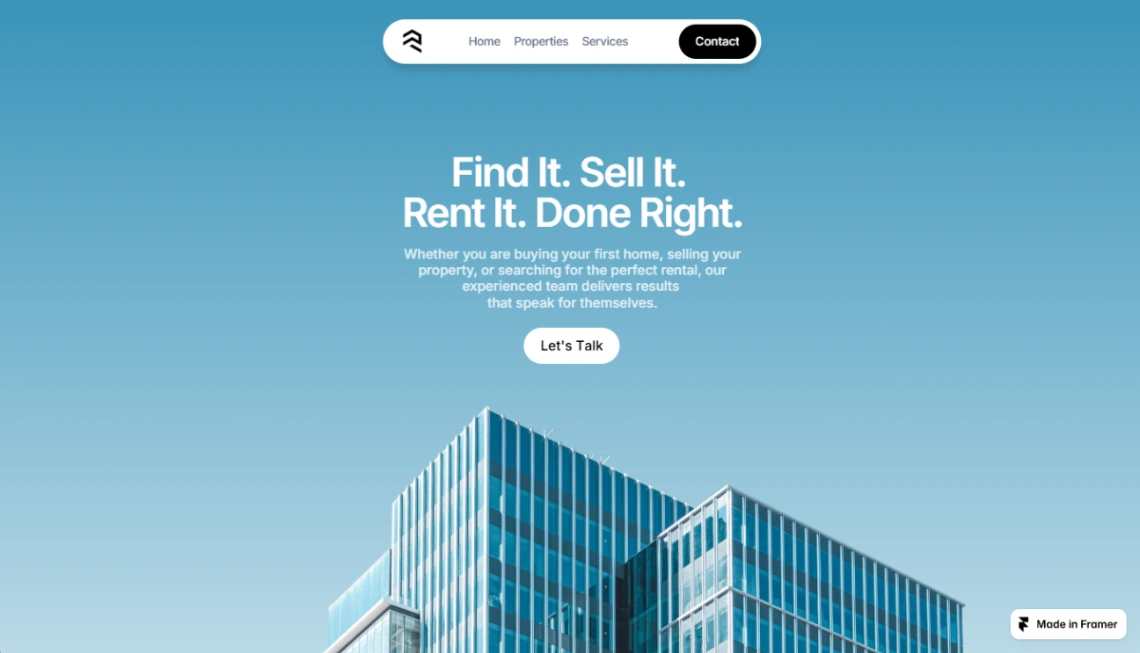
Conversion-minded boutique agency kit: listings with filters for purpose, type, location, price, and bedrooms. Detail pages with galleries, agent cards, testimonials, FAQ, contact, and about.
- Property filters and photo galleries
- Agent profiles and testimonials
- Scroll effects, forms, code components
Real Estate Agency template · Framer preview
20. Live Events
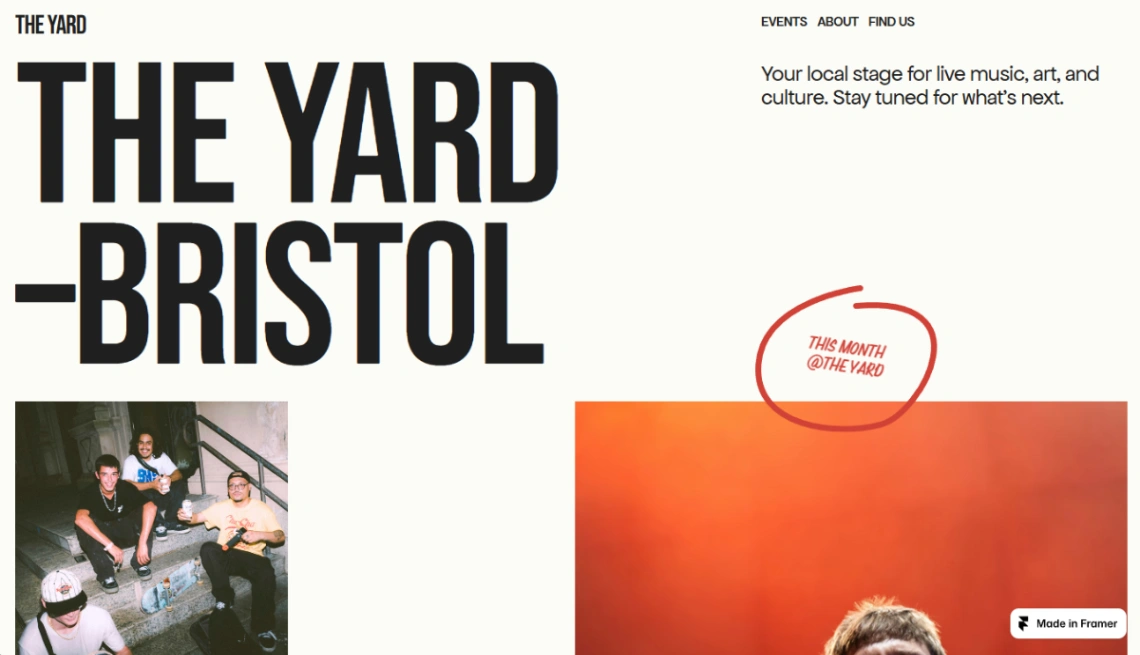
Event-management site for venues, bands, and organizers. CMS-powered events, list view, plus home, events, about, and a location finder. Use it when the calendar is the product.
- CMS events and event listing
- Location finder and event management
- Scroll effects, code components, vector sets
Live Events template · Framer preview
What Do Framer Templates Cost After the Free Download?
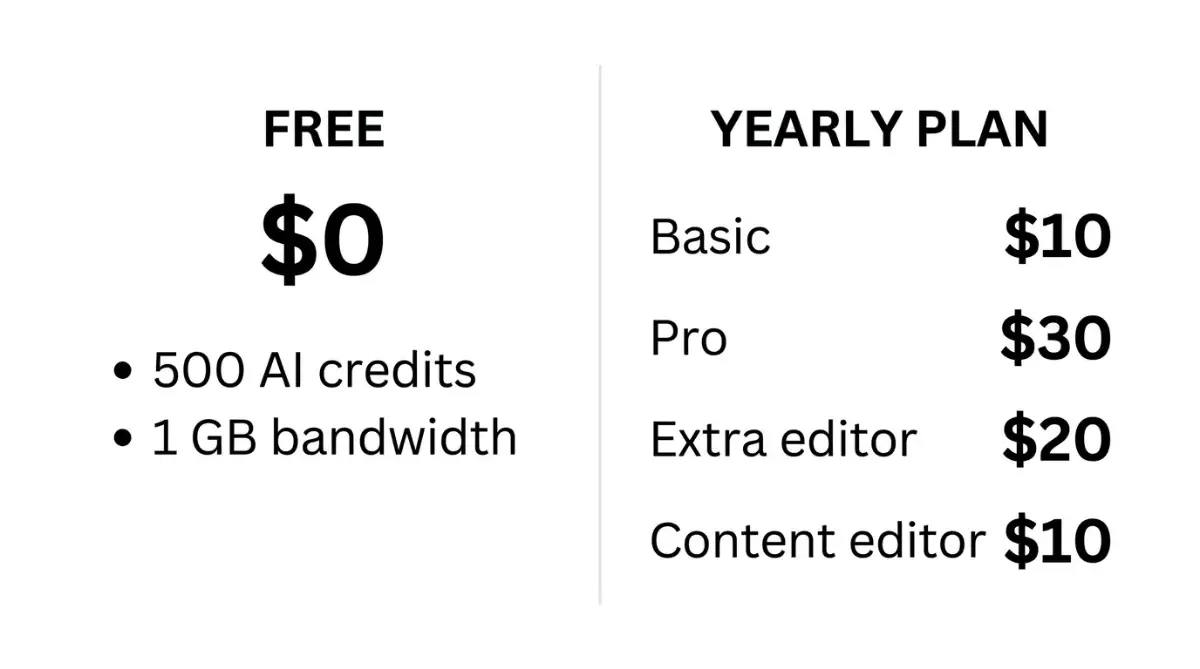
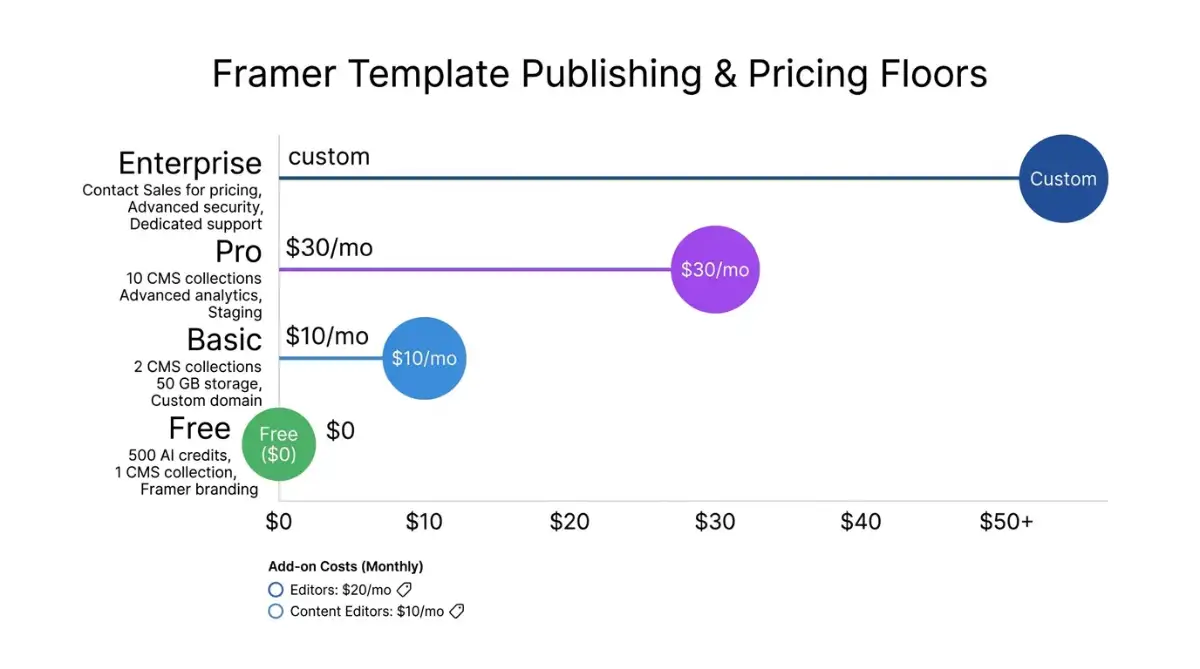
Every layout in this roundup is listed at $0. The invoice is Framer's plan, AI credits, and extra editor seats. According to the Framer pricing page, yearly Basic starts at $10 per month and Pro at $30.
Publishing starts on the official Framer site. Full current rates sit on the Framer pricing page.
According to Framer, Free includes 500 AI credits to try, a Framer domain, and 1 GB of bandwidth. Custom domains start on paid plans. Extra editors are $20 per month, and content editors are $10. Agents and localization consume those monthly credits.
The template is free, and the plan, the credits, and the extra editor seat are the real line items.
| Source | Listed publish floors | Where to check |
|---|---|---|
| Framer yearly billing | Free $0, Basic $10/mo, Pro $30/mo, Enterprise custom | framer.com · Pricing |
| Framer seats | Editors $20/mo, content editors $10/mo, viewers free | Framer pricing |
A copywriter needs a content-editor seat, because a full editor can still move the layers.
A free file can still rank if the published copy is unique, which is the actual test in whether a free website template hurts SEO.
Decision Framework
If you are a freelance UI designer or a boutique studio art director, do not star the prettiest desktop Motion demo. Run these five tests in order. Starve the remix if test one fails.
- Name the job in one sentence. Product launch, book-a-job, or show-the-work. AI Agent Company and Website Blocks are product kits. AC Service and Cleaning Services are book-a-job. Premium Agency is show-the-work.
- Name who publishes next month. If a client will edit copy, buy a content-editor seat at $10 per month per Framer pricing. A $20 editor seat can still move design layers.
- Count CMS objects. Live Events and Real Estate Agency are collection sites. Finance App is a blog. A static sushi menu can live lighter than a listing grid. Map that to Framer's collection caps (2 on Basic, 10 on Pro, per the public pricing page).
- Price credits and seats, not the template. Templates are $0. Model Basic versus Pro, $20 editor seats, and AI credits before you attach the client domain. I have watched a Motion appear-effect look expensive in the canvas and cheap once CMS items pile up.
- Load the live preview on a phone. Framer will not save a breakpoint you never opened. If scroll fights the thumb, the template failed, no matter how the iMac cut looked.
It depends, and that is the procurement. I still refuse to put an HVAC client on Website Blocks because the 3D assets photograph well.
| Situation | Start here | Skip |
|---|---|---|
| AI or SaaS launch, many sections | Website Blocks, AI Agent Company | Sushi Bar, Heavy Industry |
| Clinic or health marketing (copy only) | AI Telehealth | Treating catalog HIPAA language as a legal sign-off |
| Packaged freelance offer | Productized Agency | A 100-section SaaS kit |
| HVAC, cleaning, coaching, fleet | AC Service, Cleaning Services, Personal Coaching, Car Rental | Premium Agency 3D transforms |
| Studio portfolio, two Design Agency files | Noora for work-first, Pokota for branding CMS | Remixing both and merging by hand |
| Listings or a calendar | Real Estate Agency, Live Events | A static agency hero with no collection |
If two rows both fit, pick the one whose official Framer pricing you can explain to a client in thirty seconds. Keep the official Framer site open when you quote a plan. If the client is still choosing a canvas, read Framer vs Webflow before you attach the domain.
Start exploring more launch-ready no-code templates here!
FAQ
What is a Framer template?
A Framer template is a prebuilt website you duplicate into the Framer editor, then edit as frames, components, and CMS collections. It already includes layout, Motion, and often forms. You still need a Framer account to customize and publish, because files live on Framer's infrastructure. The 20 free files in this roundup all follow that path.
Are these files free to start?
Yes. Every layout in this roundup is free to start, including AI Agent Company and Website Blocks. Framer still charges to connect a custom domain and to raise CMS, bandwidth, and AI-credit limits, which is why the file and the live site are different prices.
How much does Framer cost to publish a site?
According to the Framer pricing page, Free is $0 with 500 AI credits to try, yearly Basic is $10 per month, and Pro is $30 per month. Extra editors are $20 per month, content editors are $10, and viewers are free.
Do I need Figma to use a Framer template?
No. You can remix a template entirely inside Framer's canvas. Figma import helps if your studio already designed screens there, and the editor UI mirrors layers and frames. Non-designers still hit the learning curve, because relative sizing and flexbox are not a locked theme grid.
Can I use a Framer template for client work?
Yes. You can customize and deploy these files for client projects. Confirm Framer's template and hosting license before you attach a client domain. Give copywriters a content-editor seat, because a full editor can still move design layers.
Start building without code
Browse thousands of no-code templates for Webflow, Framer, Bubble, Lovable, Replit and more.
Explore Templates