
Pagy
Pick a template, add your content, and publish. No code required.
Pagy is a minimalist drag-and-drop website builder designed for creators, solopreneurs, and makers who need to launch fast. Features a "Notion-like" block architecture, a revamped 12-column grid layout system, and the ability to connect custom domains for free, built to provide the ultimate balance between high-speed page creation and clean, responsive design.
Starter
Pro
8
ready to use- AI Page Generation
- No-Code Design Canvas
- Drag-and-Drop Section Editor
- Responsive Mobile Previews
- Pre-Made Content Blocks
- Global Typography Controls
- Custom Brand Color Palettes
- Lead Capture Form Builder
- Custom Form Input Fields
- Redirect After Submit Rules
- High-Speed CDN Hosting
- Custom CNAME Domain Mapping
Pagy at a glance
Overall Score
Pagy is a lightweight website and landing page builder created by an independent developer, often described as "Notion meets Carrd" for its hyper-focused, content-first approach. It's built for individuals, startups, and portfolios who want a clean, high-performance page without the learning curve or bloat of legacy platforms.
Under the hood: built on modern web stacks like React and Next.js, which shows up directly in how fast the resulting pages load and perform.
Pros
- The "click-and-write" text editor style removes the friction of managing complex box models or layout grids
- You can test and build websites instantly, with the option to start without even creating an account
- Genuinely fast, high-performance pages thanks to a modern React and Next.js foundation
- Pagy 2.0 introduced a robust free tier that supports custom domains, a real cost advantage over traditional SaaS builders
- Pre-designed blocks look clean and professional right out of the box, needing minimal tweaking to feel modern
Cons
- Fundamentally optimized for single-page sites, portfolios, and simple landing pages rather than deep, multi-layered CMS structures
- Power users or advanced designers wanting intricate, pixel-perfect animation timelines or deep custom CSS control will hit a ceiling quickly
- As a solo-founder-driven product, it lacks the massive third-party plugin marketplaces and template libraries of giants like Wix or Squarespace
Pagy does something genuinely refreshing in a category full of bloated builders: it strips things down to a text-document-like editing experience that removes the usual design anxiety entirely. For individuals, startups, and portfolio owners who just want a fast, clean, single page live without fighting a rigid canvas, that simplicity is a real win, and the generous free tier with custom domain support makes it an easy no-risk starting point.
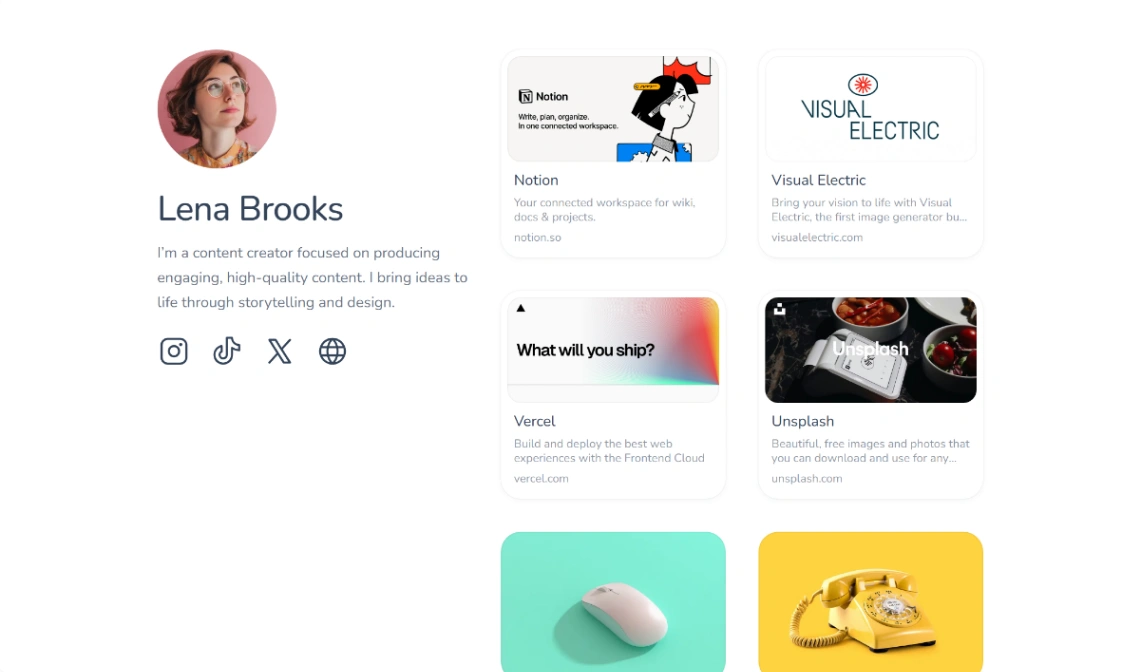
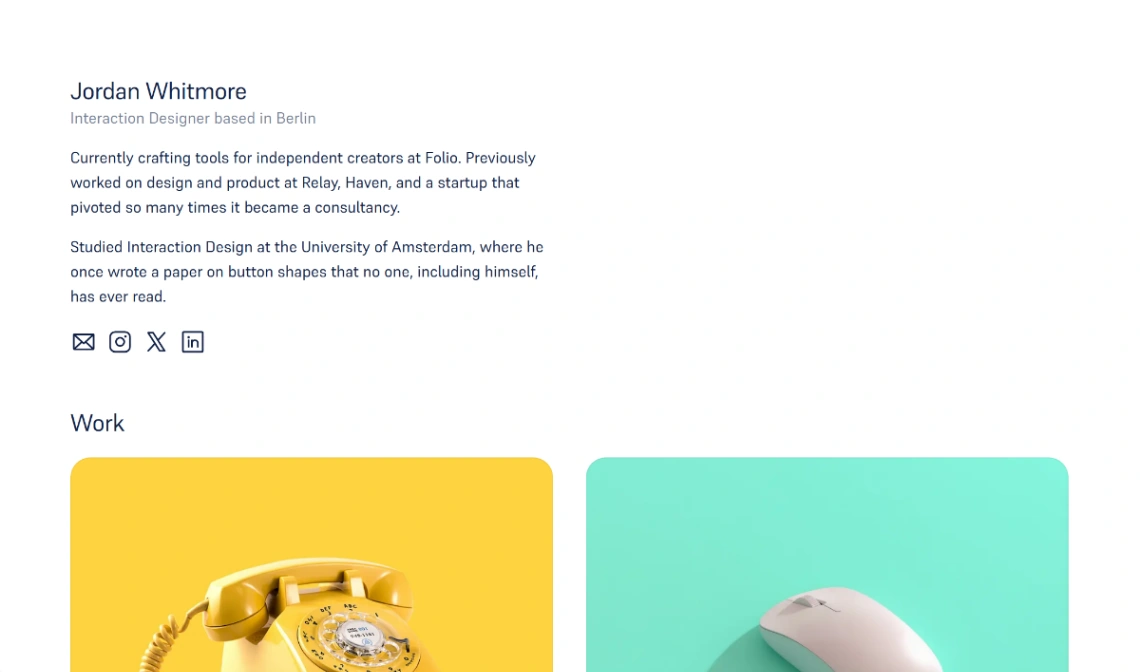
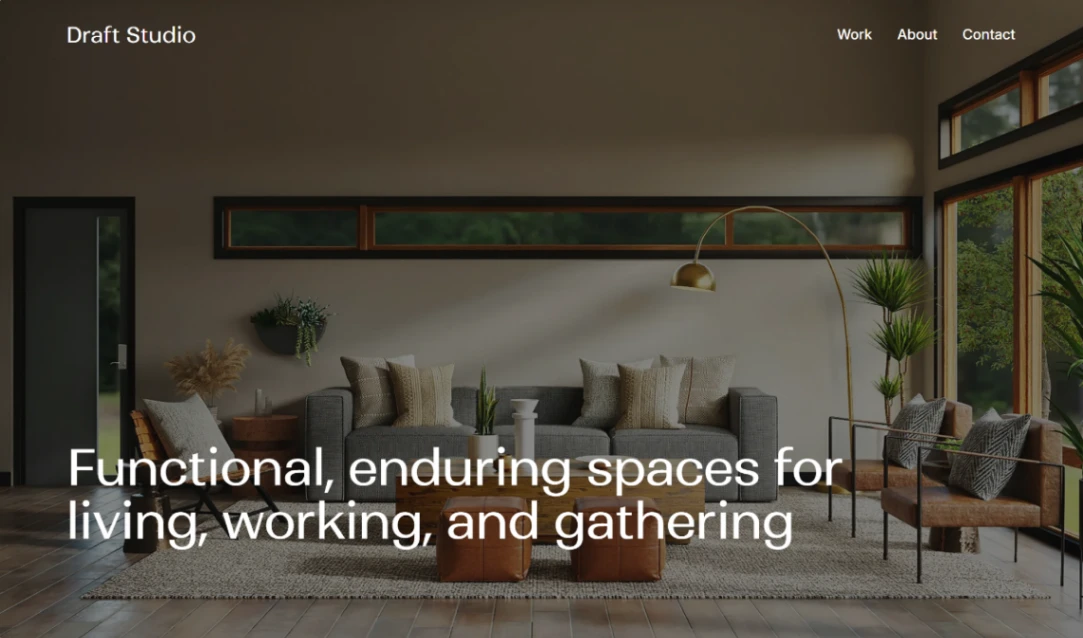
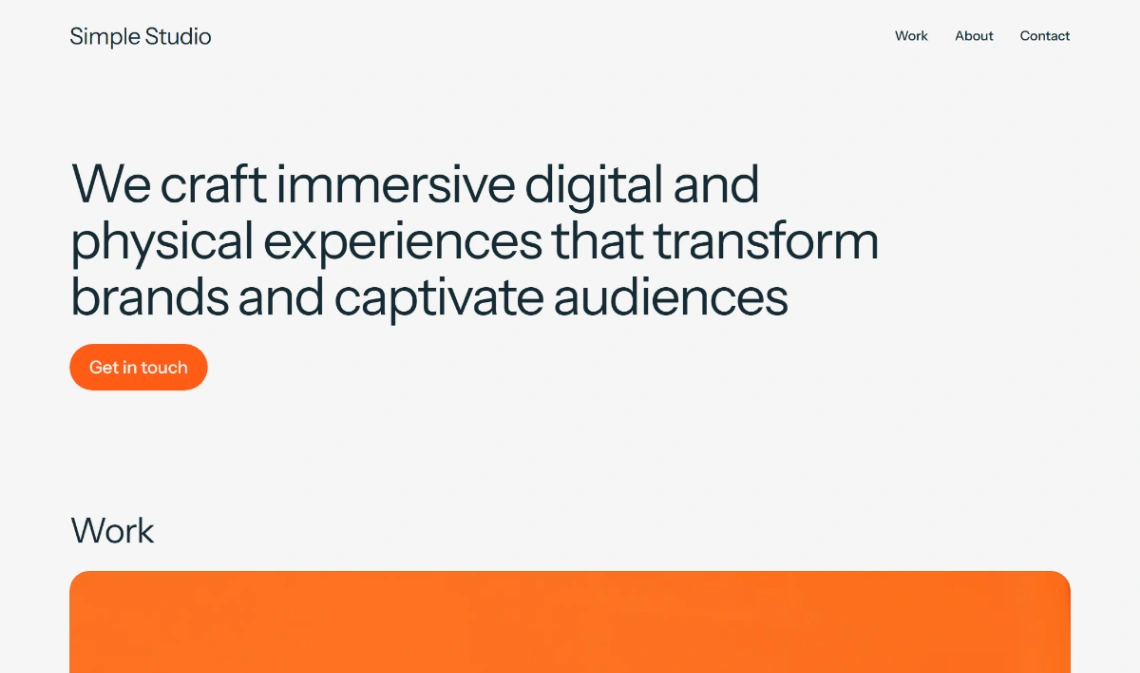
Best Templates from Pagy
Explore stunning templates built with Pagy.




Similar tools to Pagy
 CarrdWebsite Builder
Simple, free, fully responsive one-page sites for pretty much anything
 PortfolioboxWebsite Builder
The portfolio website builder your work deserves
 VersolyWebsite Builder
Finally, a flexible no-code website builder that is easy to use.
 ReadymagWebsite Builder
Design and launch outstanding websites