Why Spaghetti Code Killed the First WYSIWYG No Code Tools
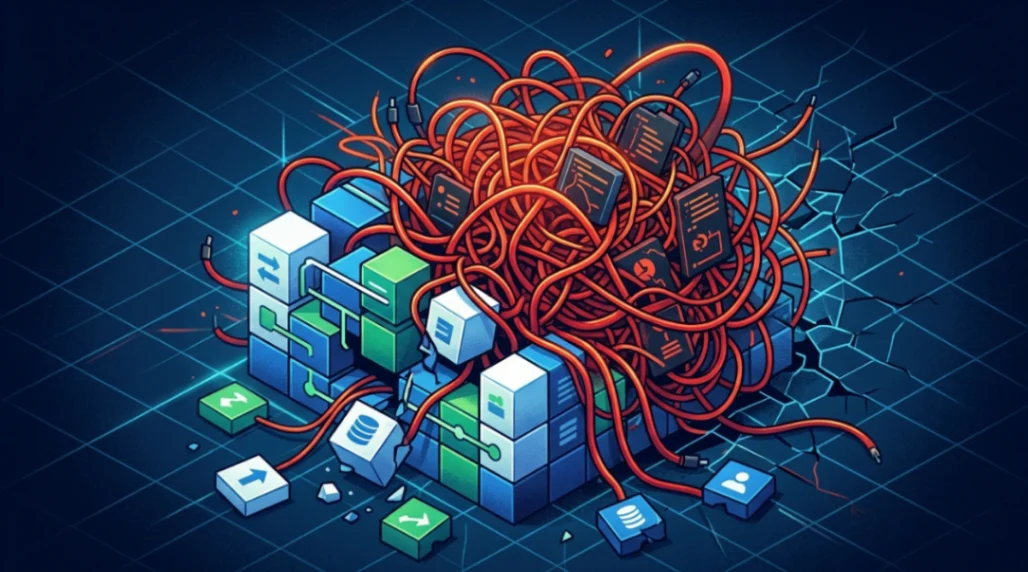
The first wave of WYSIWYG no code tools collapsed because they automatically generated tangled, non-semantic HTML known as "spaghetti code." Nested tables, redundant font tags, and proprietary extensions made sites nearly impossible to maintain, debug, or keep accessible. This structural failure forced the web industry to adopt proper standards, paving the way for modern no-code tools.
Table of Contents
- Introduction: The Promise That Broke the Web
- What Were the First No Code Tools?
- How Spaghetti Code Actually Worked (and Why It Failed)
- The Web Standards Revolt That Changed Everything
- Accessibility Lawsuits Delivered the Final Blow
- What This Means for Modern No Code Tools in 2026
- Key Takeaways
- FAQ
Introduction: The Promise That Broke the Web
If you've ever opened a beautifully built website and thought "I could never make that," you'd probably have loved the 1990s pitch: just point, click, and publish. No code required.
That was the promise of the first wave of WYSIWYG (What You See Is What You Get) no code tools. And for a while, it was exciting.
But here's the thing. Those early tools were quietly generating a disaster behind the scenes. The code they wrote looked like someone had dumped a bowl of spaghetti onto your server. And eventually, that mess brought the whole first generation of no code tools crashing down.
Let's dig into exactly what went wrong and, more importantly, what today's no-code builders learned from it.
What Were the First No Code Tools?
The mid-1990s saw a genuine rush to democratise web publishing. Non-technical users needed a way to build pages without learning HTML, and several tools jumped at the opportunity.
Here's a quick look at the major players:
| Tool | Debut | Developer | Market Position |
|---|---|---|---|
| WebMagic | 1994 | Silicon Graphics | Niche/Workstation |
| Adobe PageMill | 1995 | Adobe Systems | Entry-level Mac designers |
| Microsoft FrontPage | 1995 | Vermeer / Microsoft | Dominant market leader |
| Netscape Composer | 1997 | Netscape | Mainstream hobbyist |
| Dreamweaver | 1997 | Macromedia | Professional standard |
Microsoft acquired Vermeer Technologies for $133 million in 1996, turning FrontPage into the dominant force in the market. The goal was smart: make building a website as easy as typing a Word document.
The problem? HTML isn't a Word document.
You can read more about how this era shaped the early web over at the no-code before Wix story, and it's honestly a wild ride.
How Spaghetti Code Actually Worked (and Why It Failed)
Here's where it gets technical, but stay with me because this part matters a lot.
These early no code tools treated HTML like a series of visual instructions rather than a structured document. Think of it like building a skyscraper using only duct tape. It holds up for a while, but not for long.
The Nested Table Nightmare
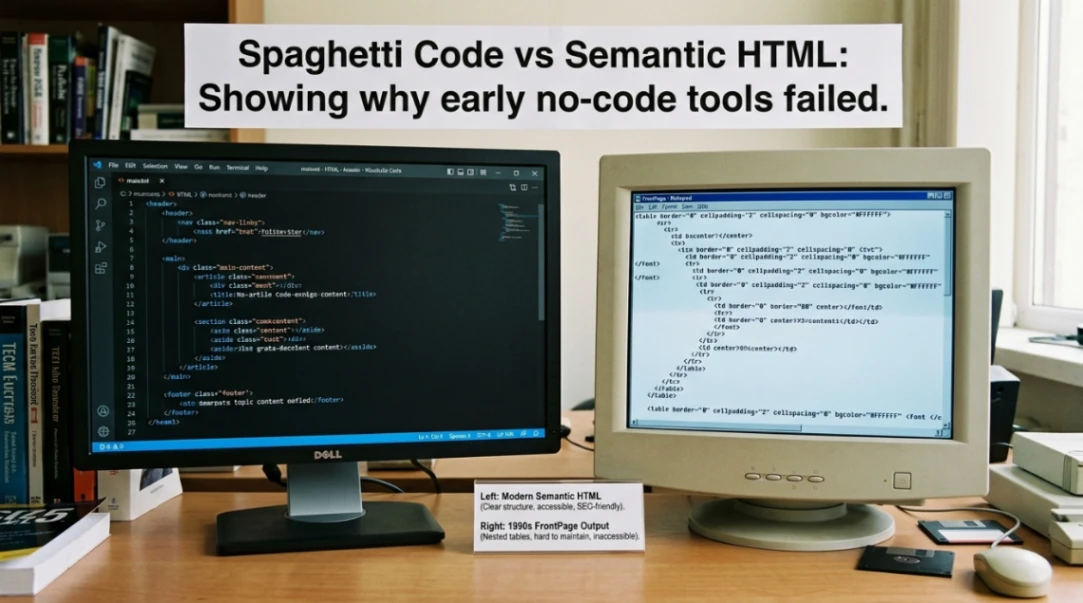
Before CSS existed, layout was achieved using the <table> tag, which was actually designed for displaying data (like spreadsheets). These tools used it for everything: columns, headers, navigation bars, even spacing.
A typical FrontPage-generated page could have tables nested five or six levels deep. One missing </td> tag and the entire page layout would collapse in certain browsers.
This made the table layout era genuinely catastrophic for the web.
Presentational Bloat and Font Tag Abuse
Beyond tables, tools like Adobe PageMill wrapped almost every line of text in redundant <font> tags specifying face, size, and color seperately. The result? Bloated, fragile code that was nearly impossible to update consistently across a site.
PageMill was specifically called out for "markup incompetence" where the source mode would destroy custom line-wraps and misinterpret code it didn't understand.
Proprietary Lock-In
FrontPage used something called "Webbots" for features like search boxes and hit counters. Sounds handy, right? Except these bots only worked on servers running Microsoft's proprietary server extensions. Change your hosting, lose your features.
It was a deliberate strategy during the browser wars, and it tied users to a single ecosystem with no clean way out.
The Web Standards Revolt That Changed Everything
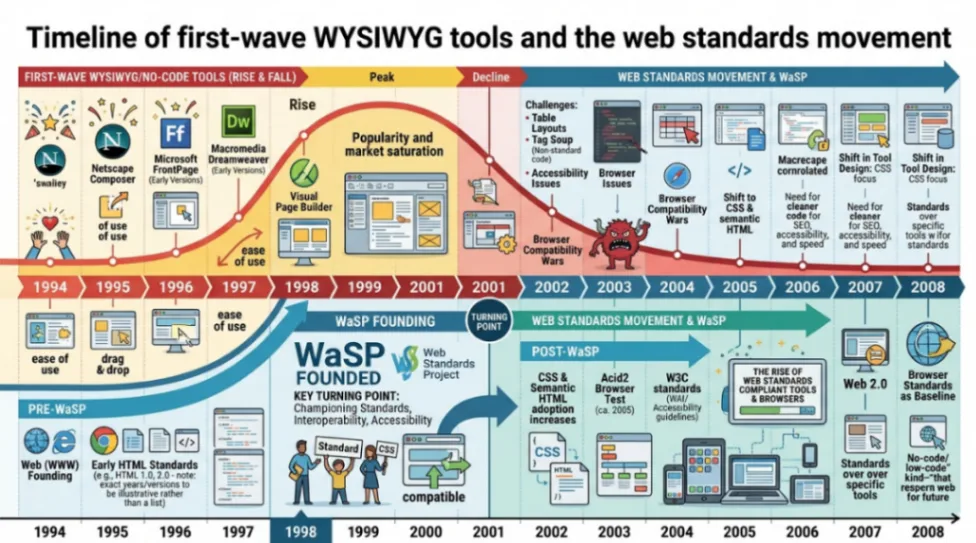
Developers were furious. And in August 1998, three of them did something about it.
George Olsen, Glenn Davis, and Jeffrey Zeldman founded the Web Standards Project (WaSP), a grassroots movement with one clear mission: end the fragmentation caused by browser wars and force tools to support proper W3C standards.
WaSP argued that web development costs were skyrocketing because teams had to build multiple versions of every site just to handle incompatible browsers. They formed specific task forces to tackle individual tools head-on:
- The Dreamweaver Task Force (2001-2008): Partnered with Macromedia to ensure Dreamweaver produced valid markup out of the box.
- The Microsoft Task Force (2005-2009): Worked with the Internet Explorer team to improve standards support.
- The CSS Samurai: Identified the top problems with CSS support in various browsers, leading to critical fixes.
The Dreamweaver vs FrontPage battle during this period was basically the first real no-code war, and Dreamweaver won precisely because it started taking standards seriously. FrontPage got phased out. Adobe GoLive followed shortly after.
Accessibility Lawsuits Delivered the Final Blow
If developer frustration didn't kill spaghetti code, the lawyers finished the job.
In February 2006, the National Federation of the Blind (NFB) sued Target Corporation, alleging its website was inaccessible to blind users and violated the Americans with Disabilities Act. Target's site had 751 validator errors at the time, many of them rooted in table-based layouts and missing alt text for images.
This wasn't just a "picky developer" complaint anymore. It was a legal liability.
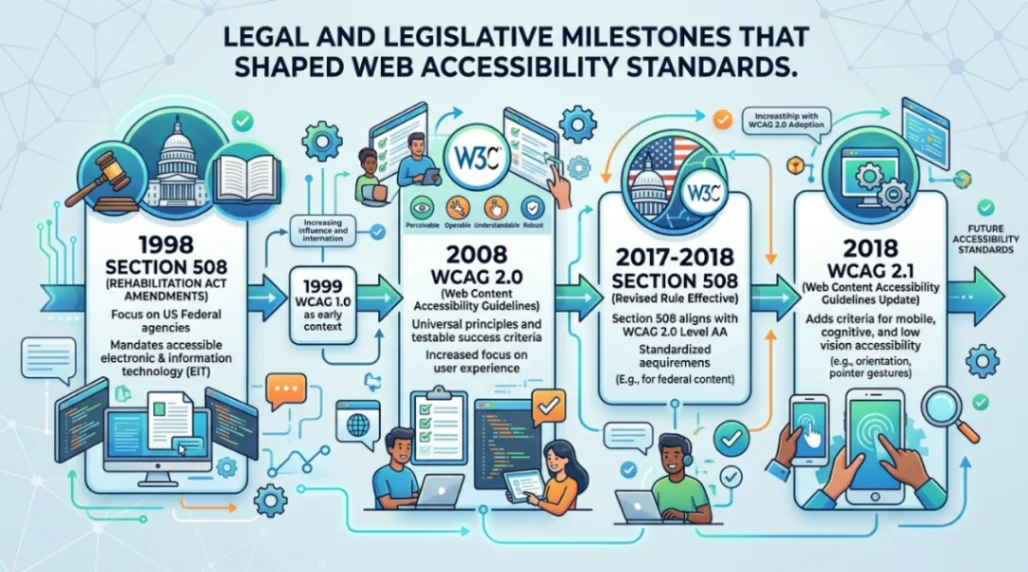
| Year | Milestone | Impact |
|---|---|---|
| 1998 | Section 508 Rehabilitation Act | Mandated accessibility for federal agencies |
| 1999 | W3C WCAG 1.0 Released | First technical roadmap for accessible HTML |
| 2006 | Target v. NFB Lawsuit | Established private e-commerce must be accessible |
| 2008 | WCAG 2.0 Finalized | Defined perceivable, operable, understandable, robust |
The Target case proved that spaghetti code wasn't just ugly. It was locking out millions of potential customers. That reality forced a hard pivot toward clean, semantic, standards-compliant development across the industry.
What This Means for Modern No Code Tools in 2026
Here's where it gets really interesting. And maybe a little uncomfortable.
By 2026, AI-driven development has introduced something eerily familiar. A trend called "Vibe Coding" has emerged, where natural language prompts generate working logic in real time. It sounds amazing. But the data is sobering:
- 60% of all new code written in 2026 is AI-generated
- 45% of AI-generated code contains security vulnerabilities
- Teams using AI agents report a 7.2% decrease in delivery stability
- Code churn is 41% higher due to refactoring AI output
Sound familier? It should. AI-generated code today is being criticised for the same reasons FrontPage was criticised in 1997: it creates "leaky abstractions" where the person deploying the code doesn't fully understand what's been built underneath.
The lesson the first wave of no code tools taught us is still the most important one. Automation without understanding just delays the collapse.
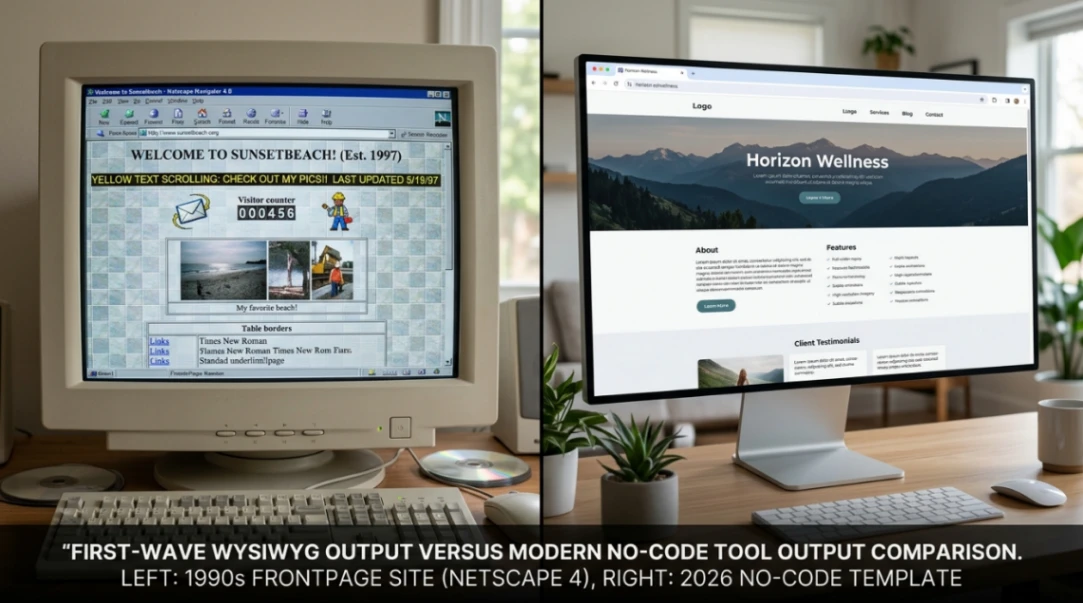
The good news? Modern no code tools built on clean component systems, semantic structures, and accessibility-first principles have learned from those early mistakes. Start exploring launch-ready no-code templates here!
They're not generating spaghetti. They're generating structured, scalable, accessible foundations, and that's a fundamentally different thing.
Key Takeaways
The story of spaghetti code and the first wave of no code tools is really a story about what happens when you prioritise visual output over structural integrity.
Here are the three things I want you to walk away with:
-
The tools weren't bad ideas. The implementation was. Making web publishing accessible to non-developers is still the right goal. But abstracting away HTML without generating clean code created a technical debt that the entire industry had to pay off.
-
Standards saved the web. The WaSP movement and the legal push around accessibility forced a reset that ultimately made the modern web better for everyone, including the no-code tools that exist today.
-
We're in a similar moment right now. AI is doing for code in 2026 what FrontPage did for HTML in 1997. The tools that survive this wave will be the ones that maintain structural quality underneath the automation.
The web has always been at its best when the tools respect both the user and the underlying architecture. The next generation of no code tools gets that. And if you're building with them, so do you.
Start exploring launch-ready no-code templates here!
FAQ
What is spaghetti code in web development? Spaghetti code refers to tangled, redundant, non-semantic HTML generated by early WYSIWYG tools. It typically involved deeply nested tables, redundant font tags, and proprietary extensions that made pages nearly impossible to maintain.
Why did Microsoft FrontPage fail? FrontPage failed because it generated poor-quality HTML, relied on proprietary server extensions that locked users into Microsoft hosting, and couldn't adapt to web standards as the industry matured around 2003-2005.
What were the first no code tools for websites? The first no code web tools included WebMagic (1994), Adobe PageMill (1995), Microsoft FrontPage (1995), Netscape Composer (1997), and Macromedia Dreamweaver (1997). Each took a different approach to visual web authoring.
How did web accessibility law impact early web tools? The 2006 Target v. NFB lawsuit proved that inaccessible, table-based spaghetti code violated the ADA. This forced the industry to adopt clean, semantic HTML and proper accessibility standards across all web authoring tools.
Are modern no code tools better than the original WYSIWYG editors? Yes. Modern no-code tools generate clean, component-based, semantically structured output that is responsive, accessible, and standards-compliant, which is fundamentally different from the spaghetti code produced by first-wave WYSIWYG editors.
Start building without code
Browse thousands of no-code templates for Webflow, Framer, Bubble, Lovable, Replit and more.
Explore Templates