Dreamweaver vs. FrontPage: The First No-Code War
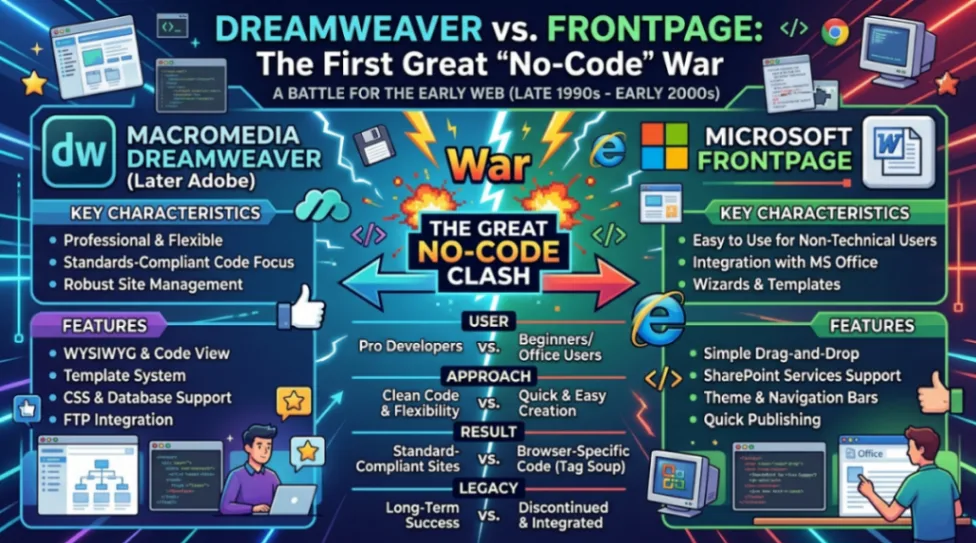
FrontPage and Dreamweaver were the two dominant visual page builder tools of the late 1990s and early 2000s. FrontPage targeted beginners and corporate users with a Word-like interface, while Dreamweaver served professional designers who needed clean code and full creative control. Dreamweaver won the market, capturing an estimated 66% of professional web design by 1999.
Table of Contents
- What Were FrontPage and Dreamweaver?
- FrontPage: The Corporate Page Builder
- Dreamweaver: The Pro's Page Builder
- The Clean Code Debate
- What Modern Page Builder Tools Inherited From This War
- Conclusion
- FAQ
What Were FrontPage and Dreamweaver?
Before Webflow, before Wix, before every sleek drag-and-drop page builder you use today, there were two giants fighting over the soul of the early web. Their names were Microsoft FrontPage and Macromedia Dreamweaver, and their rivalry in the late 1990s basically wrote the rulebook for everything that came after.
I find it genuinely fascinating that the same tensions we see in no-code tools today, like ease-of-use vs. code quality, proprietary lock-in vs. open standards, and beginners vs. pros, were all playing out 30 years ago in these two little desktop apps.
By 1995, businesses were rushing online but "webmasters" were rare and expensive. The web needed tools that could scale production fast. That's when FrontPage and Dreamweaver stepped in, each with a completely different idea of what a page builder should be.
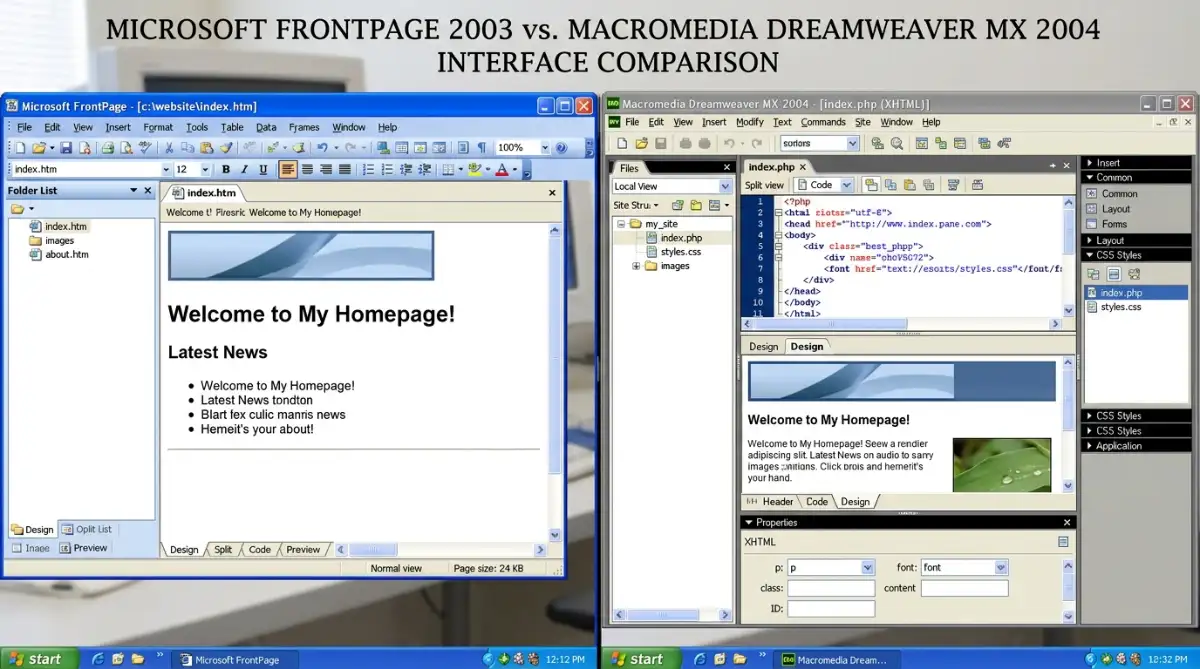
FrontPage: The Corporate Page Builder
Microsoft didn't actually build FrontPage from scratch. In January 1996, they aquired Vermeer Technologies, the original creators of FrontPage 1.0, for approximately $130 million. The goal? Dominate both the tools used to build the web and the browser used to view it.
The strategy was brilliant in its simplicity. If you already knew how to use Microsoft Word, you already knew how to use FrontPage. That familiar feel drove rapid adoption in corporate environments where an admin assistant managing Word docs could now manage a corporate website with almost zero extra training.
What Made FrontPage Click for Beginners
FrontPage introduced some genuinely useful features for its time:
- Visual site mapping: it showed your whole website like a folder structure on your hard drive.
- Automatic hyperlink recalculation: it could scan your entire site and fix broken links when you moved or renamed a page.
- Ready-made web components: hit counters, search bars, photo galleries, all insertable in a few clicks.
Here's a quick look at how FrontPage evolved over the years:
| Version | Year | Key Shift |
|---|---|---|
| Vermeer FrontPage 1.0 | 1995 | First visual HTML editor for the masses |
| FrontPage 97 | 1997 | Integrated into Office 97; corporate staple |
| FrontPage 2000 | 1999 | Merged Editor and Explorer into one app |
| FrontPage 2003 | 2003 | Final version; added Split View and IntelliSense |
But FrontPage had a dark side. Its most advanced features ran on proprietary FrontPage Server Extensions (FPSE), essentially Microsoft-only plugins that had to be installed on the web server. This created serious vendor lock-in, and FPSE had a history of nasty security vulnerabilities. One famous exploit, CVE-2000-0114, let remote attackers extract usernames via a simple HTTP request. As InMotion Hosting documents, by 2014 most hosting providers had disabled FPSE entirely, effectively bricking millions of legacy FrontPage sites overnight.
You can read more about FrontPage's legacy in our deep-dive: Microsoft FrontPage: The Web Builder That Built a Generation.
Dreamweaver: The Pro's Page Builder
If FrontPage was the sensible family sedan, Dreamweaver was the sports car the designers actually wanted to drive.
Launched in December 1997 by Macromedia, Dreamweaver was built around a document called "19 Dreams," written by Kevin Lynch after interviewing dozens of professional designers. Those designers had one consistent complaint: existing WYSIWYG tools kept mangling their hand-written code. If you want the full origin story, The History of the Web has a great breakdown of how Dreamweaver got its name.
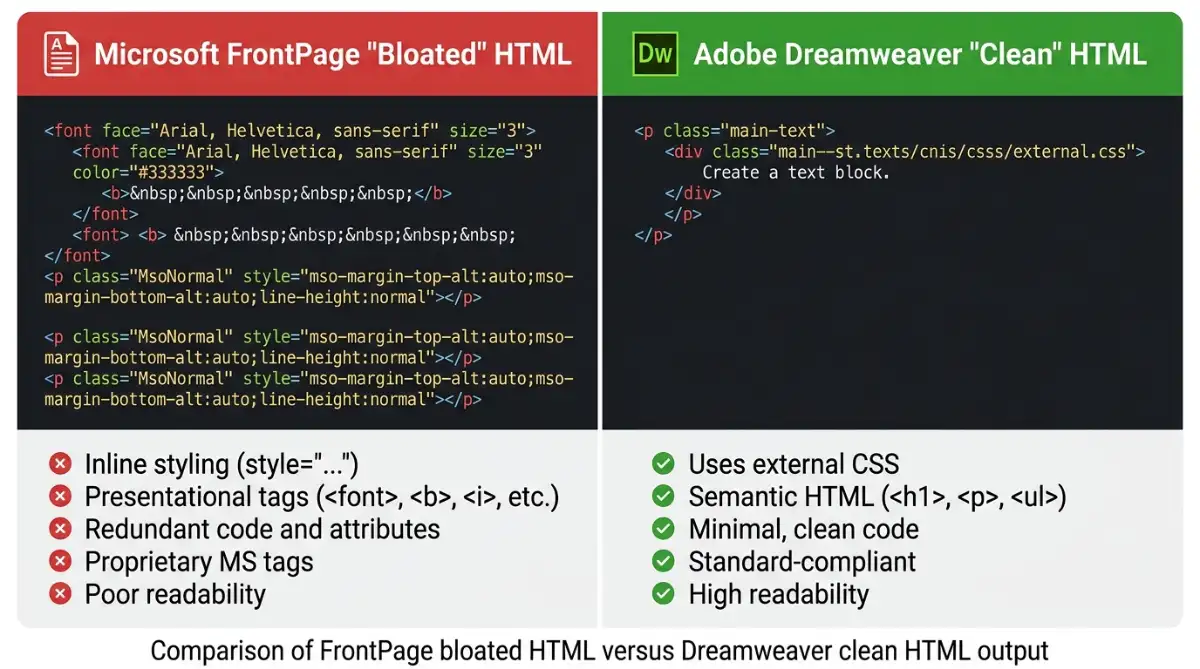
Dreamweaver's answer was "Roundtrip HTML," a feature that guaranteed any code you wrote by hand would stay exactly as you wrote it. The visual editor wouldn't reformat it, strip it, or replace it with bloated nonsense. That single innovation made Dreamweaver the gateway drug for a whole generation of devs who wanted visual workflows without giving up code control.
The Macromedia Exchange: A Marketplace Before Marketplaces Were Cool
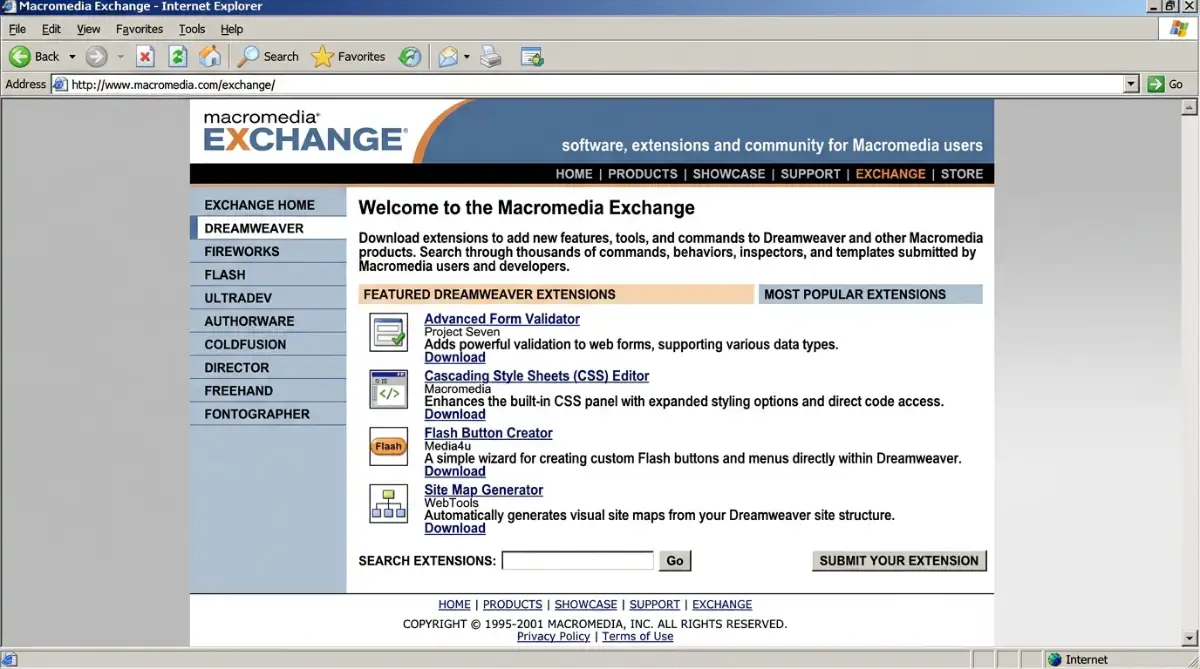
In April 2000, Macromedia launched the Macromedia Exchange, a community marketplace for JavaScript-based extensions. Developers could build and share new functionalities that weren't in the core product. When an extension got popular, the Dreamweaver team would often bake it directly into the next version.
This community-first approach let Dreamweaver adapt to PHP, ColdFusion, early CSS, and MySQL connections way faster than Microsoft could ship updates to FrontPage. By October 1999, Dreamweaver had captured an estimated 66% of the professional web design market.
| Feature | Dreamweaver | FrontPage |
|---|---|---|
| Target Audience | Professional designers, devs | Novices, Office users |
| Code Preservation | Roundtrip HTML (hands off) | Rewrites to "Microsoft code" |
| Extensibility | Open JavaScript extensions | Pre-packaged components |
| Server Support | FTP, PHP, ColdFusion, SSI | Proprietary FPSE only |
| Price (2003/04) | $399 full / $199 upgrade | $199 full / $109 upgrade |
The Clean Code Debate
This is where things get really interesting, and honestly kind of relateable if you've ever fought with AI-generated code in 2025.
FrontPage was infamous for producing what developers of the era bluntly called "tag soup." If a user pressed the spacebar to align an image, FrontPage would dutifully insert a wall of characters into the source. Opening the code view of a FrontPage site was like opening a bag of spaghetti and finding it had somehow already been tangled before you started. TechRepublic's head-to-head comparison from the era captures just how stark that difference was between the two tools.
Worse, FrontPage was optimized for Internet Explorer only. Because Microsoft owned both the authoring tool and the browser, FrontPage-generated pages looked perfect in IE but often broke completely in Netscape or Opera. Some historians argue this wasn't a bug at all. It was a deliberate lock-in strategy.
Dreamweaver took the opposite stance. It embraced CSS before most of the web did, and by Dreamweaver MX 2004, it included a "Check Browser Support" tool that let designers test their work against Safari, Mozilla, and Opera. That forward-thinking approach made Dreamweaver the standard in universities and design schools throuhgout the early 2000s.
What Modern Page Builder Tools Inherited From This War
The no-code tools you're using right now? They're all children of this war.
In December 2006, Microsoft discontinued FrontPage and replaced it with two new products: Microsoft Expression Web for professionals and SharePoint Designer for enterprise users. Neither really captured the magic of either FrontPage or Dreamweaver.
Then in April 2005, Adobe acquired Macromedia for $3.4 billion, folding Dreamweaver into its creative suite. Adobe already had its own web editor called GoLive, but Dreamweaver was simply better. Adobe sunsetted GoLive and put all its chips on Dreamweaver, a pattern you might recognise from Adobe's later attempt to acquire Figma.
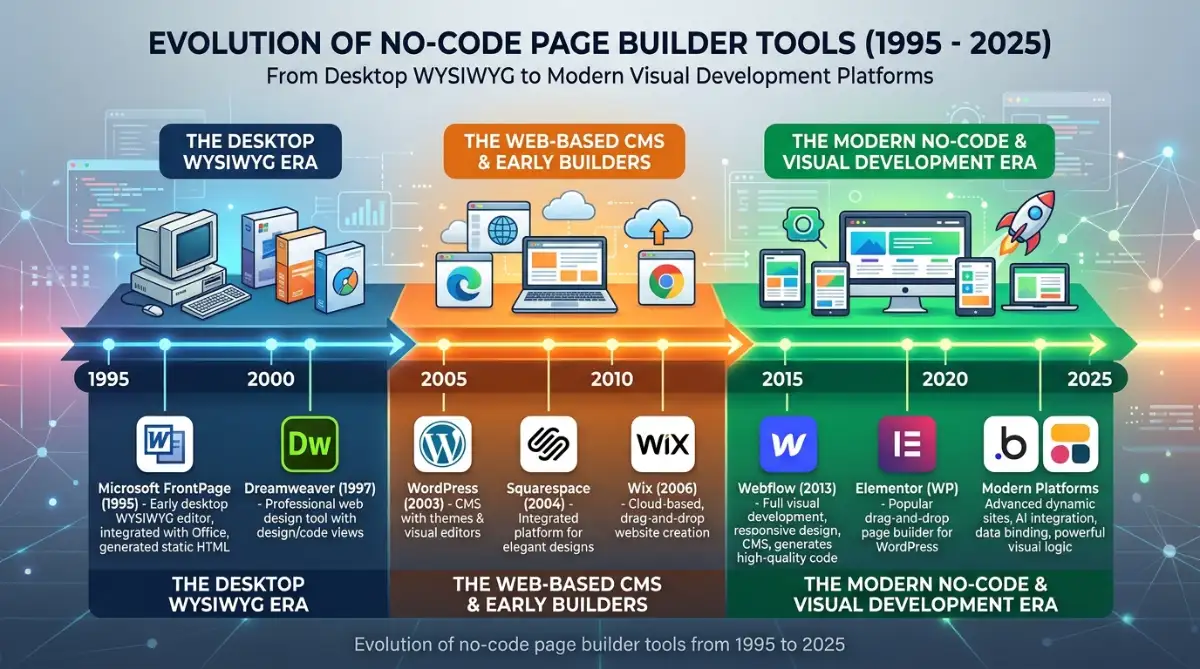
Today's no-code landscape maps almost perfectly onto that old split:
- Webflow follows the Dreamweaver playbook: high creative control, standards-first, built for pros.
- Wix and Squarespace follow the FrontPage model: ease-of-use front and center, beginners welcome.
- Shopify is the corporate starter kit FrontPage always wanted to be for e-commerce.
And here's the kicker: AI-assisted page builder tools are currently speed-running 30 years of website builder evolution in just 3 years. AI-generated code is frequently described as "almost right, but not quite," requiring the same kind of cleanup that professional designers had to do on FrontPage's output in 1999. We've genuinely come full circle.
Conclusion
Three key things to take away from this wild piece of web history:
-
Lock-in always loses. FrontPage's Server Extensions were incredibly convenient right up until they weren't. Any page builder or platform that buries you in proprietary dependencies is setting you up for the same fate.
-
The best tools enhance the professional, not replace them. Dreamweaver won because it respected its users' intelligence. It gave designers visual speed without hiding the code underneath. That balance is still the gold standard today.
-
History rhymes. The "bloat problem" of FrontPage, the "standards problem" of IE-only design, the tension between accessibility and code quality: these are all active debates in the AI page builder tools of 2025.
The tools change. The underlying tensions don't.
If you want to go deeper on FrontPage's specific legacy, check out our full breakdown: Microsoft FrontPage: The Web Builder That Built a Generation. And for a broader look at the best no-code tools available right now, Budibase's 2025 roundup is a solid starting point.
The next no-code war is already being fought in AI. The question is: which side are you building on?
Start exploring the best no-code templates here
FAQ
What was the main difference between FrontPage and Dreamweaver? FrontPage targeted beginners using a Word-like interface with pre-built components. Dreamweaver was built for professional designers who needed clean, standards-compliant code and full creative control over their projects.
Why did Microsoft FrontPage fail? FrontPage relied on proprietary server extensions that created security vulnerabilities and vendor lock-in. As web standards evolved, its bloated code output and IE-only compatibility became liabilities that couldn't be patched.
When did Dreamweaver capture most of the pro market? By October 1999, Dreamweaver had captured an estimated 66% of the professional web design market, largely due to its Roundtrip HTML feature and the Macromedia Exchange extension marketplace.
Who owns Dreamweaver now? Adobe acquired Macromedia for $3.4 billion in April 2005 and has maintained Dreamweaver ever since, though its relevance has faded with the rise of modern no-code and component-based development tools.
What replaced FrontPage and Dreamweaver in today's no-code world? Tools like Webflow (for professionals), Wix and Squarespace (for beginners), and Shopify (for e-commerce) mirror the same FrontPage/Dreamweaver split, catering to different skill levels and use cases in the modern page builder landscape.
Start building without code
Browse thousands of no-code templates for Webflow, Framer, Bubble, Lovable, Replit and more.
Explore Templates