Squarespace and No Code Design: How One Platform Changed the Web
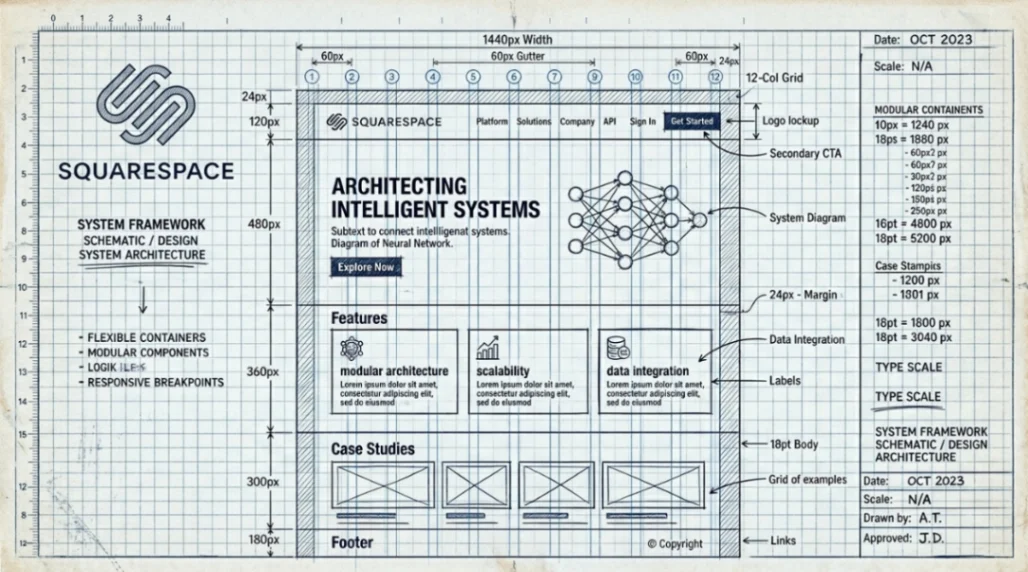
Squarespace democratized no code design by embedding professional design systems into a consumer SaaS platform. Since 2003, it has evolved from a blogging tool into a full Design Intelligence suite, letting non-technical users build agency-quality websites without writing a single line of code.
Table of Contents
- Why No Code Design Needed a Standard-Setter
- Templates, Constraints, and the Beauty of Guardrails
- Fluid Engine: When No Code Design Got a Real Grid
- Blueprint AI and the Design Intelligence Era
- Squarespace vs. Wix vs. Webflow: Which No Code Design Tool Fits You?
- Deal-Breaker Questions Answered
- Key Takeaways
- FAQ
Why No Code Design Needed a Standard-Setter
Back in 2003, building a website that didn't look like it was stitched together from clip art required either a developer or serious patience. Tools like GeoCities gave you a box to fill; they gave you zero design vocabulary to fill it with. (If you want the full origin story of that era, our deep dive on the GeoCities and Angelfire years is worth a read.)
Anthony Casalena founded Squarespace that same year, frustrated by exactly this gap. His goal wasn't to build another hosting service. It was to unify coding, hosting, and layout into a single product that applied real design thinking from day one. By the time he graduated from the University of Maryland in 2005, the platform was already generating $1 million in annual revenue, proof that a large market was waiting for "design-as-a-service." Square Your Rank's timeline of Squarespace's evolution documents this arc in detail, from dorm room to design powerhouse.
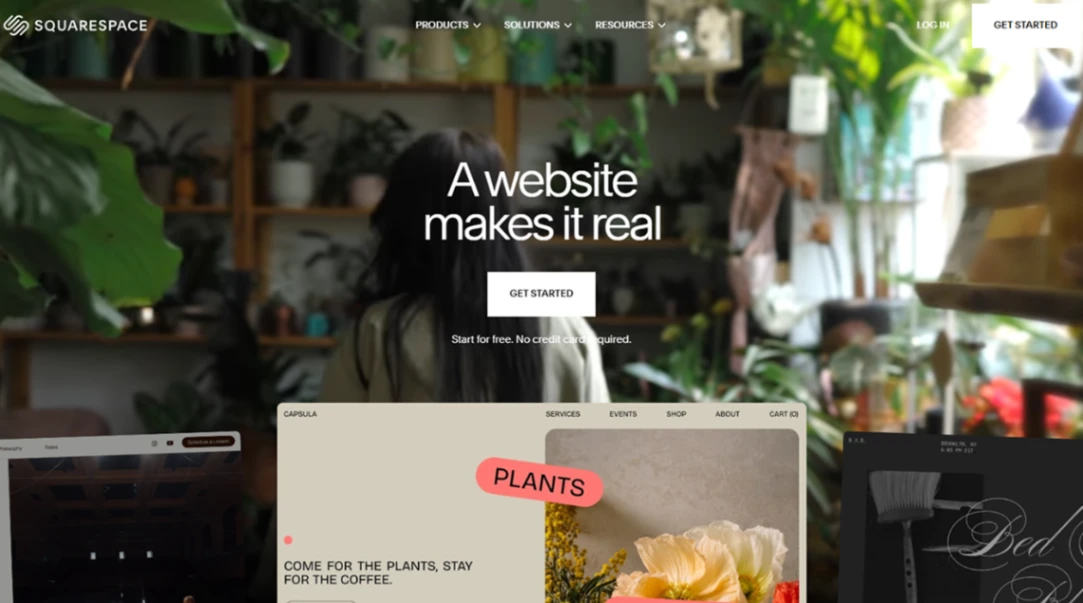
That founding instinct that design is not a luxury became the platform's north star. And in 2026, it still is.
Templates, Constraints, and the Beauty of Guardrails
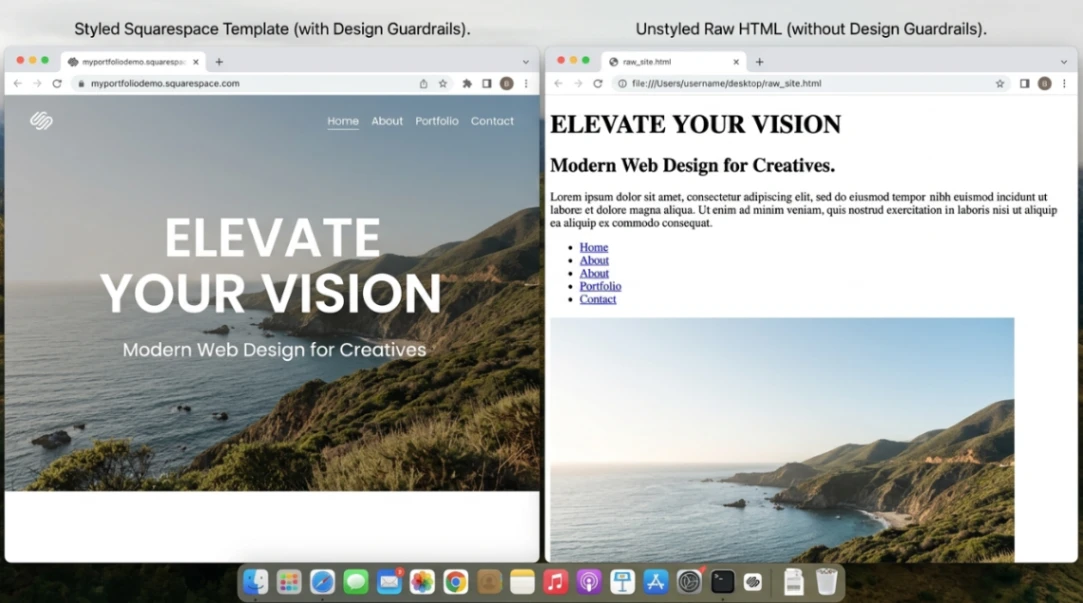
No code design works best when the platform makes bad choices hard. Squarespace's template system was engineered to do exactly that, enforcing typography scales, padding rules, and color logic so users couldn't accidentally break the visual harmony.
Throughout the 2010s, template families like "Brine" and "Bedford" weren't just starting points. They were self-contained design systems with tightly controlled variables. You could tweak them, but only within a range that kept the result looking professional. Compared to early WordPress installs, where a plugin conflict could scatter your layout across the screen, this felt like having a designer quietly correcting your work in real time. (Curious how WordPress changed the CMS landscape in parallel? This piece covers it well.)
The tradeoff was a ceiling on creative freedom. Professional designers frequently hit the limits of the Classic Editor, which relied on Spacer Blocks to manage layouts and forced anyone wanting true flexibility into custom CSS. The "guardrails" that protected beginners sometimes frustrated experts. Xando Digital's breakdown of the Fluid Engine era captures exactly where the Classic Editor ended and the new architecture began.
That tension set the stage for the platform's biggest technical leap.
Fluid Engine: When No Code Design Got a Real Grid
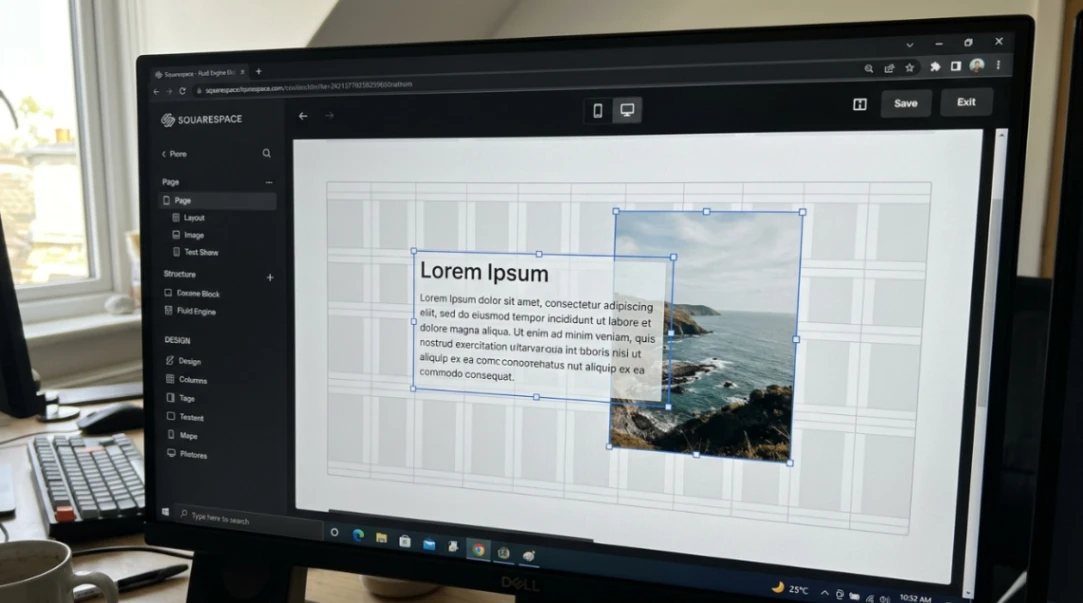
Fluid Engine, launched in July 2022, replaced vertical block-stacking with a true two-dimensional drag-and-drop grid. For the first time, Squarespace users could layer elements, create overlapping designs, and position blocks with pixel-level precision — no code required. Squarespace's official Fluid Engine announcement describes it as the platform's most significant design shift since its founding.
The shift was more significant than it sounds. The Classic Editor treated your page like a stack of paragraphs. Fluid Engine treats it like a canvas, where every block snaps to a smart grid and you control both the desktop and mobile views independently. That mobile separation matters because, as the research notes, over half of all web traffic now comes from mobile devices.
Under the hood, this required Squarespace to retire its decade-old Yahoo! User Interface framework and rebuild the editing layer in React and ES2020+ standards, underpinned by an internal design system called Rosetta. The Squarespace Engineering Blog documents this culture of treating code as a design artifact, including the incremental rollout strategy that protected existing sites during the Fluid Engine transition. For users, that engineering work is invisible. What they see is a grid they can actually use.
| Editor Type | Layout Logic | Mobile Responsiveness | Customization Level |
|---|---|---|---|
| Classic Editor | Vertical block stacking | Automatic reflow | Limited by template |
| Fluid Engine | Drag-and-drop smart grid | Independent mobile editing | High, pixel-level control |
| Auto Layouts | Pre-defined sections | Automatic | Limited to preset variations |
The gap between Squarespace and a tool like Webflow narrowed considerably here. Webflow still hands you the full CSS toolkit, but Fluid Engine delivers roughly 80% of that flexibility with about 20% of the learning curve. For a yoga studio owner or a freelance photographer, that ratio makes a lot of sense.
Blueprint AI and the Design Intelligence Era
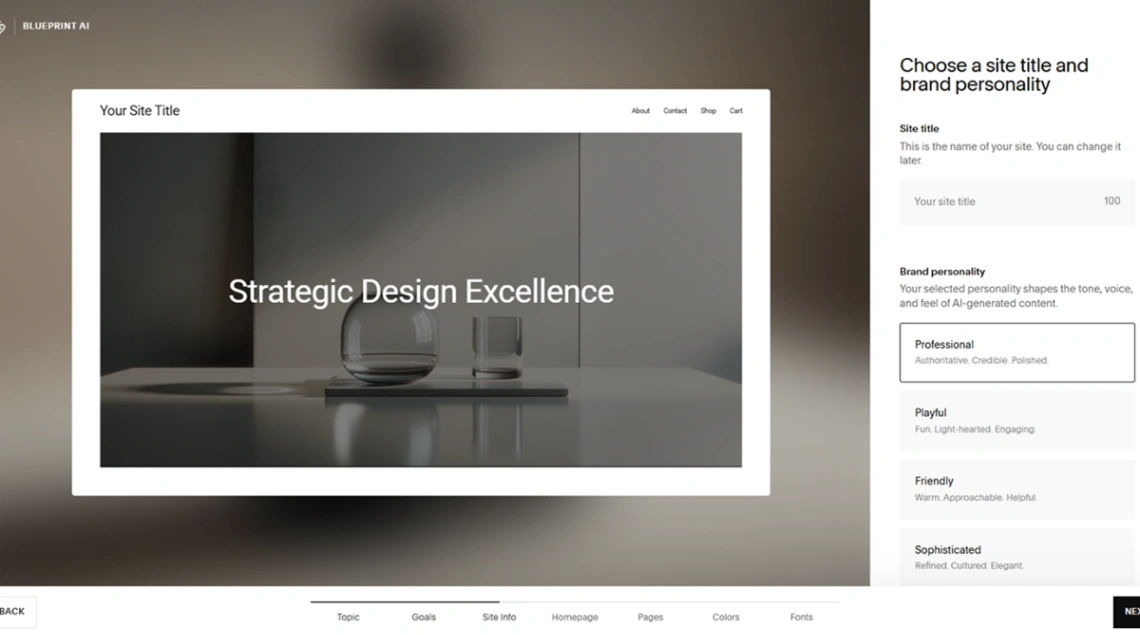
Blueprint AI, launched in 2023, generates a fully customized website framework from over 1.4 billion possible design combinations. Users answer five questions about their business type, brand personality, and aesthetic preferences. The AI handles the rest, including pre-populated copy and curated imagery. You can explore the full feature set on Squarespace's official Design Intelligence page and the Blueprint AI builder overview. For an honest, user-perspective take, Feisworld's 2026 Blueprint AI review — written by a 10-year Squarespace user — is one of the most grounded assessments available.
This isn't just a template picker with extra steps. The system pulls from Squarespace's two decades of design standards, meaning the output starts at a professional baseline that most DIY tools can't match out of the box. NxCode's 2026 roundup of the best AI website builders tested twelve tools and contextualizes where Blueprint AI sits in the competitive field. According to the research document, the full "Design Intelligence" suite now includes:
- AI Content Generation for on-brand blog posts, emails, and web copy
- Layout Switcher for single-click section rearrangements
- Brand Identity Creator for storing tone-of-voice and visual preferences
- AI SEO Visibility for automated meta titles, descriptions, and alt-text generation
The Perplexity partnership announced in late 2025 takes this further, optimizing sites for AI-driven search results rather than just traditional blue links. Squarespace now helps users structure content so that large language models can accurately parse what a business does and surface it in AI-generated answers.
This is what Squarespace means when it calls itself a "Design Intelligence" platform rather than a website builder. The design system now extends to how your site is understood by machines, not just how it looks to humans. Squarespace's own guide on AI Shopping Assistants and how businesses can adapt lays out exactly how that machine-readability layer works in practice. If you want to understand how these AI-native discovery patterns are reshaping the broader no code space, our guide on what a no code builder is in 2026 covers the context well.
Squarespace vs. Wix vs. Webflow: Which No Code Design Tool Fits You?
Squarespace wins on aesthetic baseline; Webflow wins on raw control; Wix wins on template variety. The right choice depends on how much design quality you need versus how much flexibility you're willing to learn. If you want a quick overview of Squarespace's features, pricing, and how it stacks up, our Squarespace tool page covers the essentials in one place.
Wix offers over 2000 templates and a highly autonomous AI builder, but industry analysis consistently notes that Squarespace maintains a higher "baseline design quality." Squarespace's system is engineered to prevent bad choices, which is a deliberate feature, not a limitation. For service-based businesses where the site is a credibility signal, that baseline matters.
Webflow is the tool for designers who want full CSS access, including flexbox and grid properties. The learning curve is real, and the pricing reflects a professional user base. For non-technical small business owners who need a site live this month, it's usually overkill. Ballistic Media's 2024 Squarespace vs Webflow vs Wix comparison and OneNine's Webflow vs Squarespace deep dive are both solid references for anyone sitting on the fence. For a closer look at the no-code design tools themselves, Framer vs. Webflow in 2026 is worth reading too.
For e-commerce, Shopify is still the logistics powerhouse. But Squarespace wins for visually driven shops that prioritize brand aesthetics over high-volume order management. The 2025 introduction of Squarespace Payments and Pay Links strengthened its position here, especially for the creator economy. ShopX Commerce's 2026 Shopify vs Squarespace breakdown gives a useful side-by-side for store owners evaluating both.
| Platform | Best For | Design Control | Learning Curve |
|---|---|---|---|
| Squarespace | Service businesses, creatives, portfolios | High (within guardrails) | Low |
| Webflow | Professional designers, custom projects | Full CSS access | High |
| Wix | Fast launches, maximum template variety | Medium | Very low |
| Shopify | High-volume e-commerce | Limited design focus | Medium |
Deal-Breaker Questions Answered
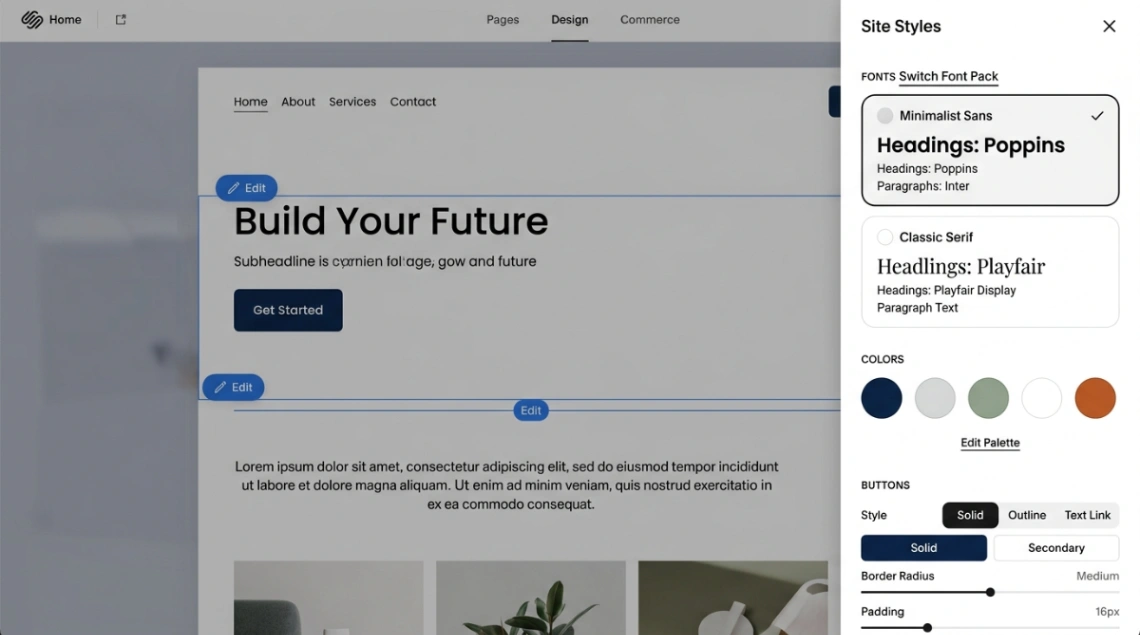
Will my site look templated or generic? Fluid Engine and Blueprint AI together give you enough control to avoid the "cookie-cutter" look. Site Themes let you set global fonts, colors, and button styles, so every page reflects your brand. The constraint is intentional quality, not lazy uniformity.
Can I actually customize without touching code? Yes, for the vast majority of use cases. Fluid Engine handles grid positioning, layering, and mobile editing without CSS. Custom CSS is available for edge cases, but most service businesses and creatives won't need it.
What happens if I need to scale my business on the platform? Squarespace has moved well beyond websites. Acuity Scheduling for bookings, integrated invoicing, subscriptions, and Squarespace Payments cover the operational layer for most small-to-mid businesses. The Advanced Commerce plan handles the upper end.
Is the AI genuinely useful or just a feature checklist? Blueprint AI is genuinely useful at the start — eliminating blank-page paralysis for new builds. The AI SEO tool and content generation are incremental rather than transformative, but they accelerate production for time-pressed owners. Real designers use these as accelerators, not replacements.
How does it compare to hiring a designer? The research is direct on this: by 2026, professional designers in the Squarespace Circle program use the platform as a base framework and add value through strategy, custom CSS, and content. Squarespace didn't replace designers — it replaced the tedious parts, like responsive debugging and cross-browser testing. For a business owner building their first site, it's a credible DIY path. For a complex brand identity project, pairing the platform with a Circle designer still makes sense.
Start exploring launch-ready no-code templates here!
Key Takeaways
- Squarespace's competitive edge is designed constraint. Its template system, Fluid Engine grid, and Design Intelligence suite are built to produce professional-quality no code design outputs by making poor visual decisions structurally difficult. That's a feature, not a flaw.
- Blueprint AI generates from 1.4 billion possible combinations, giving every new site a customized starting framework rather than a recycled template. Combined with the Perplexity partnership, Squarespace is now optimizing for AI-driven search discovery, not just human visitors.
- The platform surpassed $1 billion in annual revenue in 2024 and was taken private by Permira for $6.9 billion, freeing it from public-market pressure to double down on AI R&D. The strategic direction through 2026 is clear: full-stack Design Intelligence for the agentic web.
The most interesting thing about Squarespace's 23-year run isn't the feature list. It's the thesis that held from day one: that aesthetic quality should be a baseline expectation, not a premium upgrade. As AI reshapes how websites are discovered and experienced, that thesis is proving more relevant, not less.
FAQ
What is no code design and how does Squarespace use it? No code design means building professional websites through visual editors rather than writing HTML or CSS. Squarespace applies it through tools like Fluid Engine and Blueprint AI, which enforce design standards automatically.
Is Squarespace good for non-technical small business owners in 2026? Yes. Blueprint AI handles the initial build, Fluid Engine provides layout control, and built-in tools cover scheduling, payments, and SEO without requiring any technical skills.
How is Squarespace's Fluid Engine different from the Classic Editor? Fluid Engine uses a two-dimensional drag-and-drop grid with independent mobile editing. The Classic Editor used vertical block stacking and automatic mobile reflow, giving far less creative control.
Does Squarespace's Blueprint AI replace hiring a web designer? For straightforward sites, Blueprint AI is a capable starting point. For complex brand projects, professional Squarespace Circle designers still add meaningful value on top of the platform's framework.
How does Squarespace compare to Webflow for no code design? Squarespace prioritizes guided creativity with a lower learning curve. Webflow offers full CSS access for professional designers. Squarespace delivers roughly 80% of Webflow's flexibility with 20% of the technical overhead.
Start building without code
Browse thousands of no-code templates for Webflow, Framer, Bubble, Lovable, Replit and more.
Explore Templates