HotDog Professional: The Code-Free Power User Editor
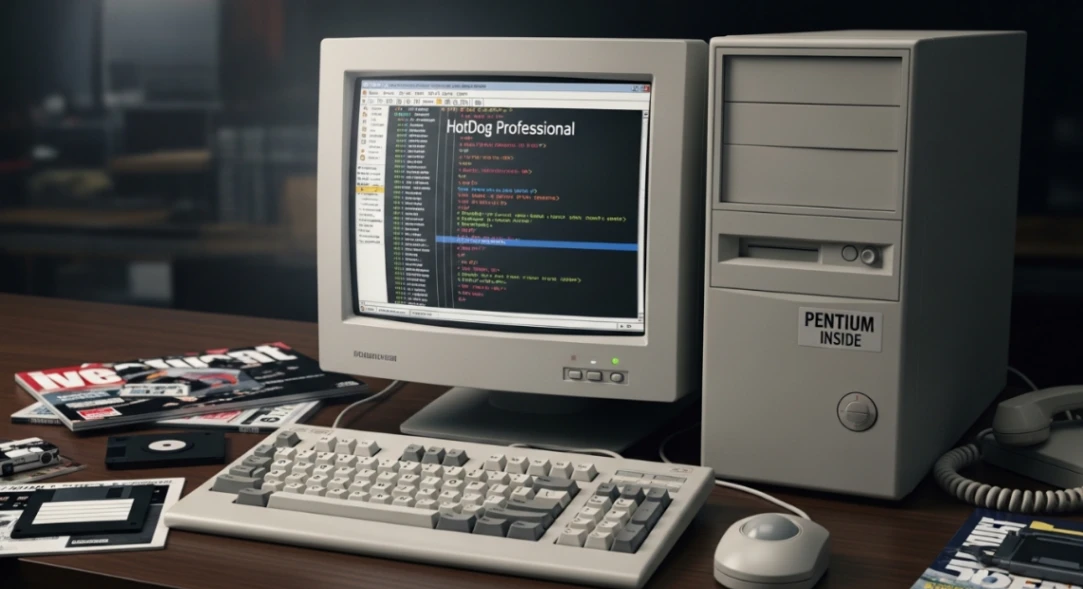
HotDog Professional was a code-centric web editor built by Sausage Software in Melbourne, Australia in 1995. It gave power users wizard-driven automation to generate clean HTML without sacrificing direct code control. It remains one of the earliest examples of "smart automation" for web development.
Table of Contents
- What Was HotDog Professional?
- The "Code-Free" Paradox: Automation Without Losing Control
- Key Features That Made It a Power User Favorite
- How HotDog Stacked Up Against FrontPage and Dreamweaver
- The SuperToolz Ecosystem: Modular Plug-ins Before They Were Cool
- The Legacy of HotDog and What It Means Today
What Was HotDog Professional?
Before drag-and-drop builders, before WordPress, and long before any modern pc builder website tool existed, web developers were essentially writing HTML by hand in glorified text editors.
Then came HotDog Professional.
Launched in 1995 by Sausage Software, an Australian company founded in Melbourne by Steve Outtrim, HotDog Professional was built for one specific type of person: the power user who wanted raw code control and the speed that automation provides.
It wasn't a WYSIWYG editor like Microsoft FrontPage. And it wasn't a barebones text tool either. It was something in the middle, a smart, code-first environment that used wizards and dialog boxes to eliminate the boring, error-prone parts of HTML writing.
By 1996, the Sausage Software website was pulling roughly 250,000 hits per day, which was, frankly, insane for the early internet. The company's Melbourne HQ even had pinball machines and a pool table in the reception area. They were the original dotcom darlings before that phrase even fully existed.
The "Code-Free" Paradox: Automation Without Losing Control
Here's the thing that trips people up about HotDog Professional: calling it "code-free" sounds like it was aimed at beginners. It absolutley wasn't.
The "code-free" label referred specifically to its library of wizards and automated dialog boxes. These let users generate complex HTML markup by filling out structured forms, rather than typing every <TR>, <TD>, and CELLPADDING attribute by hand.
Take the Table Wizard as an example. You'd define rows, columns, border widths, and cell padding in a dialog box. The software would inject perfect, clean, error-free markup into your document. No typos. No unclosed tags. No debugging.
Then, crucially, you could still go in and manually edit that code however you liked.
That's the paradox the tool solved beautifully. Unlike WYSIWYG editors that locked you into their ugly, generated HTML, HotDog gave you automation and full editorial control.
This is the same underlying logic that powers modern no-code and low-code tools today. The idea that you shouldn't have to choose between speed and precision hasn't changed, just the technology wrapping it.
If you're curious how this contrasts with the era's pure visual builders, check out our breakdown of Dreamweaver vs FrontPage: The First No-Code War.
Key Features That Made It a Power User Favorite
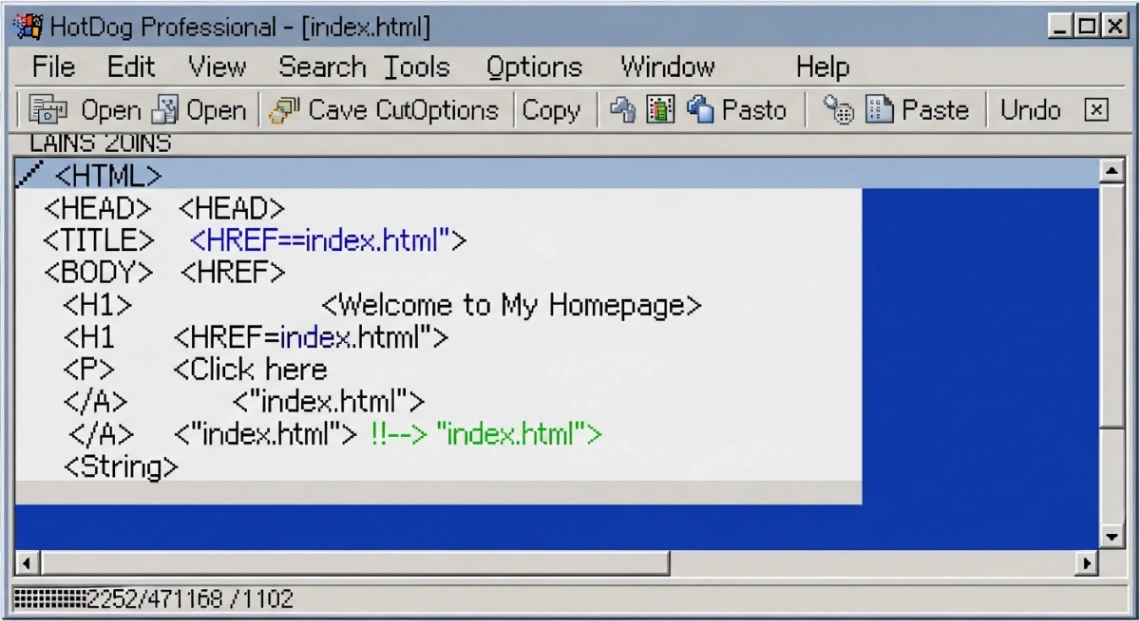
HotDog Professional packed a seriously impressive feature set for its time. Here's a quick look at what made it stand out:
| Feature | What It Actually Did |
|---|---|
| Syntax Highlighting | Color-coded HTML tags, attributes, and links for instant error spotting |
| Error Tracking | Incorrectly formatted code highlighted in red, before you even previewed |
| ROVER View | Live on-the-fly preview pane so you could see changes as you typed |
| Table Wizard | Generated complex <TABLE> markup through a simple form dialog |
| Project Management | Opened and saved multiple documents simultaneously as one project |
| Drag-and-Drop Panels | Customizable toolbars and resource panels for speed workflows |
The syntax highlighting alone was a big deal at the time. Most editors were just plain text. HotDog used a color-coded system: standard text in black, HTML tags in blue, attributes in pink, and broken code flagged instantly in red.
For a developer managing hundreds of pages, spotting a malformed tag at a glance — rather than hunting through source code — saved enormous amounts of time.
The ROVER preview pane was also a genuinely smart feature. Instead of constantly alt-tabbing to a browser (which, on early Windows 95 machines, was painfully slow), you could watch your page update in real time in a dedicated side panel.
How HotDog Stacked Up Against FrontPage and Dreamweaver
The mid-to-late 1990s web editor market was actually quite competitive. HotDog Professional sat in a very specific, deliberate position between two giants.
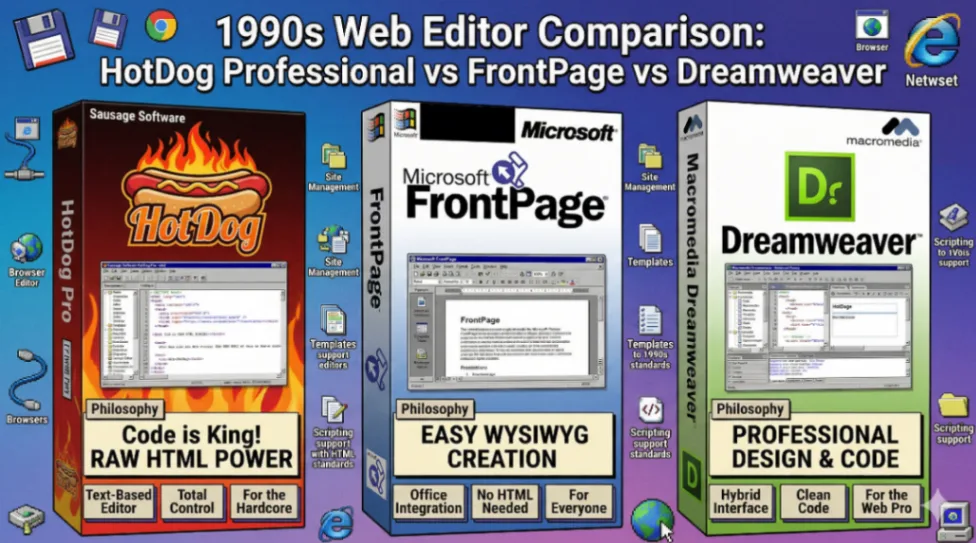
Microsoft FrontPage (originally from Vermeer, acquired by Microsoft) was the pure WYSIWYG option. Drag, drop, done. But professional developers hated it for generating what they called "garbage code" — bloated, proprietary markup that required Microsoft server extensions to even work correctly. If you cared about clean output, FrontPage frustrated you.
Macromedia Dreamweaver, released in 1997, changed the game. Its "Roundtrip HTML" technology let you edit code manually without the visual editor scrambling it when you switched views. That was a genuinely revolutionary feature. Dreamweaver eventually dominated the professional market because of its superior support for database-driven dynamic content.
HotDog Professional lived between those two extremes, code-first but wizard-assisted, targeting the power user who didn't want WYSIWYG sloppiness but also didn't want to type every tag from scratch.
For a deeper dive into how FrontPage shaped the era, read Microsoft FrontPage: The Web Builder That Built a Generation.
| Tool | Philosophy | Best For | Code Quality |
|---|---|---|---|
| HotDog Pro | Code-based + wizard automation | Power users, webmasters | Clean, manual control |
| FrontPage | Pure WYSIWYG | Beginners, home users | Often messy, proprietary |
| Dreamweaver | Hybrid visual + code sync | Professional designers | "Roundtrip" code preservation |
The SuperToolz Ecosystem: Modular Plug-ins Before They Were Cool
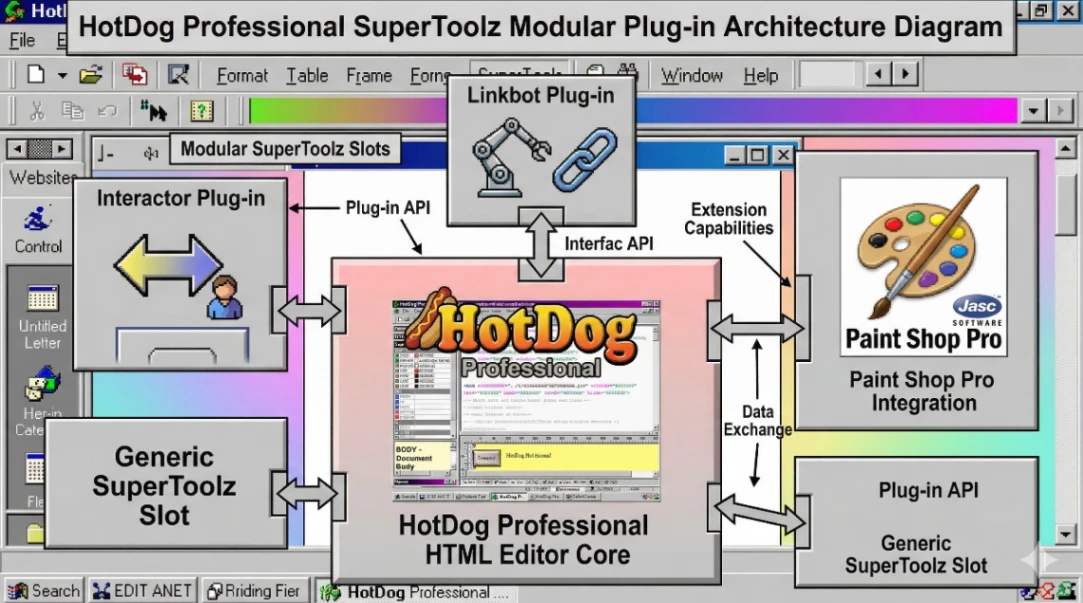
One of HotDog Professional's most forward-thinking features was its SuperToolz architecture, a modular plug-in system that let users download and integrate specialty tools directly into the editor.
Think of it like a precursor to the VS Code extensions marketplace, except this was 1996 and your internet connection was a dial-up modem.
The "AutoDownloader" facility within SuperToolz even had a "Smart Update" feature that grabbed only the necessary files for an update — and a "Smart Resume" that protected against download failures. In 1996. On dial-up. That's pretty thoughtful engineering.
Key SuperToolz components included:
- Interactor — Created Dynamic HTML (DHTML) effects like image animations, path movements along Bezier curves, and interactive button states, all without writing a single line of JavaScript manually.
- Linkbot — An automated site auditing tool that scanned for dead links (30 URLs simultaneously), identified "orphan files" wasting server space, flagged stale content, and detected slow-loading pages.
- Paint Shop Pro integration — Bundled graphics editing directly into the workflow so webmasters weren't bouncing between five different apps.
The Linkbot tool in particular was remarkably ahead of its time. Automated HTML reports, scheduled audits, orphan file detection — that's essentially what modern SEO crawlers like Screaming Frog do today. Sausage Software built a lite version of that in the 1990s.
The table layout tools in HotDog were also central to the era. See how that shaped (and complicated) the web in Web Builders and the Table Layout Era.
The Legacy of HotDog and What It Means Today
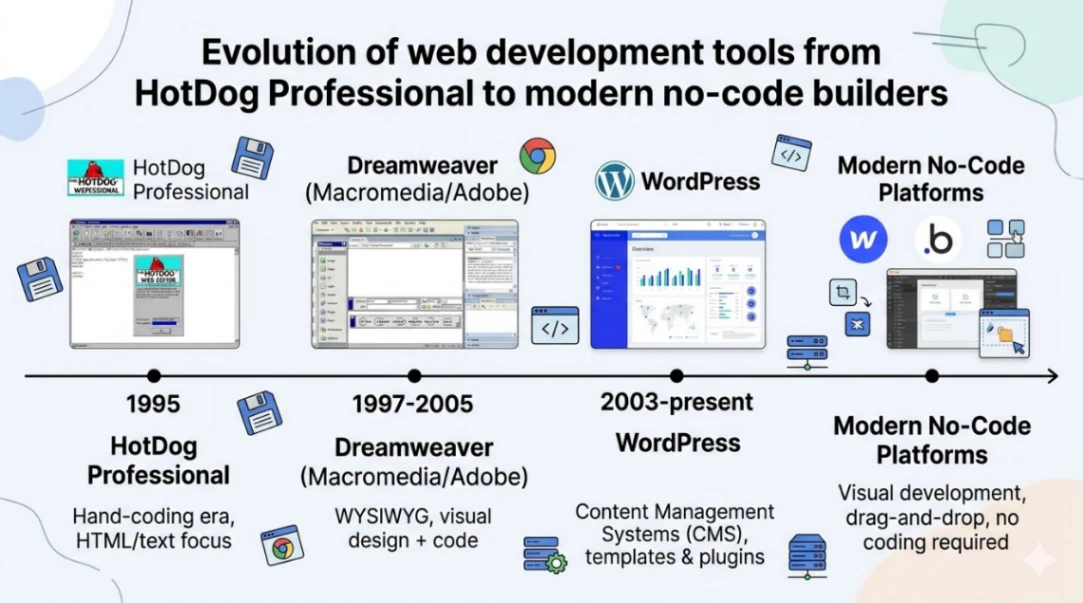
HotDog Professional was eventually absorbed into the broader market consolidation that happened around 2000. Sausage Software merged with SMS Management & Technology that year, and the rise of WordPress, responsive design, and complex JavaScript frameworks made standalone HTML editors largely redundant.
But here's the thing: every innovation that made HotDog Professional special is still alive in modern tools.
- Wizard-driven code generation → Today's component libraries and visual editors
- Modular plug-in ecosystems → VS Code, Figma plugins, no-code app integrations
- Integrated site auditing → SEMrush, Ahrefs, Screaming Frog
- Synchronized code and preview → Every modern IDE split-view feature
The broader lesson from HotDog Professional is simple. The most effective tools for skilled people aren't the ones that hide complexity entirely. They're the ones that automate the tedious parts while keeping you in control of the important parts.
That philosophy is just as relevant today whether you're using a modern pc builder website platform, a headless CMS, or a no-code tool to launch a business in a weekend.
The web has always moved fast. The tools that survived were the ones smart enough to keep up.
Start exploring launch-ready no-code templates here!
Key Takeaways
- HotDog Professional (1995) was built by Melbourne-based Sausage Software for power users who needed wizard-driven automation without losing direct HTML control.
- Its core innovation was eliminating syntax errors in complex structures (tables, frames, forms) while keeping all generated code fully editable — a middle ground between WYSIWYG tools and bare-text editors.
- The SuperToolz plug-in architecture, complete with an AutoDownloader and Smart Resume feature in 1996, directly prefigured the modern IDE extensions marketplace.
- The core design philosophy of HotDog Pro — automate the tedious, preserve the control — remains the foundation of every well-designed developer tool and no-code platform built since.
The best tools don't remove your control. They remove your excuses for not building something great.
FAQ
What was HotDog Professional used for? HotDog Professional was a code-centric HTML editor used by professional webmasters and developers to build websites in the 1990s. It combined direct code editing with wizard-based automation for complex HTML structures.
Who made HotDog Professional? Sausage Software, an Australian company founded in Melbourne in 1995 by Steve Outtrim, developed and published HotDog Professional until its merger with SMS Management & Technology in 2000.
How was HotDog Professional different from Microsoft FrontPage? FrontPage was a pure WYSIWYG tool that generated messy, proprietary HTML. HotDog Professional was code-first and produced clean, standards-compliant markup while using wizards to speed up complex tag generation.
What was the SuperToolz feature in HotDog Professional? SuperToolz was a modular plug-in system that let users add specialty tools like Interactor (DHTML animation), Linkbot (site auditing), and graphics editors directly into the HotDog editor interface.
Is HotDog Professional still available today? No. HotDog Professional was discontinued following Sausage Software's merger in 2000. Its functionality has been superseded by modern IDEs, CMS platforms, and no-code website builders.
Start building without code
Browse thousands of no-code templates for Webflow, Framer, Bubble, Lovable, Replit and more.
Explore Templates