What Is a Website? A 2026 Guide for Solopreneurs
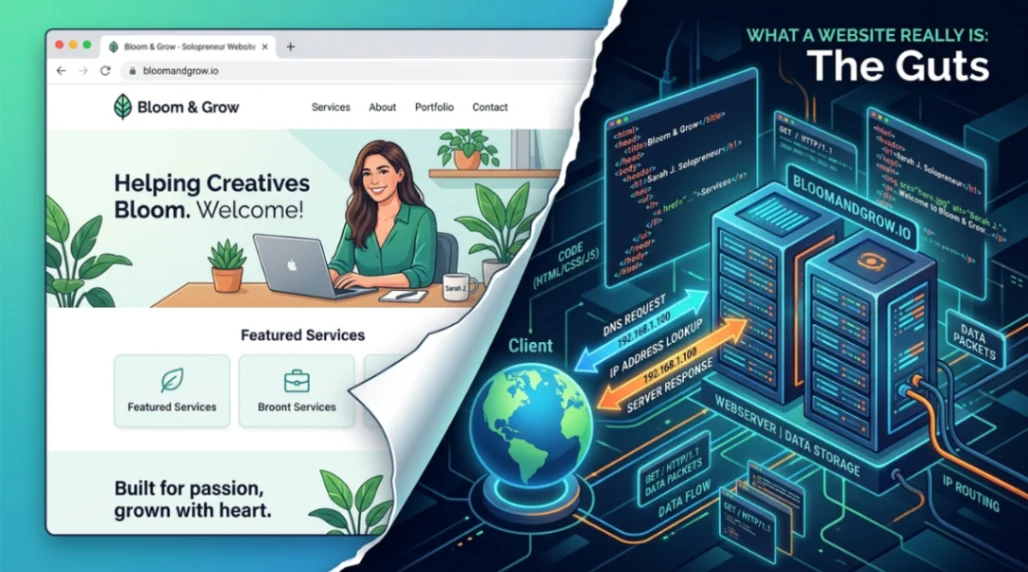
A website is a collection of linked web pages sharing one domain name, delivered from a server to your browser via HTTP. It combines a frontend (what you see), a backend (where data lives), and a DNS address that points people to it. In 2026, solopreneurs can launch one in under a day using no-code builders.
Table of Contents
- So, What Is a Website, Really?
- How a Website Actually Reaches Your Browser
- Frontend vs Backend: The Two Halves Every Solopreneur Should Know
- Types of Websites Solopreneurs Actually Build
- Hosting, Costs, and Deal-Breaker Questions
- Key Takeaways
- FAQ
So, What Is a Website, Really?
A website is a group of linked web pages and files that live under one domain name and get served to your browser over the internet. Think of it as a tiny digital storefront you rent space for, decorate, and open to the public.
Here's the part most people mix up: the internet and the web aren't the same thing. The internet is the global network of cables, routers, and servers. A website is an application that rides on top of that network using HTTP, the protocol Tim Berners-Lee invented at CERN back in 1989. According to CERN's own history of the web, the foundational tech (HTTP, HTML, the first browser, and the first server) was in place by December 1990, and the web was released into the public domain on April 30, 1993. MDN's glossary entry reinforces the key distinction: the internet is infrastructure, the web is an application layer on top of it.
I still remember the first site I cobbled together as a teenager. It had three pages, a rotating "under construction" GIF, and exactly one visitor (my mom). The tools have gotten wildly better since, but the core idea hasn't budged an inch.
How a Website Actually Reaches Your Browser
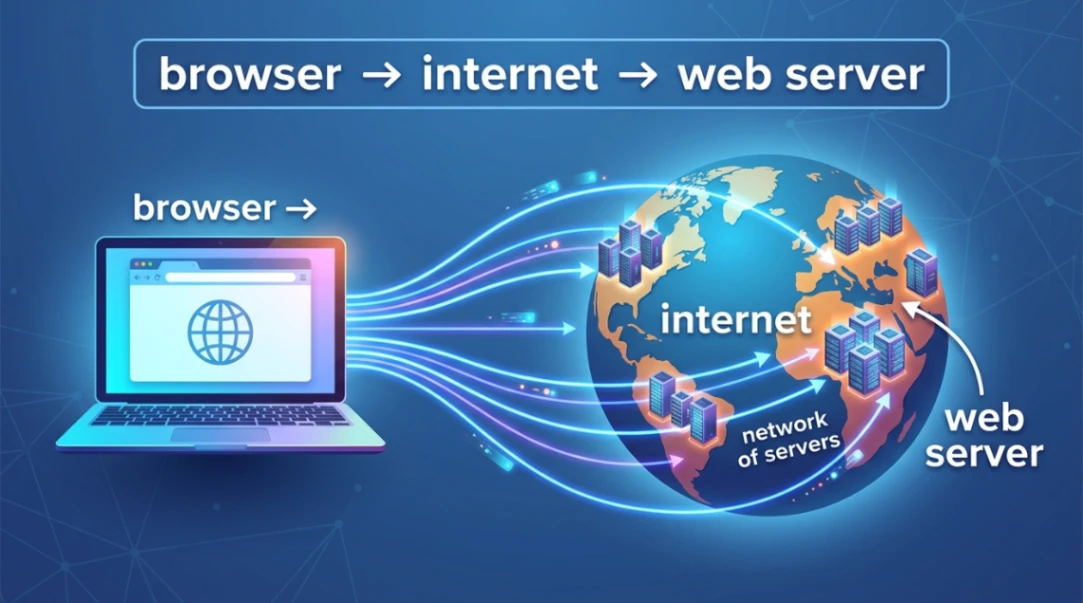
When you type a domain name, your browser runs a DNS lookup, fetches files from a server over HTTPS, and renders them on screen, all in under a second. That whole dance is what makes a website feel instant.
Here's the quick version of what happens behind the scenes:
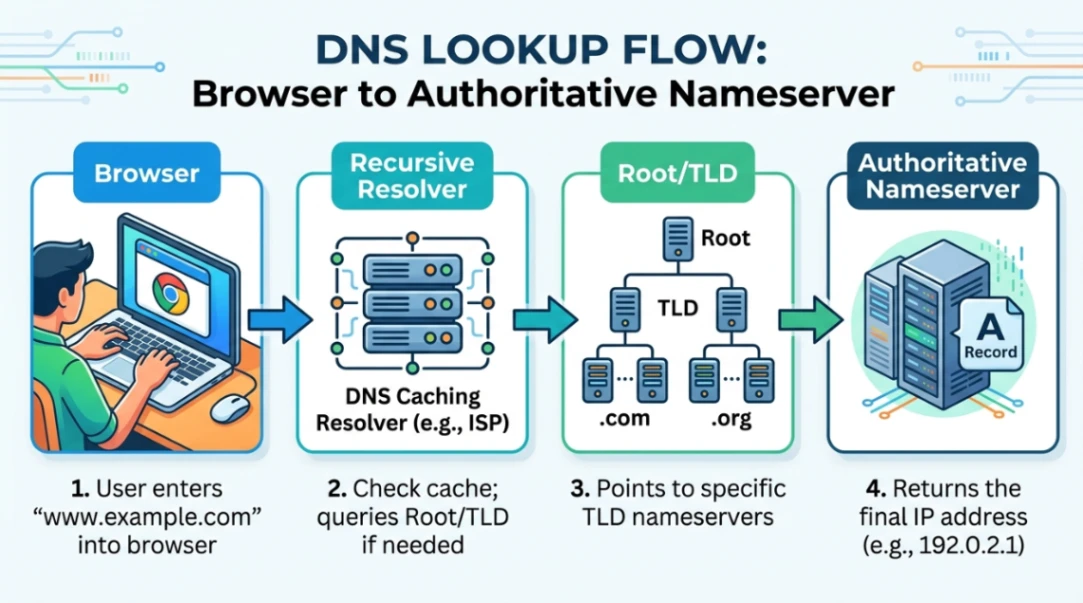
- DNS resolution: Your request hits a recursive resolver, which checks root servers, then a TLD server (like
.com), then the authoritative nameserver that knows your site's IP address. Cloudflare's DNS explainer walks through this as a four-step lookup. - TLS handshake: The server proves its identity with a certificate. According to Cloudflare's TLS handshake guide, TLS 1.3 does this in a single round trip, roughly half the latency of TLS 1.2.
- HTTP delivery: Files are sent over HTTP/2 or HTTP/3. HTTP/3 runs on QUIC (UDP) and keeps your session alive even when you switch from Wi-Fi to cellular, as DebugBear's performance comparison documents.
According to ICANN, the DNS now supports over 1,200 generic top-level domains, which is why you can grab a .shop, .io, or .studio instead of fighting for a .com.
Fun side note: if you're curious about how we got from typing raw HTML in Notepad to one-click publishing, the story of WordPress in 2003 is where the modern no-code era really kicked off.
Frontend vs Backend: The Two Halves Every Solopreneur Should Know
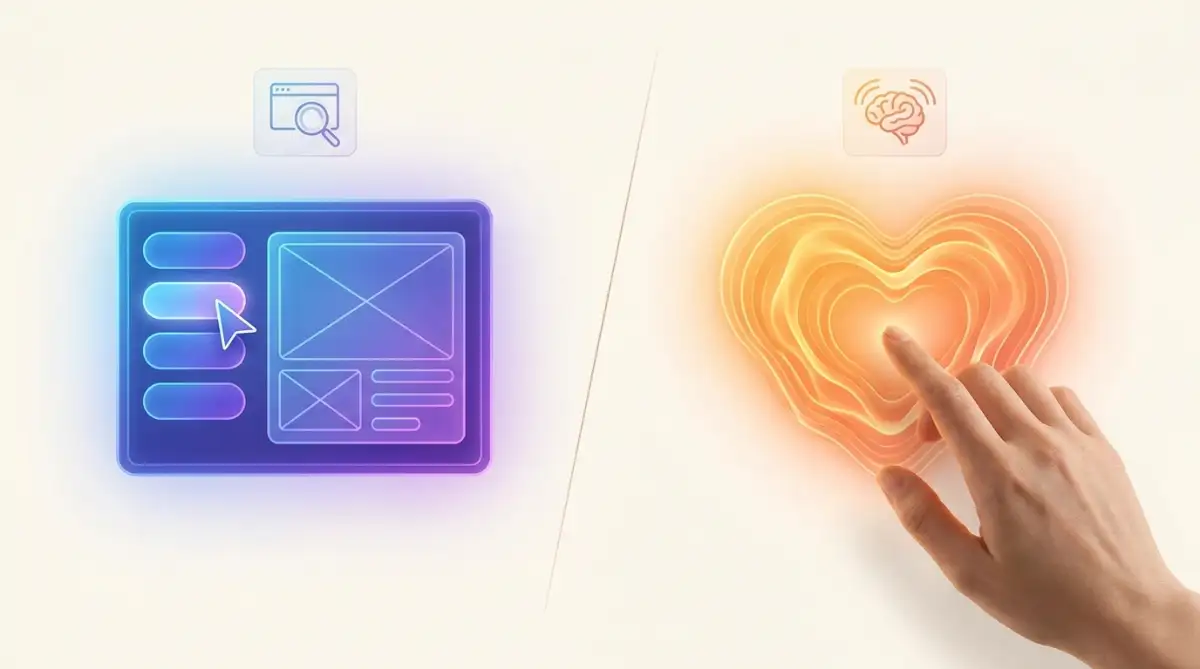
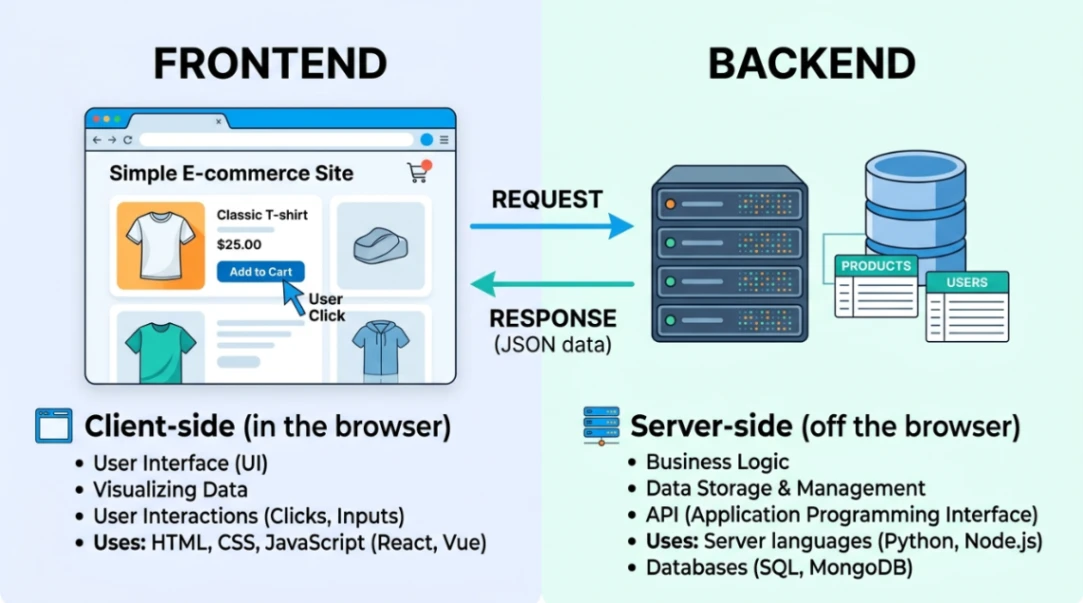
A website has two layers: the frontend (what visitors see and click) and the backend (the server, database, and logic running the show). You don't have to build either from scratch, but you should know which is which.
The frontend is built with the classic triad: HTML for structure, CSS for styling, and JavaScript for behavior. MDN's web standards guide covers this triad as the foundation every site still uses today. Modern sites often layer frameworks like React, Angular, or Vue on top to manage complex interfaces. The backend handles logins, form submissions, and database queries, usually written in Python, Node.js, or PHP.
| Layer | What It Does | Tech You'll Hear About |
|---|---|---|
| Frontend | Visuals, buttons, layout | HTML, CSS, JavaScript, React |
| Backend | Data, logins, logic | Node.js, Python, PostgreSQL |
| Database | Stores your content | MySQL, MongoDB |
If you've ever wondered why older no-code tools felt so fragile, spaghetti code in early WYSIWYG builders is the short answer. Thankfully, 2026 builders generate much cleaner output.
Types of Websites Solopreneurs Actually Build
Most solopreneurs need one of four website types: a business site, a landing page, an e-commerce store, or a content/blog hub. Picking the right one saves you weeks of rebuilding later.
| Type | Best For | Key Features |
|---|---|---|
| Business Site | Service providers, consultants | About, services, contact |
| Landing Page | Single product or email capture | One goal, one CTA |
| E-Commerce | Physical or digital products | Cart, payments, inventory |
| Blog / Content | Audience building, SEO | Posts, categories, comments |
Not sure between a full site and a single page? This guide on landing pages for solopreneurs breaks down when each makes sense.
For e-commerce specifically, OuterBox's e-commerce feature list flags PCI-DSS compliant payments, express checkout (Apple Pay, Google Pay), and product filtering as non-negotiables. If your builder doesn't handle these out of the box, keep shopping. And if you're choosing a CMS under the hood, Sanity's headless vs traditional CMS breakdown is the clearest primer I've found.
Hosting, Costs, and Deal-Breaker Questions
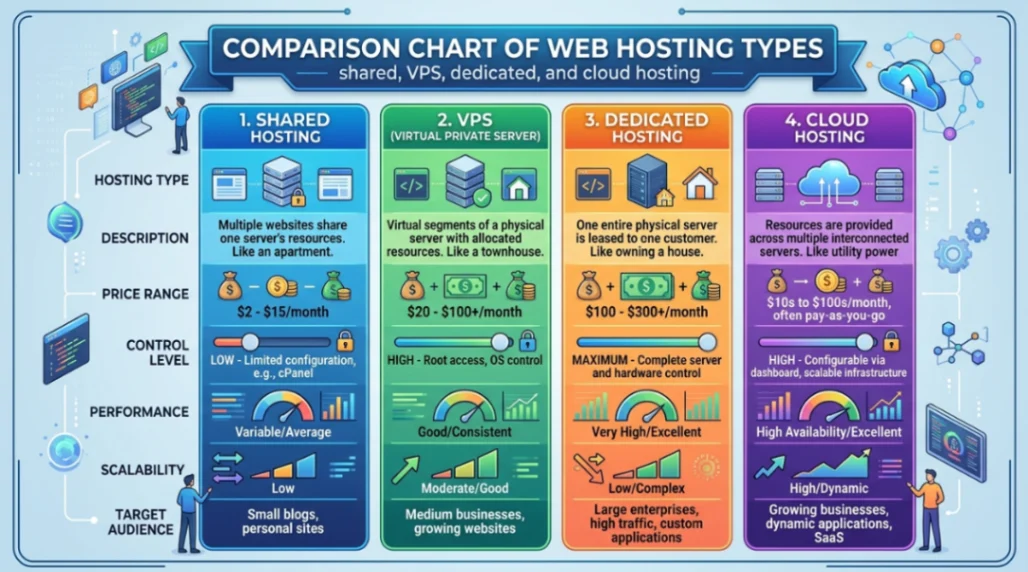
Shared hosting starts around $3 per month, while cloud hosting scales on a pay-as-you-go basis. For a solopreneur launching their first website in 2026, a managed no-code builder usually bundles hosting, SSL, and a CDN for $10 to $30 monthly. AWS's hosting comparison is a solid reference if you want to understand what you're actually paying for.
Here are the deal-breaker questions I'd ask before committing to any platform:
- Do I need to code? No. Modern builders handle HTML, CSS, and hosting for you.
- How fast can I launch? A simple site takes 2 to 6 hours with a template.
- Is HTTPS included? It should be, automatically. If not, walk away.
- Can I export my site? Check for clean HTML export or CMS portability.
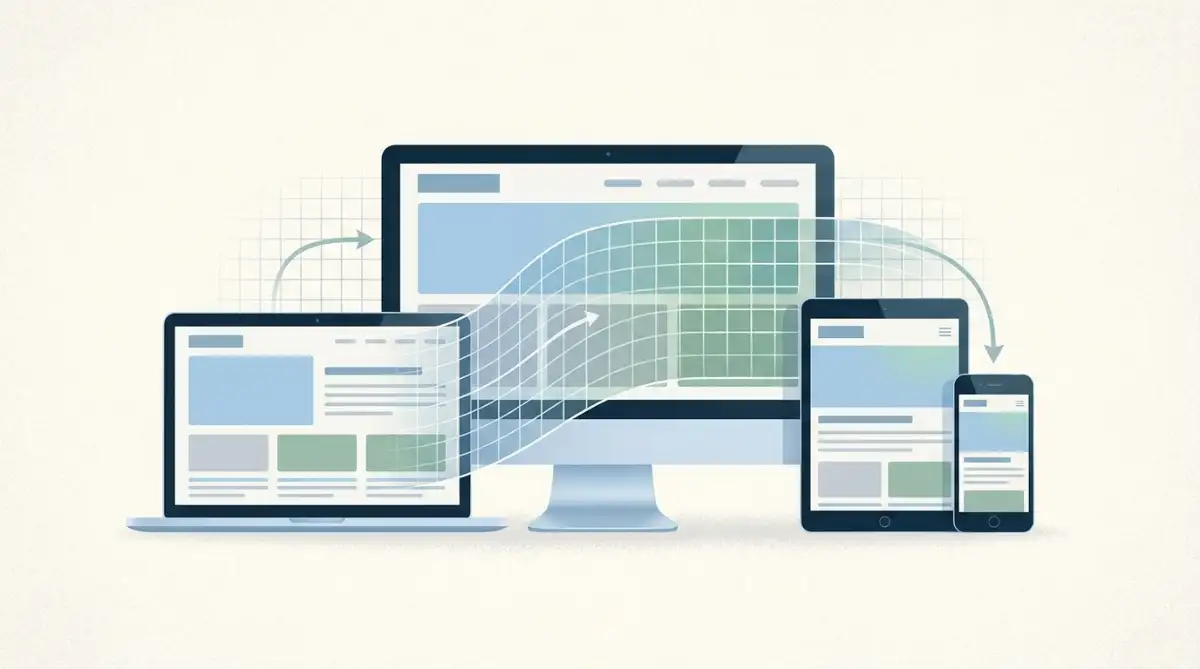
- What about mobile? Google indexes the mobile version first, so responsive design is mandatory. The W3C Web Accessibility Initiative also spells out why mobile and accessibility go hand in hand.
Start exploring launch-ready no-code website templates here!
Key Takeaways
- A website is an application, not the internet itself. It's a set of linked pages served over HTTP from a server you either own or rent, identified by a domain name managed through DNS.
- You don't need to code in 2026. The frontend-backend split still exists under the hood, but no-code builders abstract it away so solopreneurs can focus on content and conversions instead of config files.
- Pick the website type that matches your goal. A landing page isn't a store, and a blog isn't a business site. Matching format to purpose is the single biggest time-saver I've seen founders miss.
The web started as a research tool for physicists in 1989 and turned into the most democratizing publishing platform in human history. In 2026, the only real gatekeeper left is whether you decide to hit "publish."
FAQ
What is the difference between a website and a web page? A web page is a single document (like one article). A website is a collection of linked web pages under one domain name, sharing navigation, branding, and hosting.
Do I need to buy a domain and hosting separately? Not always. Most no-code builders in 2026 bundle a free subdomain, and many include a custom domain plus hosting in a single monthly plan starting around $10.
Is WordPress still a good choice for solopreneurs? Yes, for content-heavy sites. WordPress powers a huge share of the web and offers flexibility, but modern no-code builders often launch faster with less maintenance overhead.
What is HTTPS and why does it matter? HTTPS encrypts traffic between your visitor and your server using TLS. Google flags non-HTTPS sites as "not secure," and most browsers block form submissions without it.
Can I move my website to another platform later? Sometimes. Open platforms like WordPress export cleanly, while closed builders may lock you in. Always check export options before committing to a builder.
Start building without code
Browse thousands of no-code templates for Webflow, Framer, Bubble, Lovable, Replit and more.
Explore Templates