Project Tracker Template
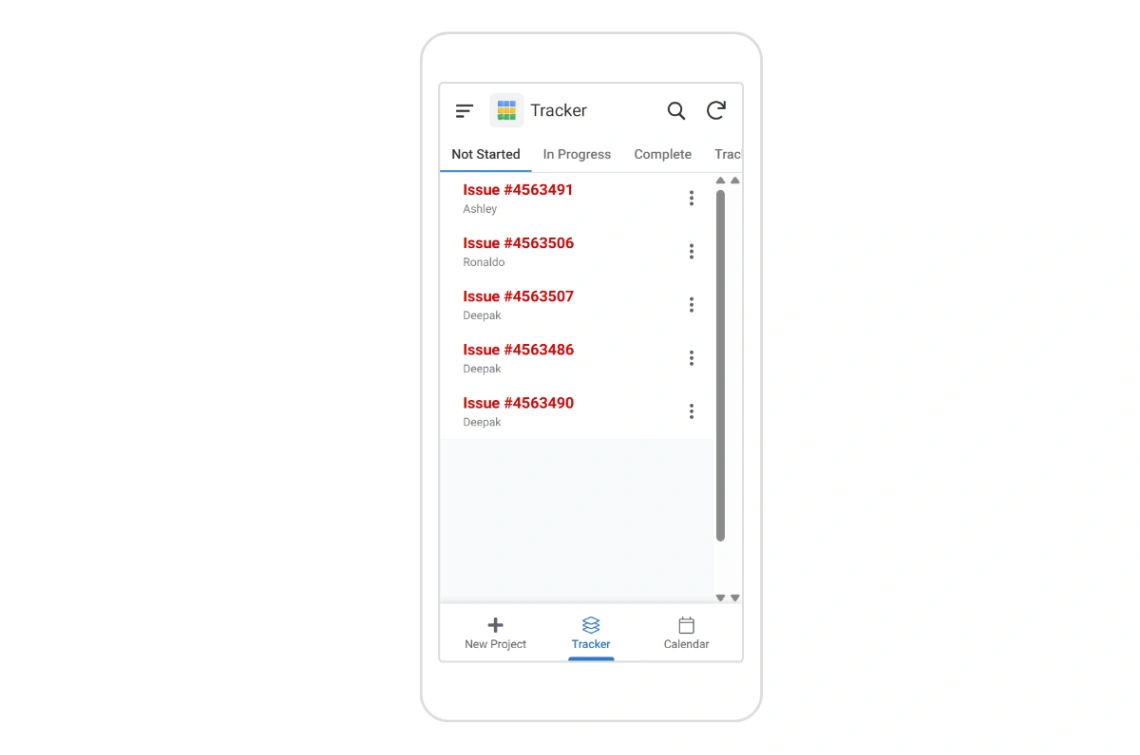
This project management template allows you to monitor tasks and issues using a dynamic Kanban dashboard. It includes status tracking, priority levels, and automated progress updates to help teams visualize workflows and streamline collaborative projects from any mobile or desktop device.
Best for
- 01Professional service companies
- 02Software development teams using agile
- 03Remote teams and distributed companies
- 04Early-stage startups launching an MVP
- Kanban View
- Status Tracking
- Priority Management
- Task Assignment
- Issue Logging
- Progress Dashboard
- Automated Updates
- Gemini AI Integration
- Workflow Automation
- Offline Functionality
- Barcode/NFC Scanning
- Google Workspace Sync
Where is this template hosted?
Project Tracker is hosted on AppSheet. All files, databases, and logic run on AppSheet's infrastructure - no separate hosting setup is required.
What platform do I need to use this template?
You'll need a AppSheet account to use and customize Project Tracker. AppSheet handles everything - from the visual editor to publishing. You can browse all AppSheet templates to explore more options built on the same platform.
How much does Project Tracker cost?
Project Tracker is available for $0. Keep in mind that AppSheet has its own subscription plans which are required to publish your site. Check the AppSheet page for current pricing details.
Can I use this template to build a project for my client?
Yes, you can use Project Tracker to build a project for a client. Once you purchase the template, you can customize and deploy it for any project, including client work. We recommend confirming the specific usage terms with AppSheet directly, as platform licensing policies can vary.