Technical Documentation Template
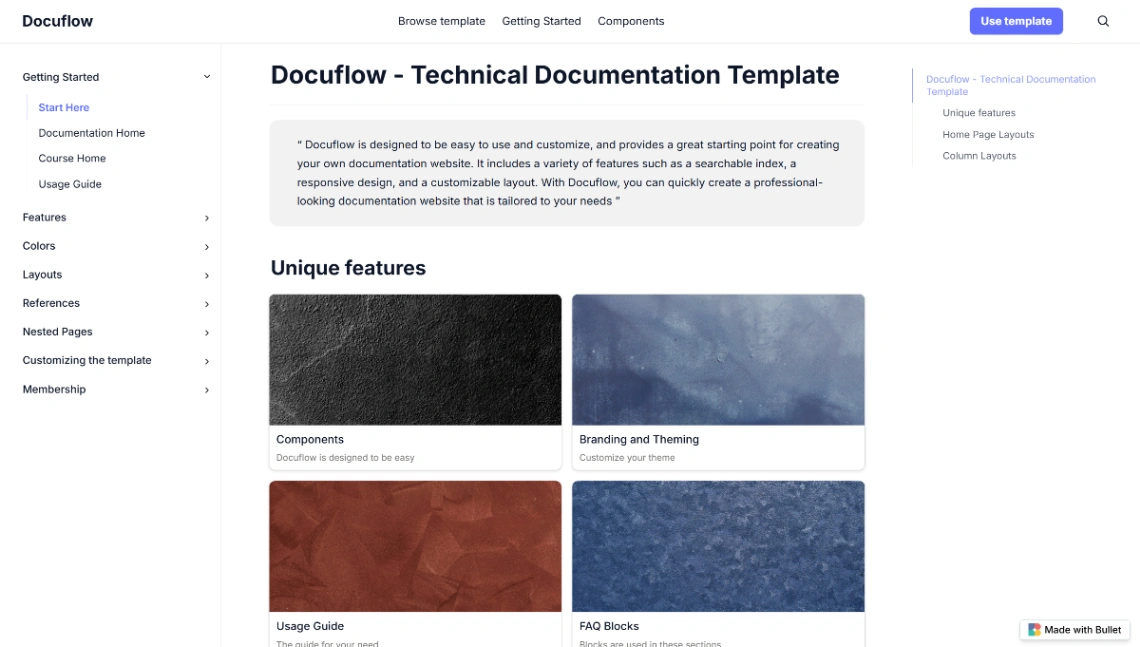
Software developers and product teams can use this structured, Notion-powered layout to build professional help centers. It features a nested sidebar for complex page hierarchies, searchable indexes, and specialized FAQ blocks. The design supports multiple column layouts and code snippets to ensure technical information is organized and easy to navigate.
Best for
- 01Tech companies and software firms
- 02Early-stage startups launching an MVP
- 03Online learning platforms and EdTech
- 04Early-stage founders seeking investment
- Nested Sidebar
- Searchable Index
- Code Blocks
- FAQ Sections
- Multiple Layouts
- Gallery View
- Branding Options
- SEO Tools
- Notion Integration
- Custom Domains
- Membership Portals
- Gated Content
Where is this template hosted?
Technical Documentation is hosted on Bullet. All files, databases, and logic run on Bullet's infrastructure - no separate hosting setup is required.
What platform do I need to use this template?
You'll need a Bullet account to use and customize Technical Documentation. Bullet handles everything - from the visual editor to publishing. You can browse all Bullet templates to explore more options built on the same platform.
How much does Technical Documentation cost?
Technical Documentation is available for $0. Keep in mind that Bullet has its own subscription plans which are required to publish your site. Check the Bullet page for current pricing details.
Can I use this template to build a project for my client?
Yes, you can use Technical Documentation to build a project for a client. Once you purchase the template, you can customize and deploy it for any project, including client work. We recommend confirming the specific usage terms with Bullet directly, as platform licensing policies can vary.